xtraCHEF: Set Up an EDI Integration With Vendors
Last updated: Aug 14, 2026, 3:25 PM
What Is an EDI?
Video overview of EDI integrations and how to connect your EDI vendors.
Electronic Data Interchange (EDI) is an electronic exchange of documents and data between two businesses. In xtraCHEF, it's a way for your vendors to transfer invoice data to your account automatically. Utilizing xtraCHEF's EDI capabilities with compatible vendors can help streamline your invoicing process and allow xtraCHEF to quickly turn around documents for reporting and your accounts payable. There are several additional benefits as well:
- Operation automation: EDI integration tools automate various processes, eliminating manual efforts such as document printing, handling, classification, sending, and manual data entry.
- Data accuracy: EDI software integration minimizes manual data entry, ensuring greater information accuracy.
- Faster response times: Send and receive valuable documents in seconds with instantaneous processes such as price validation, document registration, and invoicing to improve processing speeds.
- Cost savings: Process automation through EDI leads to faster response times, fewer errors, and minimized paper use, resulting in significant cost savings.
- Process visibility: When you replace paper with online documents, you facilitate better monitoring, giving your company greater visibility.
Compatible Vendors for EDI Integration
Not all vendors have the ability to establish an EDI integration. Currently, xtraCHEF can accept EDI integrations with the following vendors:
- Baldor
- Ben E. Keith (BEK)
- Chefs' Warehouse
- Cheney Brothers
- Cintas (Note: As of November 2025, this integration is currently unavailable, but may return in the future)
- DiCarlo
- Fintech
- Freshpoint
- Gordon Food Service (GFS)
- Greco and Sons
- Hillcrest
- Imperial Dade (Note: As of May 2025, this integration is currently unavailable, but may return in the future)
- Labatt Food Service
- Performance Food Group (PFG)
- Marc Edwards Produce
- Samuels Seafood
- Scavuzzo's
- Shamrock Foods
- Specialty Produce
- Sysco
- US Foods
- Van Eerden
- What Chefs Want
- Y. Hata
Request an Integration From the xtraCHEF Dashboard
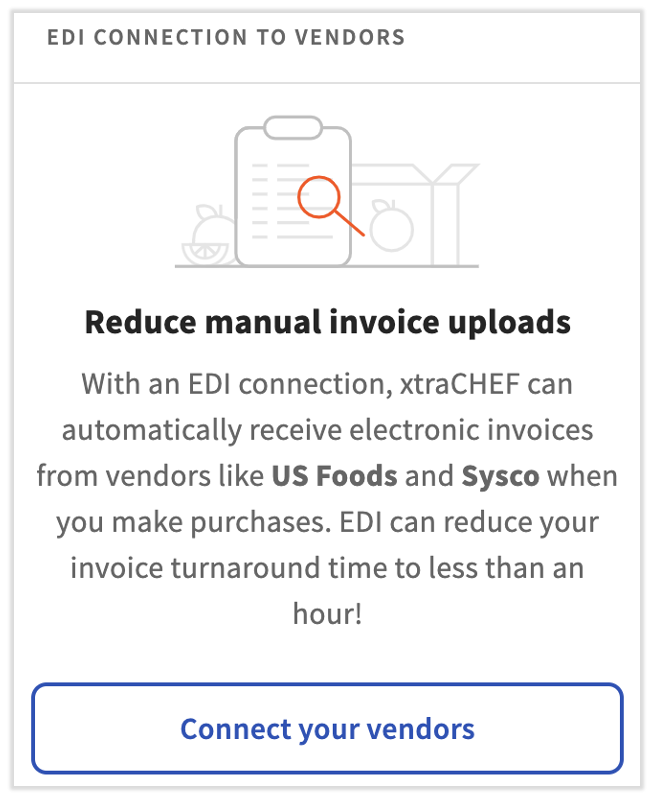
xtraCHEF now allows you to request certain EDI vendor integrations directly from within xtraCHEF, decreasing the time it takes to establish the connection. On the dashboard, look for the EDI Connection to Vendors tile and select Connect your vendors.
If your vendor’s name is grayed out, please reach out to support@xtrachef.com with the name of the vendor and your account number with the vendor. Customer Care will help get you connected.
If you're not sure where to find information such as your account/customer number, check your invoices or your vendor’s online portal.
Request an Integration From Your Vendor
xtraCHEF is not able to request integrations on your behalf from the following vendors. Follow the steps below to contact your vendor and request an integration with xtraCHEF.
- Fintech: To initiate an EDI integration with Fintech, please connect with your vendor first at implementation@fintech.net. This will initiate efforts between Fintech implementation specialists and the xtraCHEF Customer Care team.
- Cheney Brothers: To initiate an EDI integration with Cheney Brothers, please connect with your vendor sales representative and request an integration with xtraCHEF. From there, Cheney Brothers and xtraCHEF will work to complete the integration on your behalf.
- Shamrock Foods: Please contact your Shamrock Foods sales representative to initiate an EDI integration with xtraCHEF. Once Shamrock Foods has approved your EDI request, they will reach out to the xtraCHEF support team with the necessary information to complete the configuration on your behalf.
Request an Integration From xtraCHEF Support
If you’d like to request an integration with one of the following vendors that do not appear on the xtraCHEF dashboard, please reach out to support@xtrachef.com with the name of the vendor and your account number with the vendor, and support will help get you connected. If you're not sure where to find information such as your account/customer number, check your invoices or your vendor’s online portal.
- DiCarlo: To initiate an EDI integration with DiCarlo, please contact the xtraCHEF Customer Care team at support@xtrachef.com and include your DiCarlo account number. The team will communicate any required details to you and work to complete the integration on your behalf.
- Freshpoint: To initiate an EDI integration with Freshpoint, please contact support@xtrachef.com and include your Freshpoint account number. The xtraCHEF Care team will communicate any required details and work to complete the integration on your behalf.
- Scavuzzo's: To initiate an EDI integration with Scavuzzo's, contact us at support@xtrachef.com with your Scavuzzo's, account number. When we receive your email, we will communicate any required details and work to complete the integration on your behalf.
- Specialty Produce: To initiate an EDI integration with Specialty Produce, please contact your xtraCHEF Customer Care team at support@xtrachef.com and include your Specialty Produce account number. The team will communicate any required details and work to complete the integration on your behalf.
- Cintas: Note: This integration is unavailable as of November 2025, but may return in the future. To initiate an EDI integration with Cintas, please contact your xtraCHEF Customer Care team at support@xtrachef.com and include your Cintas account number. The team will communicate any required details and work to complete the integration on your behalf.
- Driscoll: To initiate an EDI integration with Driscoll, please contact your xtraCHEF Customer Care team at support@xtrachef.com and include your Driscoll account number. The team will communicate any required details and work to complete the integration on your behalf.
Frequently Asked Questions About EDI
How long does it take to set up an EDI integration?
Depending on the vendor, this can be instantaneous or can take up to two weeks. For US Foods, the integration takes about 6-8 weeks on the vendor's end.
What if I have more than one account with a vendor? Can I connect them both via EDI?
Due to system limitations, each vendor can only be connected via EDI with one customer number/account number per location. If you do have multiple accounts with a vendor and do not have a equal amount of locations in xtraCHEF, xtraCHEF recommends using the invoice email feature for the secondary account. See How to Upload Documents via Email.