xtraCHEF: Mobile Approval
Last updated: Apr 28, 2026, 4:20 PM
Download the xtraCHEF App
Ready to have insight into your restaurant's financials, inventory, and more literally at your fingertips? Start by downloading the xtraCHEF app. This app can be downloaded through either the Apple App Store (for Apple Product Users) or through Google Play Store (for Android users).
Once downloaded, you're ready to log in!
Mobile Approvals Overview
Approval rules add an additional layer of approval to invoices that may otherwise reconcile through xtraCHEF automatically (once xtraCHEF's machine learning is sufficient). These rules can be set up to flag invoices based on a number of different criteria. Should an invoice match your approval rule, it will be paused from reconciling until you or a member of your team approves it.
Note: To learn more about establishing approval rules, check out xtraCHEF: Approvals
If you've been assigned to approve invoices, you can handle your approvals right from the xtraCHEF app. Read on to learn how.
Mobile Approvals Flow
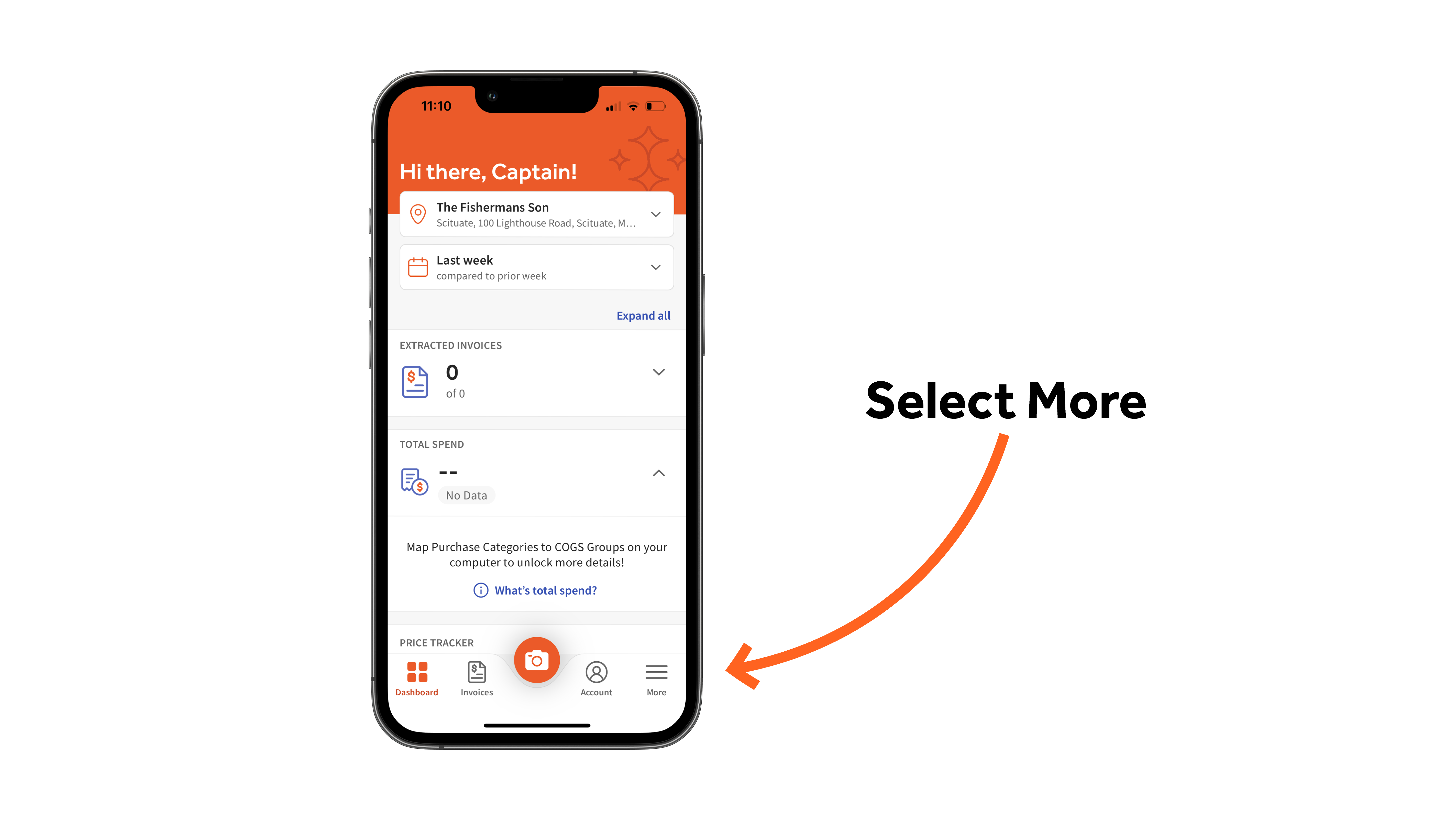
To get started, select the More button from the lower navigation bar.
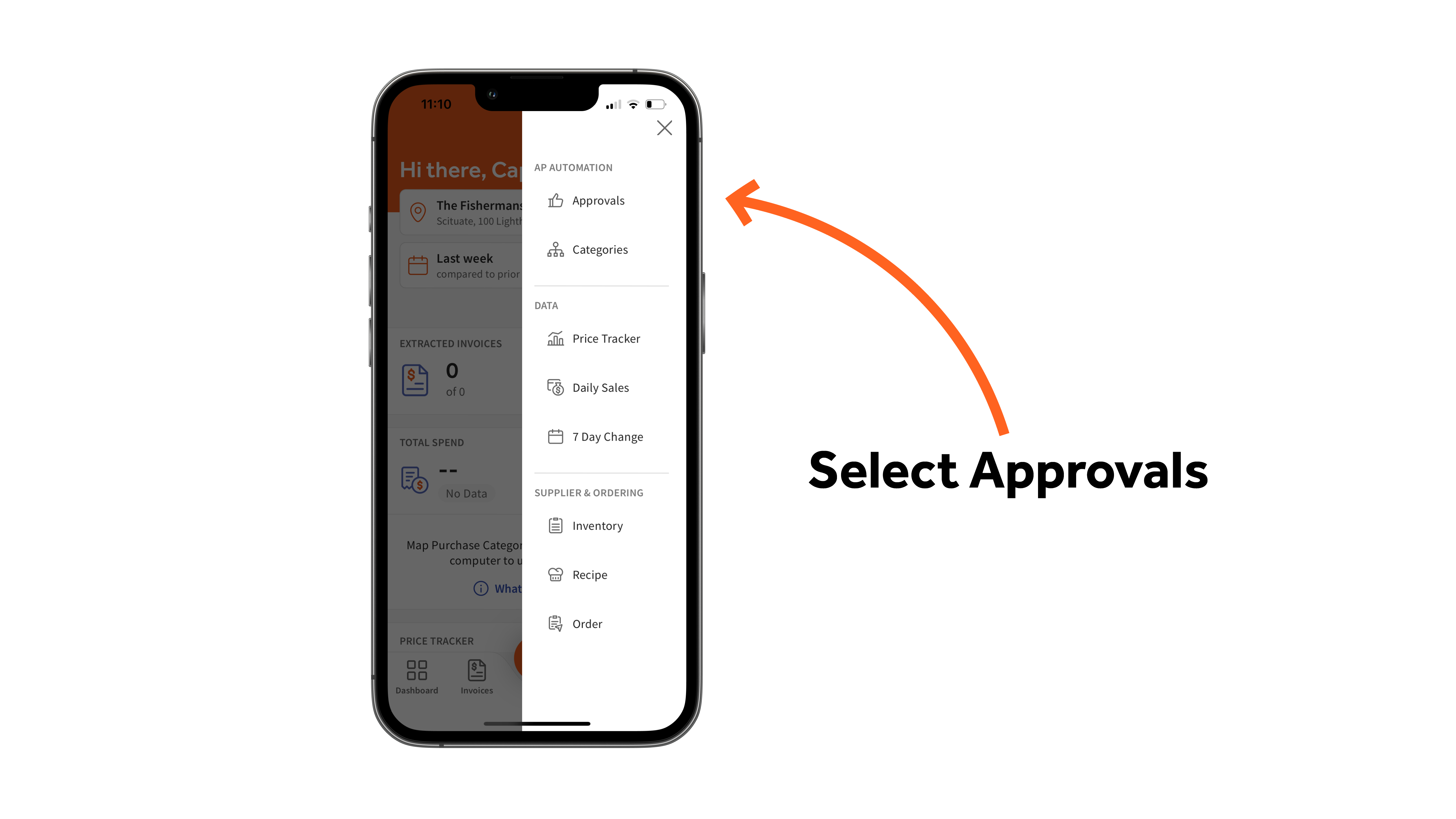
Then select the Approvals tab.
This will take you to a list of all outstanding invoices awaiting your approval.
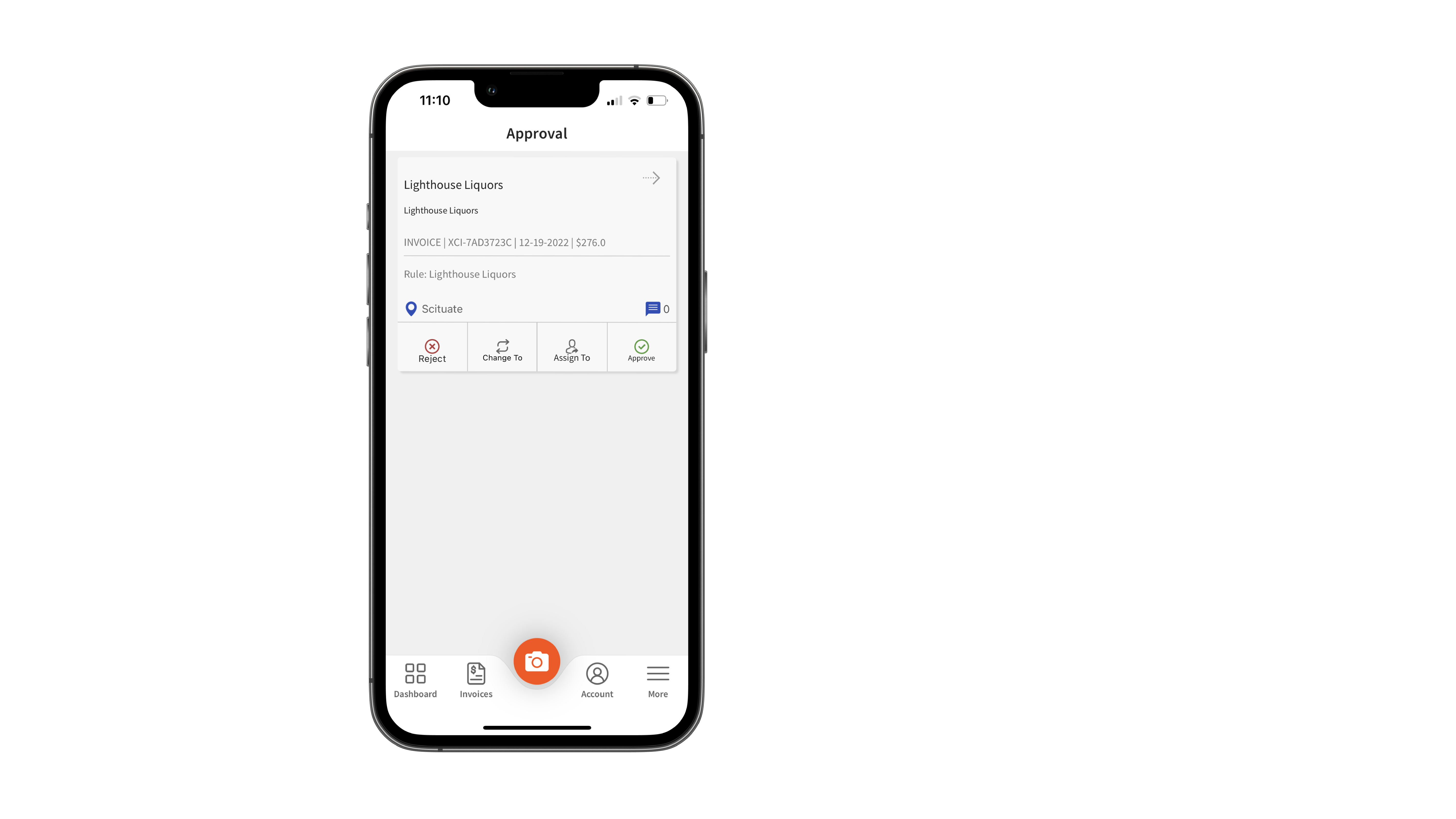
Note: To see the scanned invoice, select the arrow button next to the invoice name.
From here, you can choose to either Reject, Change To, Assign To, or Approve the invoice.
Back to top
Reject
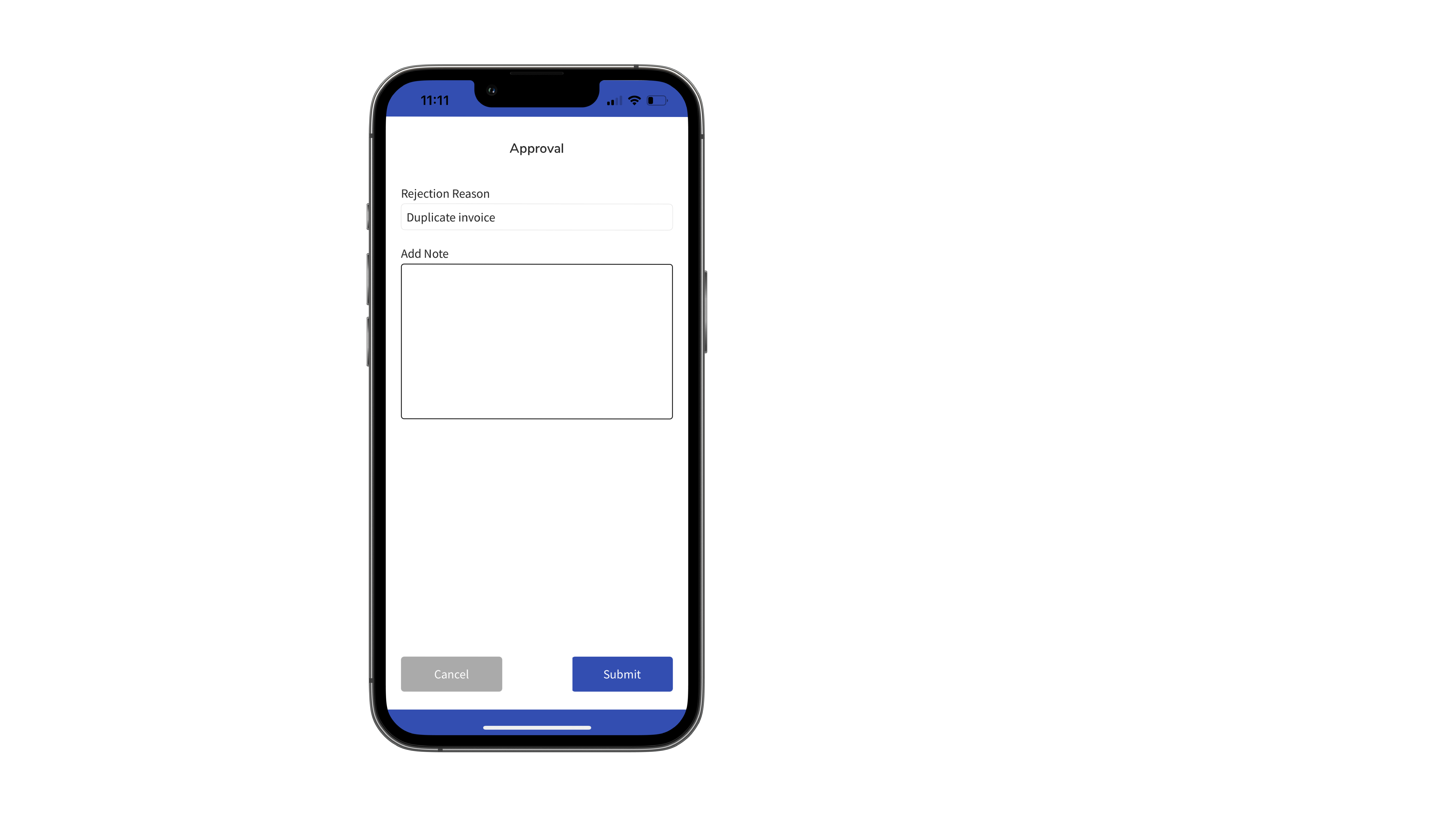
To reject an invoice, select Reject. You'll then be asked to provide a reject reason. You will also have the option to add context or additional notes. When ready, select Submit.
Change To
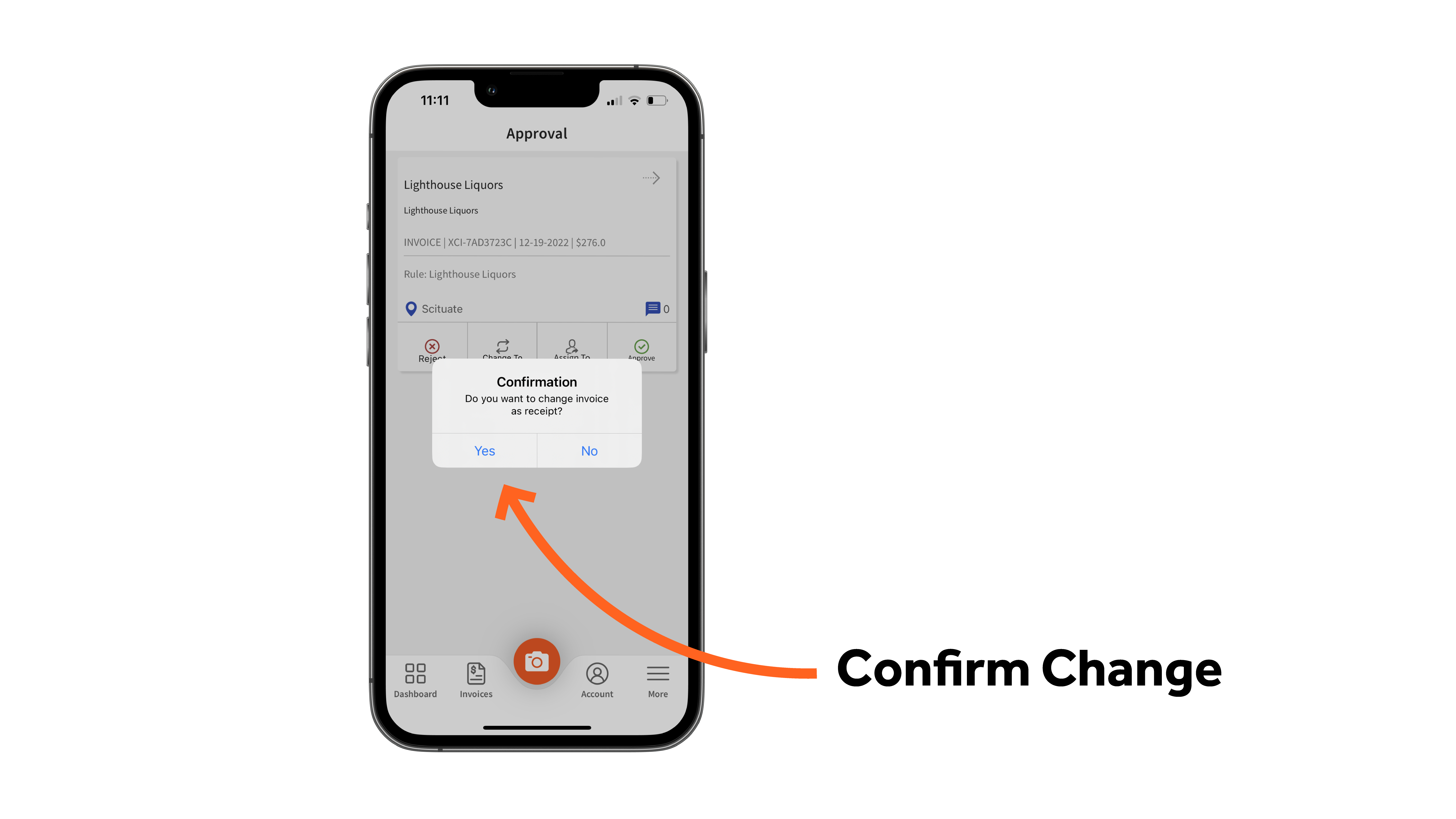
Change To enables you to change a document from invoice to receipt or vice versa. To do this, select Change To. Then confirm your change to the new document type (i.e. Invoice or Receipt).
Assign To
Are you unfamiliar with a specific invoice requiring approval? Assign To enables you to assign this approval to a specific user in your account. To do this, select Assign To. Then, select another user and confirm your Assign To.
Approve
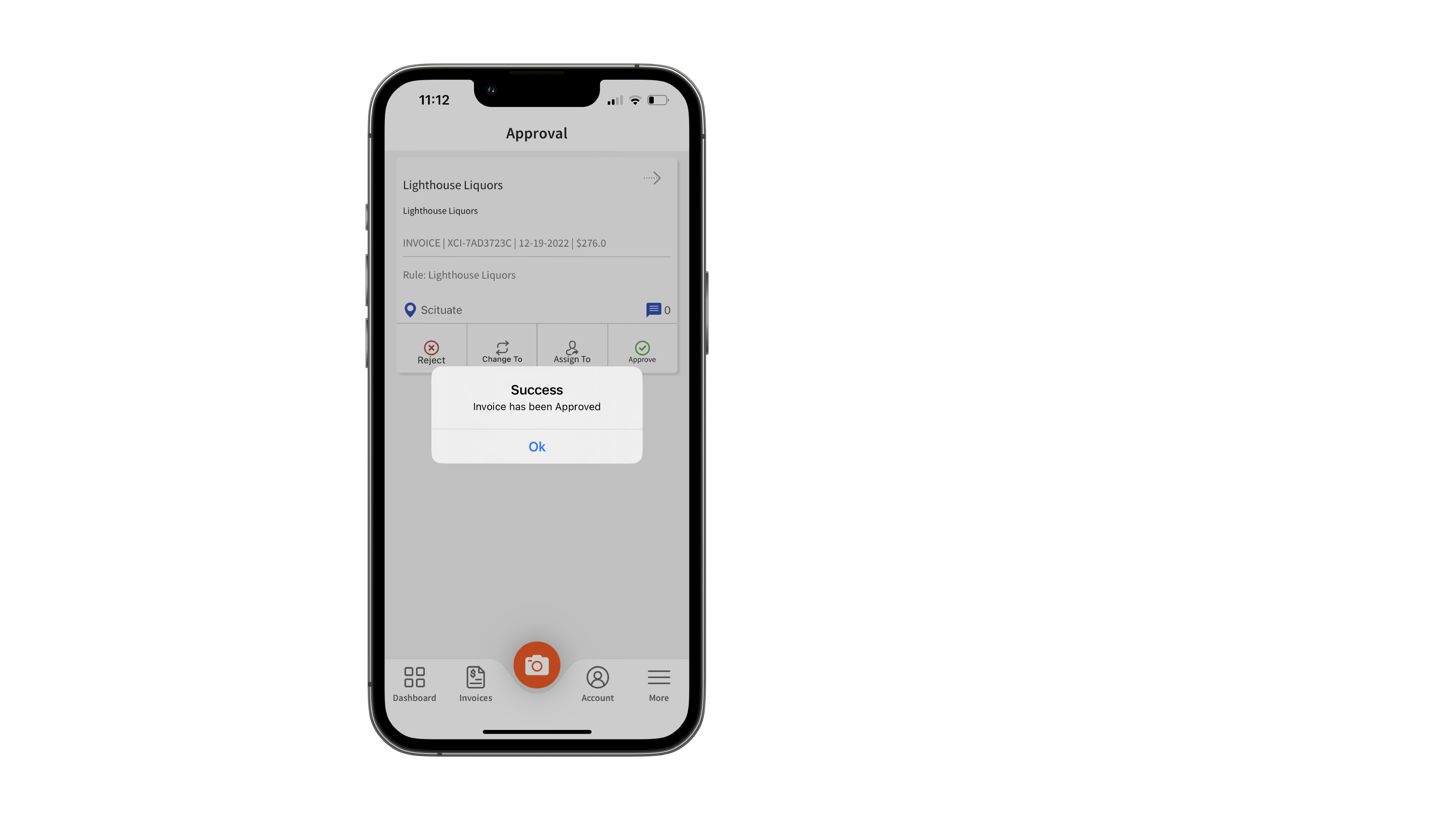
Does everything look as it should? Select Approve to resume reconciliation for this invoice. You will then see a confirmation message that your approval was completed.