Descripción general de la visibilidad del alcance de los datos de integraciones de socios de Toast
Última actualización: 28 abr 2026, 4:22 p.m.
Al configurar integraciones, se te informará qué datos se están compartiendo con el socio de integración y se te mostrarán términos y condiciones actualizados, que deberán ser consentidos antes de que la integración esté completamente configurada.
Nota: Ten en cuenta que los datos compartidos para cada integración varían.
Resumen de visibilidad del alcance de los datos
Una vez que hayas seleccionado + Agregar para la integración que prefieras en el portal de integraciones de socios de Toast, aparecerá una pantalla con los detalles de visibilidad de los datos para tu revisión. Si tienes más preguntas sobre cómo la integración elegida utiliza los datos de Toast señalados, comunícate directamente con el socio de integración.
Volver al inicio
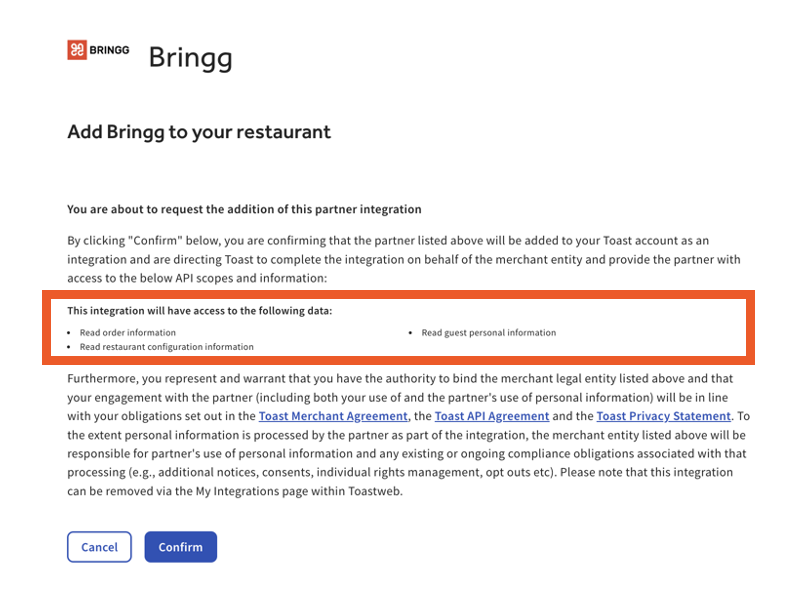
Ámbito de datos de integración de una sola ubicación
Una vez revisados los términos y condiciones, selecciona Confirmar.
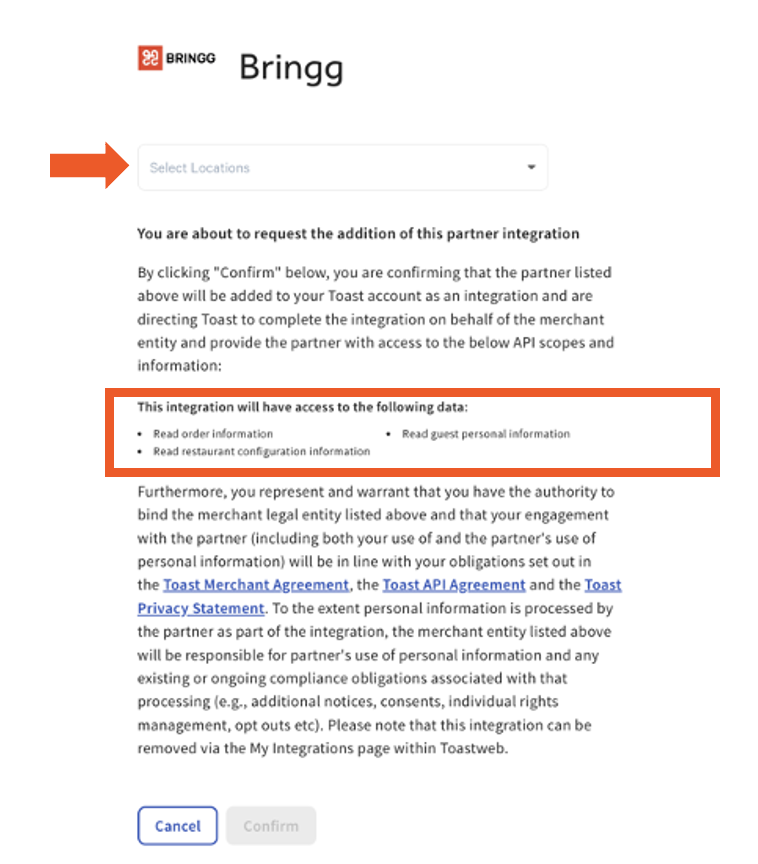
Alcance de datos de integración de ubicaciones multiunidad
Una vez elegidas las ubicaciones y revisados los términos y condiciones, selecciona Confirmar.
Recursos adicionales
- Configurar integraciones de socios de Toast
- Agregar o quitar una integración con las integraciones de socios de Toast
Volver al inicio