Toast Nómina: Incorporación de Empleados (Guía del Empleado)
Última actualización: 22 oct 2026, 3:06 p.m.
Complete su lista de verificación para nuevos empleados de Toast Payroll: regístrese, agregue su SSN, termine su I-9 y W-4, y configure su método de pago.
- Resumen de Incorporación de Nuevos Empleados de Toast Nómina
- Antes de Comenzar
- Paso 1: Abre tu correo electrónico de bienvenida y regístrate
- Paso 2: Crea tu contraseña e inicia sesión
- Paso 3: Agrega tu información personal y número de seguro social
- Paso 4: Completa tu formulario I-9
- Paso 5: Completa tus formularios fiscales (W-4)
- Paso 6: Firma los documentos de la empresa
- Paso 7: Establece tu método de pago
- Paso 8: Configurar Depósito Directo (Opcional)
- Finalizar y Pasos Opcionales Siguientes
- Preguntas Frecuentes
- Artículos Relacionados
Descripción General de Incorporación de Nuevos Empleados de Toast Payroll
¡Felicidades por tu nuevo trabajo! Cuando seas contratado, Toast Payroll te dará una lista de verificación de nuevos empleados en tu panel de control. Completarás cada elemento para finalizar tu perfil y recibir tu pago. La lista de verificación abarca la creación de tu cuenta, la adición de tu información personal, la finalización de tus formularios fiscales I-9 y W-4, la firma de cualquier documento de la empresa y la elección de cómo deseas ser pagado.
Estos pasos deben completarse para recibir tu pago. Todo el proceso toma a la mayoría de los nuevos empleados entre 10 y 15 minutos.
Antes de Comenzar
Aplica a: Toast Payroll
Permisos necesarios:
- Rol de seguridad del empleado — cada nuevo empleado completa su propia lista de verificación de incorporación
Lo que lograrás: Finaliza tu lista de verificación de nuevos empleados en Toast Payroll: registra tu cuenta, agrega tu número de Seguro Social, completa tus formularios I-9 y W-4, y establece tu método de pago, para que estés listo para recibir tu pago.
Paso 1: Abre tu correo electrónico de bienvenida y regístrate
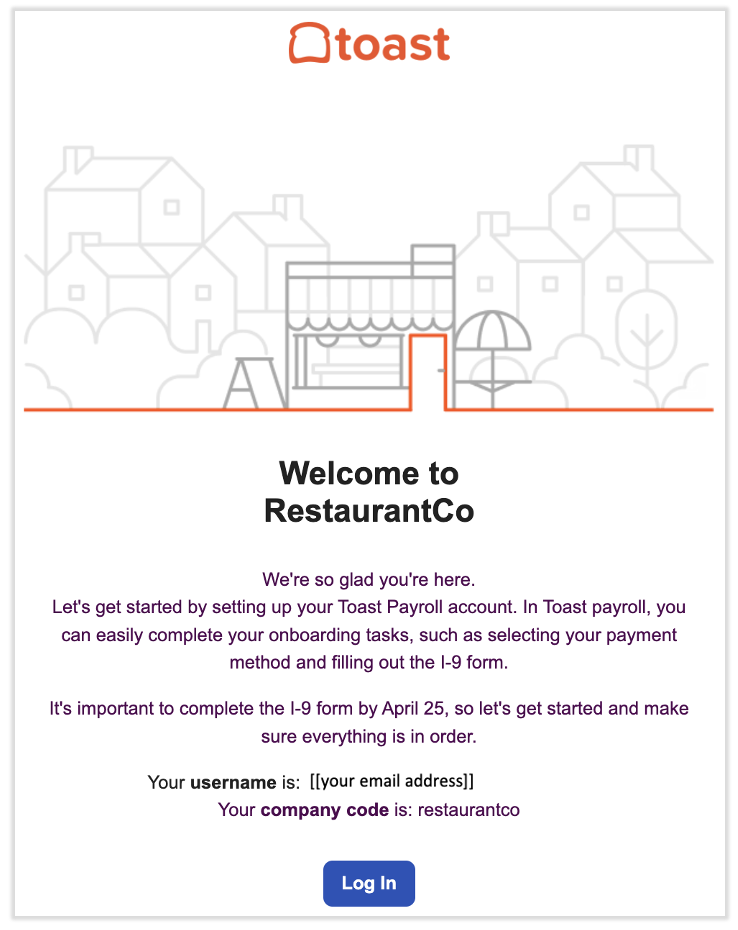
Tu incorporación comienza con un correo electrónico de bienvenida. Puedes comenzar tan pronto como lo recibas.
- Abre el correo electrónico de noreply@toasttab.com con el asunto ¡Bienvenido al equipo!. Contiene un enlace para registrarte en Toast Payroll.
- Selecciona Iniciar sesión en el correo electrónico para comenzar el registro.
Resultado esperado: La página de registro de Toast Payroll se abre en tu navegador.
Nota: Si no ves el correo electrónico de inmediato, revisa tu carpeta de Spam o Correo no deseado. El correo electrónico se envía desde noreply@toasttab.com. Si aún no puedes encontrarlo, pide a tu gerente o al equipo de recursos humanos que reenvíen tu correo electrónico de incorporación. Para los pasos que siguen, consulta Toast Payroll: Reenviar correo electrónico de incorporación para nuevos empleados.
Paso 2: Crea tu contraseña e inicia sesión
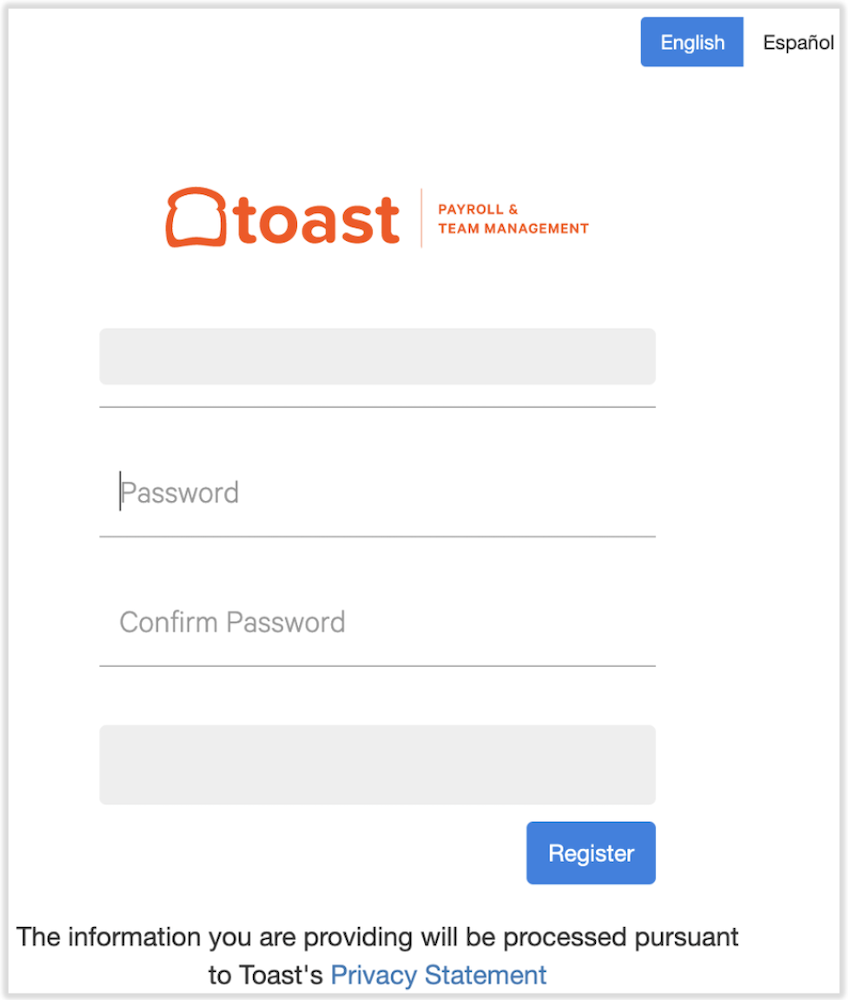
A continuación, crea la contraseña que usarás para iniciar sesión en Toast Payroll.
- Ingresa una contraseña única y confírmala. Tu contraseña debe tener al menos ocho caracteres y incluir una letra, un número y un carácter especial.
- Selecciona Registrar. Guarda esta contraseña en un lugar seguro para su uso posterior.
- Sigue los pasos restantes para crear tus credenciales de inicio de sesión en Toast (correo electrónico y contraseña).
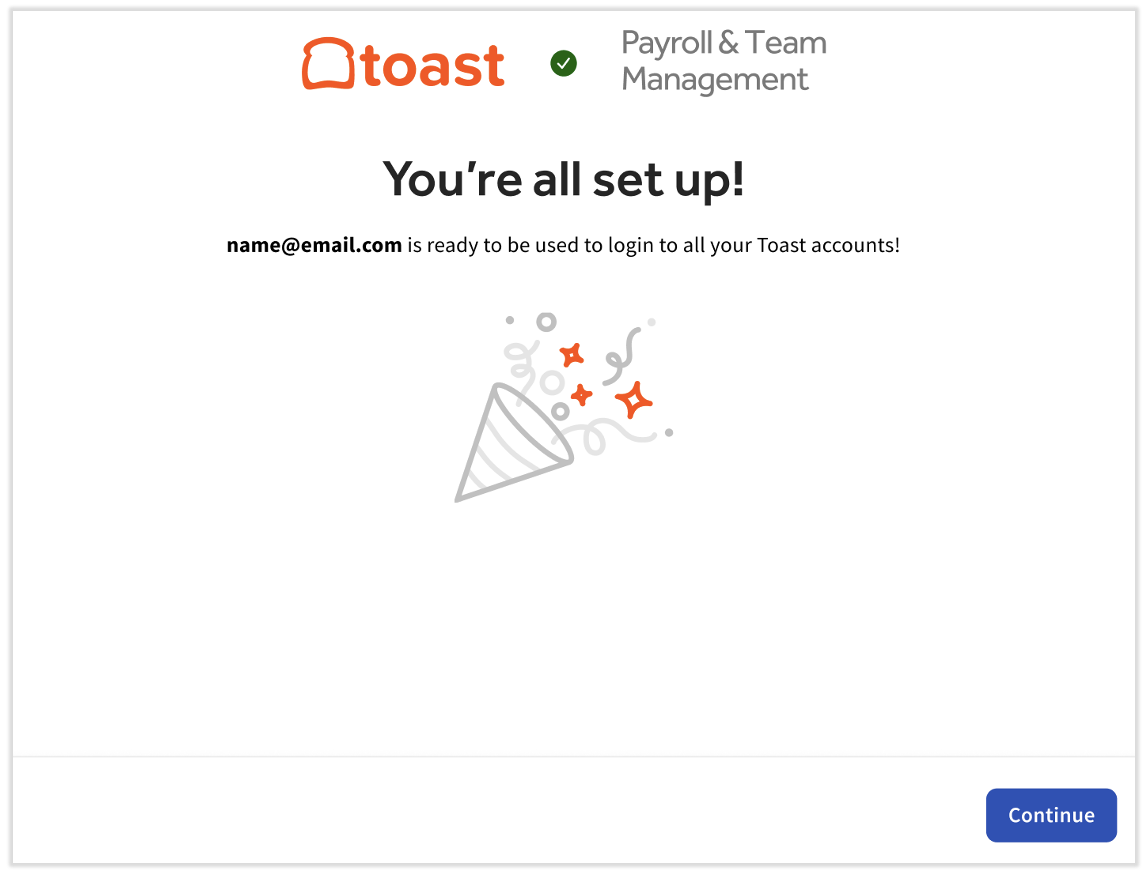
Resultado esperado: Has iniciado sesión en Toast Payroll y tu panel aparece. Si no se te dirige a iniciar sesión automáticamente, navega a payroll.toasttab.com e inicia sesión con tus nuevas credenciales, luego continúa con los pasos a continuación.
Paso 3: Agrega tu información personal y número de Seguro Social
Desde tu panel, completas los mosaicos de la lista de verificación de nuevos empleados. El paso de Crear tu cuenta ya está hecho porque iniciaste sesión. Comienza con el siguiente mosaico.
- En el panel, selecciona el mosaico Agrega tu información personal.
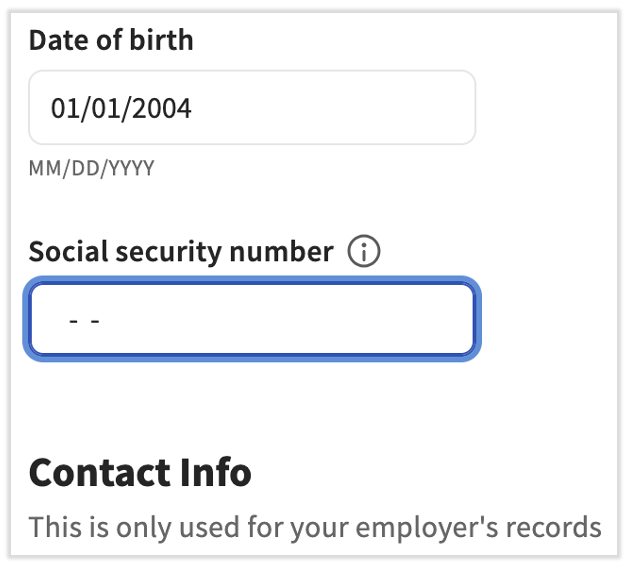
- Ingresa y verifica tu información personal, incluyendo tu Fecha de nacimiento, Información de contacto, y Dirección de casa.
- Ingresa tu número de Seguro Social (SSN). Se requiere un SSN preciso para que Toast Payroll pueda presentar correctamente tu Formulario W-2. Toast reconoce un SSN como inválido si comienza con 9, 000 o 666, tiene 00 como los dos dígitos del medio, termina en 0000, o es una secuencia como 123-45-6789.
- Selecciona Guardar cambios para avanzar, luego desplázate hasta la parte superior de la página y selecciona Regresar al panel.
Resultado esperado: El paso de Agregar tu información personal aparece como completo en tu panel.
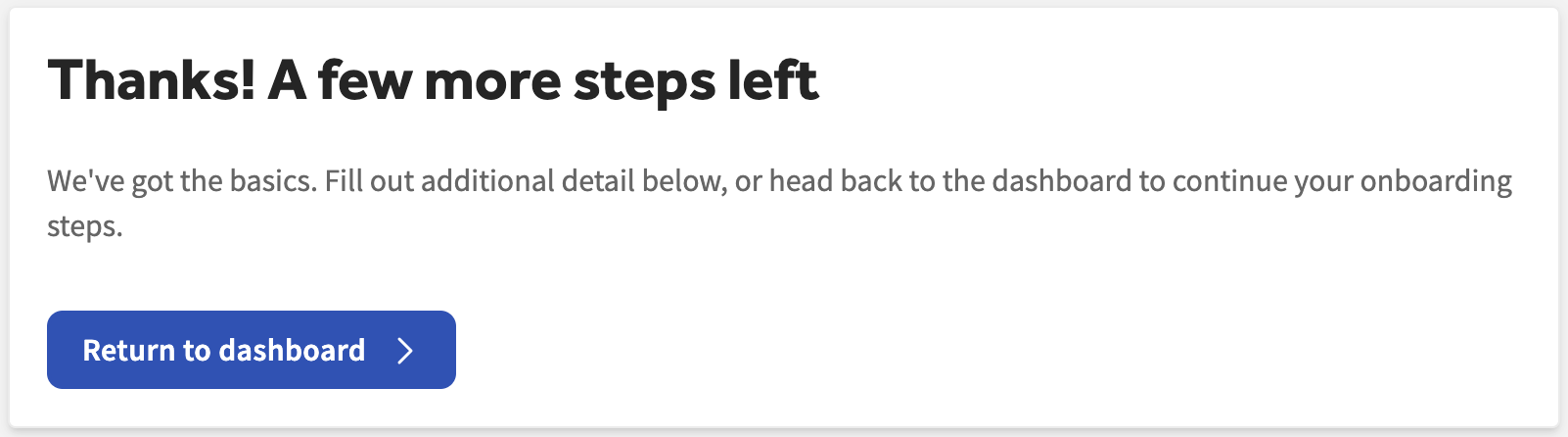
Nota: Los Números de Identificación de Contribuyente Individual (ITIN) no pueden ser ingresados en lugar de un SSN, porque Toast Payroll no presenta el Formulario W-7. Si usted es un contratista 1099, no necesita ingresar un SSN, porque Toast Payroll no presenta documentos fiscales de fin de año para individuos 1099. Para más detalles, consulte Toast Payroll: Miembros del equipo sin SSNs o con un ITIN.
Si ingresó su SSN incorrectamente y necesita corregirlo, o ve un mensaje de "por favor ingrese un SSN válido", consulte Toast Payroll: Verificar o actualizar mi Número de Seguro Social (SSN).
Paso 4: Complete su Formulario I-9
El Formulario I-9 confirma su identidad y autorización para trabajar.
- En el panel, seleccione el Complete su I-9 mosaico.
- Complete y firme la Sección 1 del Formulario I-9. Seleccione el enlace de Instrucciones del Formulario I-9 en la parte superior del formulario si necesita ayuda con algún campo.
- Seleccione Siguiente para guardar su información y regresar a la lista de verificación.
Resultado esperado: La Sección 1 de su Formulario I-9 está firmada, y el paso de Completar su I-9 se muestra como completo.
Nota: De acuerdo con las regulaciones de EE. UU., debe completar la Sección 1 a más tardar el primer día de empleo. Solo usted puede completar o editar su propio Formulario I-9. Si no está seguro de su ciudadanía o estatus migratorio, no haga una selección hasta que tenga confirmación de su estatus. Para más detalles sobre cada sección, consulte Toast Payroll: Complete el Formulario I-9.
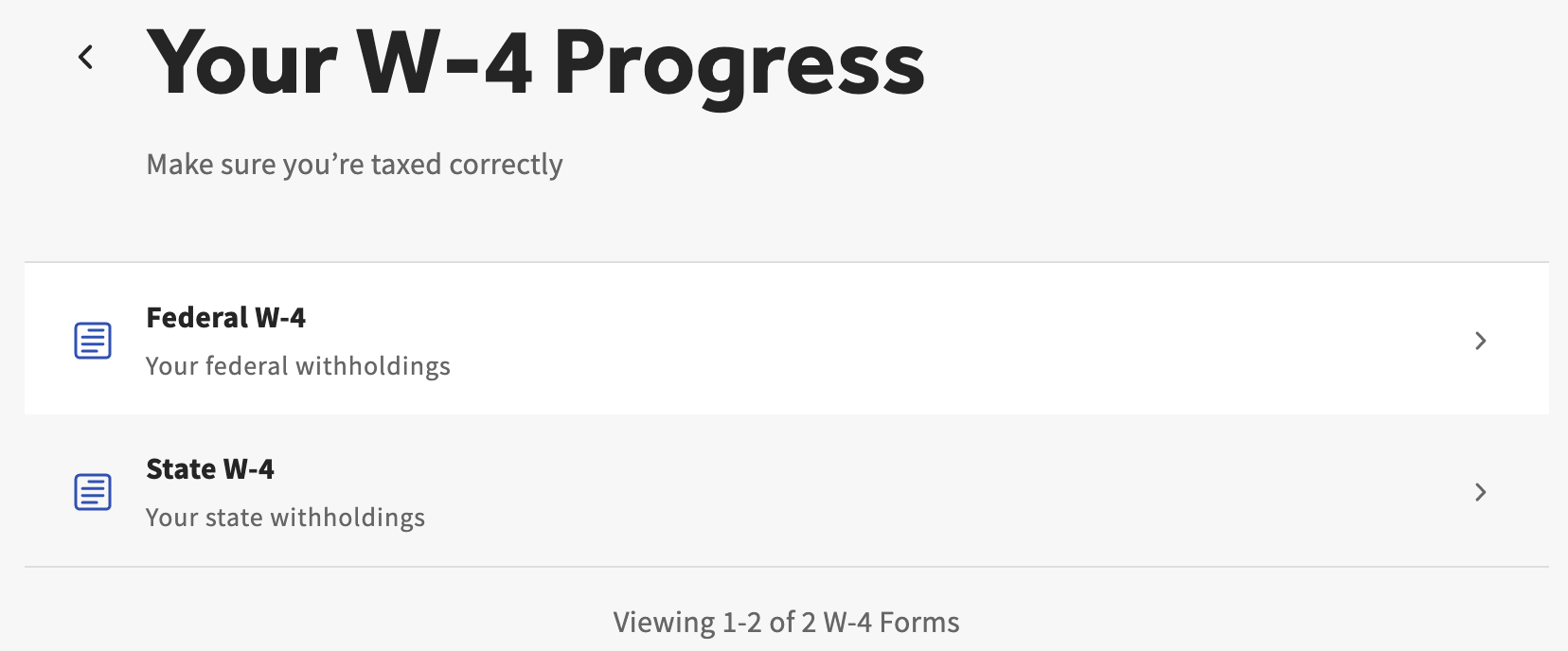
Paso 5: Complete sus formularios de impuestos (W-4)
Sus formularios W-4 le indican a Toast Payroll cuánto impuesto retener de su salario.
- En el panel de control, seleccione el Llene sus formularios de impuestos azulejo.
- Complete el formulario federal W-4 y su formulario estatal W-4, si su estado requiere uno. Cualquier formulario aplicable aparece aquí automáticamente.
- Cuando termine, seleccione Regresar al panel de control para continuar con la lista de verificación.
Resultado esperado: El paso de Llenar sus formularios de impuestos se muestra como completo en su panel de control.
Nota: Completar los formularios W-4 federal y estatal asegura que se retenga la cantidad adecuada de impuestos de sus ingresos. Toast no puede asesorar sobre cómo completar estos formularios o qué información ingresar; comuníquese con un profesional de impuestos si tiene preguntas sobre su retención.
Paso 6: Firmar Documentos de la Empresa
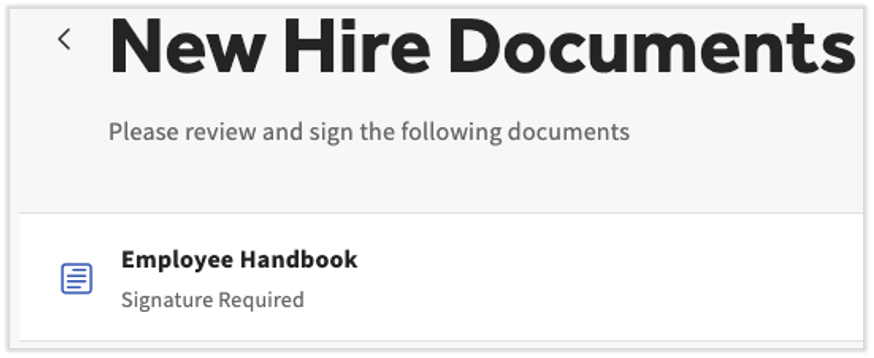
Algunas empresas piden a los nuevos empleados que lean y firmen documentos de la empresa, como un manual del empleado o políticas de la empresa. No todos los restaurantes utilizan documentos de la empresa, por lo que es posible que no vea nada que firmar aquí.
- En el panel de control, seleccione el Firmar documentos azulejo.
- Lea y firme electrónicamente cualquier documento de la empresa que aparezca.
- Seleccione Volver al panel de control una vez que haya revisado y firmado.
Resultado esperado: El paso de Firmar documentos se muestra como completo, o el paso está vacío si su empleador no utiliza documentos de la empresa.
Paso 7: Establezca su Método de Pago
El último paso requerido es elegir cómo desea que le paguen.
- En el panel de control, seleccione el Establezca su método de pago azulejo.
- Elija cómo desea que le paguen. Si desea que le paguen mediante cheque en papel, no necesita realizar ninguna acción adicional en esta página; el cheque en papel es la opción predeterminada.
Resultado esperado: Su método de pago seleccionado está guardado. Si eligió cheque en papel, su lista de verificación de incorporación está completa. Para configurar el depósito directo en su lugar, continúe con el Paso 8 a continuación.
Nota: Para una comparación completa entre cheque en papel, depósito directo y la Tarjeta de Pago Toast, consulte Toast Payroll: Establezca un Método de Pago.
Paso 8: Configurar Depósito Directo (Opcional)
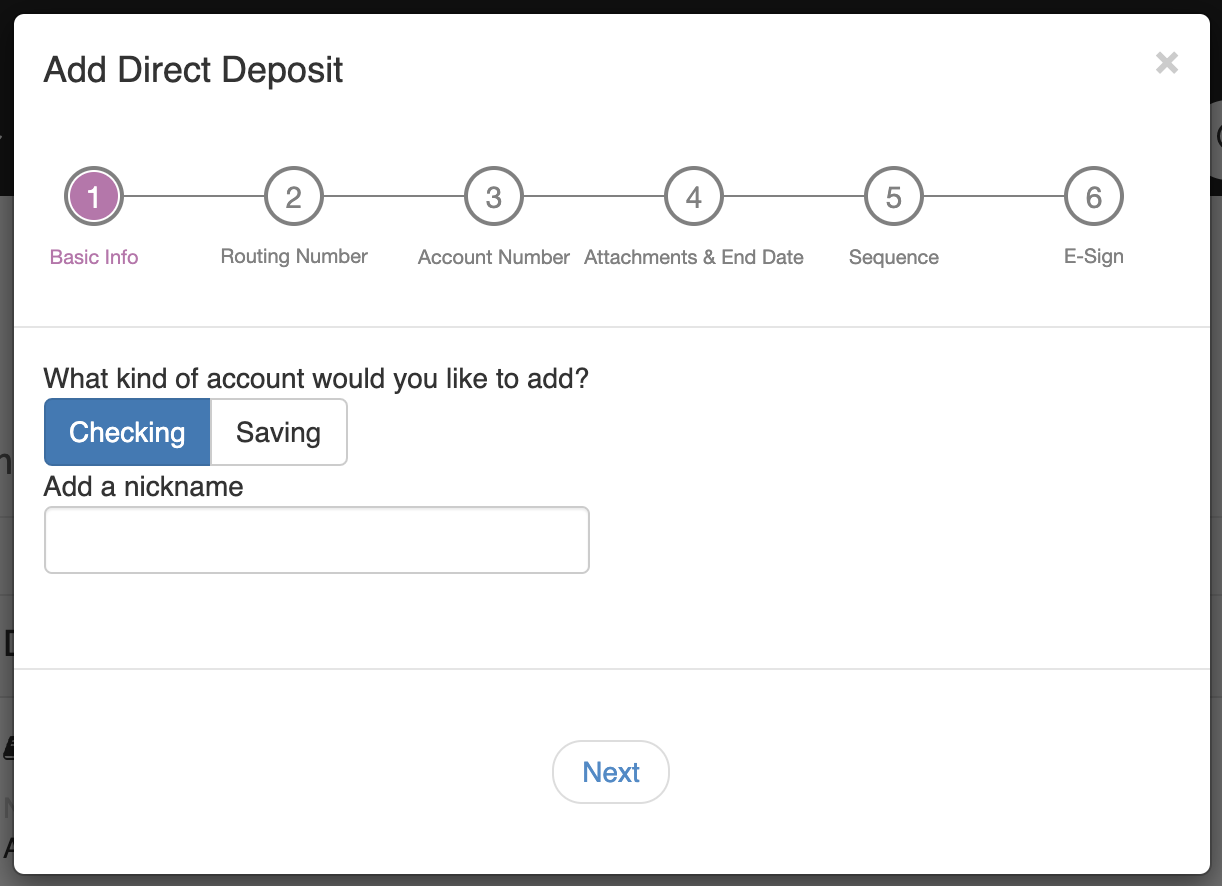
Para que su pago se envíe directamente a su cuenta bancaria, configure el depósito directo en la página del método de pago.
- Seleccione el Depósito directo azulejo, luego seleccione + Agregar cuenta bancaria.
- Seleccione Verificar cuando se le pida que confirme su identidad. Toast envía un código de seis dígitos al número de teléfono registrado en su cuenta de Toast. Ingrese ese código en la ventana emergente de Toast Payroll.
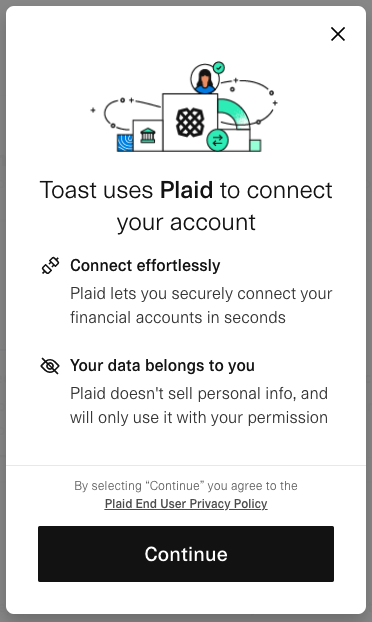
- En la ventana de Plaid, siga las instrucciones para encontrar y seleccionar su banco, luego inicie sesión con sus credenciales de banca en línea. Plaid es un líder de la industria en la validación de información de cuentas bancarias.
- Seleccione la cuenta que desea usar, luego continúe hasta que vea el mensaje Éxito.
Resultado esperado: Su cuenta bancaria está guardada y aparece en su página de métodos de pago.
Nota: Los representantes de Toast nunca le pedirán su código de verificación de seis dígitos. No lo comparta con nadie, incluso con alguien que afirme ser de Toast.
Si la ventana emergente de verificación no aparece, desactive su bloqueador de anuncios y vuelva a intentarlo. Puede volver a activarlo una vez que termine.
Si su banco no está listado en Plaid, o si Plaid devuelve un error, no puede ingresar los detalles de su banco manualmente por razones de seguridad. Pida a un usuario de HR+ en su empresa (generalmente el propietario u otro contacto de recursos humanos) que agregue su cuenta de depósito directo manualmente. Para solucionar problemas con Plaid, tipos de cuentas soportadas y entrada manual, consulte Toast Payroll: Obtenga ayuda con cuentas de depósito directo.
Finalizar y pasos opcionales siguientes
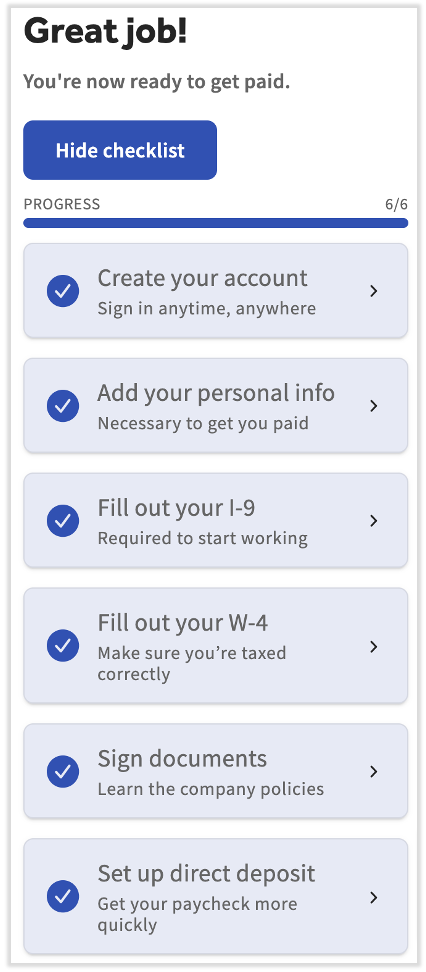
Bien hecho: todos los pasos requeridos están completos. Tiene algunos pasos opcionales en este momento:
- Desde el panel, seleccione Ocultar lista de verificación si desea eliminar la lista de verificación de su panel.
- Informe a su gerente que ha completado la Sección 1 de su Formulario I-9 para que sepa que es hora de completar la Sección 2.
- Para respuestas a otras preguntas sobre Toast Payroll, consulte Toast Payroll: Obtenga ayuda con recursos para empleados o pregunte a su gerente o equipo de recursos humanos.
Preguntas Frecuentes
¿De dónde proviene mi correo electrónico de incorporación?
Su correo electrónico de incorporación proviene de noreply@toasttab.com, con el asunto ¡Bienvenido al equipo!. Contiene el enlace que utiliza para registrarse en Toast Payroll. Si no lo ve, revise su carpeta de Spam o Correo no deseado, o pida a su gerente o al equipo de recursos humanos que lo reenvíen.
También preguntado como:
- ¿De dónde proviene el correo electrónico para finalizar la incorporación?
- ¿Qué correo electrónico envía el enlace para nuevos empleados?
- ¿Es legítimo el correo electrónico de incorporación de Toast?
Nunca recibí mi correo electrónico de bienvenida. ¿Cómo empiezo la incorporación?
Si nunca recibió su correo electrónico de bienvenida, no puede registrarse hasta que se reenvíe. Primero revise su carpeta de Spam o Correo no deseado para un mensaje de noreply@toasttab.com. Si no está allí, pida a su gerente o al equipo de recursos humanos que reenvíen su correo electrónico de incorporación. Para los pasos que siguen, consulte Toast Payroll: Reenviar correo electrónico de incorporación para nuevos empleados.
También preguntado como:
- ¿Mi jefe me dijo que hiciera la incorporación pero no tengo correo electrónico?
- ¿Cómo finalizo la incorporación sin el enlace?
- ¿A dónde debo ir para comenzar mi incorporación?
¿Tengo que configurar el depósito directo para terminar el proceso de incorporación?
No tienes que configurar el depósito directo para terminar el proceso de incorporación. El cheque en papel es el método de pago predeterminado, por lo que puedes completar el paso de Configura tu método de pago sin ingresar ninguna información bancaria. Puedes agregar el depósito directo más tarde desde la página de tu método de pago.
También preguntado como:
- ¿Puedo terminar el proceso de incorporación con un cheque en papel?
- ¿Necesito una cuenta bancaria para incorporarme?
¿Qué pasa si mi banco no está soportado por Plaid?
Si tu banco no está soportado por Plaid, no puedes ingresar los detalles de tu cuenta manualmente, por razones de seguridad. Pide a un usuario de HR+ en tu empresa (generalmente el propietario u otro contacto de recursos humanos) que agregue tu cuenta de depósito directo manualmente en tu nombre. Para más detalles, consulta Toast Payroll: Obtenga ayuda con cuentas de depósito directo.
También preguntado como:
- Mi banco no está en Plaid, ¿cómo agrego el depósito directo?
- ¿Puedo usar mi número de ruta y número de cuenta en lugar de Plaid?
- ¿Cómo ingreso el depósito directo sin Plaid?
Ingresé mi número de Seguro Social incorrectamente. ¿Cómo lo arreglo?
Para corregir un número de Seguro Social que ingresaste incorrectamente, navega a Mi Perfil > Perfil en Toast Payroll, selecciona Editar, actualiza el campo Número de seguro social y selecciona Guardar Cambios. Si recibes un mensaje de "por favor ingresa un SSN válido", confirma que el número no sea uno que Toast reconozca como inválido. Para los pasos completos y las reglas de SSN inválido, consulta Toast Payroll: Verifica o Actualiza Mi Número de Seguro Social (SSN).
También preguntado como:
- ¿Ingresé el número de seguro social incorrecto?
- ¿Cómo actualizo mi número de Seguro Social?
- Dice que por favor ingrese un número de Seguro Social válido, pero es correcto.
Mis formularios de impuestos aparecen como faltantes a pesar de que los completé. ¿Qué debo hacer?
Si tus formularios de impuestos aparecen como faltantes a pesar de que los completaste, regresa a la sección Completar tus formularios de impuestos en tu panel y confirma que tanto tu W-4 federal como cualquier W-4 estatal requerido estén completos. Si tu estado requiere un formulario separado que no ha aparecido, o el estado no se actualiza después de completarlo, contacta a tu gerente o al equipo de recursos humanos. Si el problema persiste, contacta a Atención al Cliente de Toast.
También preguntado como:
- ¿Los formularios de impuestos dicen que faltan, pero los completé?
- ¿Por qué mi W-4 sigue mostrando incompleto?
¿Por qué se me pide mi número de Seguro Social al marcar entrada?
Se te pide tu número de Seguro Social al marcar entrada porque Toast Payroll necesita un SSN preciso para presentar tus impuestos, y el tuyo está faltando o marcado. No ignores este mensaje. Puedes agregar o corregir tu SSN navegando a Mi Perfil > Perfil en Toast Payroll. Para los pasos completos, consulta Toast Payroll: Verificar o Actualizar Mi Número de Seguro Social (SSN).
También preguntado como:
- ¿Toast POS está pidiendo mi SSN al marcar entrada?
- ¿Por qué el POS quiere mi número de Seguro Social?
Artículos Relacionados
- Toast Payroll: Establecer un Método de Pago
- Toast Payroll: Obtenga ayuda con cuentas de depósito directo
- Toast Payroll: Complete el formulario I-9
- Toast Payroll: Verifique o actualice mi número de seguro social (SSN)
- Toast Payroll: Obtenga ayuda con recursos para empleados
Este contenido es solo para fines informativos y no está destinado como asesoría legal, fiscal, de recursos humanos ni de ningún otro tipo profesional. Por favor, contacte a un abogado u otro profesional para obtener asesoría.