Toast Tables: Update the SMS Message to Guests
Dernière mise à jour : 18 nov. 2026, 14 h 48
This article explains how to update the SMS message to guests in Toast Tables.
- Before You Begin
- Update Your SMS Templates
- When Guests Receive a Reservation Reminder
- Reservation Statuses That Stop the Reminder
- Related Articles
Before You Begin
Applies to: Toast Tables, Toast Web
Permissions needed:
- Access to Toast Tables settings in Toast Web
What you'll accomplish: Your guests receive SMS confirmations, waitlist notifications, and reservation reminders that use your updated wording.
Update Your SMS Templates
Note: 2-Way Messaging is only available in the US, Canada, Australia, and the UK. This feature is not currently available in Ireland.
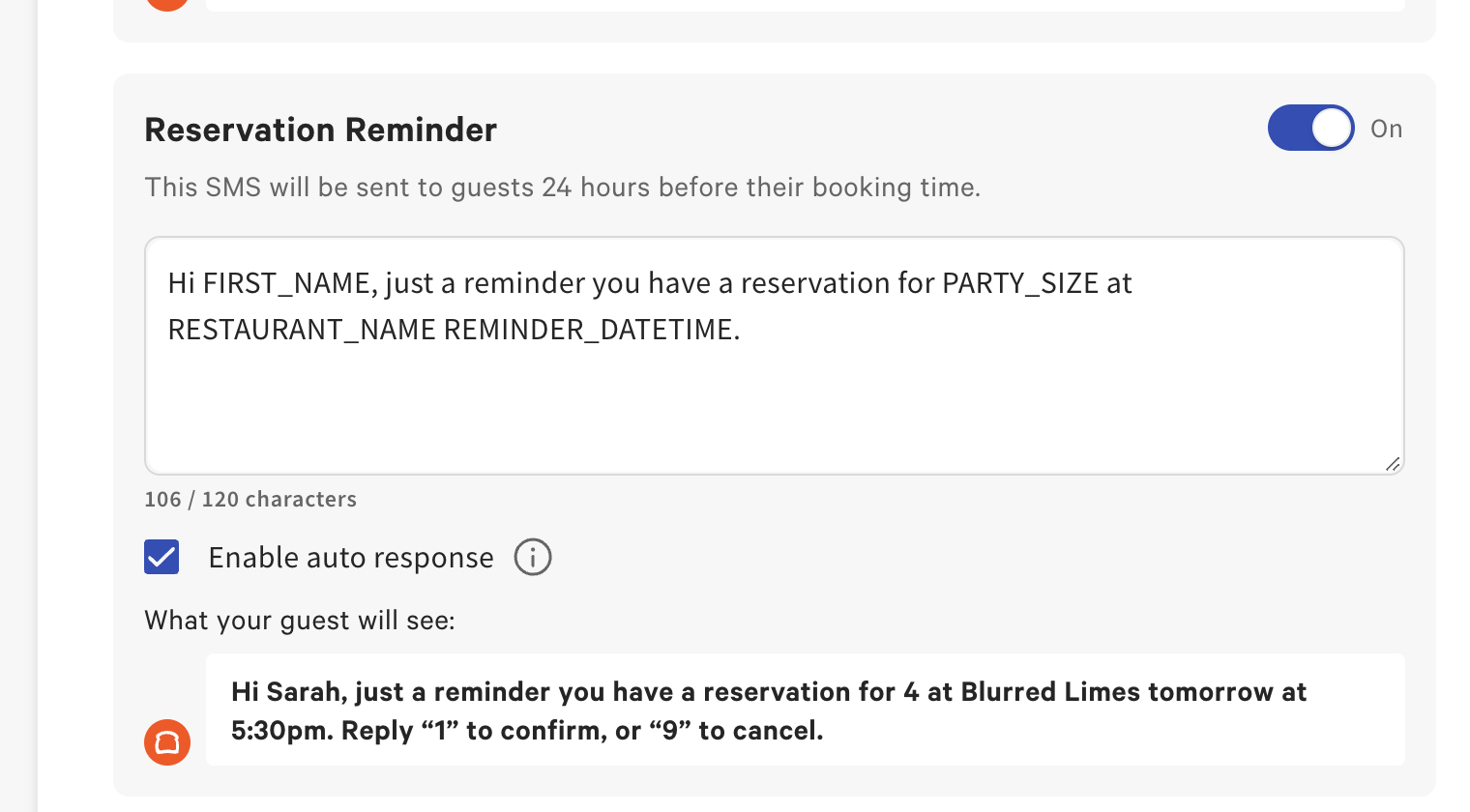
Toast Tables uses SMS templates for guest texts, such as confirmations, waitlist notifications, and reservation reminders. To update them:
- In Toast Web, navigate to Front of house > Toast Tables - Waitlist & Reservations > Settings.
- Select the Settings tab.
- Select Guest communication > SMS.
- Find the template you want to change and edit its message text.
- Make sure each template you want guests to receive is enabled. For example, guests only receive reservation reminders when the reservation reminder message is enabled.
- Select Save Changes.
Expected outcome: The next texts Toast Tables sends to guests use your updated templates.
When Guests Receive a Reservation Reminder
Toast Tables sends a reservation reminder text only when the reservation reminder message is enabled in your SMS settings. If the message is disabled, guests do not receive reminders.
The reminder is sent at one of these times:
- 24 hours before the reservation time
- 4 hours before the reservation time, if the guest booked less than 24 hours ahead
Reservation reminders apply to reservations and Experiences. Ticketed events send their own reminder, separate from the reservation reminder.
Reservation Statuses That Stop the Reminder
Toast Tables does not send a reservation reminder when the reservation has one of these statuses:
- Cancelled
- Done (completed)
- No show
- Incomplete
The Seated status does not stop the reminder. In most cases this has no effect, because guests are seated long after the reminder is sent. If you seat a reservation before its reminder time, for example by seating a guest many hours early, the guest can still receive the reminder text.
Related Articles