翻译仅供参考。您与 Toast 签署的任何法律协议(包括但不限于《商户协议》和《终端用户许可协议》),其订立语言可能不同于以上页面所使用的语言,无论是否提供本页面其他语言的译文,均应以您所签署的协议条款为准
手动批准在线订单
上次更新时间:2026年9月17日 10:54
如何手动审批在线订单?
Toast 线上点餐可以配置为,任何新订单在发送到厨房之前都必须经过人工批准。
为在线订单设置屏幕通知
按照以下步骤启用收到新在线订单时的屏幕通知:
- 在 Toast Web 中,导航到“前厅”>“POS 通知”>“通知设置”。
- 滚动至“启用通知”并选择“新在线订单”。
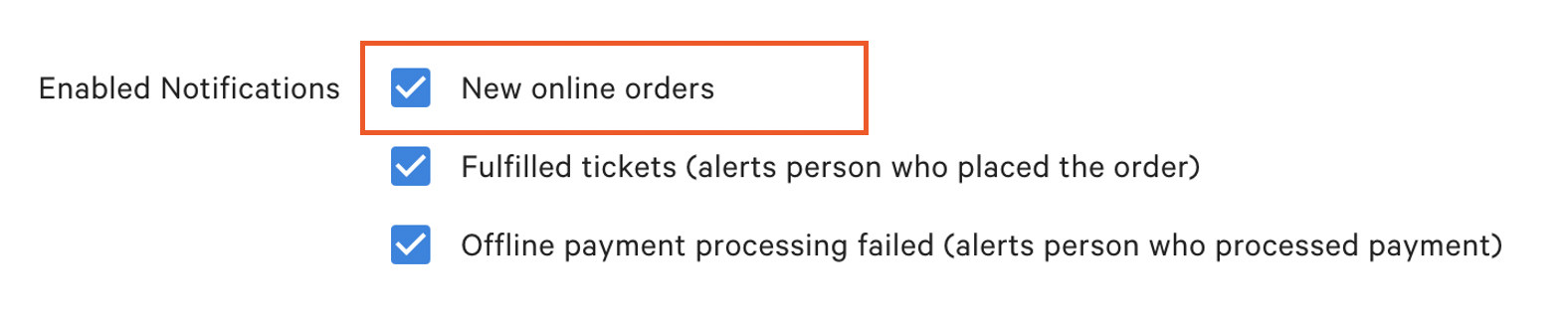
如果您希望在创建新票据时配置设备的声音通知,请按照本支持中心文章 票据声音通知》中的步骤操作。
手动批准在线订单
要批准在线订单,用户必须拥有“批准待处理订单”的访问权限。 此 Toast 模式用于存储需要批准的在线订单。这也是 Toast 保存未来订单的模式。有关权限的更多信息,请参阅支持中心的《权限参考指南》。
注意: 权限 1.9 编辑其他员工 任何员工手动批准在线订单都需要提交订单。
在设备上:
- 系统会收到在线订单,并在应用中显示通知。选择要直接带到订单中的订单以查看详情。
- 导航到主菜单的“待处理订单”部分。
- 订单将列在“需要批准”部分。审批选项位于右上角。
- 订单获得批准后,系统会将订单移至支付终端。
- 如果选择“现金”作为付款类型,订单将显示在“未结账单”。
- 如果选择信用卡作为无小费的支付类型,订单将显示在要添加小费的“已付账单”下,并且账单将于稍后关闭。
- 如果选择信用卡作为有提示的付款类型,订单将直接转移到已结账单。
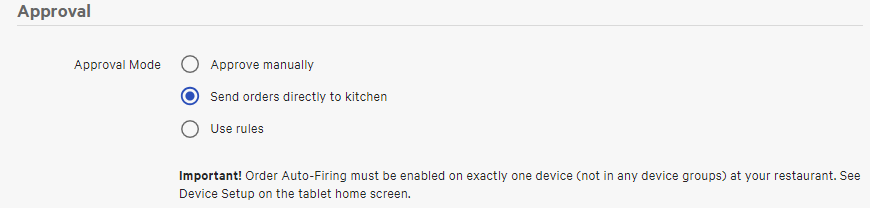
注意:要关闭在线订单的手动审批功能,请选择“直接向厨房发送订单”
返回顶部