翻译仅供参考。您与 Toast 签署的任何法律协议(包括但不限于《商户协议》和《终端用户许可协议》),其订立语言可能不同于以上页面所使用的语言,无论是否提供本页面其他语言的译文,均应以您所签署的协议条款为准
Toast 薪资管理系统:查找您的 SUTA/SUI 税率
上次更新时间:2026年10月20日 12:35
问题
我在哪里可以找到 Toast Payroll 中某个季度申报时有效的 SUTA、SUI 或州失业税率?
回答
SUI 代表州失业保险,而 SUTA 代表州失业税账户。这些指的是同一事物,但不同的州和地方管辖区可能会用这两个缩写中的任意一个来称呼它,甚至可能称其为 再就业税。所有 50 个州 + 华盛顿特区都需缴纳此税。
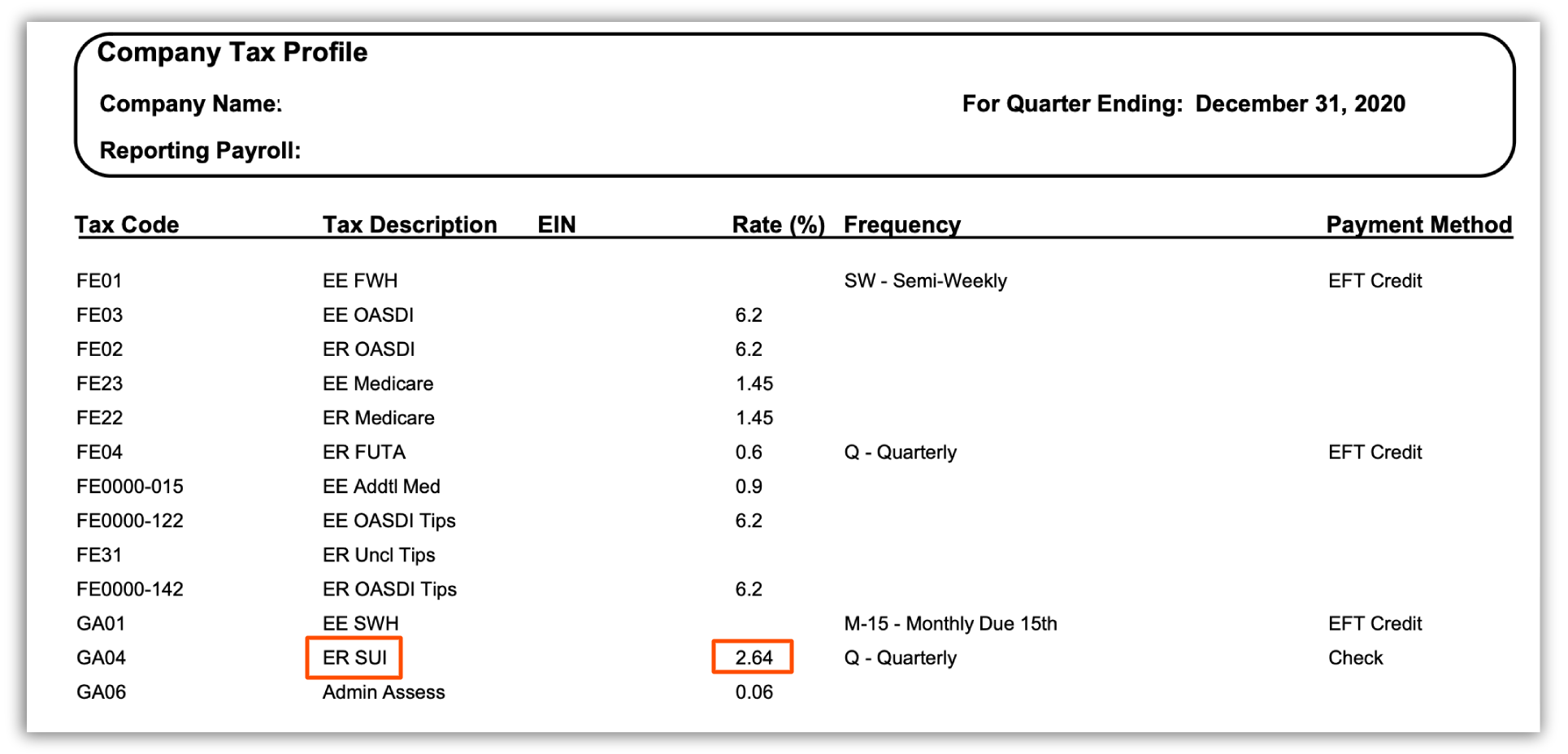
您可以在您的 季度税务包 最后一页底部找到某个时间点的 SUI/SUTA 税率 。导航到 报告 > 税务申报,选择适当的 年份 和 FEIN,然后选择 蓝色箭头按钮 下载季度税务包。此外,税务账户页面 在 设置 > 薪资 > 税务账户 下将显示所选 FEIN 和州的 当前 SUTA/SUI 税率,但请记住,这可能与过去申报税务包时使用的税率不符。
此内容仅作参考之用,不构成法律、税务、人力资源或任何其他专业领域建议。如需获取相关建议,请联系律师或其他专业人士。