Toast Dual Pricing Overview
上次更新时间:2026年9月25日 12:36
Learn how Toast Dual Pricing can help offset card processing costs by automatically presenting guests with both cash and card totals before payment.
| Toast Dual Pricing is currently available only to eligible new US customers when they sign up with Toast. It is not yet available to existing Toast customers. If you’re interested, join the waitlist to stay informed as availability expands. |
- Dual Pricing Overview
- How It Works
- What Your Staff Will See
- What Your Guests Will See
- Related Articles
Dual Pricing Overview
Toast Dual Pricing is a product that enables you to automatically present two order totals to your guests before they pay for their order in-store: a card total and a discounted cash total. You post the higher (card) price to your guests on your menus, so you can help recover card processing costs by building those costs into your listed menu prices. When a guest pays by card, they pay your standard listed (card) price. If they pay by cash, an automatic 4% discount by default applies at checkout, giving them a lower cash total.
How It Works
The Toast Dual Pricing product automatically applies a 4% discount to each order that is paid in full with cash by your guests (“Cash Discount”). The Cash Discount will apply to an order in the same manner as any other fixed-percentage discount that applies to the entire check.
In other words, the Cash Discount will be applied to the pre-tax amount on an entire check that is paid in full by cash. If you apply other discounts to an order paid by cash, the Cash Discount will be calculated on the total after all other check and item level discounts have been applied. If you have any menu items or service charges that are configured to be “non-discountable,” the Cash Discount will not apply to these items or service charges. In that case you may wish to consider disclosing that those items or charges will not be discounted.
The Cash Discount only applies if the entire check is paid in full with cash. If a portion of the check is paid by card and a portion is paid by cash, the discount will not be applied to either portion. However, if you split a check into multiple checks, the discount will be applied to the split check if it is paid in full with cash.
The Cash Discount is fully automated, so it cannot be removed from a check if a guest pays by cash.
To adjust your cash discount percentage (defaults to 4%) or to disable Dual Pricing, see Manage the Dual Pricing Product.
What Your Staff Will See
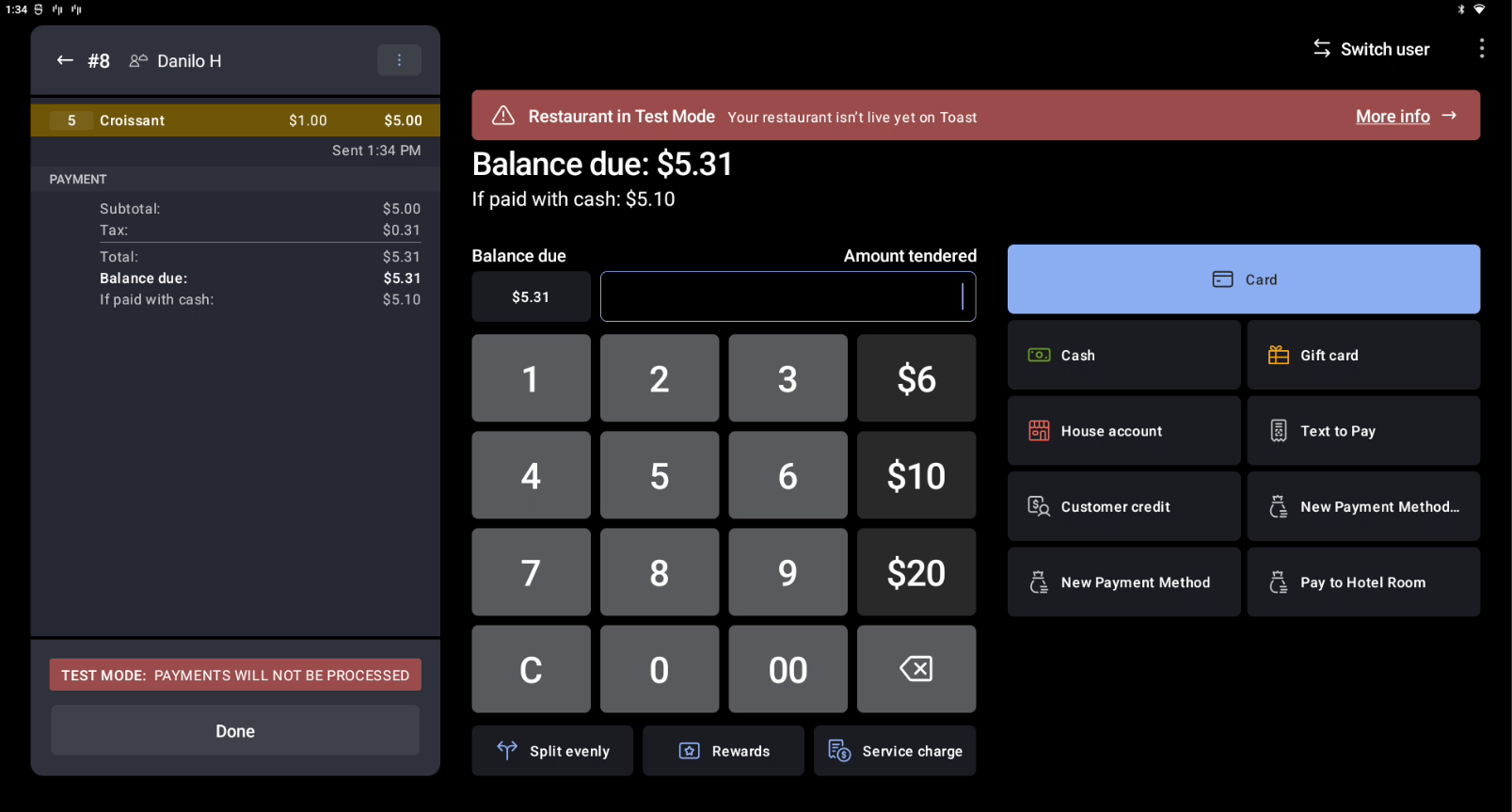
On the payment selection screen of your Toast POS, your staff will automatically see both order totals before your guest pays. If you accept orders at the counter, your staff will know exactly what the order total will be if paid by cash, so they do not need to calculate it on their own.
Point of Sale View
What Your Guests Will See
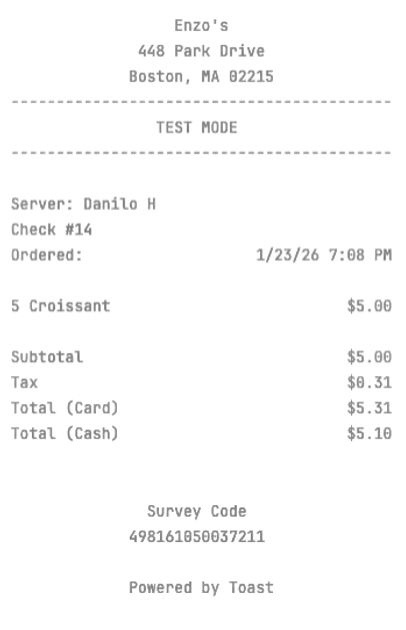
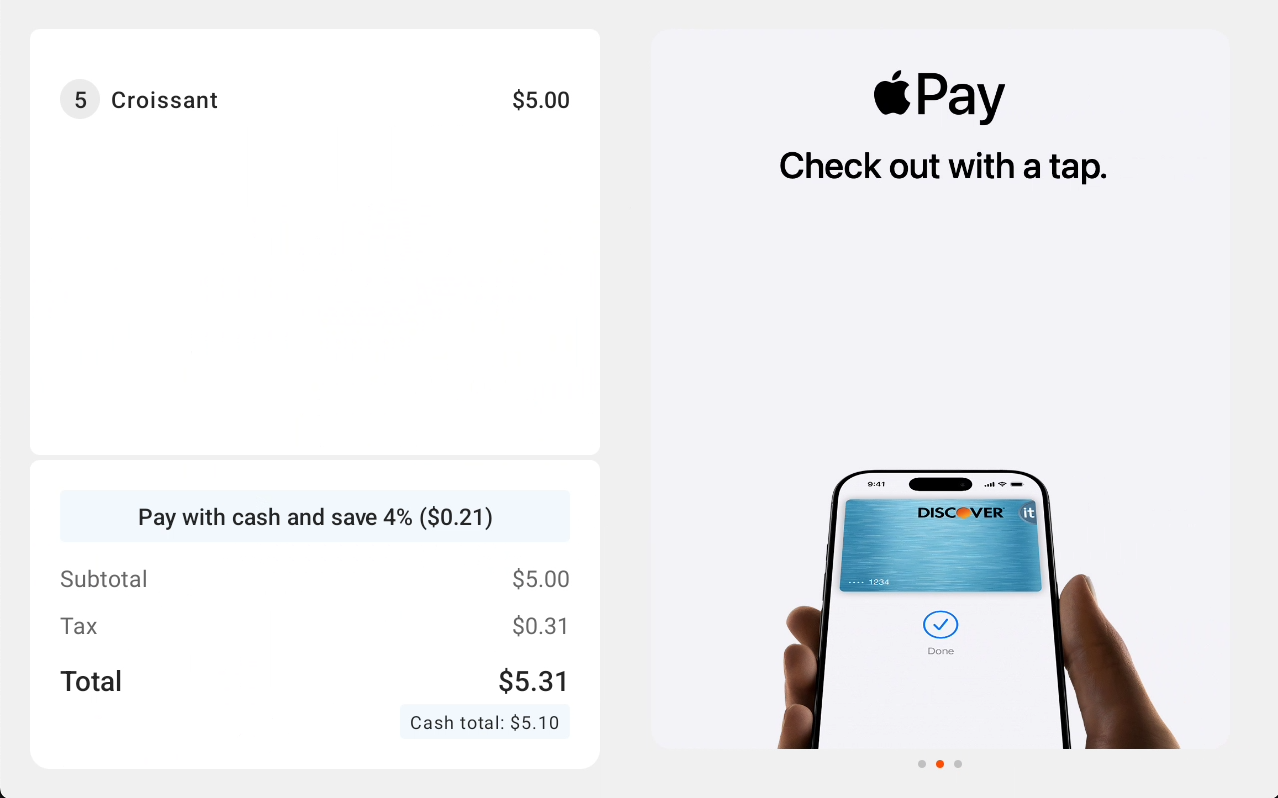
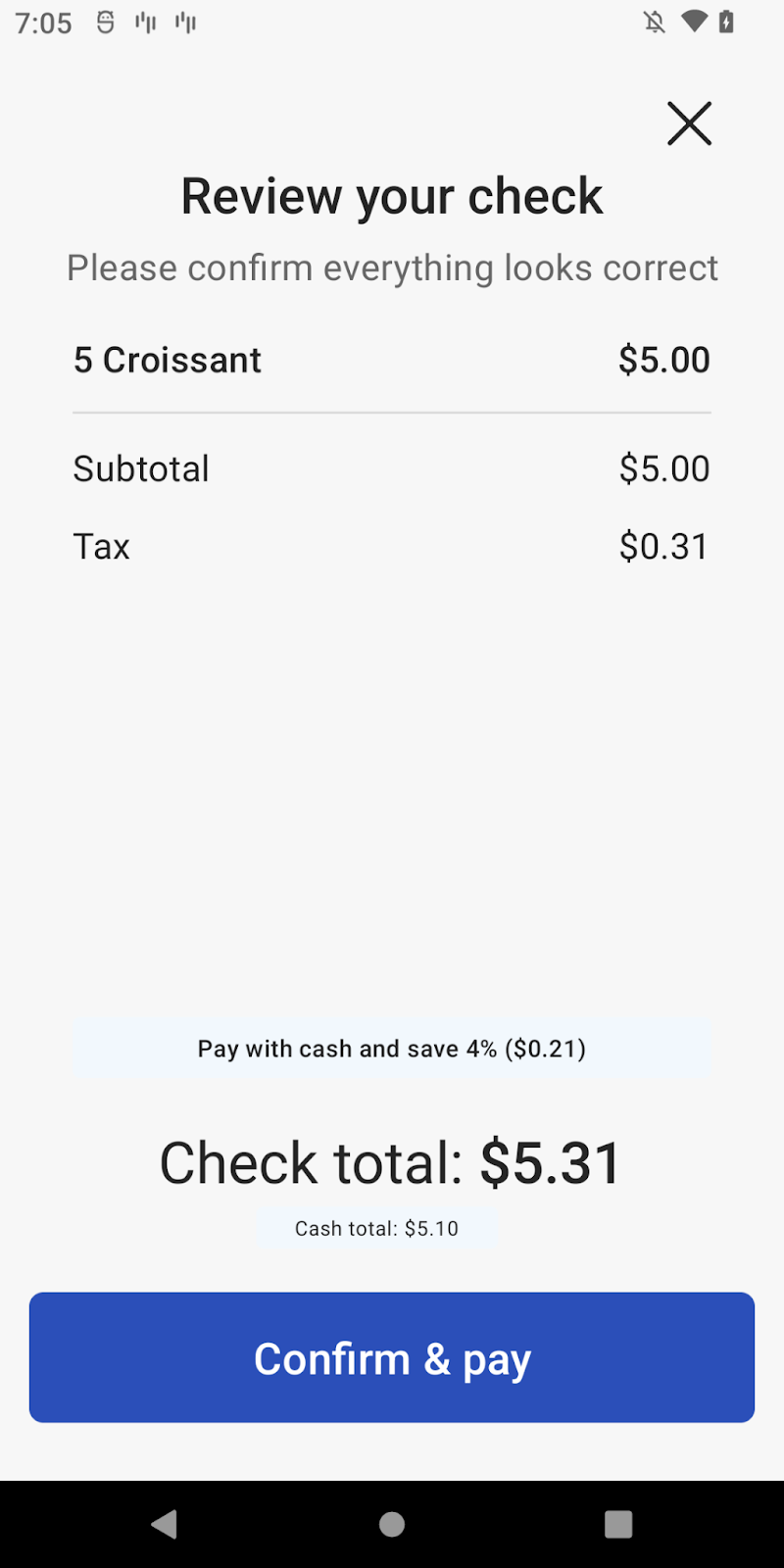
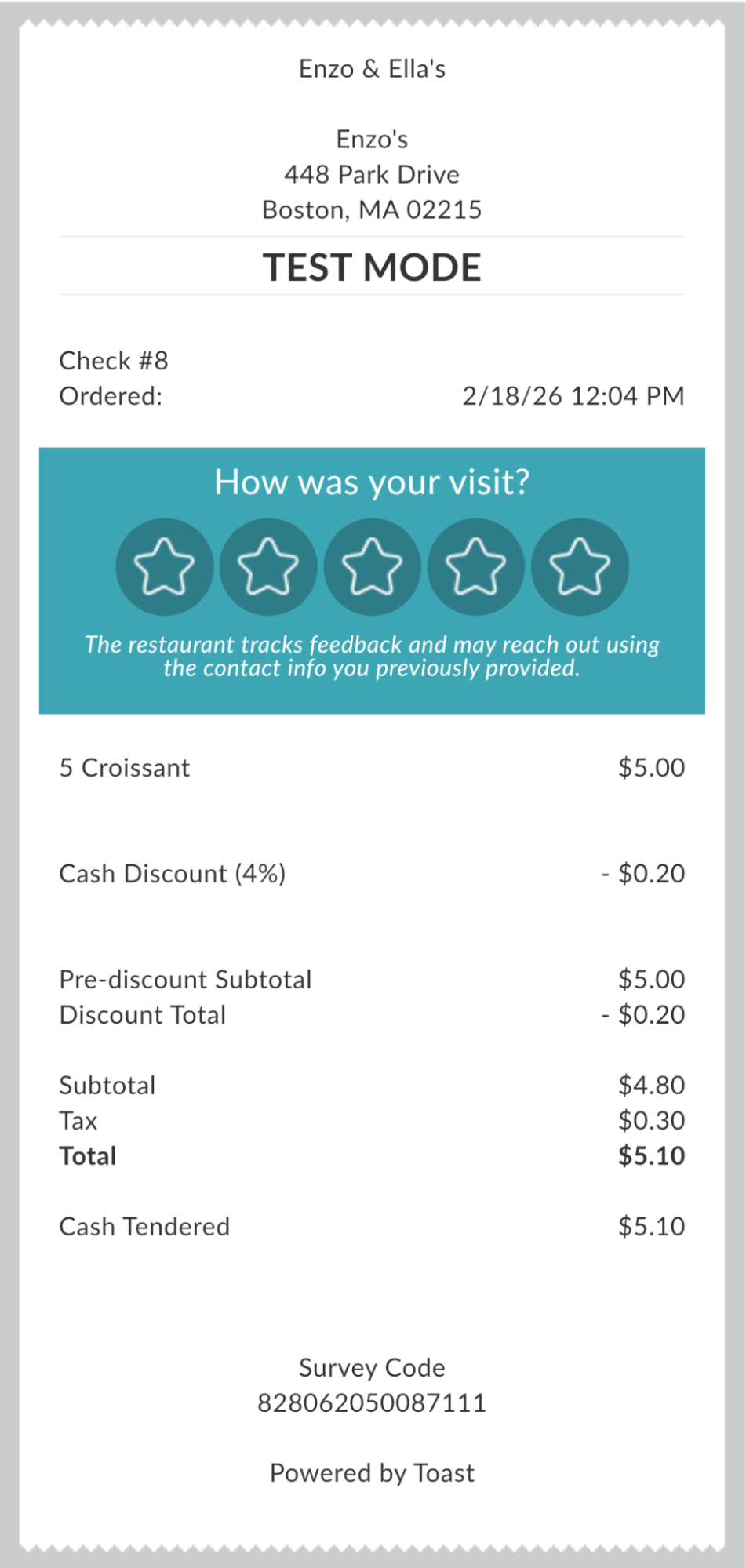
When your guests are ready to pay for their order, they will be automatically shown the card total and discounted cash total across all in-store surfaces. If a guest pays for the order in full with cash, the Cash Discount will be shown as a line item under the pre-discount total and the total (post-discount) is shown at the bottom.
Pre-Payment Check
Guest-Facing Display
Handheld
Post-Payment Receipt
Related Articles
- Get Started With Toast Dual Pricing
- Manage the Dual Pricing Product
- Toast Dual Pricing FAQ
- Surcharging, Dual Pricing, & Other Ways to Offset Costs
This content is provided for informational purposes only and is not intended as legal, tax, or other professional advice. You are responsible for your own compliance with applicable laws and regulations, including card brand rules. You should contact your attorney or other relevant professional advisors for advice specific to your circumstances.