翻译仅供参考。您与 Toast 签署的任何法律协议(包括但不限于《商户协议》和《终端用户许可协议》),其订立语言可能不同于以上页面所使用的语言,无论是否提供本页面其他语言的译文,均应以您所签署的协议条款为准
Toast Payroll:设置认证和执照
上次更新时间:2026年10月14日 17:31
可以在 Toast Payroll 中设置认证和执照,以监控员工的持续认证和执照续期。
| “认证”模块仅适用于 Toast Payroll Pro 用户。 |
创建认证
在为个别员工添加认证之前,您需要先设置认证类型:
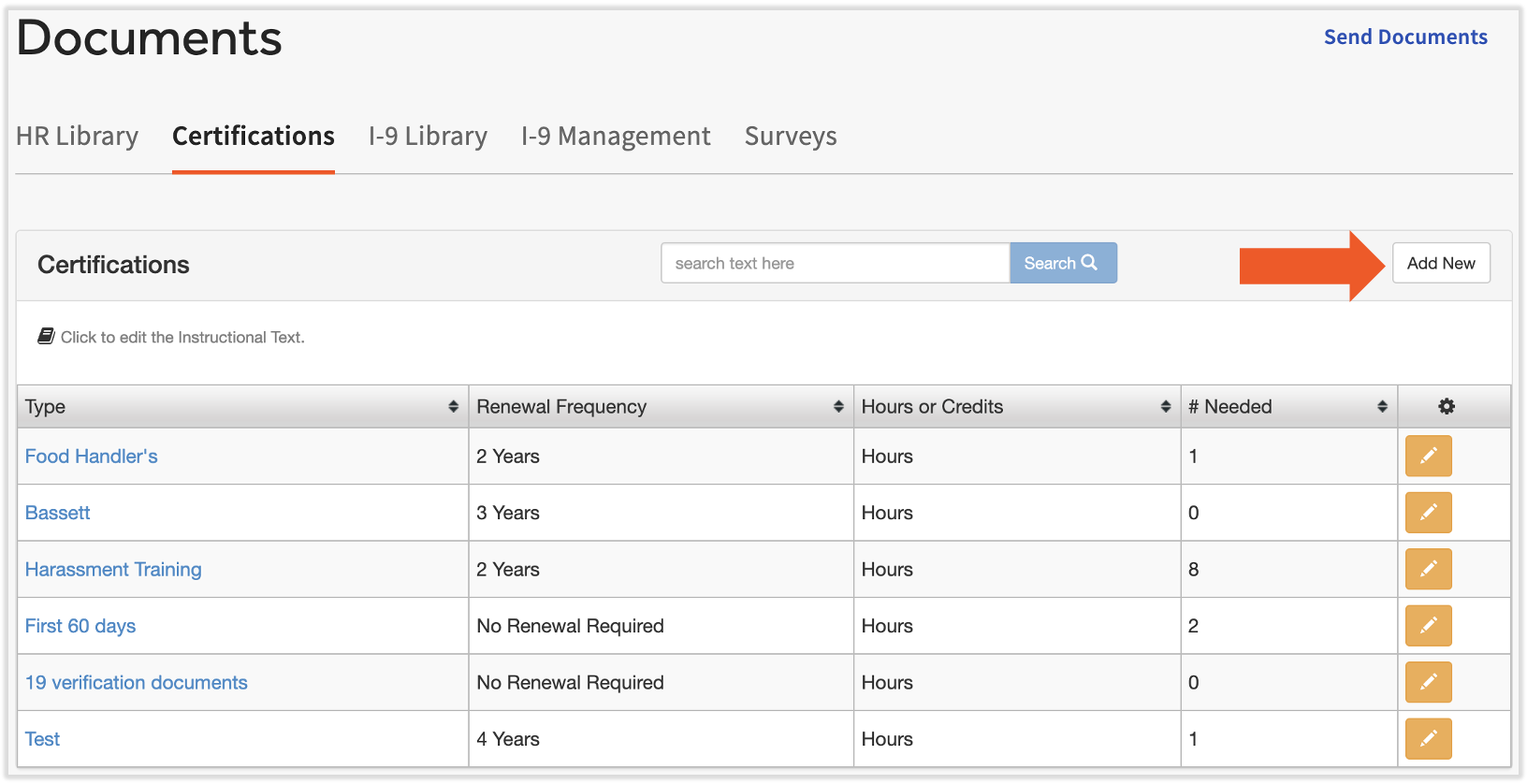
- 要在Toast Payroll中设置认证,请导航至文档 > 认证。
- 如果您在屏幕左侧没有看到文档,请从左侧的 Toast Web 导航栏中选择薪资,以显示 Toast Payroll 导航栏。
- 当前的认证列表将显示在此处。 要添加新认证,请选择页面右侧的添加新项。
- 填写以下字段并选择保存:
- 描述:为认证命名
- 类型:认证、执照或 AED
- 更新频率:在此处输入值
- 跟踪方式: 选择 小时 或 学分
- # 必填:输入完成该认证所需的小时数
- 是否激活: 允许该认证在系统中处于激活状态,以便经理将其添加到员工个人资料中
为员工添加认证或执照
创建认证类型后,您可以为员工添加认证。在 Toast Payroll 中找到他们的个人资料,然后选择 个人资料 > 培训。访问 在 Toast Web 中导航 Toast Payroll,了解新的 Toast Payroll 导航功能如何工作。
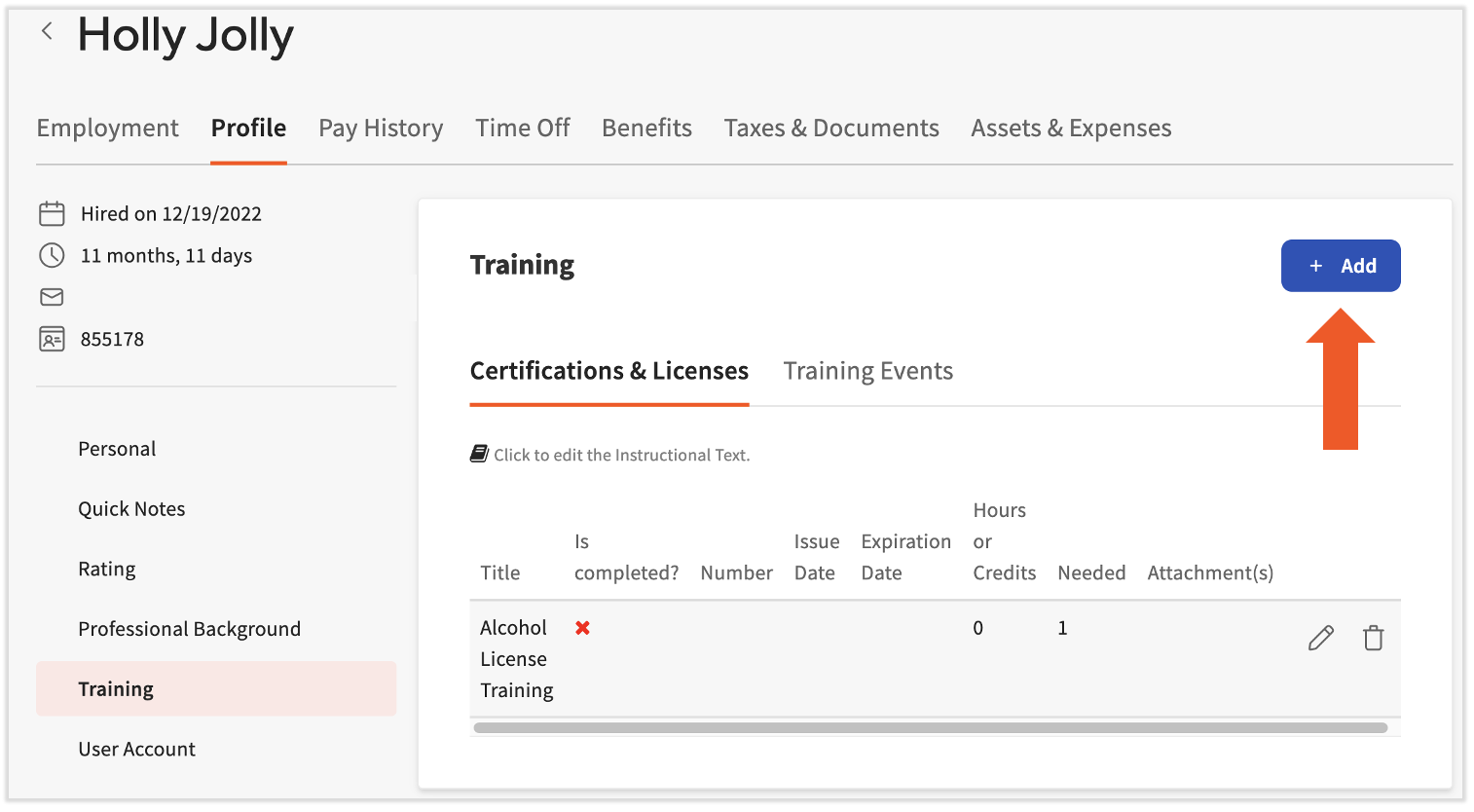
将显示员工当前的认证(如果已添加)。认证标题、是否已完成、签发日期、过期日期以及总小时数也将显示。
要添加新认证,请选择右侧的 添加 按钮。您需要填写此页面上的以下字段:
- 名称: 选择认证名称(此字段将根据上述步骤中添加的认证自动填充)
- 是否完成?: 根据实际情况选择 是 或 否。如果选择“否”,最后四个选项将被移除。
- 文档: 这是可选的,但您可以上传与员工认证相关的文档
- 证书编号: 这是可选的,但可用于记录保存目的
- 提醒日期: 应何时提醒经理有关该认证的信息
- 签发日期: 认证的签发日期
- 过期日期: 认证的过期日期
将认证添加到员工档案中(即使已完成)也不会通知员工。如果您想通知员工有关待处理的认证,请向他们发送 员工待办事项。
此内容仅供参考,不作为法律、税务、人力资源或其他专业建议。请联系律师或其他专业人士以获取建议。