Get Started With Toast Email Marketing
Last updated: Nov 18, 2025, 1:28 PM
With Toast Email Marketing, you design and schedule a time to send an email, and we take care of the rest. Improve marketing outreach and keep guests returning with integrated email marketing that helps you save time, drive sales, and maximize guest data.
Are you interested in adding Toast Email Marketing to your Toast Suite? To subscribe, navigate to Toast Shop and follow the steps.
Overview of getting started with Toast Email Marketing.
Get Started With Toast Email Marketing
Email Marketing is the most important component of your restaurant marketing arsenal and can generate up to $2,800 in sales per campaign with email marketing*. Why? First, according to the Direct Marketing Association, email marketing has a 4,300% ROI (return on investment). Also, 86% of U.S. adults would like to receive promo emails at least monthly from brands they trust. Email is a direct link to your existing customer base. Despite the benefits, only 18% of restaurant owners are engaging in email marketing campaigns, according to Benchmark.
*Based on past performance of restaurants using email marketing in Q3 and Q4 of 2021. The $2,800 represents the average increase in sales in the 14 days following an email sent via email marketing. The average open rate for emails sent via email marketing is approximately 39%. Individual results will vary.
Setup Email Marketing
To setup email marketing, follow the steps below:
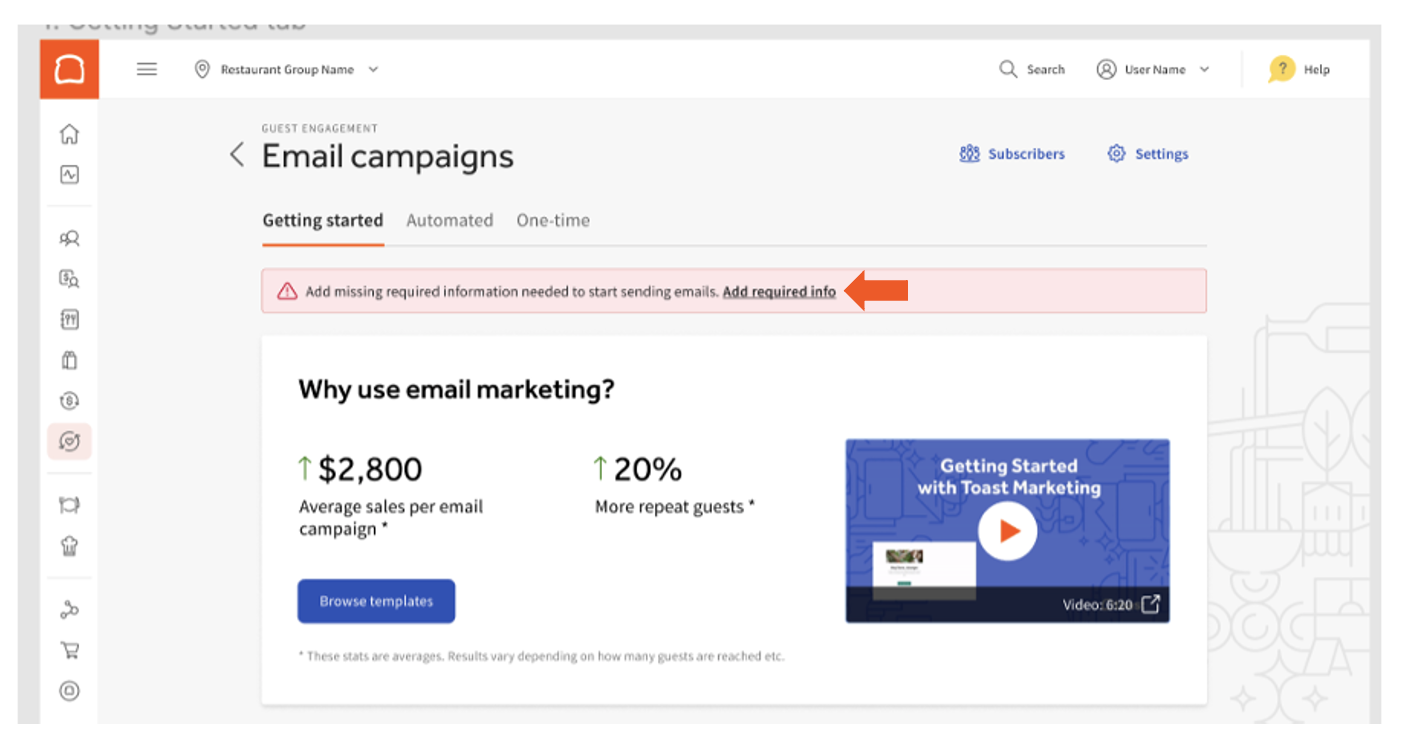
- Navigate to Marketing > Email marketing in Toast Web once subscribed.
- A banner will prompt first-time users to enter the required information. Select the Add required info link.
- In this section, fill in the required information.
Business Info
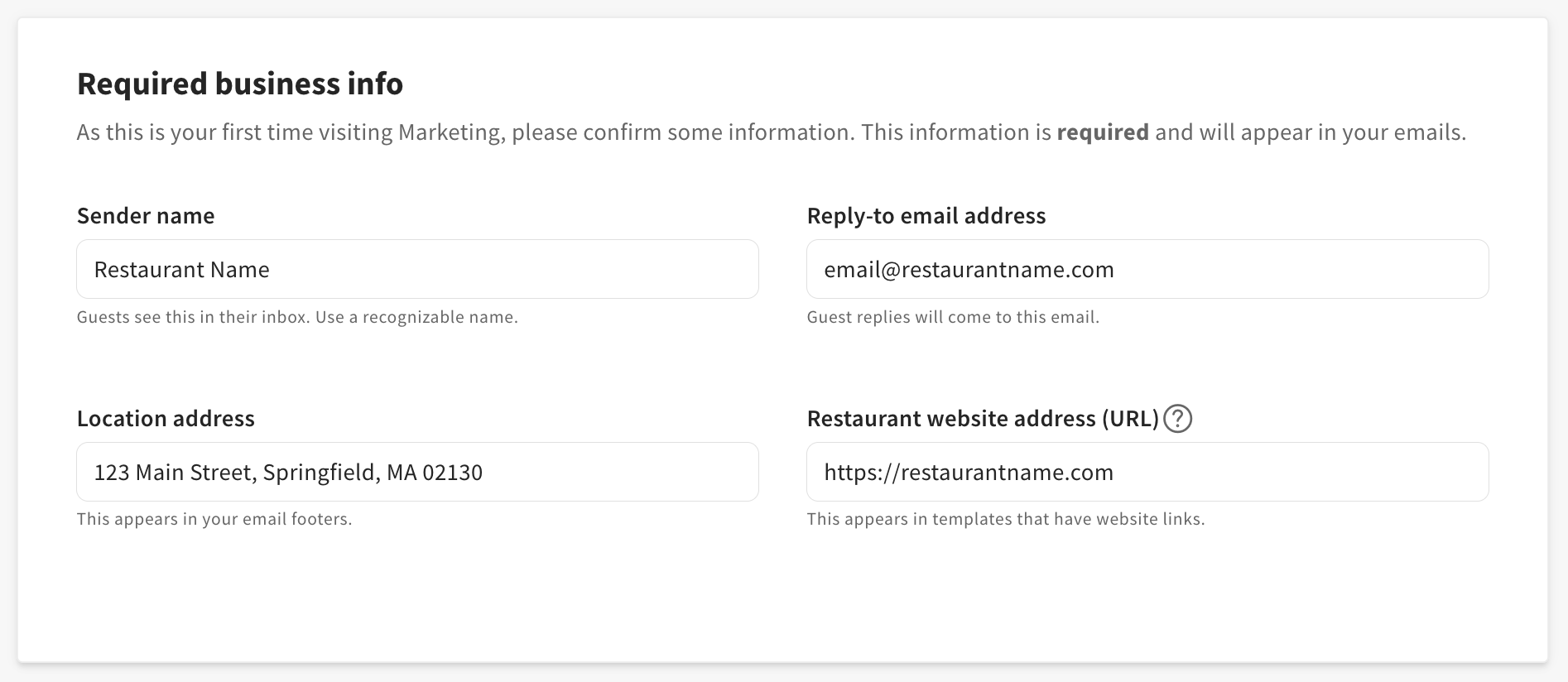
Note: The email entered will be guest-facing.
Social Media Links
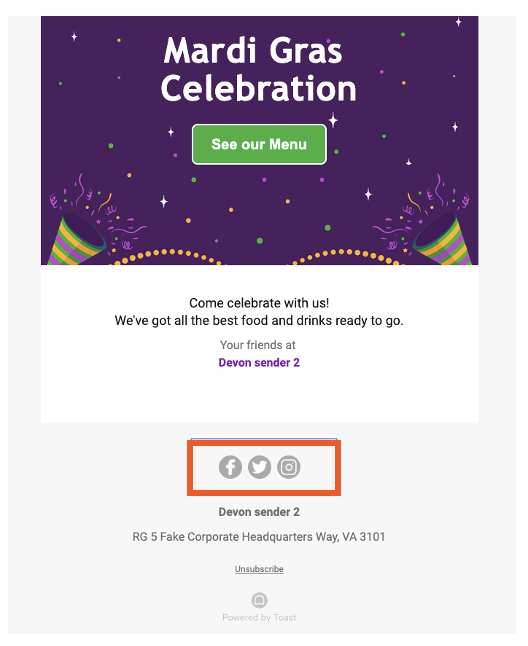
Enter your social media profile URLs once and have them automatically included as linked icons in the footer of all your email campaigns. This is similar to how other restaurant information, such as logo and address, is pulled into each email. This feature saves time while editing your emails and helps restaurants properly represent and foster their brand through email marketing.
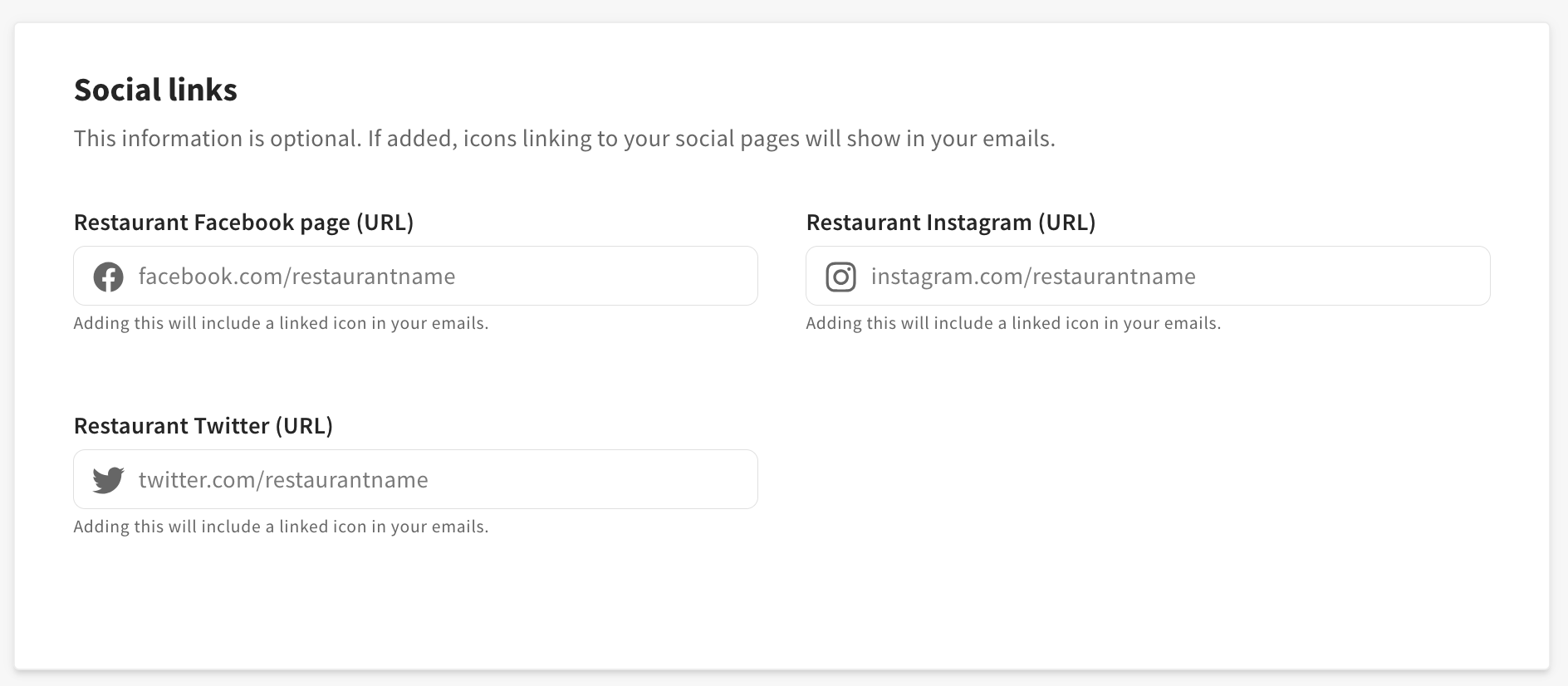
Note: Use the drop-down menu to select your locations for multi-management locations.
Save and publish your changes.
Congratulations! You now have access to Toast Email Marketing! Next, let’s launch your first email marketing campaign. Select the button below for next steps:
Additional Resources
- Toast Email Marketing Microlearning (Note: You must have a Toast account to view)
- Launch a Toast Email Marketing Campaign
- Best Practices for Toast Email Marketing