Get Started With ItsaCheckmate Integration
Last updated: Apr 28, 2026, 4:21 PM
Integrate 100+ delivery platforms with Toast POS via ItsACheckmate for seamless order management.
- ItsaCheckmate Integration Overview
- Enable ItsaCheckmate Integration With Toast
- ItsaCheckmate Integration: Troubleshooting and Support
ItsaCheckmate Integration Overview
ItsaCheckmate is a flexible online ordering platform and menu management integration providing an aggregated solution able to inject orders directly into Toast from 100+ delivery and ordering platforms. It also enables Toast customers to reduce labor costs, staff and guest frustrations, and removes the need for multiple platform-specific tablets.
ItsaCheckmate directly integrates with Toast’s menus, fully mapping at the item and modifier level, providing customers with a single portal for making menu changes that reflect across the supported 3rd party delivery platforms the customer utilizes. ItsaCheckmate syncs menus to Toast every five minutes, capturing menu changes made in Toast Web in nearly real time.
Note: You must have access to Toast Partner Connect (TPC) to use ItsaCheckmate.
Enable ItsaCheckmate Integration With Toast
- To enable the ItsaCheckmate integration with Toast, log into Toast Web and navigate to Integrations > Integrations management > Browse & purchase integrations.
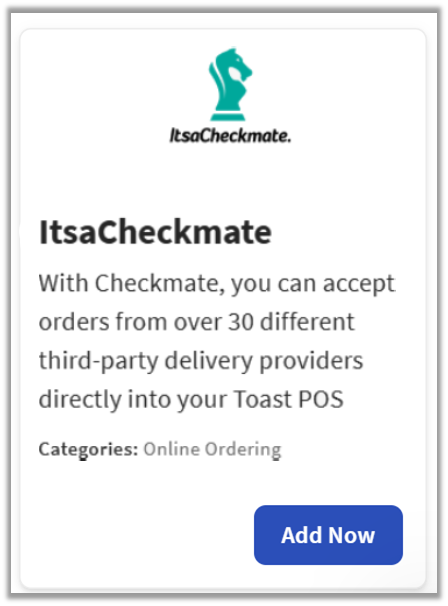
- Enter ItsaCheckmate in the Search field and select Add Now.
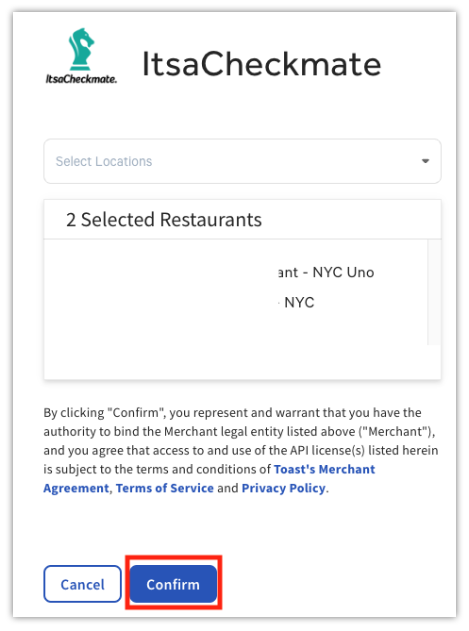
- Review the data scope visibility terms and conditions, and select Confirm to accept. For more information, see the Data Scope Visibility article. If you have multiple locations, select from the drop-down menu.
- Note: Your restaurant must have access to Toast Partner Integrations to add this integration. To learn more about Toast Partner Integrations, see this Support Center article: Set Up Toast Partner Integrations.
- Once completed, a representative from Sunday will contact you within one business day to assist you with the onboarding process. The onboarding process may take between three to four weeks, depending on your customization needs.
Configure ItsaCheckmate
- Once you select Add Now on the ItsaCheckmate tile in TPI. If you have multiple locations, you'll select which restaurant(s) you would like to connect to your ItsaCheckmate account, and select Apply.
- Select Confirm.
- ItsaCheckmate’s support team will reach out directly to you within 24 hours to discuss onboarding, setup, and connection to your existing ItsaCheckmate account, or they will assist you with creating a new ItsaCheckmate account. Full go-live typically takes approximately 11 business days.
- Note: This can vary based on your needs and responsiveness.
ItsaCheckmate Toast Web Configuration Items
You will need to create an Other Payment Option in Toast Web for ItsaCheckmate. ItsaCheckmate’s team will work directly with you to set up and configure your online ordering to ensure your menus and settings work as needed for ItsaCheckmate.
If you wish, you can also set up Dining Options in Toast Web for ItsaCheckmate. You can set up an ItsaCheckmate Delivery dining option with the behavior set to Delivery, and an ItsaCheckmate Takeout dining option with the behavior set to Takeout. ItsaCheckmate’s team will guide you on any further specifics needed for naming and setup.
Toast recommends that you set up an ItsaCheckmate specific revenue center in Toast Web to aid in easy and discrete data and reporting.
Note: For these setup steps, please work directly with ItsACheckmate or complete them yourself. Toast cannot assist with this portion.
ItsaCheckmate Integration: Troubleshooting and Support
For any questions or support issues relating to the Sunday integration, you can send an email to:
- If you haven't launched ItsACheckmate yet, please reach out to their onboarding team at onboarding@itsacheckmate.com
- If you're already using ItsACheckmate with Toast and experience issues unrelated to Toast (software, hardware, or network), please contact ItsACheckmate directly for support.
- For any ItsaCheckmate questions or support issues, please email support@itsacheckmate.com or chat with live support available 24/7.