Toast Payroll: Manage Employee and Business Tax Exemptions
Last updated: Feb 3, 2026, 5:23 PM
In special cases, an individual or business may be exempt from certain taxes. Learn how to configure those settings here.
Locate Employee Tax Exemption Settings
This setting is only available to HR+ users. They should begin by verifying the employee has already completed all necessary tax forms (state W4, federal W4, etc.). Selections an individual makes on their tax forms will not automatically make them exempt in Toast Payroll, so follow the instructions below to adjust the way Toast withholds an individual's tax settings.
- In Toast Payroll, navigate to an employee's profile > Recurring > Taxes.
- Towards the upper-right corner of the screen, select the Settings button.
- Make any appropriate setting changes and select Save. Toast cannot offer any advice on whether an employee should have any exemptions or checkboxes in their Form W-2 settings or Form W-4 exemptions.
- If you're looking to make an employee exempt from federal income tax (FIT), this takes place on the Form W-4 settings in Toast Payroll. An employee can fill out their Form W-4 whenever they need to make an update and an HR+ user can make high-level settings changes once the employee has completed their federal Form W-4.
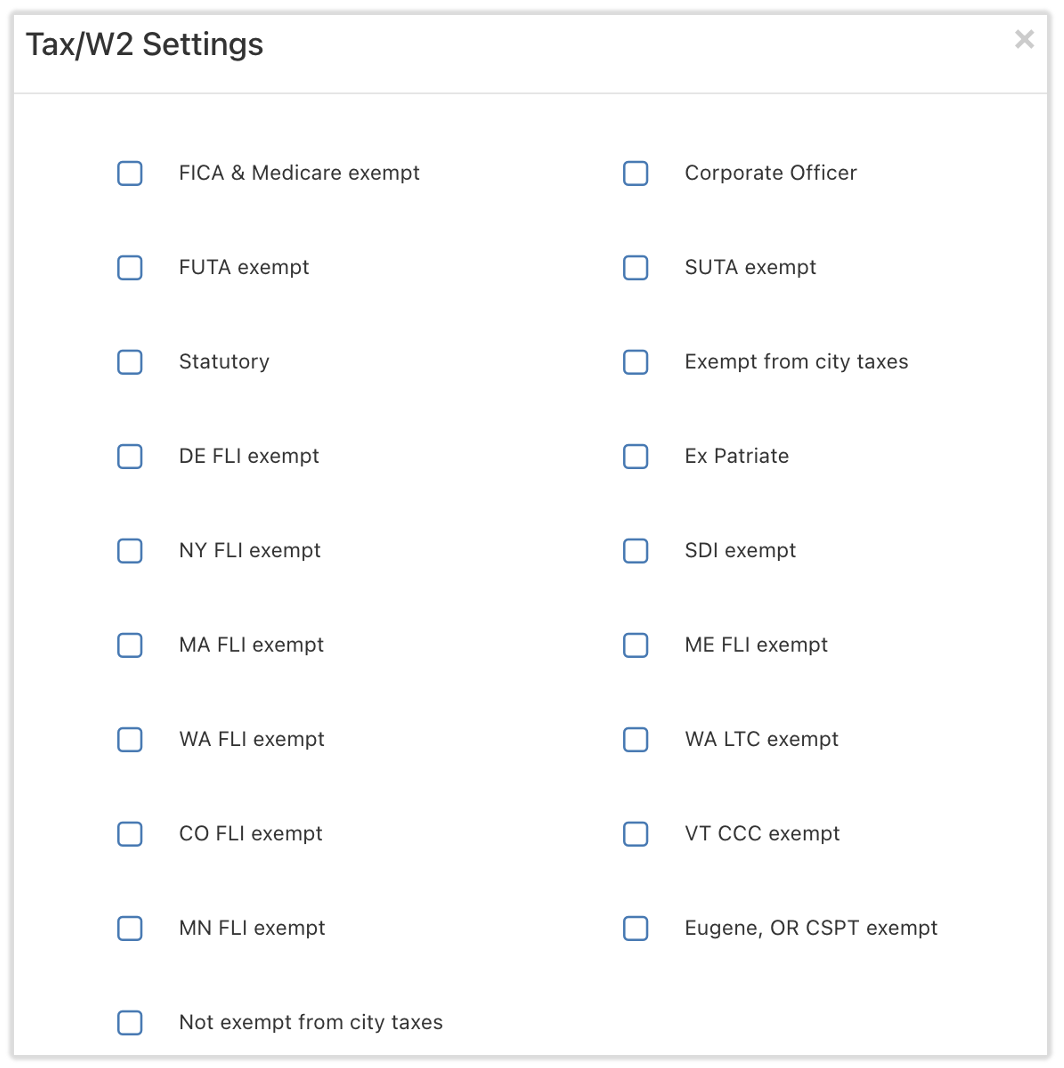
Tax-Exempt Employee Examples
This list is neither inclusive nor guaranteed to be accurate. No decisions or inferences should be made from this list. The IRS can help determine if certain wages are exempt from federal income tax withholding. Please visit with a tax advisor or other licensed professional for more advice.
- Individuals with J-1 visa status: These individuals might be exempt from FICA (Social Security) and Medicare taxes.
- Individuals with no tax liability: This might include students, part-time employees, or seasonal employees.
- Individuals who mark Exempt on their W4: These individuals might be exempt from federal income taxation.
- Individual taxpayers with dependents might sometimes be tax exempt.
Locate Business Tax Exemption Settings
There are a handful of states which have paid family and medical leave (PFML) or similar programs and each one has its own regulations. This list outlines state programs which restaurants can mark themselves exempt from in Toast Payroll and links to external resources:
- Colorado Paid Family and Medical Leave (PFML)
- Connecticut Paid Family and Medical Leave (PFML)
- Delaware Paid Family and Medical Leave (PFML)
- Massachusetts Paid Family and Medical Leave (PFML)
- Maine Paid Family and Medical Leave (PFML)
- Minnesota Paid Family and Medical Leave (PFML)
- New York Family Leave Insurance (FLI)
- Oregon Paid Family and Medical Leave (PFML)
- Vermont Child Care Contribution (CCC)
- Washington Long Term Care (LTC) and Washington Paid Family Medical Leave (PFML)
In order to determine your eligibility for being exempt from a tax listed above, you have a few options:
- Use the complimentary HR toolkit provided by Mineral
- Contact a state agency outlined in Toast Payroll: Register For State Tax Accounts
- Check with a lawyer or tax professional
- Toast Payroll cannot offer advice specific to your situation
If an HR+ user would like to mark their restaurant as exempt from one of these taxes, they can navigate to the Tax Account page via Settings > Tax Accounts. Select a state on the left side of the page to open a state and look for the checkboxes or toggles towards the bottom. A Massachusetts example is shown below.
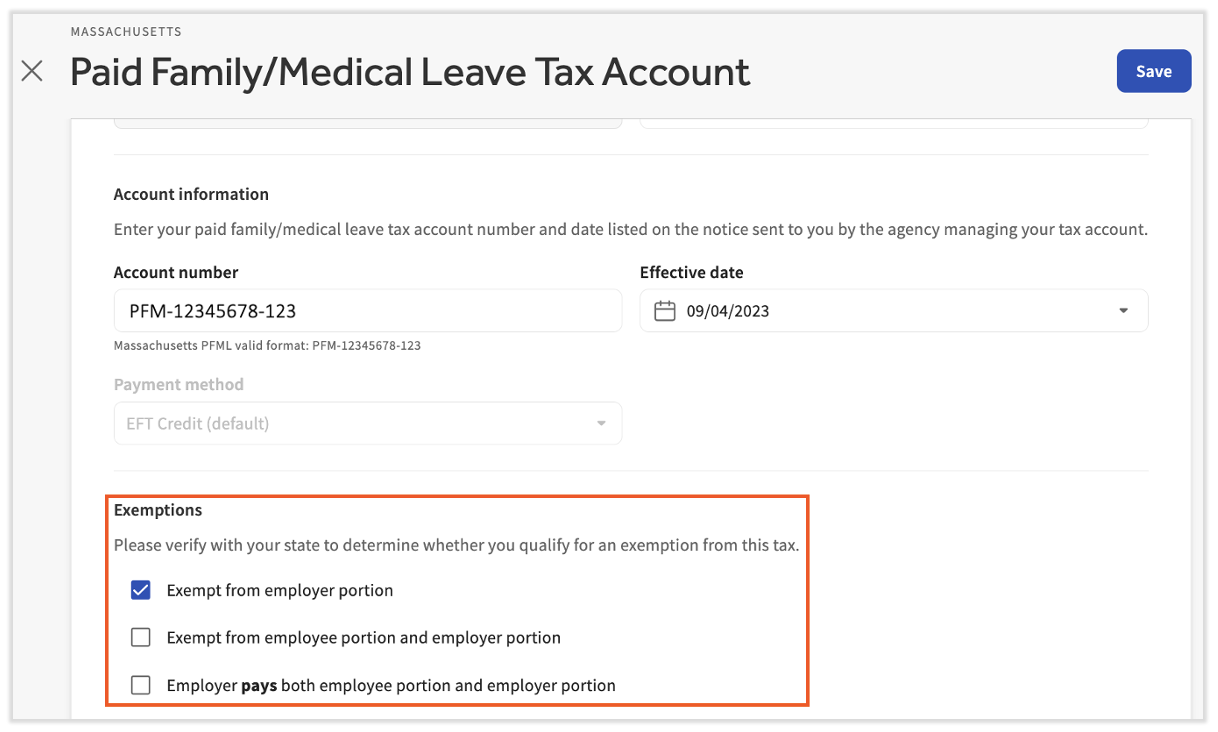
For illustration purposes
This content is for informational purposes and is not intended as legal, tax, HR, or any other professional advice. Please contact an attorney or other professional for advice.