Toast Payroll: Understand Time Away From Work Balances
Last updated: Apr 8, 2026, 10:04 AM
Earned, taken, upcoming, available... review what these mean when it comes to your time off.
Time Away From Work Basics
When it comes to time away from work (TAFW), a bucket refers to a certain grouping of hours that may be taken by an employee. These are generally separated by the type of time-off that an employee is offered. Each bucket will have its own balance. For example, an employee might have a bucket for sick time and another bucket for vacation time, but buckets vary by company and TAFW policy.
Time Away From Work Buckets
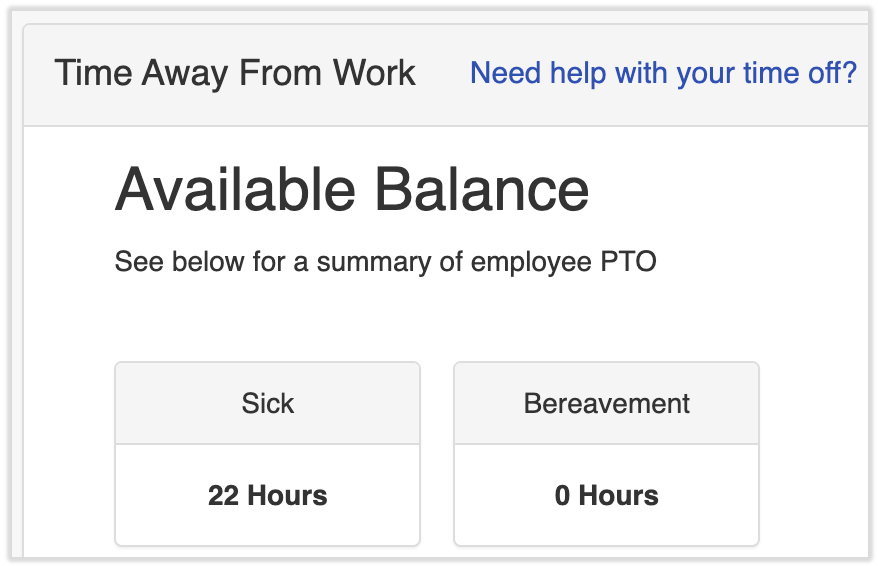
There are a few different types of Time Away From Work (TAFW) balances an employee can have. To view your own TAFW buckets, navigate to My Profile > Time Off.
- Under Available Balance, you will see a bucket for each TAFW type available to you. The different buckets will vary depending on the TAFW plan you are assigned upon hire.
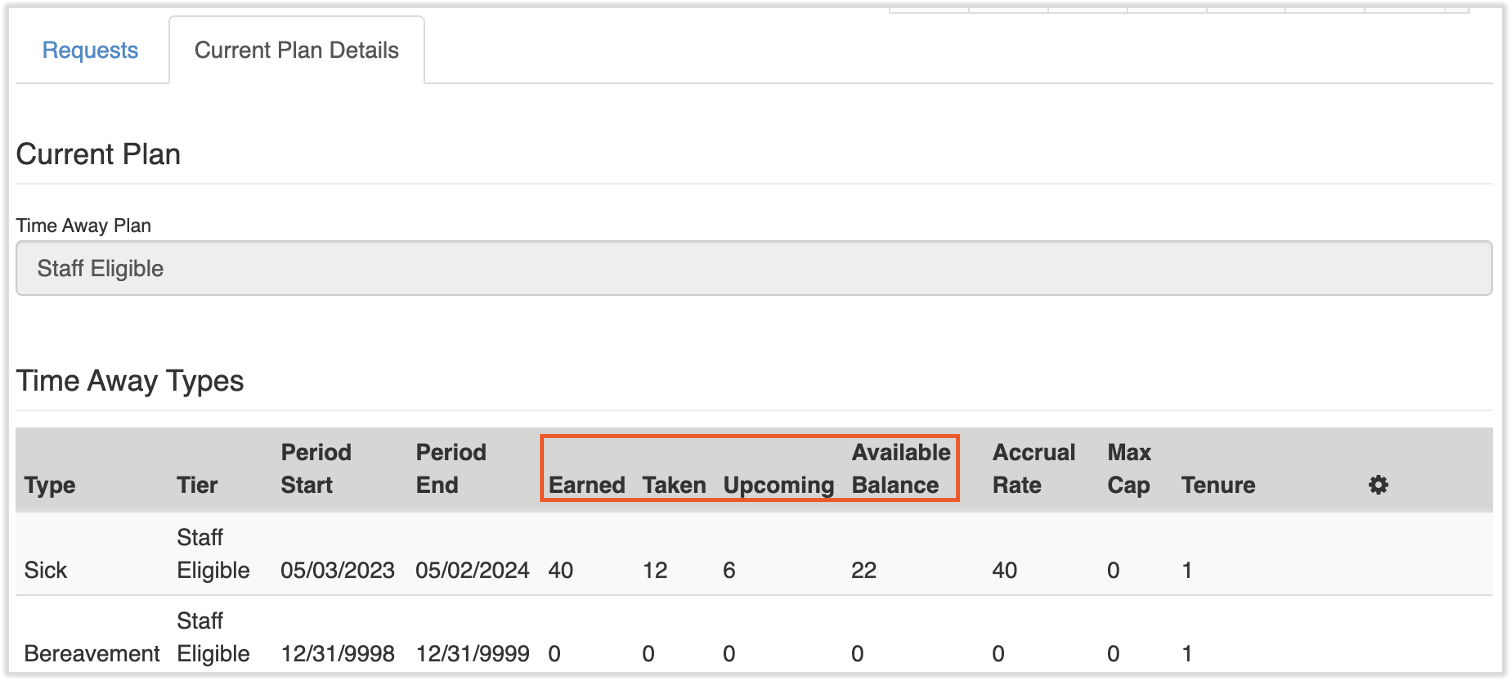
- To view the details of these balances, scroll down and select the Current Plan Details tab. You will see a summary of Earned, Taken, Upcoming, and Available balances per TAFW type here.
- Earned: This is the time you have been given or accrued. This will vary based on your accrual rate and TAFW tier.
- Taken: This is the amount of time you have taken off during your period start and end date. How much time you can take will depend on the tier you are assigned.
- Upcoming: This is the amount of time you have requested off in the system, but have not actually taken yet. This will show under the upcoming tab on this same page until the dates requested have passed.
- Available Balance: This is the amount of time you have available to request off that is not Upcoming or Taken. You may or may not be able to have a negative balance, depending your company's policy. This is going to be your current balance in the system.
- The following pieces of information may help you understand your balances:
- Once you request time off, the hours will be deducted from your balance bucket and will appear in the upcoming bucket, even if the date has not occurred yet.
- Once your time has been requested, approved, and taken, the hours will move from the Upcoming bucket to the Taken bucket.
- If you add hours in the Taken, Upcoming, and Overall balance buckets, they will always equal the amount of hours in the Earned bucket.
Carry Over
If your company's plan allows you to carry over time not used from one year to another, this will appear in a separate bucket called Carry Over. This bucket will be the default type when you request time off, but take note of any carryover expiration dates. The carryover bucket and its hours will be removed after the expiration date, and you cannot request time from that bucket after it expires (unless it has been replenished).
Additional Resources
This content is for informational purposes and is not intended as legal, tax, HR, or any other professional advice. Please contact an attorney or other professional for advice.