Toast Delivery Services® Order Status Tracking
Last updated: Mar 25, 2026, 1:50 PM
- Toast Delivery Services® (TDS) Order Status Tracking
- Delivery Information on the POS
- Alternate Order Status SMS Texts
- Additional Resources
Toast Delivery Services® Order Status Tracking
When guests place Toast Delivery Services® (TDS) orders on your Toast Online Ordering page, they receive end-to-end order tracking on their order confirmation page as well as order updates via SMS to their phone number on file.
Back to top
TDS Order Confirmed / Order Scheduled
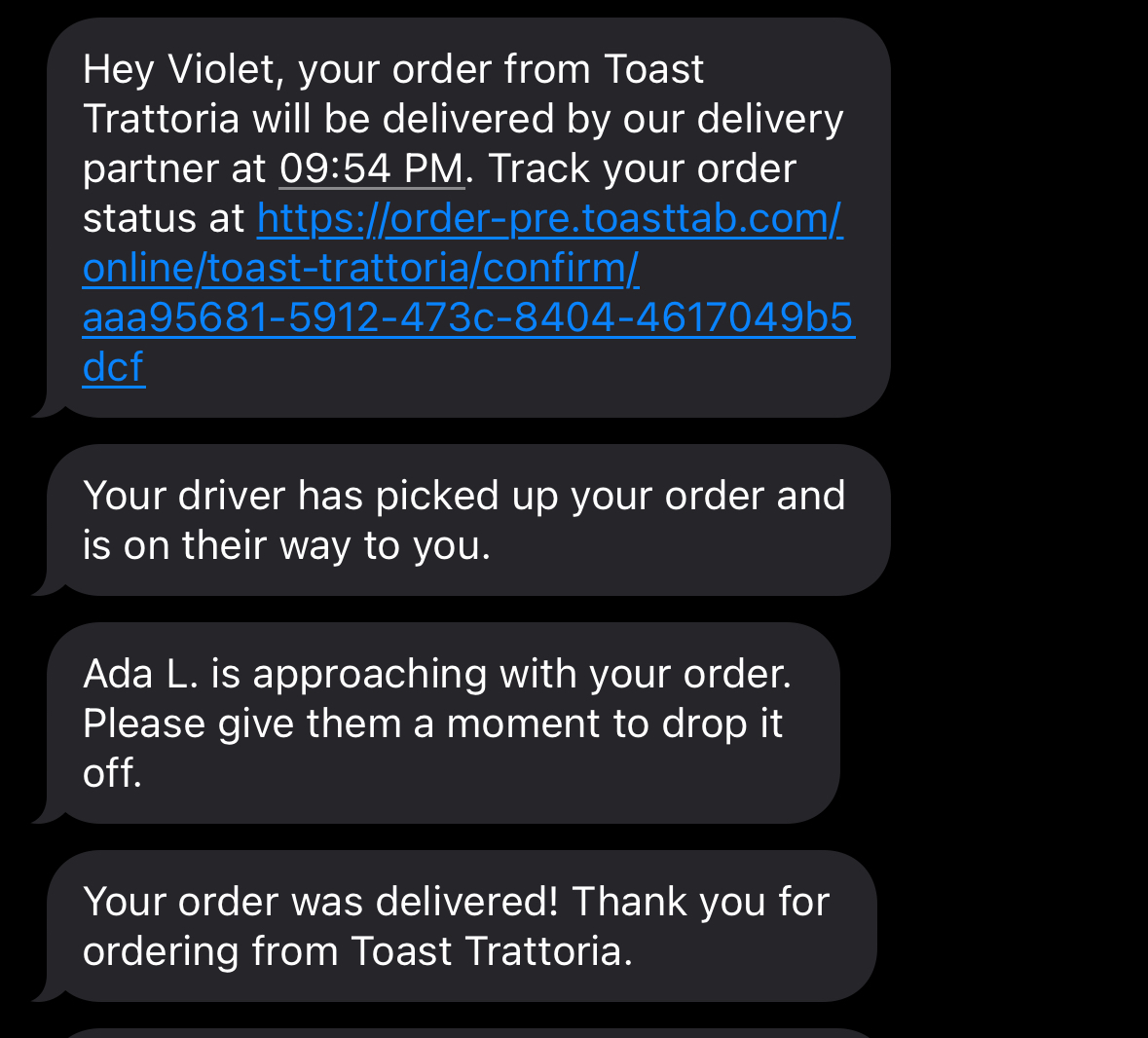
Guests receive an Order Confirmed text when our delivery provider confirms their Toast Delivery Services® order. The order can be accessed directly on the Toast Online Ordering order confirmation page after the guest places their order or via SMS text message. The SMS text message will be sent to the phone number that the Guest used when placing their order.
Note: The Guest must be logged into their Toast account when placing their order in order to see the delivery map on their tracking page.
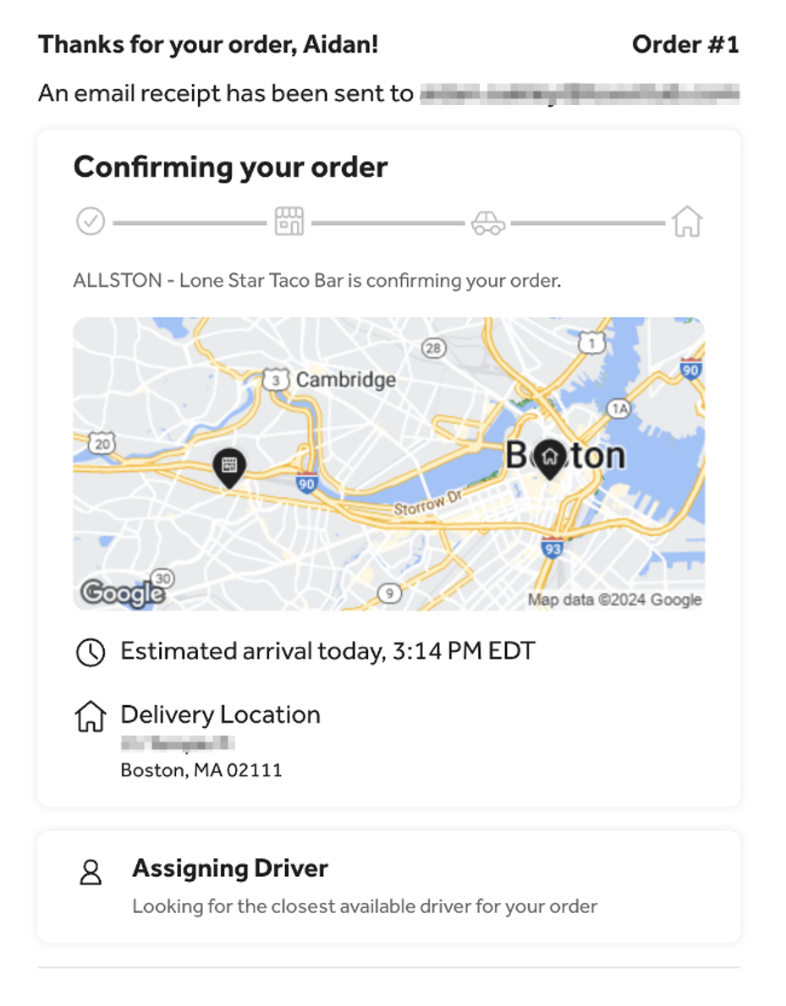
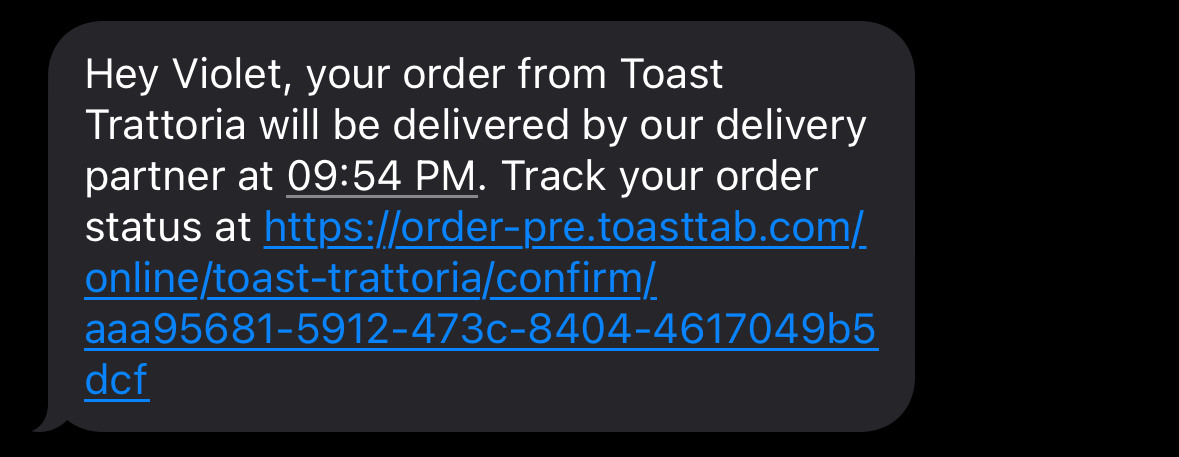
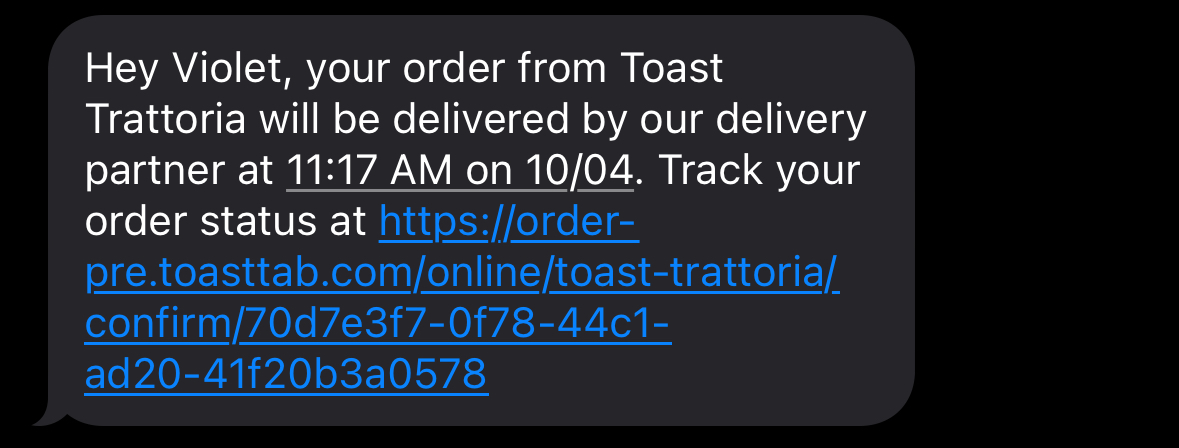
Guests who place scheduled orders will receive an Order Scheduled text when our delivery provider confirms their Toast Delivery Services® order.

TDS Driver Assigned
When a driver is assigned to your delivery order, the tracker will be updated with the driver's contact information.
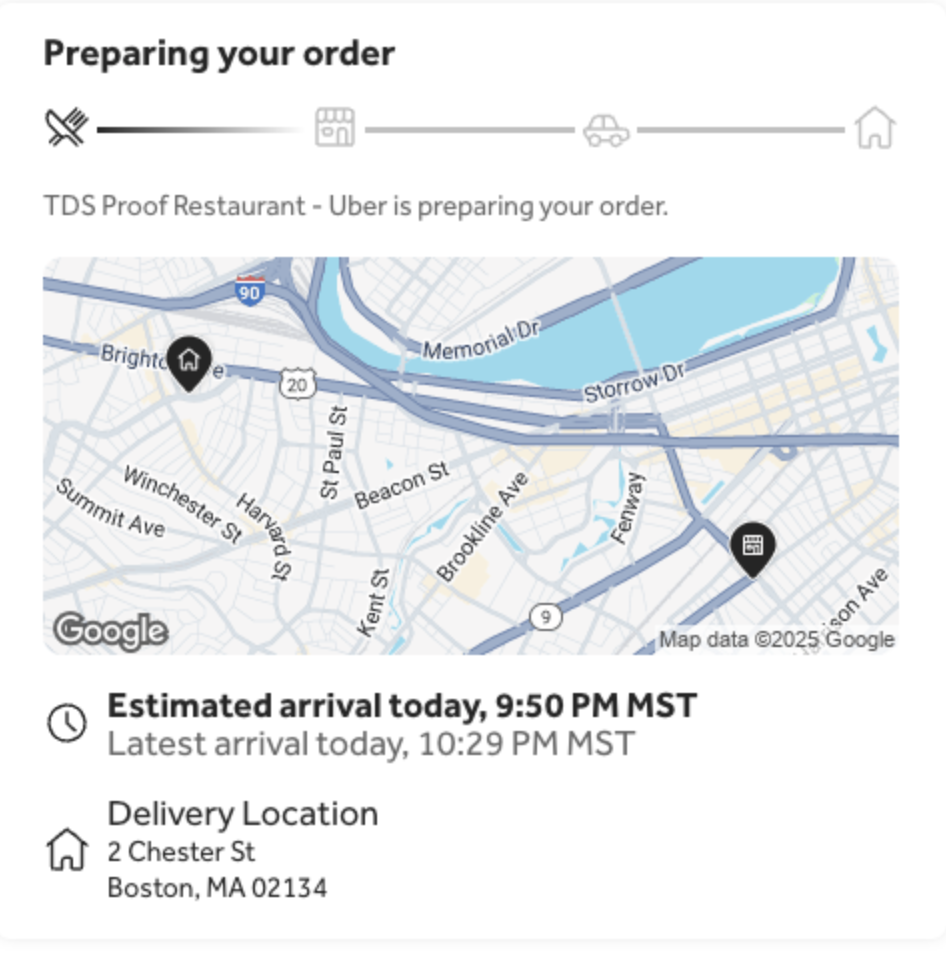
TDS Order Picked Up
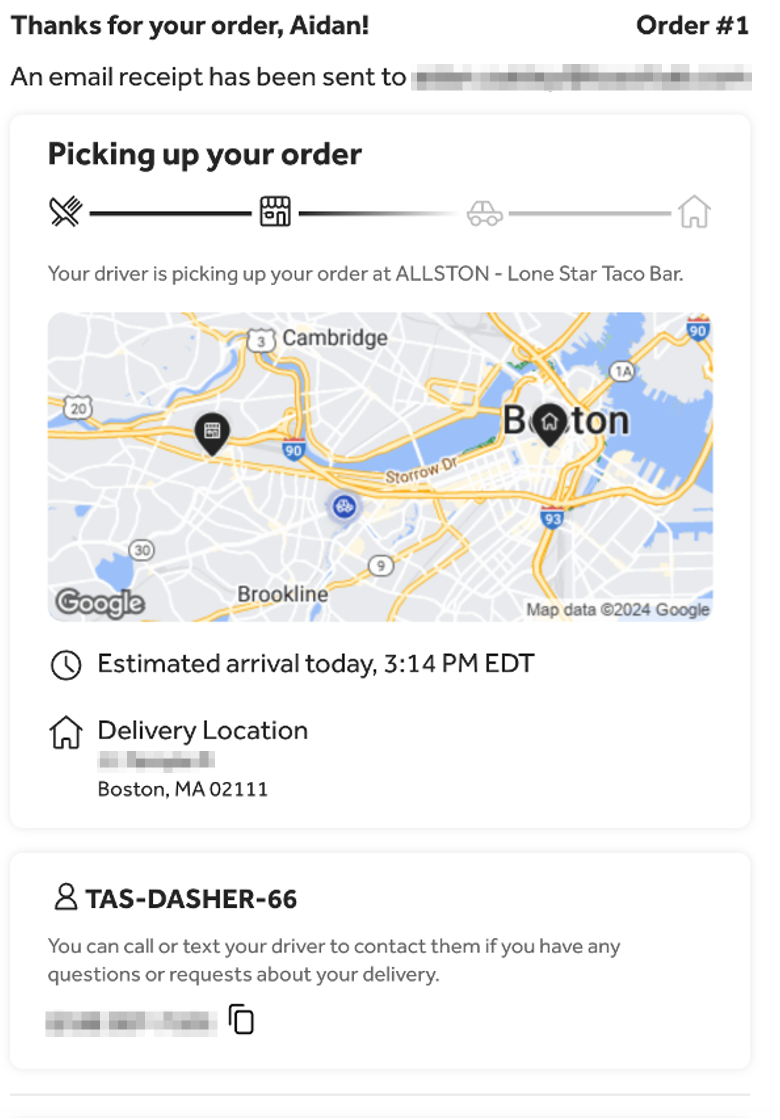
Guests can view their order when it is picked up from the order confirmation page and also receive an “Order Picked Up” text when the delivery driver picks up their order from the restaurant.
- The map is visible even if the guest is not logged in.
- Guests can zoom in/out on the map to view the driver’s location in more detail.
TDS Driver Nearby/Driver Approaching
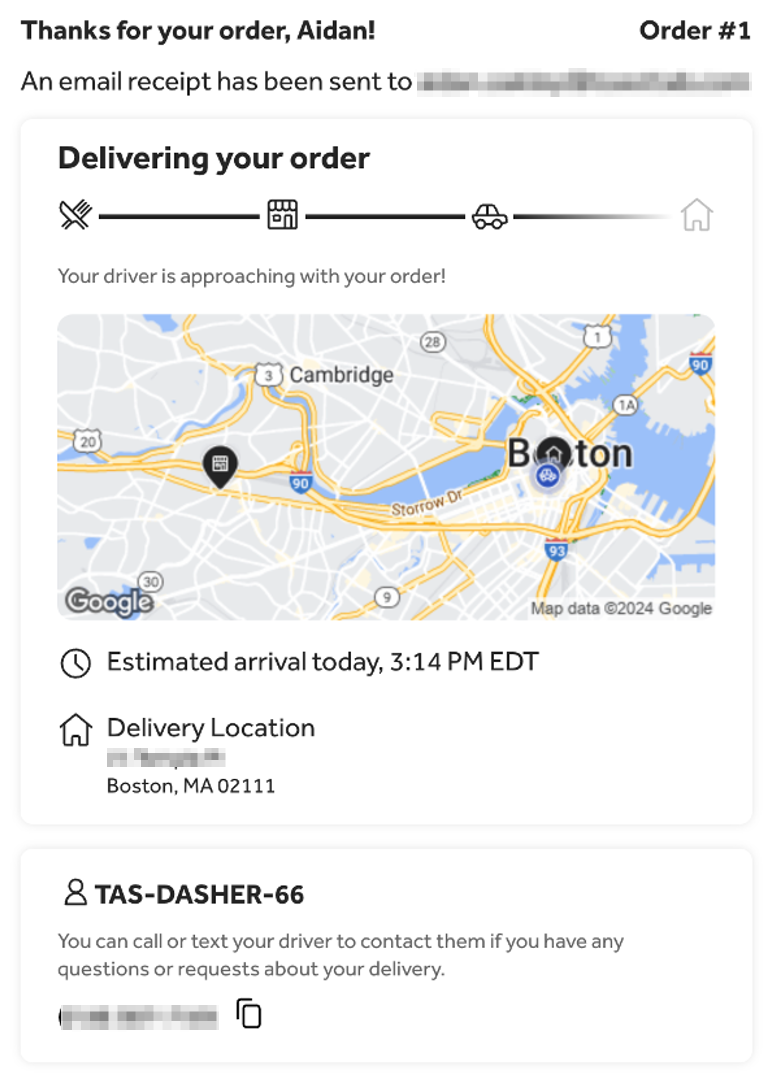
The order tracker will update when the driver is approaching your order. Guests will also receive a “Driver Nearby” text when their delivery driver arrives at their location and prepares to deliver their order.
Back to top
TDS Order Delivered
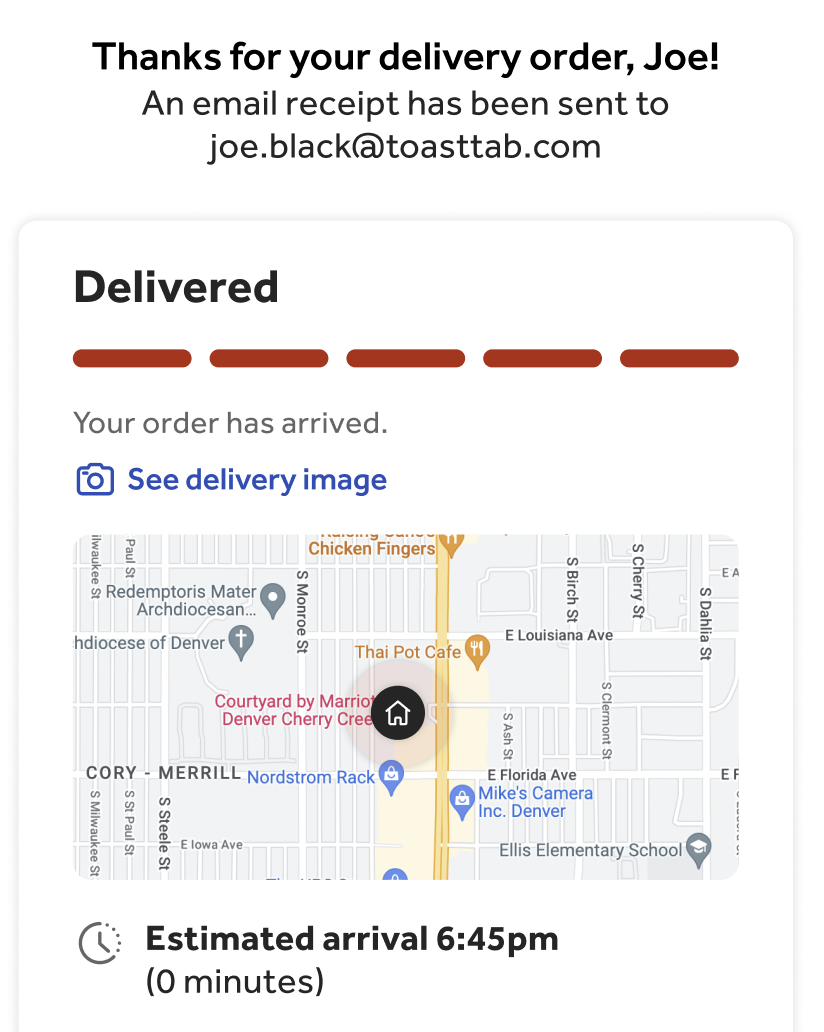
The Toast Delivery Services® order track will update when the order is delivered, and you will receive an “Order Delivered” text when the delivery driver has delivered their order.
- Guests can view the delivery photo via the order tracker and SMS.
- The tracker auto-refreshes to display the most up-to-date status.
- Guests can tap the driver's phone number to call directly.
- Guests will see the latest estimated arrival time for their order.
Toast Delivery Services® Status Delivery Status on POS
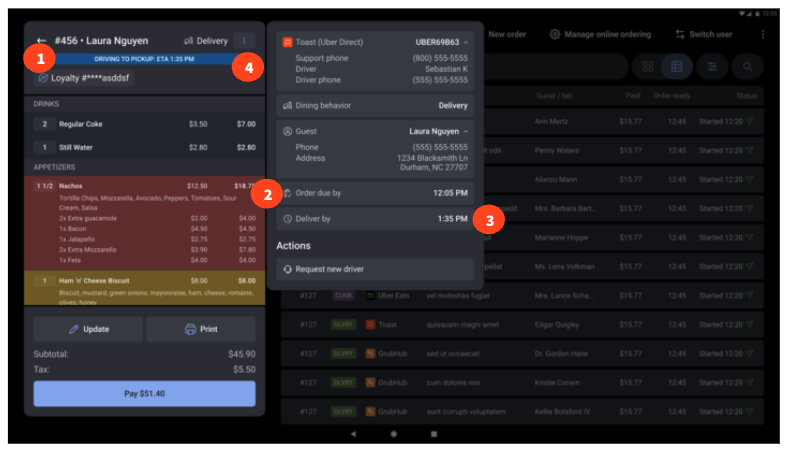
Check the status and details of your Toast Delivery Services® orders on the Toast POS terminal. Below, you will have access to the following:
- Driver status banner (TDS orders): Users will see real-time delivery driver status displayed as a banner at the top of the check view.
- Order Due By (all delivery orders): The Order Due By time, indicating when the order should be ready in the kitchen, will now appear in the Delivery Details overflow menu for all orders with a promised date.
- Deliver By field (TDS scheduled orders): Displays the date/time when the guest scheduled their delivery, shown in the Delivery Details overflow menu. Note: The Deliver by field is the same field called Due by in Orders Hub.
- Notes field (Uber 3PO orders): In the Delivery Details overflow menu, users will now see a Notes section containing:
- Contact phone numbers and PINs for reaching a driver or guest.
- Any special requests associated with the order.
Toast Delivery Services® Alternate Order Status Notifications
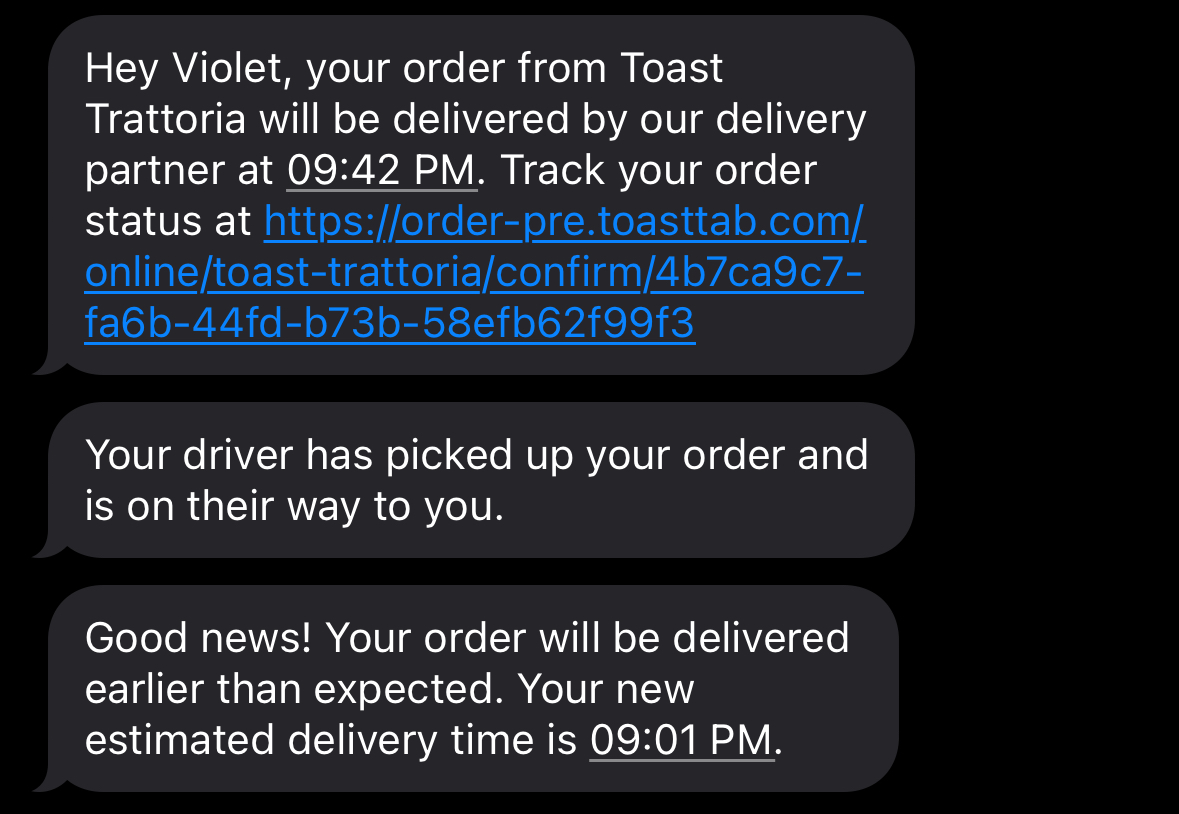
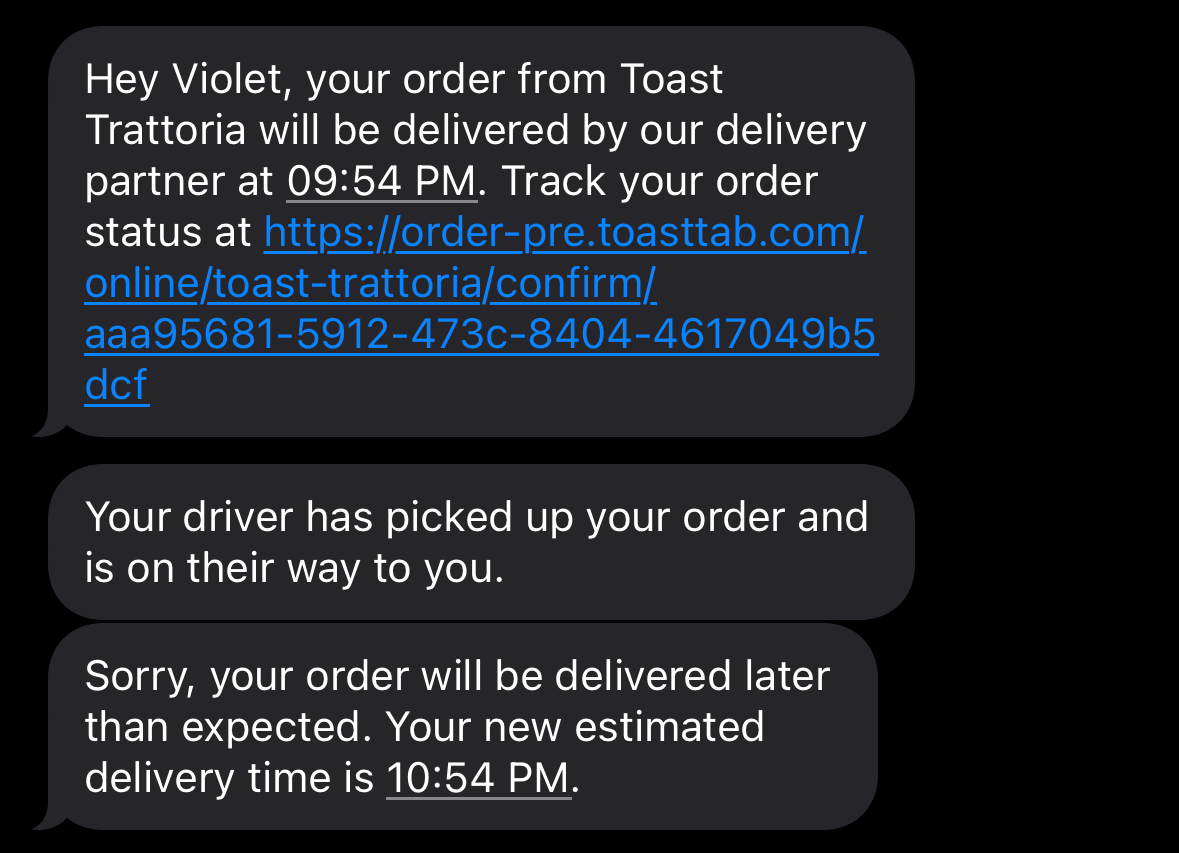
Guests receive texts if their orders are scheduled to arrive more than 15 minutes early or late, are canceled, or are undeliverable.
- Order Arriving Early
- Order Arriving Late
- Order Canceled
- Order Undeliverable
- Not Approved
- Order Failed
TDS Order Arriving Early
Guests receive a text if their order is scheduled to arrive at least 15 minutes earlier than the estimated delivery time.
TDS Order Arriving Late
Guests receive a text if their order is scheduled to arrive more than 15 minutes later than the estimated delivery time.
TDS Order Undeliverable
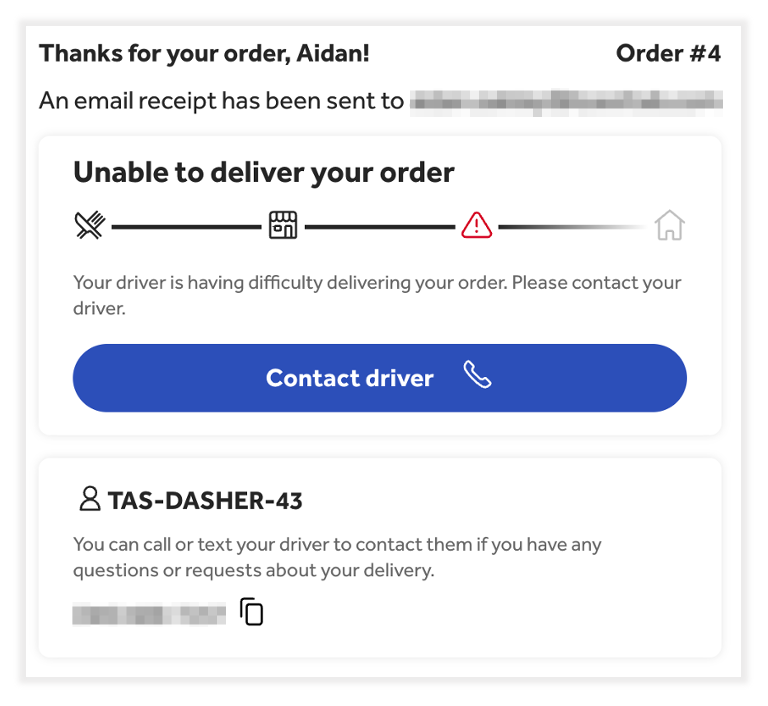
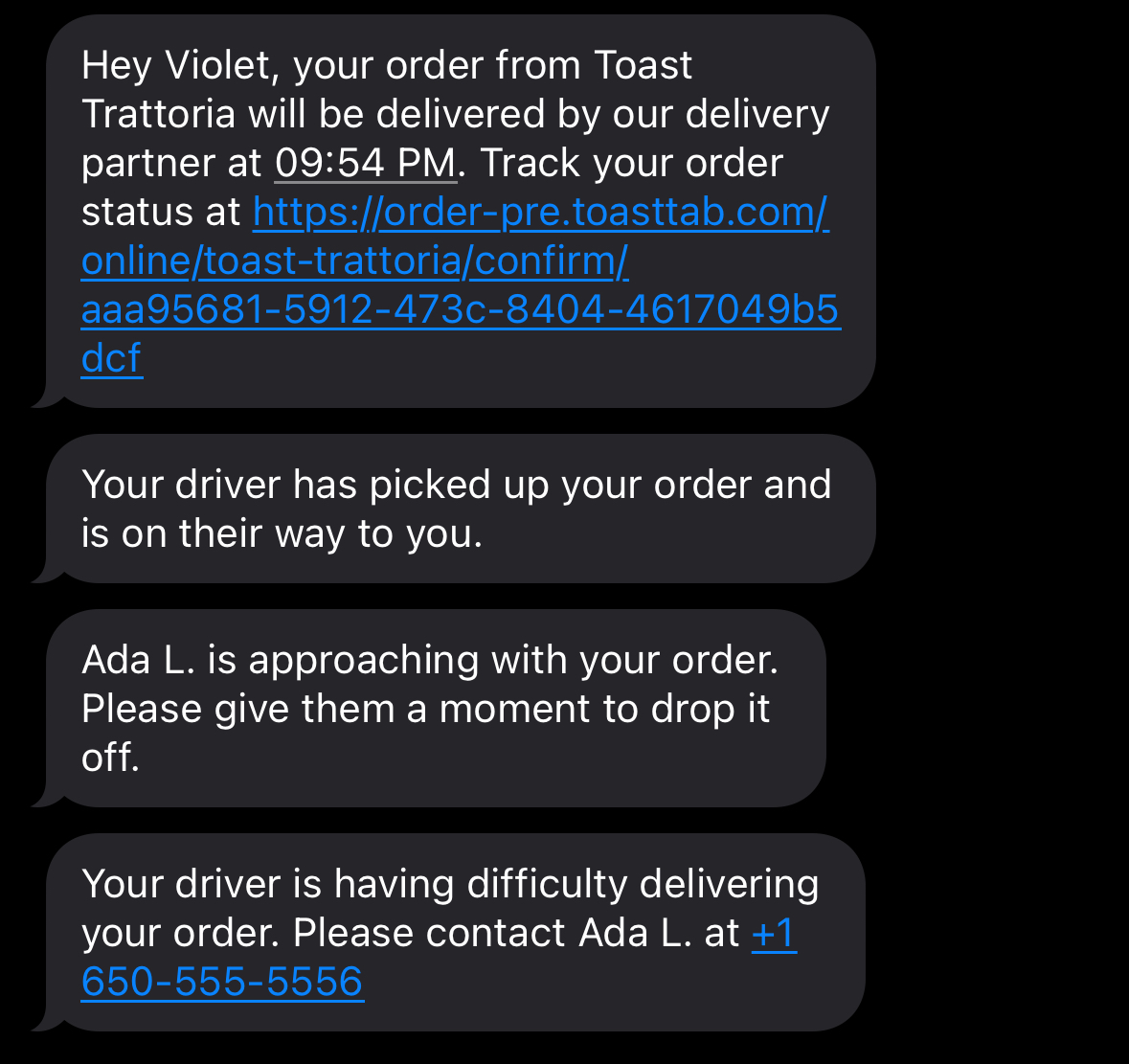
Guests will be notified via the tracker and SMS text if the order status is Order Undeliverable. This means the delivery driver isn’t able to locate or is having difficulty locating their delivery address. This status will update to Order Delivered if the driver locates the delivery address or Delivery Canceled if they cannot locate the delivery address.
TDS Order Canceled
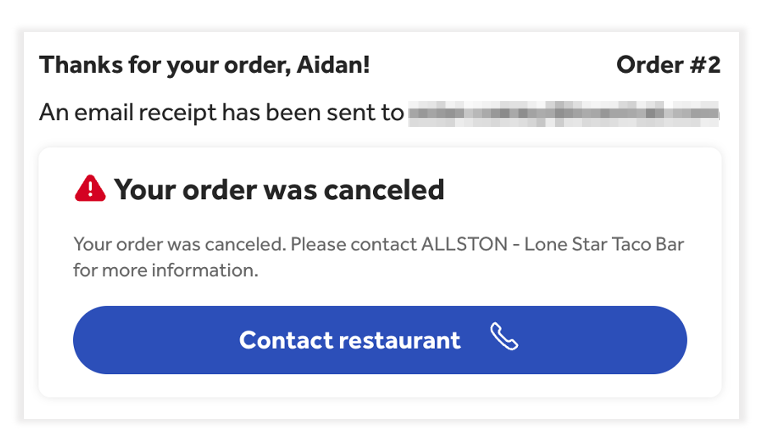
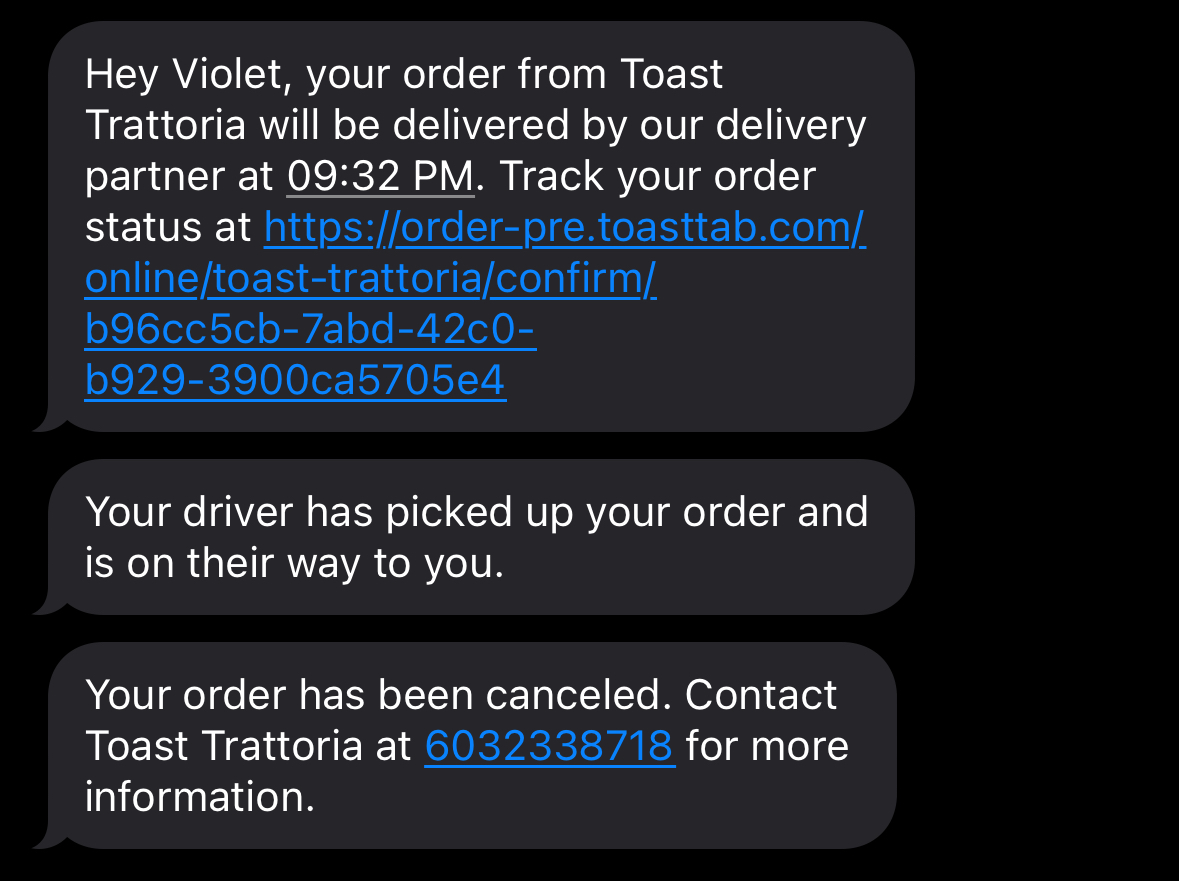
Guests receive an Order Canceled order status in the tracker and text if their delivery is canceled by either our delivery provider or by the restaurant.
- If our delivery provider cancels the delivery or if you have an issue, you should contact DoorDash Drive or Uber Eats for immediate help.
- If your guest’s delivery is canceled and they do not receive their order, you may refund them by voiding their credit card payment. See Void Payments on Online Orders in Support Center for more information.
Order Not Approved
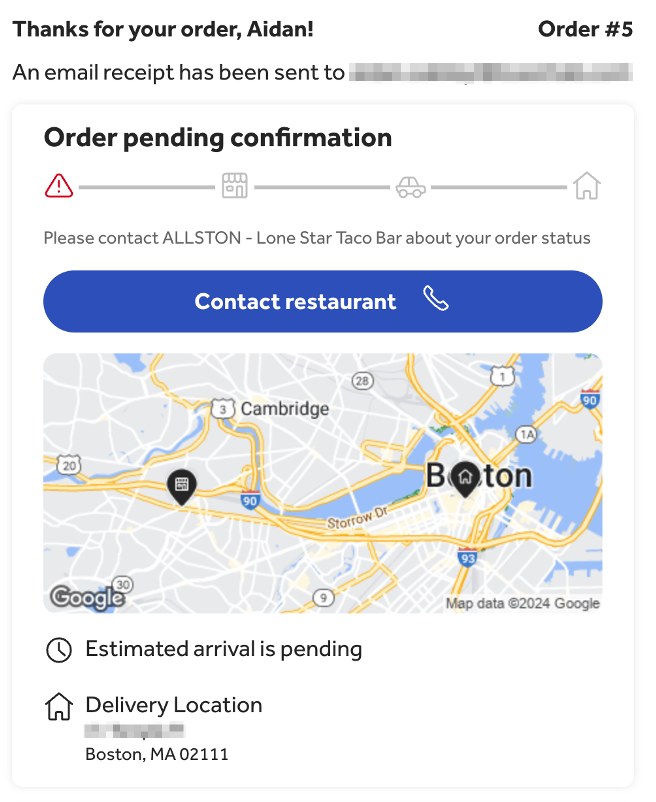
Guests receive an Order Not Approved order tracker status and SMS text if the restaurant does not approve their Toast Delivery Services order within 5 minutes. This status will update to Delivery Confirmed or Delivery Scheduled once you approve the order.
Back to top
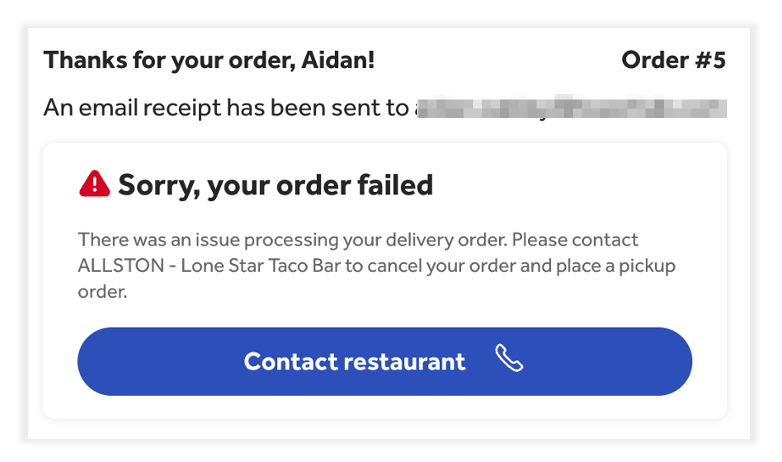
Order Failed
Guests receive an Order Failed order tracker notification and SMS text if their Toast Delivery Services® order fails to be dispatched to a delivery driver due to an internal error.
| Contact Customer Care if you see a "Delivery Failed" status on a Toast Delivery Services® order on the Orders Hub or if your guest reports that their Toast Delivery Services® order failed. |
Back to top
Additional Resources