Get Help With Zebra MP7000 Grocery Scanner Scale
Last updated: Jun 26, 2026, 3:51 PM
The Zebra MP7000 Grocery Scanner Scale is a device sold by Truno that can function in tandem with your Toast POS. Check out some troubleshooting scenarios below if you encounter the following issues.
- Scale Is Not Reading With a 0.0 Tare Weight When Turned On
- Scanner Is Not Scanning
- No Audible Scanner "Beep"
- Not Calibrated Correctly
- Contact Truno
Zebra Scale Is Not Reading With a 0.0 Tare Weight When Turned On
Residual food, crumbs, and spills from use may interfere with the scale's weight measurement. Wipe clean your scale platter. If the scale is still reading with a different weight, wait for a short downtime in sales and then push the zero Tare weight button to clear, and double-check the surface is clean.
Back to top
Zebra Scanner Is Not Scanning
- If all items are not scanning properly, try resetting the device. Check out this YouTube video for a tutorial, with additional info available on the Zebra Support Community.
- If it's just one item giving you trouble, review item details from within the Retail module in Toast Web or use Quick Edit mode to see if a barcode is saved for the item.
- If this doesn't resolve your issue, ensure the cables running to and from the device are connected securely, and ensure the platter and device are clean as spills and food debris can impact functionality.
- Make sure your scanner is in SNAPI (Symbol Native API) mode by scanning the barcode below. SNAPI mode ensures you can successfully scan multiple quantities of the same item in quick succession.
- See Get Help With Barcodes and Scanning for general Toast barcode/scanning troubleshooting.
- Contact Truno if this still doesn't resolve your issue.
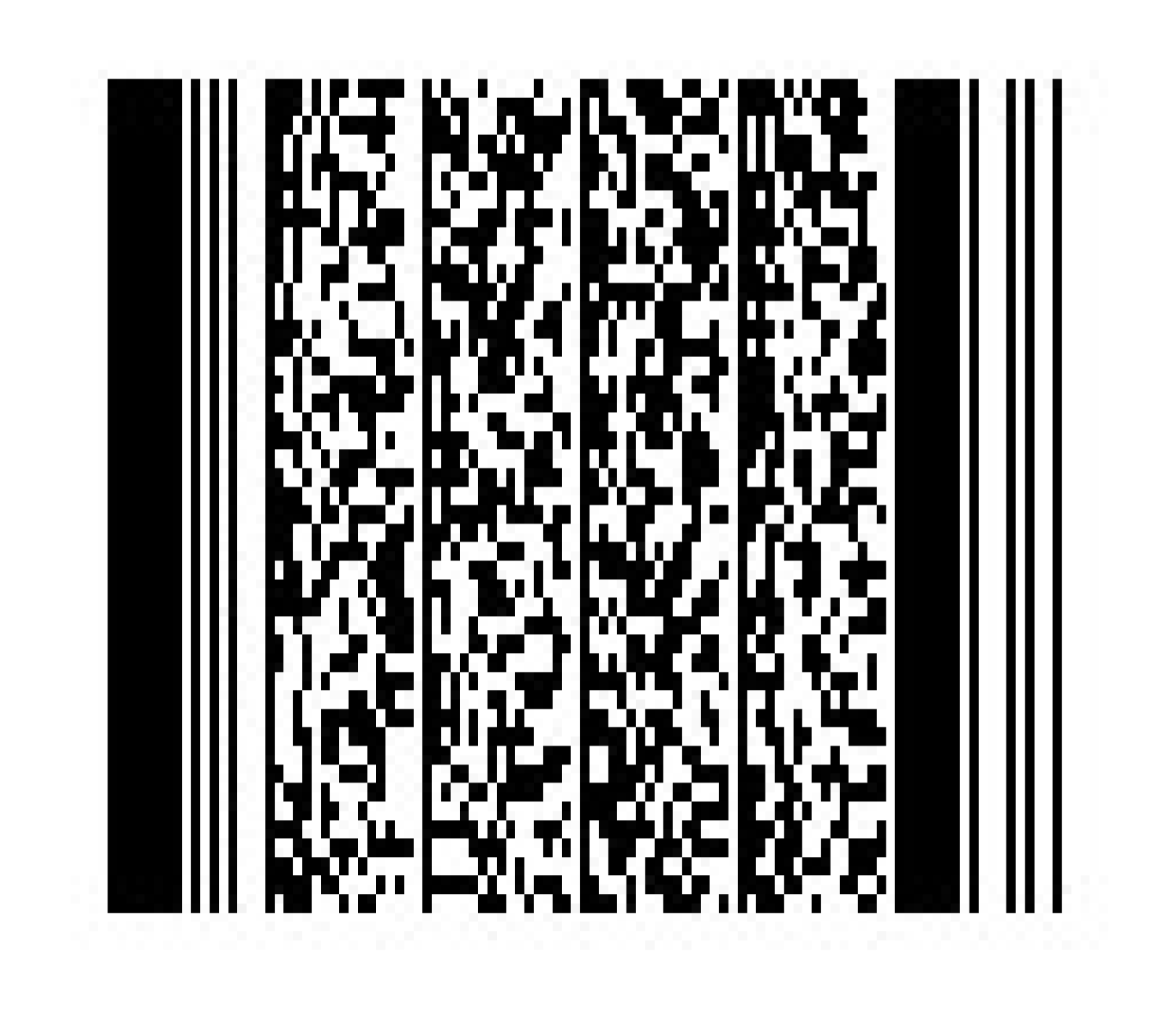
Note: By default, the scanner cannot read white barcodes on black backgrounds. If possible, invert the colors on the barcodes in order for the scanner to properly read them.
Zebra Scanner: No Audible Scanner "Beep"
If you don't hear any sound when an item is scanned, try turning up the volume on the scanner. It might be set to its lowest setting!
Zebra Scanner Not Calibrated Correctly
If no 0s appear on the scale when it's not in use, contact Truno.
Contact Truno for Zebra Scanner Troubleshooting
- Truno Support Phone: (800) 657-7108
- Truno Support Email
- Truno Website: You will need to set up an account with a representative at Truno to access this portal.