Toast Flex for Guest (Wedge Mount) Installation Guide
Last updated: Sep 17, 2026, 5:35 PM
This article guides you on installing your Toast Flex for Guest, as well as replacing the guest-facing display's cable when necessary. Alternatively, you can follow the steps outlined in this PDF.
| To learn how to set up your new Toast Flex 22" hardware, check out this Support Center article: Toast Flex 22 Installation Guide. |
Install Your Toast Flex for Guest
If you've just purchased a new Toast Flex for Guest for your restaurant, check out the installation steps below.
Note: Before you begin, turn off and unplug your Flex terminal from the outlet.
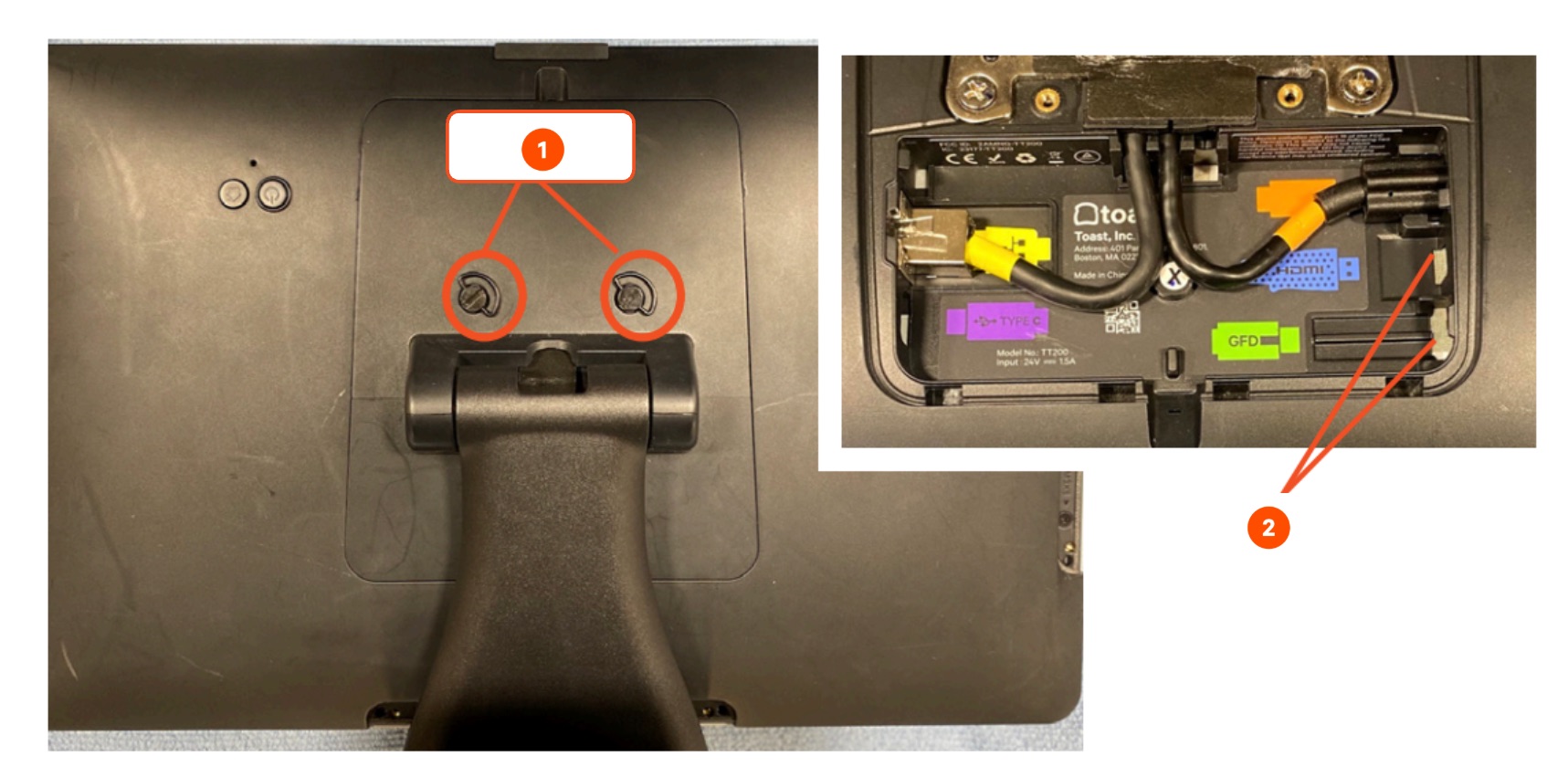
- Gently flip and place your Flex Terminal so that the display faces down and you have easy access to the thumb screws on the back. Unscrew the two thumb screws and lift up to remove the back plate.
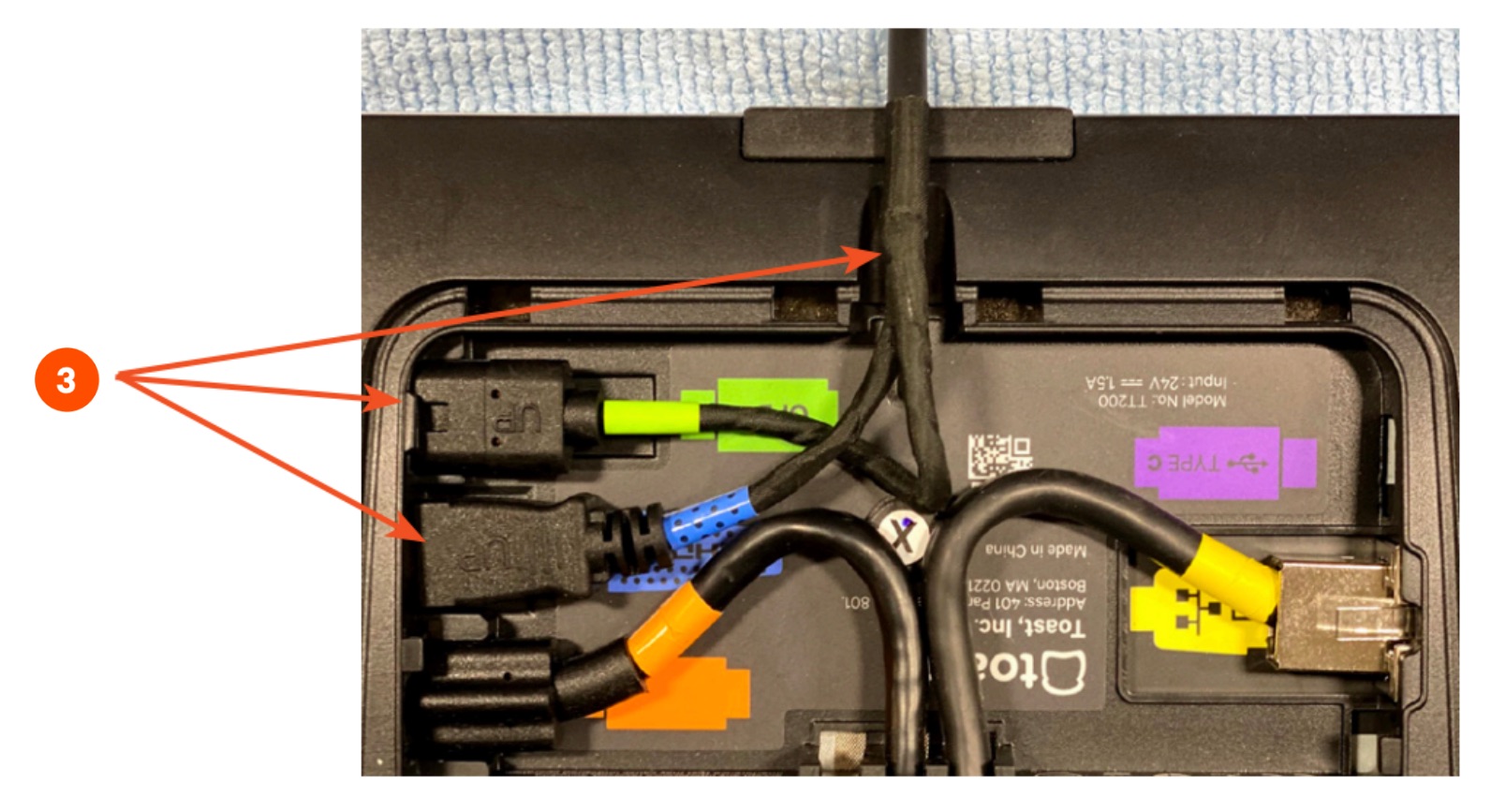
- Next, unplug the green (GFD) and blue (HDMI) cables and remove the cable from the terminal by guiding it back through the stand. Note that there may not be any cables plugged in. If nothing is plugged into the green and blue ports, then move on to Step #3.
- Grab the free ends of the 5 ft extension cable attached to your guest wedge device and connect the green (GFD) and blue (HDMI) cables to the Flex terminal. Make sure the "UP" text is facing up when plugging in. Place the cable through the slot in the top of the terminal to make it easier to put the back plate on.
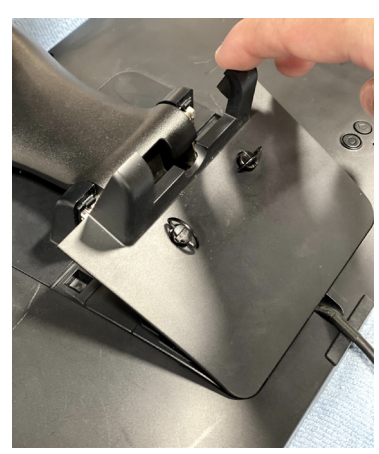
- Put the back plate back on the Flex terminal. Put it on at an angle and push down. Screw in the 2 thumb screws.
- Flip the Flex terminal right side up and position your terminal and Toast Flex for Guest in your desired location.
- Log in to your restaurant in the Toast app and then power cycle the device.
- Press the power button on the bottom of your device for 10-15 seconds.
- Select Power Off, then select Ok when prompted. Then, press the power button again to turn the device back on.
- Log in to your restaurant in the Toast app once more and complete basic setup for your device and its accessories on-screen.
For further information on how to configure the settings for your Toast Flex for Guest, check out this Support Center article, Get Started with Your Guest-Facing Display.
Replace the GFD Cable on Your Toast Flex for Guest
If the cable connecting your Flex terminal to your Guest-Facing Display (GFD) is damaged or needs to be replaced, follow the steps below to disconnect the old cable and connect a new one at both the terminal and the Guest Display.
Note: Before you begin, turn off and unplug your Flex terminal from the outlet.
- Gently flip and place your Flex Terminal so that the display faces down and you have easy access to the thumb screws on the back. Unscrew the two thumb screws and lift up to remove the back plate.
- Unplug the green (GFD) and blue (HDMI) cables and remove the existing cable from the terminal by guiding it back through the stand.
- Grab the free ends of your new cable and connect the green (GFD) and blue (HDMI) cables to the Flex terminal. Make sure the "UP" text is facing up when plugging in. Place the cable through the slot in the top of the terminal to make it easier to put the back plate on.
- Put the back plate back on the Flex terminal. Put it on at an angle and push down. Screw in the 2 thumb screws.
- Flip the Flex terminal right side up and position your terminal and Toast Flex for Guest in your desired location.
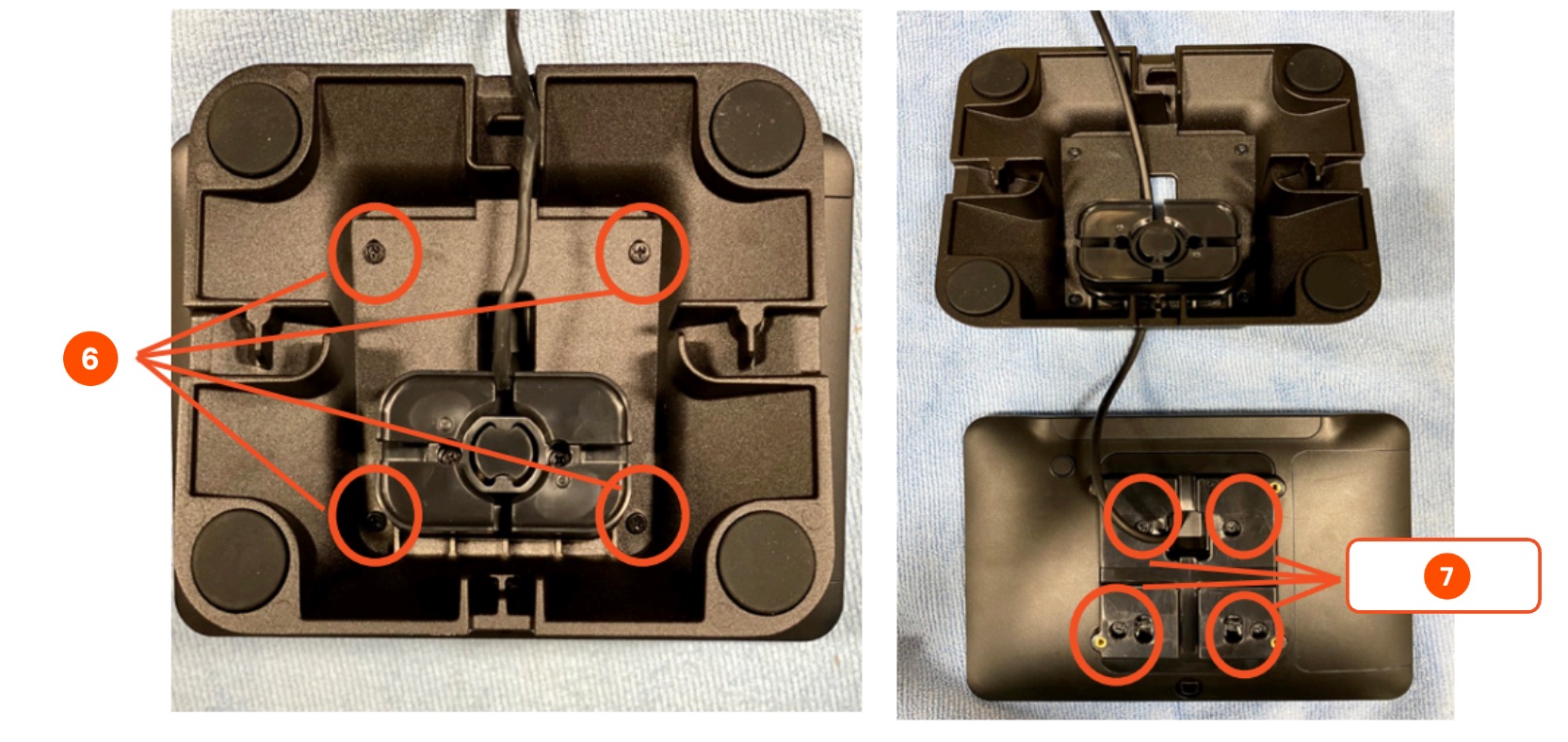
- Flip over your Guest Display and, using a Phillips screwdriver, unscrew the four screws and remove the metal stand.
- Unscrew the four screws and remove the back plate.
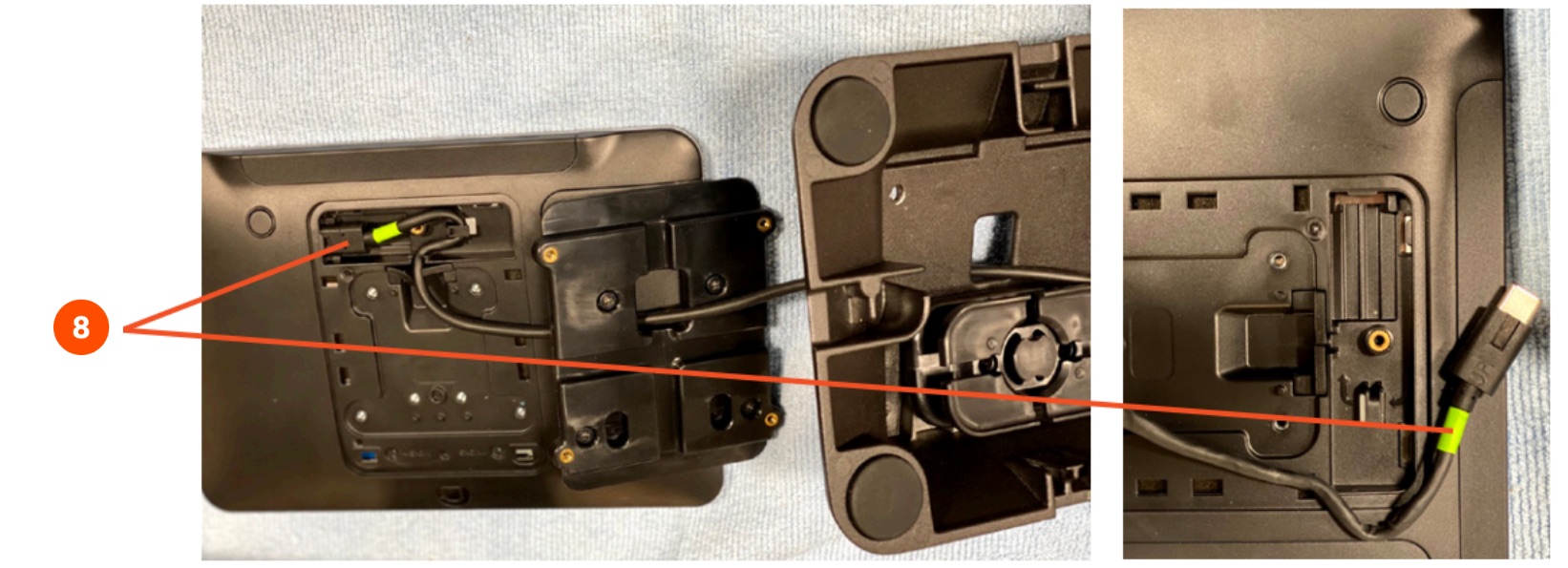
- Unplug and remove the old green (GFD) cable from the Guest Display. It's important to remove this cable for the best connection quality.
-
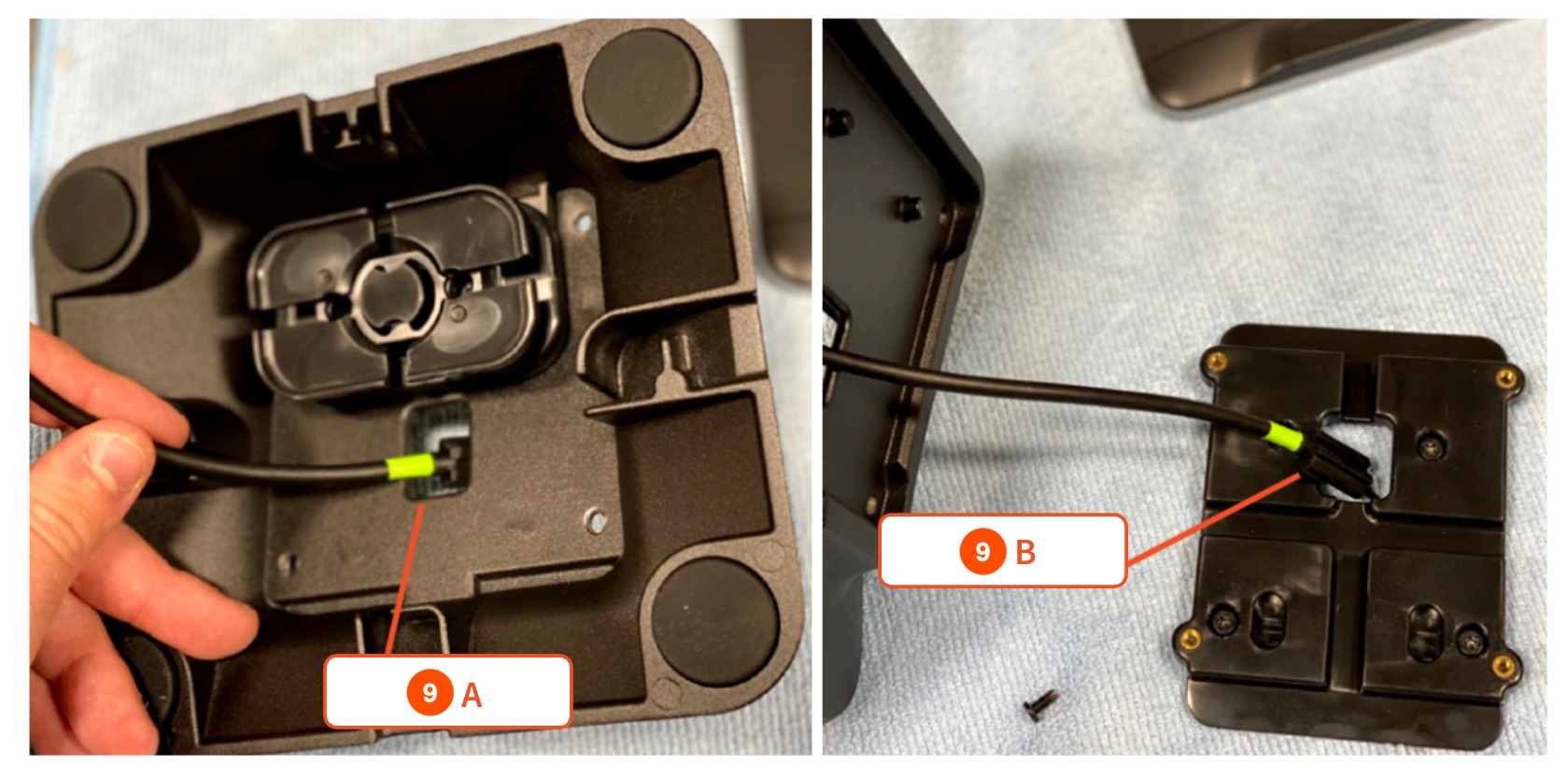
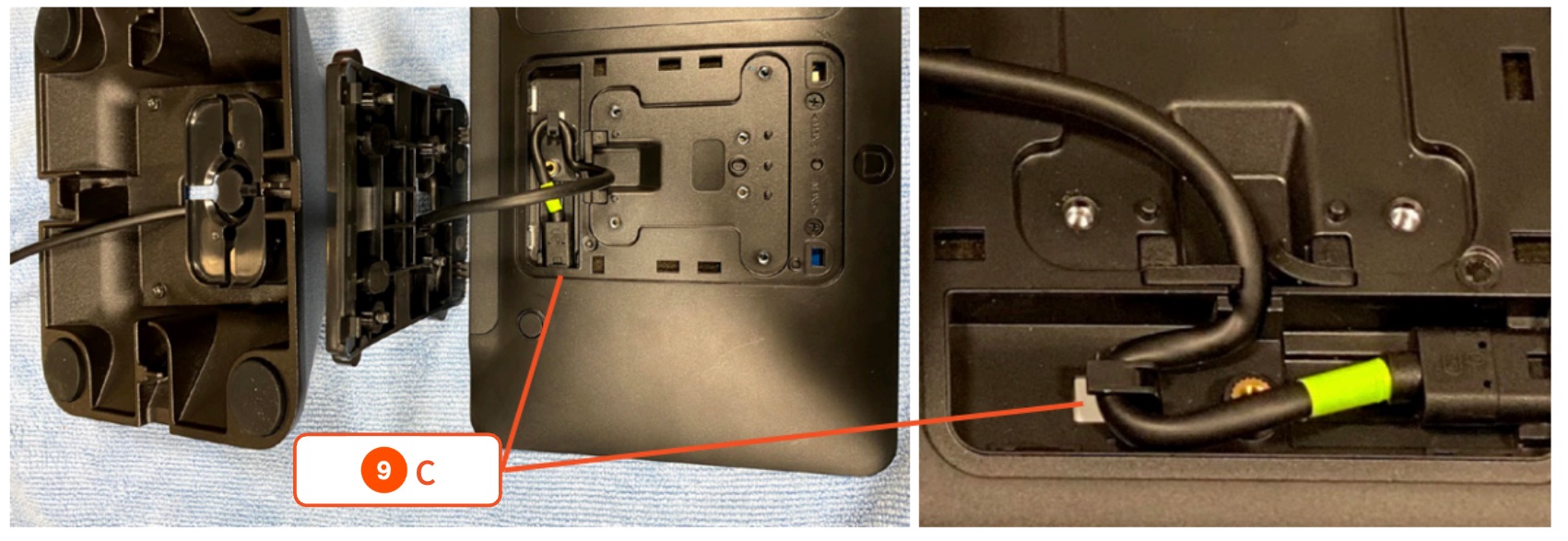
- Thread the free end of the new cable through the metal stand, then through the back plate, and plug it into the Guest Display. Make sure the "UP" text is facing you and the cable seats into the slot and around the groove.
- Put the back plate back on the Guest Display and screw in the 4 screws. Then put the metal stand back on the Guest Display and screw in the 4 screws.
- Flip the Flex terminal right side up and position your terminal and Toast Flex for Guest in your desired location.
For help setting up your Guest Display, check out this Support Center article, Get Started with Your Guest-Facing Display.