Get Started With Your Guest-Facing Display
Last updated: Jul 8, 2026, 9:51 AM
- Guest-Facing Display Overview
- Toast Web Settings for Your Guest-Facing Display
- Guest-Facing Display Workflows
- Contactless Payments Messaging (Beta) for Your Guest-Facing Display
- Additional Resources
Guest-Facing Display Overview
The Guest-Facing Display is a screen that connects to your POS terminal and will face the guest at all times during a transaction. The display will show order information (the items being purchased and their associated prices), tax, and total transaction amount. You can customize your display to show your restaurant logo and additional marketing information as well.
If you purchased a Toast Flex from Toast's hardware suite and opted to have a Guest-Facing Display, this setup is called your Toast Flex for Guest.
- If you purchased a Toast Flex for Guest (Direct Attach), the display already adheres to your Toast Flex terminal and there is no installation needed.
- If you purchased a Toast Flex for Guest (Wedge) or any other Toast hardware, the installation instructions can be found in our Toast Flex 14 Installation Guide.
Not sure what hardware you have? Check this article: Identify Your Toast Hardware.
Toast Web Settings for Your Guest-Facing Display
To set up and customize your guest-facing display screen:
- In Toast Web, navigate to the Finance > Related > Settings > Guest display.
- First, select Screens Enabled.
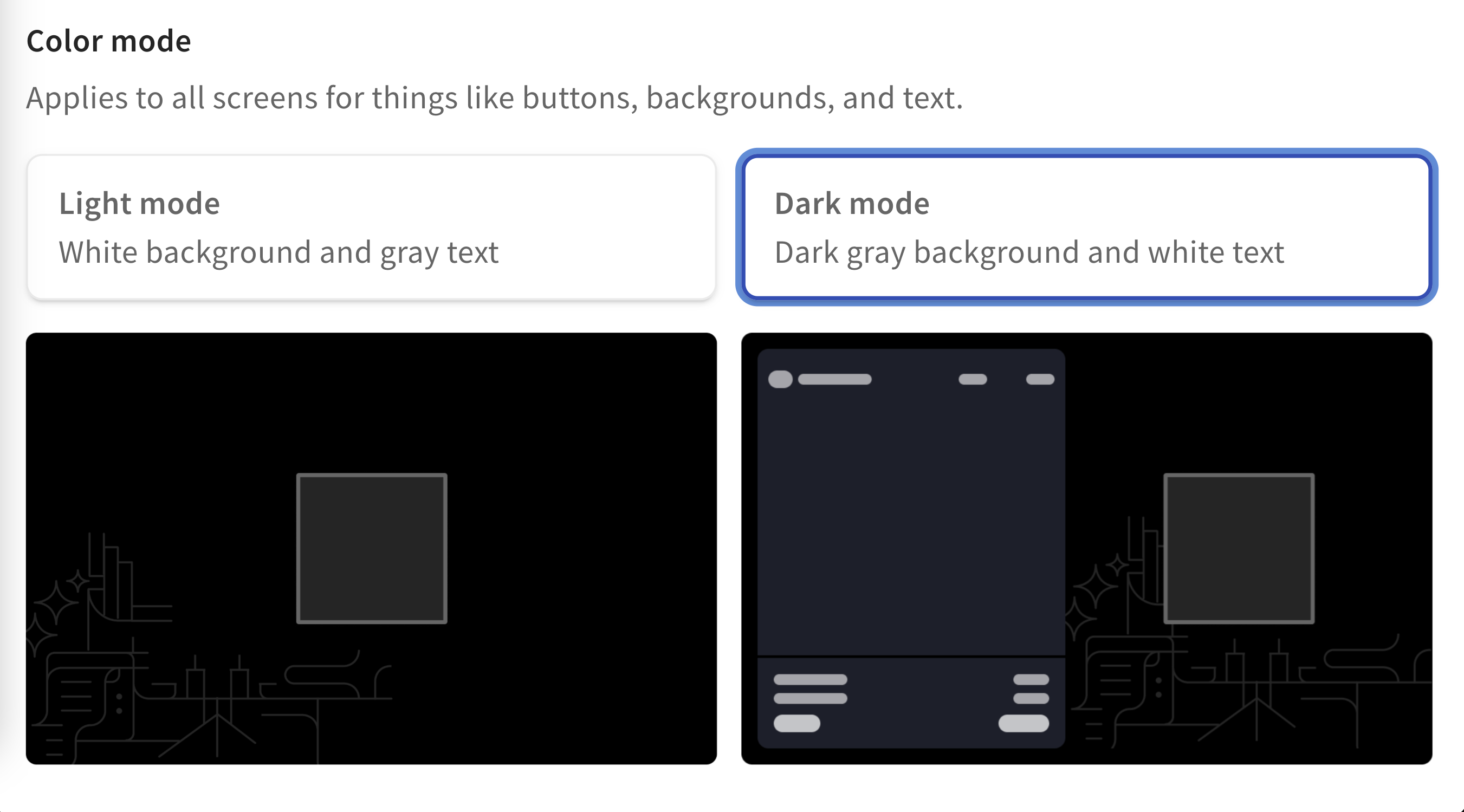
- As you continue to scroll down the settings page, you'll see the Color Mode setting. You can choose between light mode and dark mode.
- Next, you'll see settings for Standby screen image and Order screen image. These settings are optional but recommended. For each setting, select + Upload image and choose your desired image file from your computer.
- A standby screen image will be the first thing your guests see when they approach your guest-facing display. Use an 1280px x 800px image, or an image with a 16:10 aspect ratio for a full screen image experience. Max size 10mb. File types: PNG, JPG, JPEG.
- The order screen image will appear on the right side of your guest-facing display screen when your guests place their order. For logos, use a 300px x 300px image. For a full right-side image, use a 595px x 740px image. Max size 10mb. File types: PNG, JPG, JPEG.
- Next, you'll find a toggle for Show Modifier Prices. Toggle this setting On if you'd like these visible to your guests as they add items with modifications to their check.
- You can also control how your modifiers appear on the screen. If you'd like to learn more about modifier consolidation, see Advanced Modifier Configuration.
- Save and publish your changes.
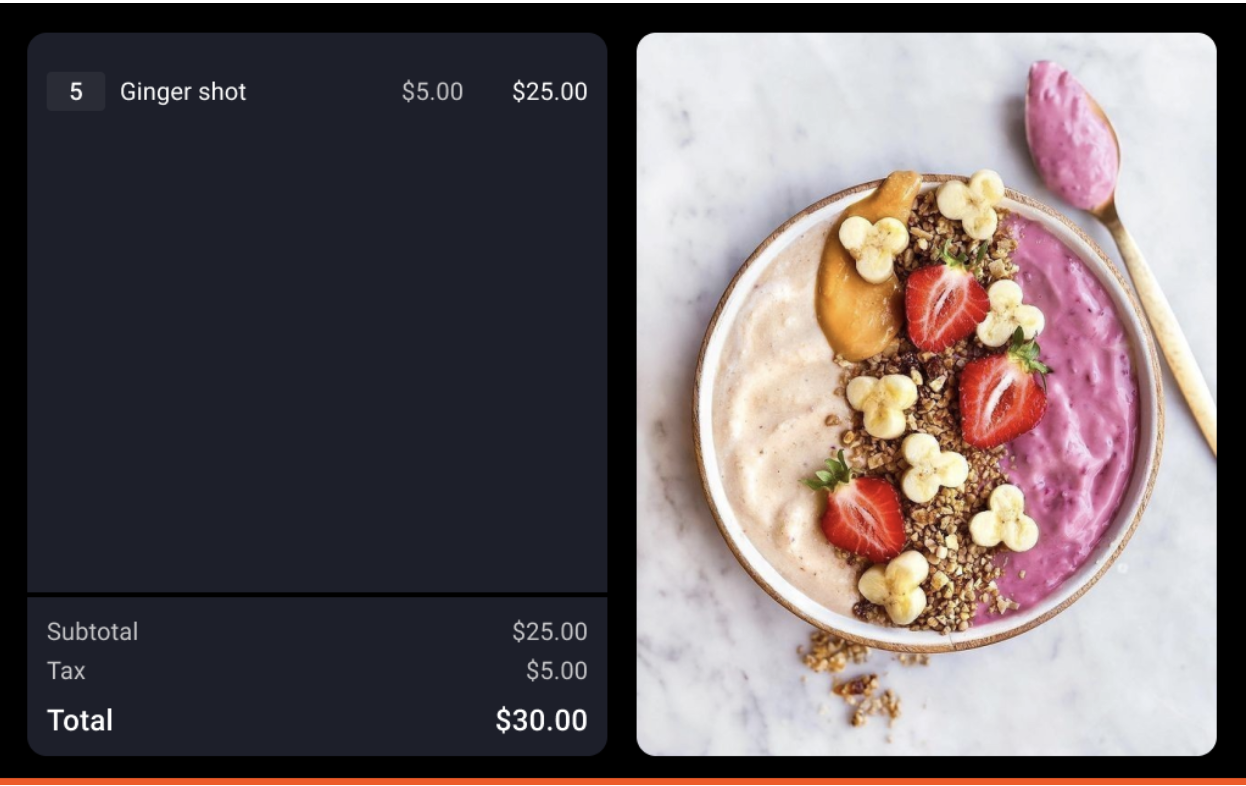
Your guest-facing display is also a great tool to highlight your loyalty program, offers your restaurant is promoting, or even fundraising campaigns!
To learn more:
- Get Started with Toast Loyalty
- Get Started With the Offers Dashboard
- Get Started with the Toast Fundraising Product
Guest-Facing Display Workflows
After installation, your new Guest-Facing Display is ready to go! Take a look at the steps below to see the workflows of your device.
Order and Payment Workflow on Guest-Facing Display
- The Guest-Facing Display home screen shows your Standby Screen Image. This standby image is visible before an order is started.
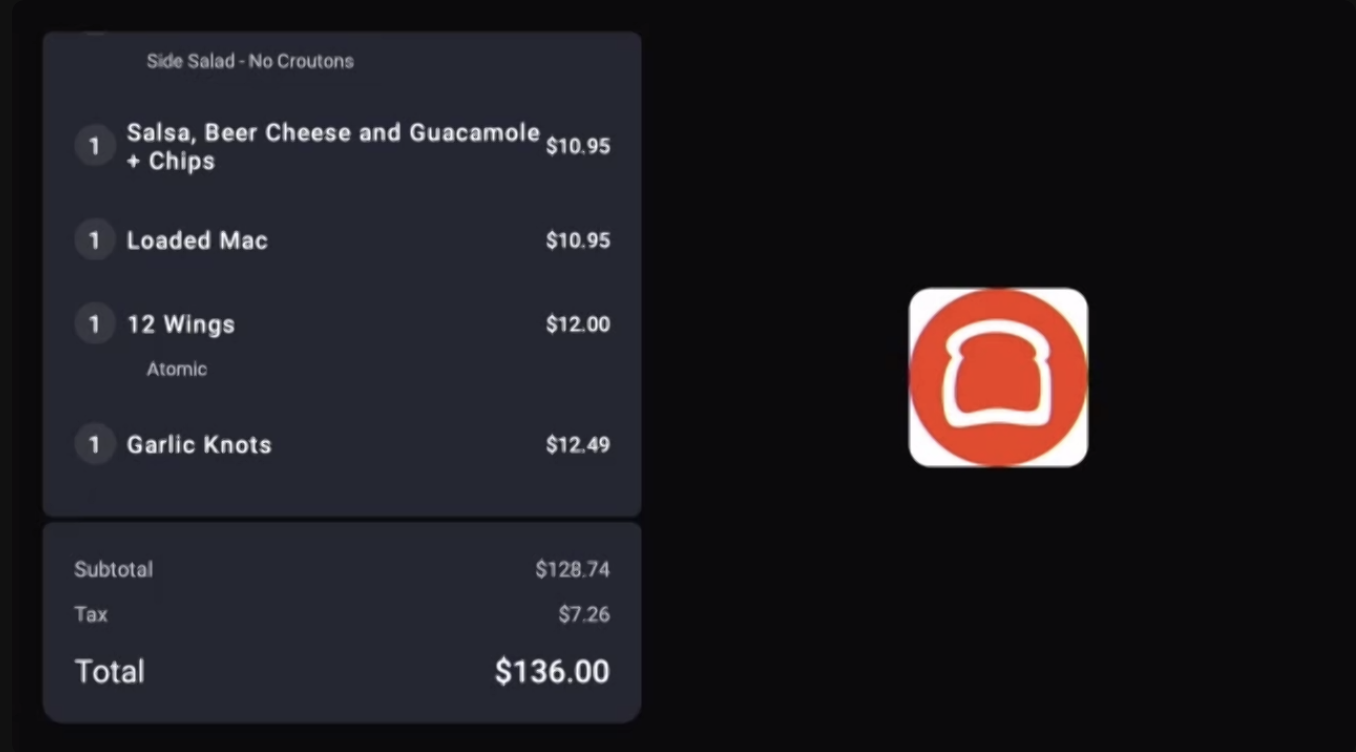
- A cashier enters an order. The guest verifies the order on the Guest-Facing Display and hands payment to the cashier. In the example below, the Toast logo is a placeholder for the Order Screen Image.
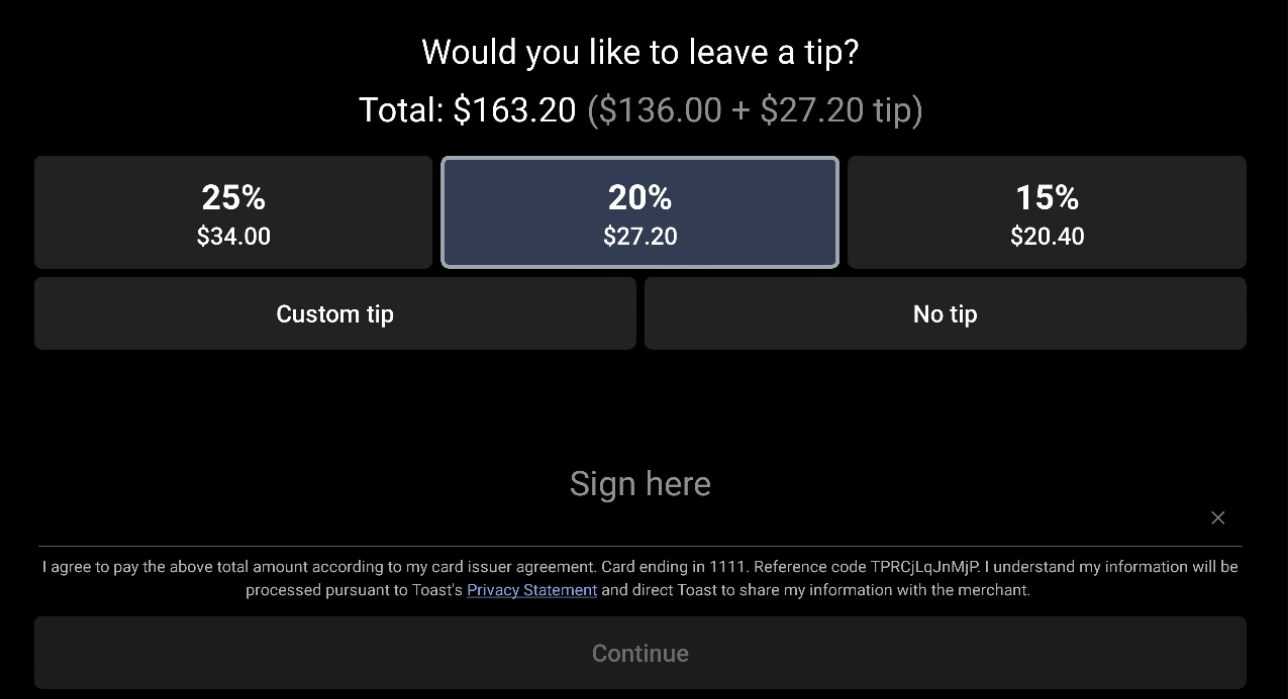
- Your guest tips and signs on the Guest-Facing Display.
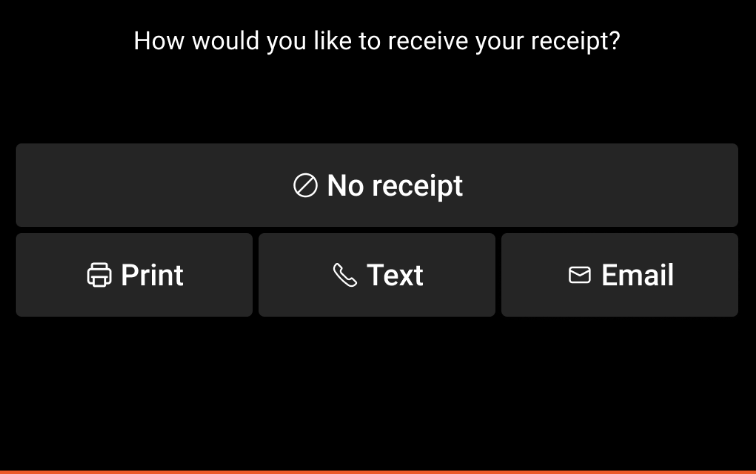
- Your guest makes their receipt selection.
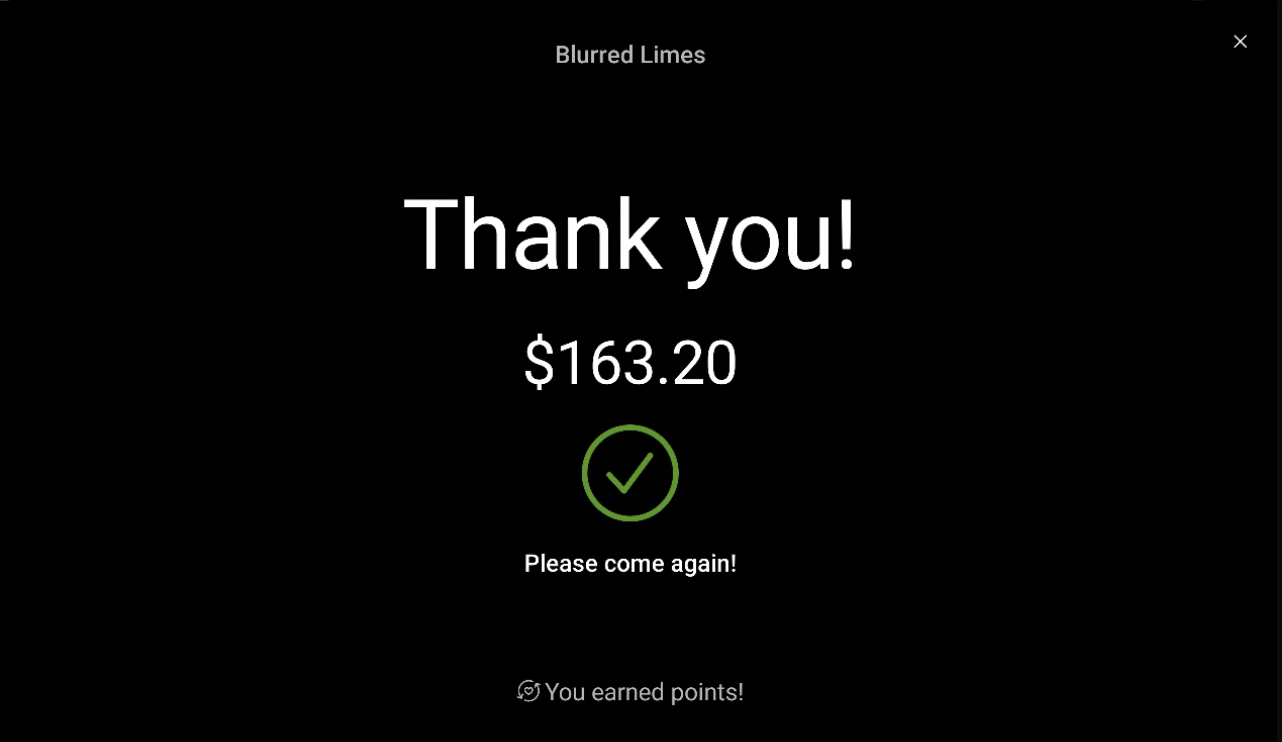
- Your guest is shown receipt confirmation.
Toast Loyalty Workflow on Guest-Facing Display
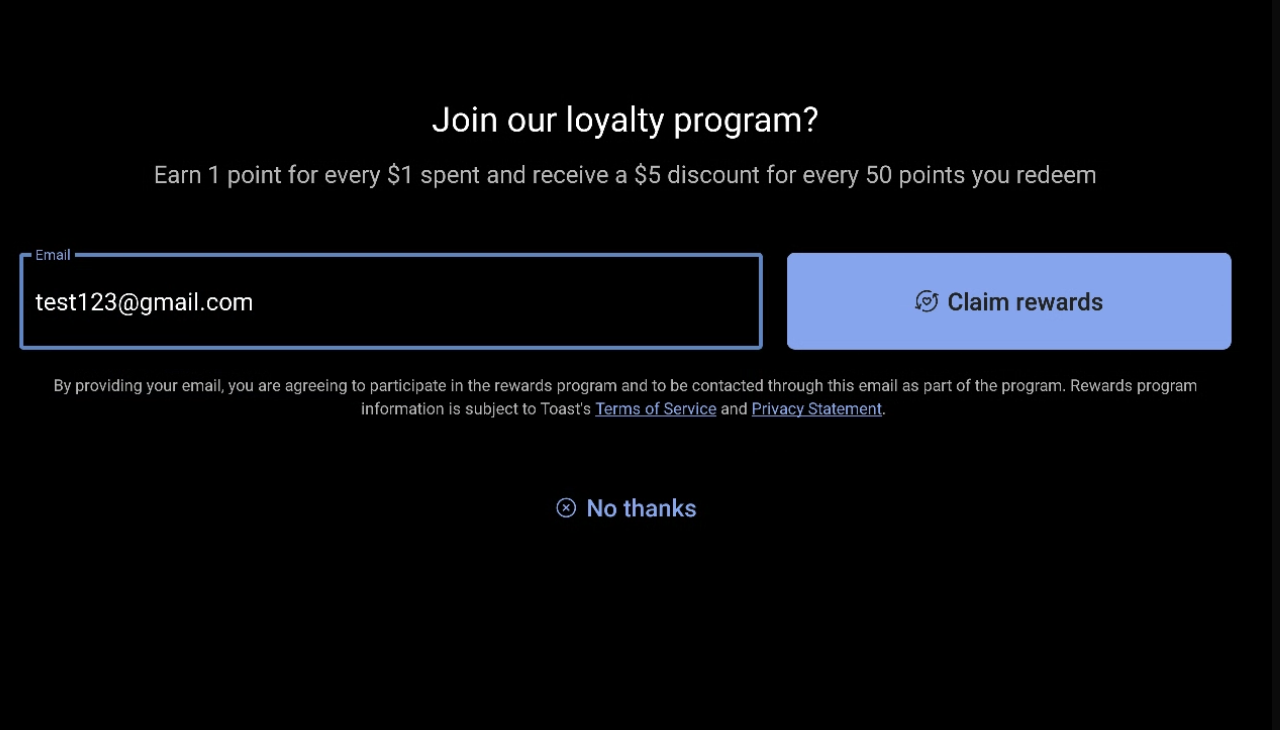
If you use Toast's Loyalty program, that workflow will appear on your new device. First-time loyalty guests who select Yes to join your loyalty program, or guests currently enrolled in your loyalty program, will be prompted to enter their information as shown below. Guests who are already members of your Loyalty program can sign in to their account on your guest-facing display before or after their order is placed by providing their email or phone number associated with their rewards account. Note: To disable Toast Loyalty on the guest-facing display, you must disable Toast Loyalty in Toast Web. Doing so turns off your Toast Loyalty program across all Toast products, not just the guest-facing display.
- Your guest enters their email or phone number (based on your loyalty lookup settings) to look up loyalty info or create a new rewards account.
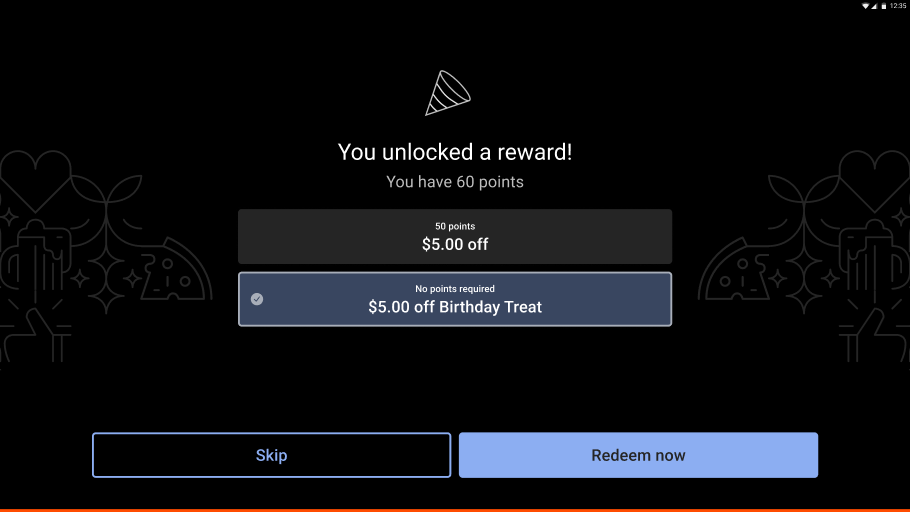
- Your guest receives loyalty confirmation or rewards available to use on their transaction.
Third-Party Loyalty Workflow on the Guest-Facing Display
| Prerequisites:
To enable third-party loyalty on your guest-facing display, contact your Customer Success Manager (CSM), Onboarding Consultant (OC), or Toast Support. |
With third-party loyalty on the guest-facing display, guests have the option to sign in and redeem earned rewards when they check in, while their order is in progress, or post-payment.
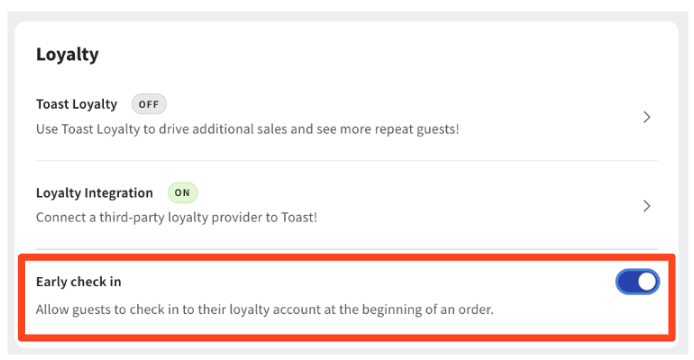
To display the third-party workflow on the guest-facing display, the Early Check In setting must be enabled. In Toast Web, go to Finance > Related > Settings > Guest display, select the display, then navigate to Loyalty and toggle Early check in to On.
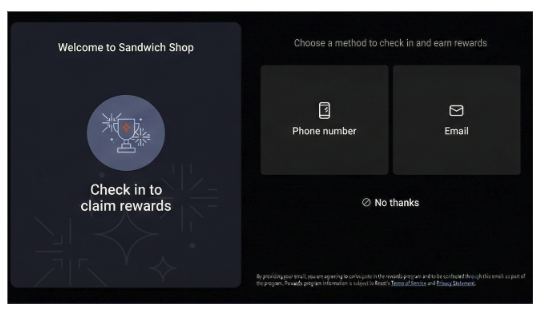
- Sign-in options appear on the guest-facing display, allowing guests to choose whether to enter a phone number or email, or scan a QR code from their phone to sign in. Note: These options are configurable within Toast Web under the third-party loyalty settings. For the QR code, customers will need a scanner to sign in with a QR code. Not all hardware scanning options are supported at this time; all Zebra scanners should be supported.
- Guests select their Sign In method (lookup method): Phone, Email, or QR Code.
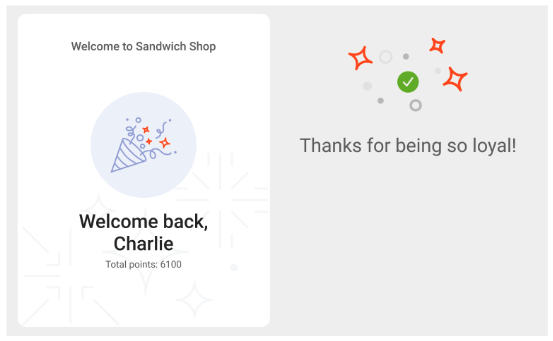
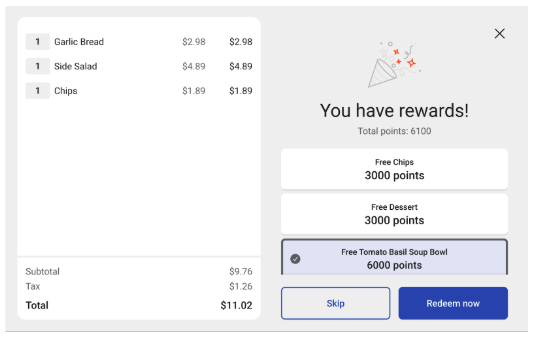
- Once a guest checks in successfully, they will be served one of two experiences. Note: Rewards will appear once an eligible item is added to the check.
- Experience 1: Successful check-in with no rewards available.
- Experience 2: Successful check-in with rewards available with a default limit to redeem is 1 reward per order.
Note: Guests can select Skip if they would not like to redeem a reward for this transaction. If they choose to redeem a reward, that reward will be displayed as a discount on the check, and the guest will see a confirmation screen.
- Experience 1: Successful check-in with no rewards available.
Contactless Payments Messaging (Beta) for Your Guest-Facing Display
| This feature is currently in a Beta testing release. If you would like to join the Beta testing group or be removed from the Beta testing group, please contact campaigns@toasttab.com. |
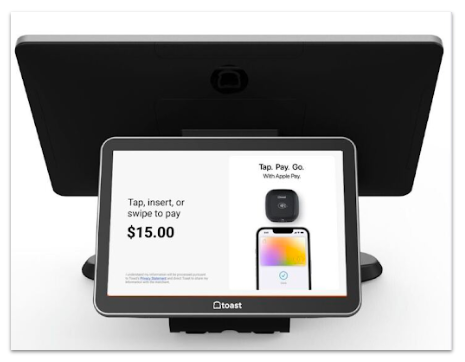
To promote and encourage contactless payment (i.e., tapping your credit card or Apple/Google Pay, etc.), Toast will be adding images and animations that educate guests on the checkout screen. This image will only be displayed at the time of payment. The goal of the contactless experience is to promote contactless payment, as it is quicker and more secure.
Note: This does not impact any images you may have chosen to display as the home screen image. The contactless experience image is only shown during the checkout process.
The contactless payment images may come in a number of forms and won't affect the tips screen or any core functionalities expected of the Guest-Facing Display. The images will be designed and run by Toast and do not require any actions from your team.
For illustrative purposes, the following screen shows how the contactless image is presented to the guest. In this example, the restaurant is promoting the use of Apply Pay.
If you have any troubleshooting questions related to your Guest-Facing Display, check out this Support Center article, Toast Flex for Guest (Wedge Mount) Installation Guide to answer your questions.
Needing to set up your Guest Pay and Dual Reader Functionality with Toast Tap™? Check out this Support Center article, Guest Pay and Dual Reader Functionality with Toast Tap™ for step-by-step instructions.
Back to top