Manage Scheduling in the MyToast App (for Employees)
Last updated: Jul 30, 2026, 2:07 PM
Employees can use the MyToast app to view their schedule, manage their unavailability, request time off, swap shifts, and more.
- Start Here - Download the MyToast App
- View Your Schedule
- Reopen, Offer, or Swap a Shift
- Set Your Availability (Pro Only)
- Request Time Off
- Related Articles
Start Here - Download the MyToast App
This article is intended for employees of companies who use Scheduling in Toast Web. It describes all the ways the employees can interact with their schedule via the MyToast app.
By downloading the MyToast app, you'll have access to view your schedule, create requests for time off, and chat with your coworkers, among other features. If your company has enabled these features, you'll also be able to reopen ("drop" or "put up") your shift, offer your shift to a specific employee, pick up a reopened or offered shift, swap two shifts, and set your weekly availability.
- You will have received an email invitation with a subject line of Activate your Toast account. In this email, select the Set up your account link to begin.
- If you did not receive an email invitation, you can still download the MyToast app and create a Toast account to log in. See more instructions in Get Started With the MyToast App.
- On this page, set your password and type it again to confirm it.
- Now that you have a Toast account with a valid email and password, download the MyToast app on your mobile device. Use the QR code below to open the Apple App Store or the Google Play Store and download the app.
- When you open the app, select Log in.
- Enter your email address and password.
- You will be sent another email as a second verification. The subject line is Verify your email address. Select Verify email here and the app will immediately update to show you now have access.

View Your Schedule
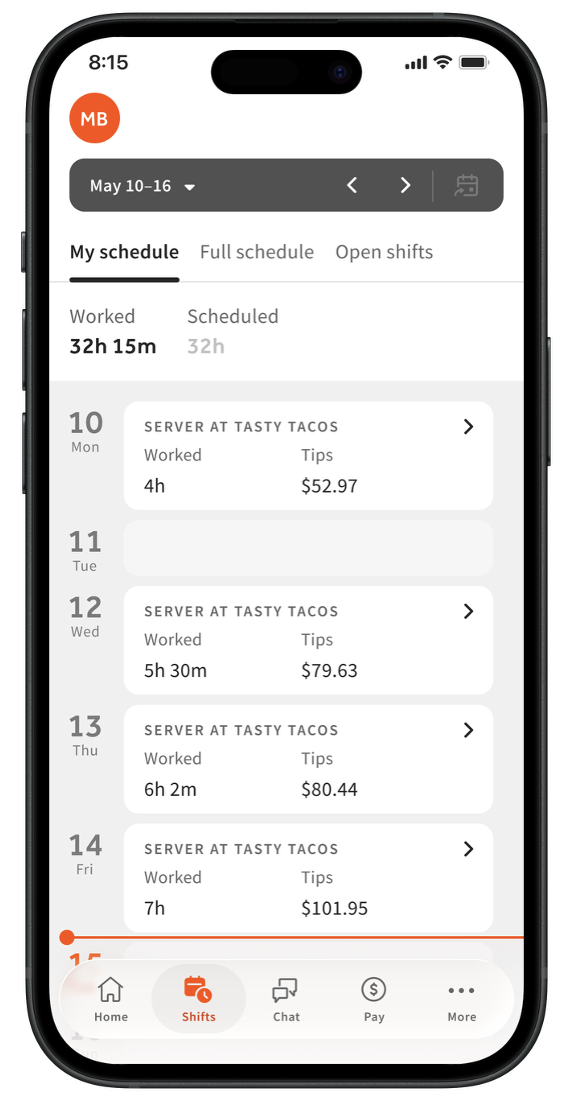
- Once you've downloaded and signed into the MyToast App, select the Shifts tab.
- You'll see the current week by default. Select a different week by tapping the dark gray bar at the top of the screen.
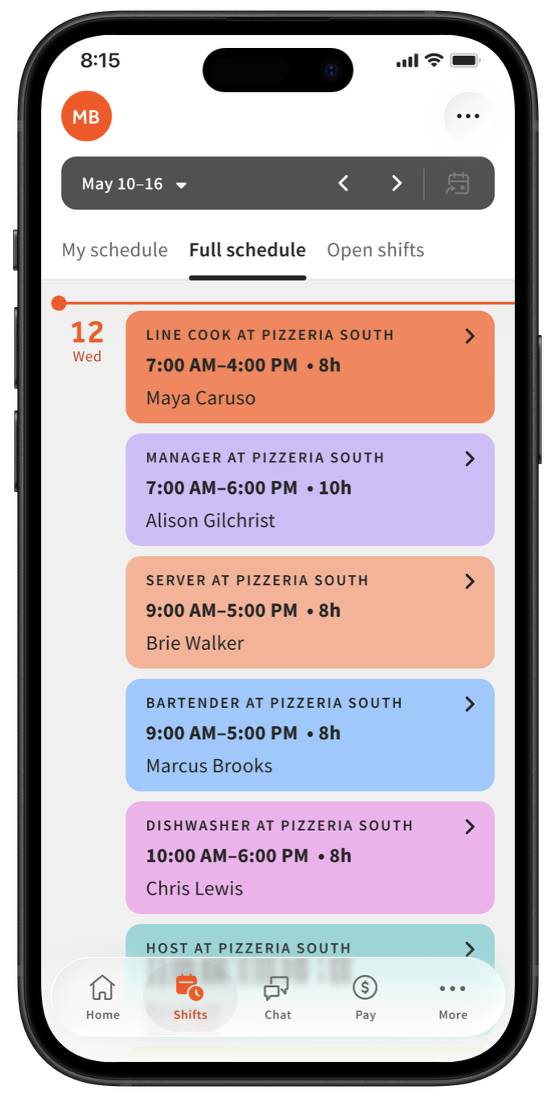
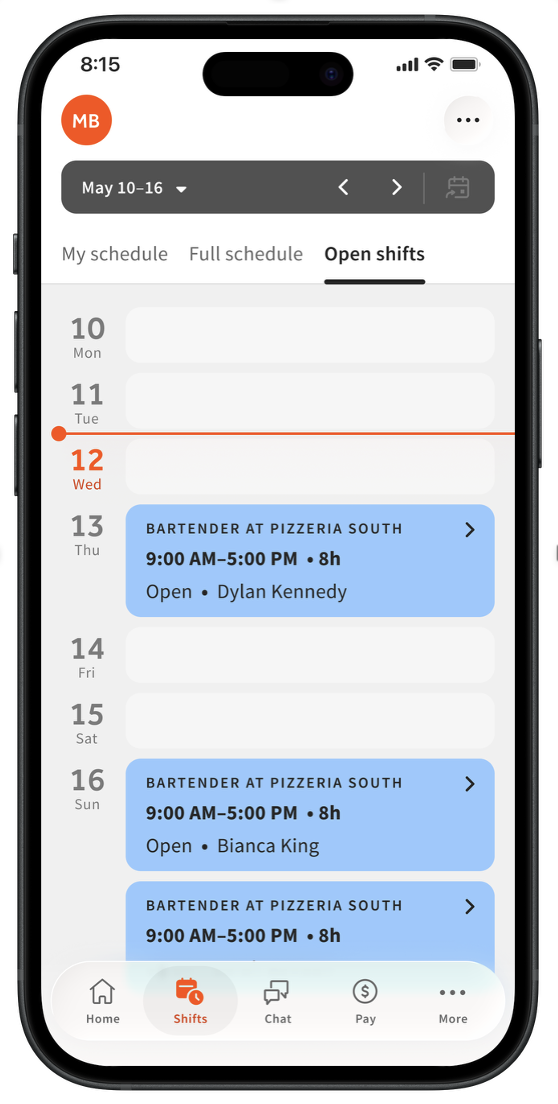
- You'll land on the My Schedule tab by default, but you may see other tabs as well:
- My schedule tab: This tab shows you all the scheduled shifts you have in the selected week. The job you're working, the location, and the shift start time will always appear in each shift's tile. You can tap on a shift to view more details or reopen your shift ("drop" your shift or "put up" your shift).
- Some shifts may not have an end time (or a total number of hours). This typically indicates a shift that will end at your management's discretion (i.e. you will be "cut" at an unknown time).
- Some shifts may not have an end time (or a total number of hours). This typically indicates a shift that will end at your management's discretion (i.e. you will be "cut" at an unknown time).
- Full schedule tab: This tab is only available to companies where the employer has enabled this setting. If you see the this tab, you can view the entire schedule for the location(s) you work at.
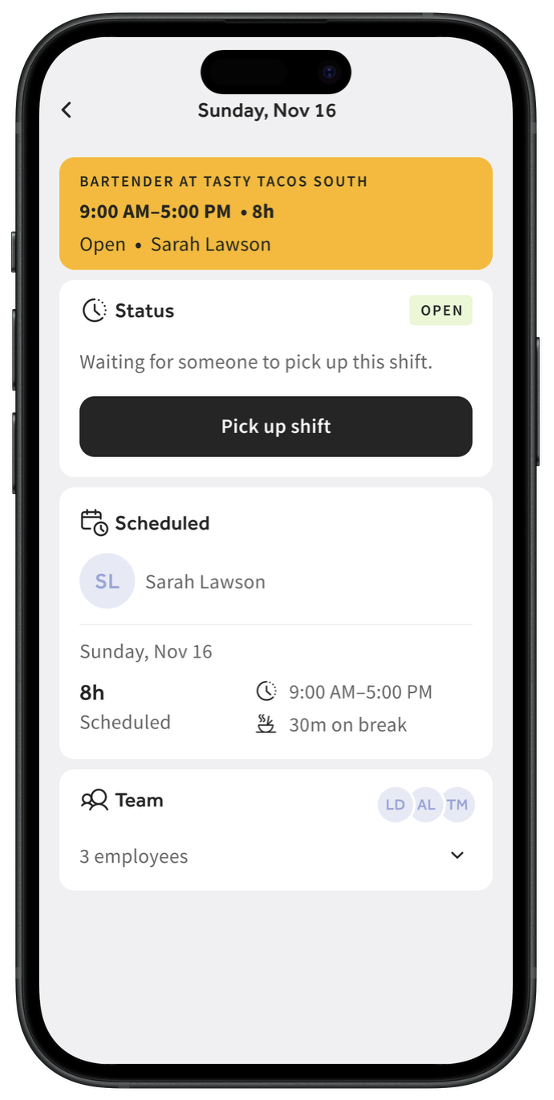
- Open shifts tab: This tab shows you any available shifts that you can pick up. You can only view and pick up shifts for the job(s) you're assigned to in Toast. Select a shift to see details about it. Select Pick up shift to add this shift to your schedule. A manager may need to approve open shifts that you pick up; if this is the case, the shift does not belong to you until it is approved.
- If you try to pick up a shift that overlaps a shift you are already assigned to, you'll receive a warning. You can select Continue, but it may be best to select Cancel in this case.
- If you try to pick up a shift that overlaps a shift you are already assigned to, you'll receive a warning. You can select Continue, but it may be best to select Cancel in this case.
- My schedule tab: This tab shows you all the scheduled shifts you have in the selected week. The job you're working, the location, and the shift start time will always appear in each shift's tile. You can tap on a shift to view more details or reopen your shift ("drop" your shift or "put up" your shift).
Reopen, Offer, or Swap a Shift
First of all, what's the difference between reopening a shift, offering a shift, and swapping a shift in Toast terminology?
- Reopening a shift happens when you "drop" or "put up" a shift from your schedule, but don't select another employee to pick it up for you. A reopened shift will be available to anyone with the same job as that shift, but the shift is still your responsibility until the shift has been picked up by another employee (and approved by your employer, if applicable). It will display as Pending until it is picked up.
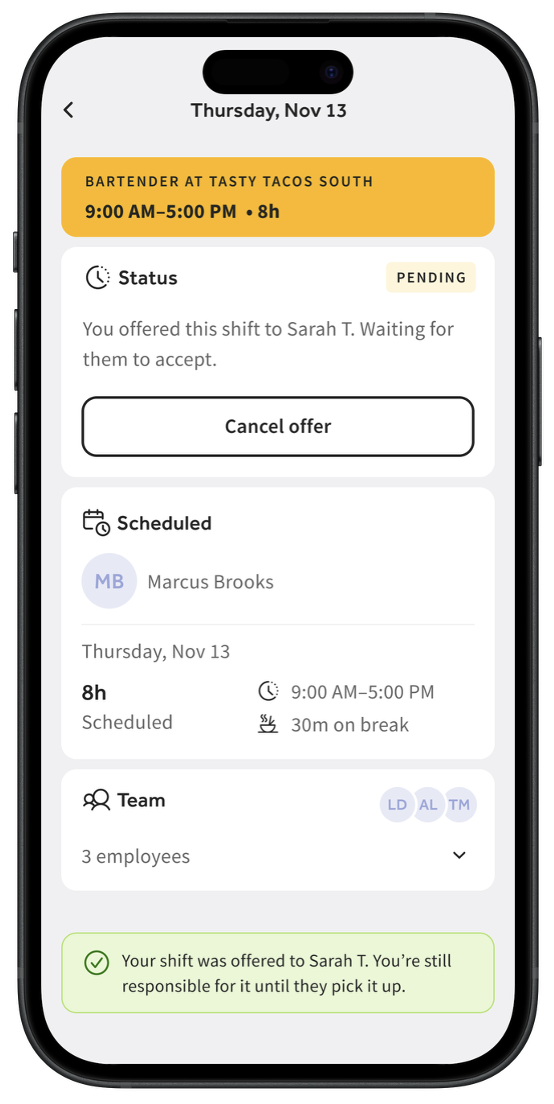
- Offering a shift also happens when you "drop" a shift from your schedule, but you select one or more specific employees to have access to pick that shift up. Only those employees will be able to see the shift you offered and pick it up. Until the shift has been picked up by another employee (and approved by your employer, if applicable), the shift is still your responsibility. It will display as Pending until it is picked up.
- Swapping two shifts (also known as shift trades or exchanges) refers to trading two assigned shifts between two different employees. This is a one-for-one exchange of two shifts that are scheduled on the same day. Shifts across two different days cannot be swapped. Just like the other options here, management must approve a shift swap before it is official.
- Lastly, an open shift is a shift that management created for any employee with that job to pick up. It is your choice if you'd like to pick up this shift.
Reopen a Shift
To reopen ("drop" or "put up") your shift to all other employees with the same job:
- Open the app and navigate to the Shifts tab.
- On the My schedule tab, select your shift.
- Select Offer. If you do not see the Offer button, your company has opted-out of these functions.
- Now select the topmost option: Make shift open to all [job] at [location].
- Select Offer in the gray bar towards the bottom. This opens the shift up to anyone else with the same job as that shift.
- if your shift is picked up by another employee (and approved by your employer, if applicable), you will be notified in the app and the shift will no longer appear on your schedule. However, until this happens, the shift is still your responsibility.
Offer a Shift
To offer your shift to a specific employee or set of employees:
- In the MyToast app, navigate to the Shifts tab.
- From the My schedule tab, select your shift.
- Select Offer. If you do not see the Offer button, your company has opted-out of these functions.
- On the next screen, select one or more employees. The only employees available for selection here are those who have the same job as the shift and those who do not have any schedule conflicts (for example, an overlapping shift or unavailability during that time).
- Select Offer once you've made your selection. At this point, the shift still belongs to you. Another employee must pick it up and the manager must approve the swap (if your company uses this setting). You will get confirmation when these things happen, but until then, the shift appears on your schedule.
Pick Up an Open, Reopened, or Offered Shift
If you see an open, reopened, or offered shift you'd like to pick up, follow these steps.
- In the MyToast app, navigate to the Shifts tab.
- Select the Open shifts tab.
- Select a shift here. Any open shifts created by management automatically appear here (these will say Open), but you'll also see shifts that were reopened to any employee and shifts that were offered to you specifically (these will say Offered to you). You can only view and pick up shifts for the job(s) you're assigned to.
- On the next screen, you can select Pick up shift, Decline, or Accept. The options you see here will depend on the type of shift this is.
- If you select Decline, you will not see it in the Open shifts tab any more and the shift will still be the responsibility of the original owner.
- If you select Pick up shift or Accept, one of two things will happen:
- If manager approval isn't necessary, you're all set. The new shift will appear on your schedule and will disappear from the original owner's schedule (unless this was an open shift created by management).
- If manager approval is necessary, you'll get an alert that the request must be approved first before it is complete. Until a manager approves it, the shift is still the responsibility of the original owner (or will stay as an open shift). A manager can also deny the request and the shift will also remain with the original owner (or will stay as an open shift).
Swap Two Shifts (Pro Only)
Note: This feature is only available to companies with Scheduling Pro. Check with your employer to determine if this feature is available to you.
- In the MyToast app, navigate to Shifts.
- From the My schedule tab, select a shift you'd like to swap.
- Select the Swap shift button.
- You'll then choose a shift to swap with. This shift must be in the same day and have the same job as the shift you selected in step 2 above.
- Select Swap shifts to initiate the swap.
- If manager approval isn't necessary, you're all set. The two shifts will be traded and both employee schedules will be updated right away.
- If manager approval is necessary, you'll get an alert that the request must be approved first before it is complete. Until a manager approves it, your original shift is still your responsibility. A manager can also deny the request and your schedule will remain unchanged.
Set Your Availability (Pro Only)
Note: This feature is only available to companies with Scheduling Pro. Check with your employer to determine if this feature is available to you.
- This feature allows you to set a time of each repeating week that you are not available to work. If you're only requesting a one-time unavailability, we recommend using the time off feature instead.
- In the MyToast app, select the More tab.
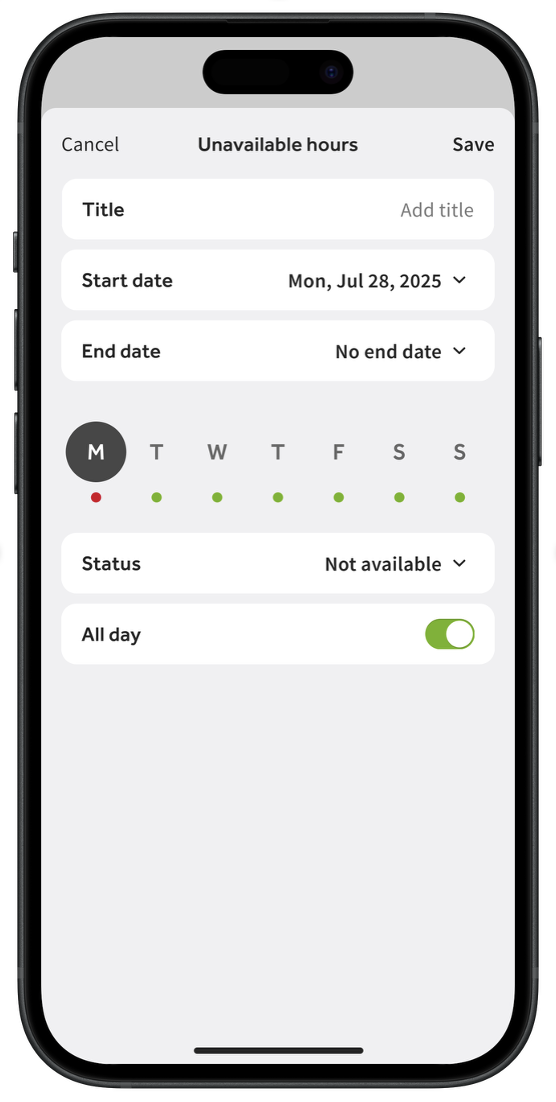
- Select Unavailable hours > Add unavailable hours.
- Select a Start date and an End date. You can also select No end date if you want this request to repeat every week.
- Select the day of the week you are unavailable.
- You can select a status of Available or Not available, but selecting Available will not change anything in the system (not available is most useful).
- Toggle the All day setting on or off. If you disable this setting, choose the From and To times of the day you are unavailable (for instance, lunch shifts vs. dinner shifts).
- Select Save to finish this work.
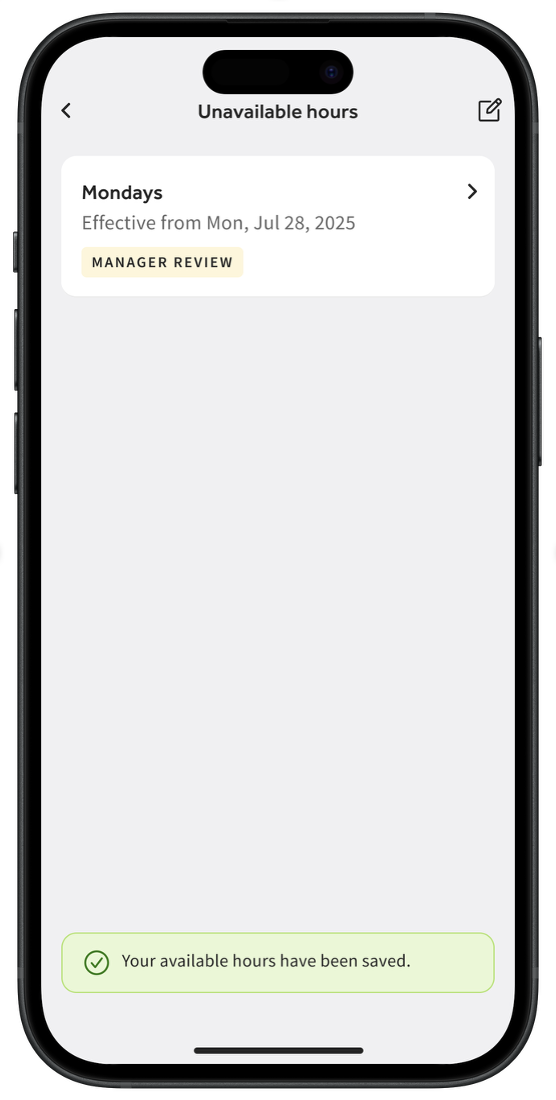
- If your employer requires approval, this request will say Manager Review. If your employer does not require approval, you'll now see Unavailable on the My schedule tab.
Request Time Off
- In the MyToast app, select the More tab.
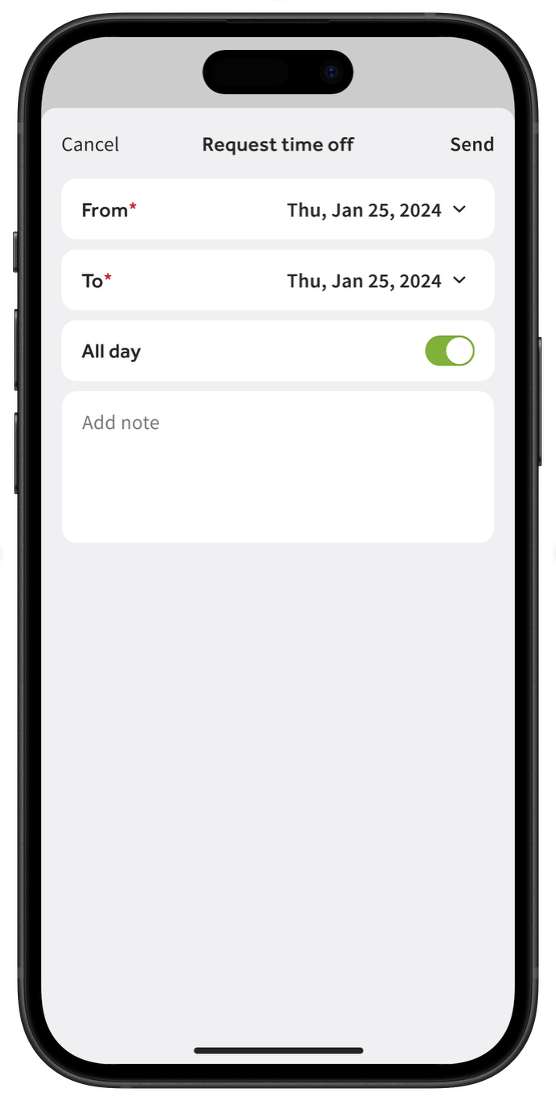
- Select Request time off.
- Begin by entering the From and To dates. This can be the same date if you are requesting only one day or a portion of one day off.
- After setting a date, you'll also be able to set the times that you're requesting off. If you want to request the entire day(s) off, enable the All day toggle before selecting the date(s).
- Optionally, you can add a note to your request. The approving manager will see this.
- Select Send and you'll receive a confirmation alert that this request is sent to your manager for approval.
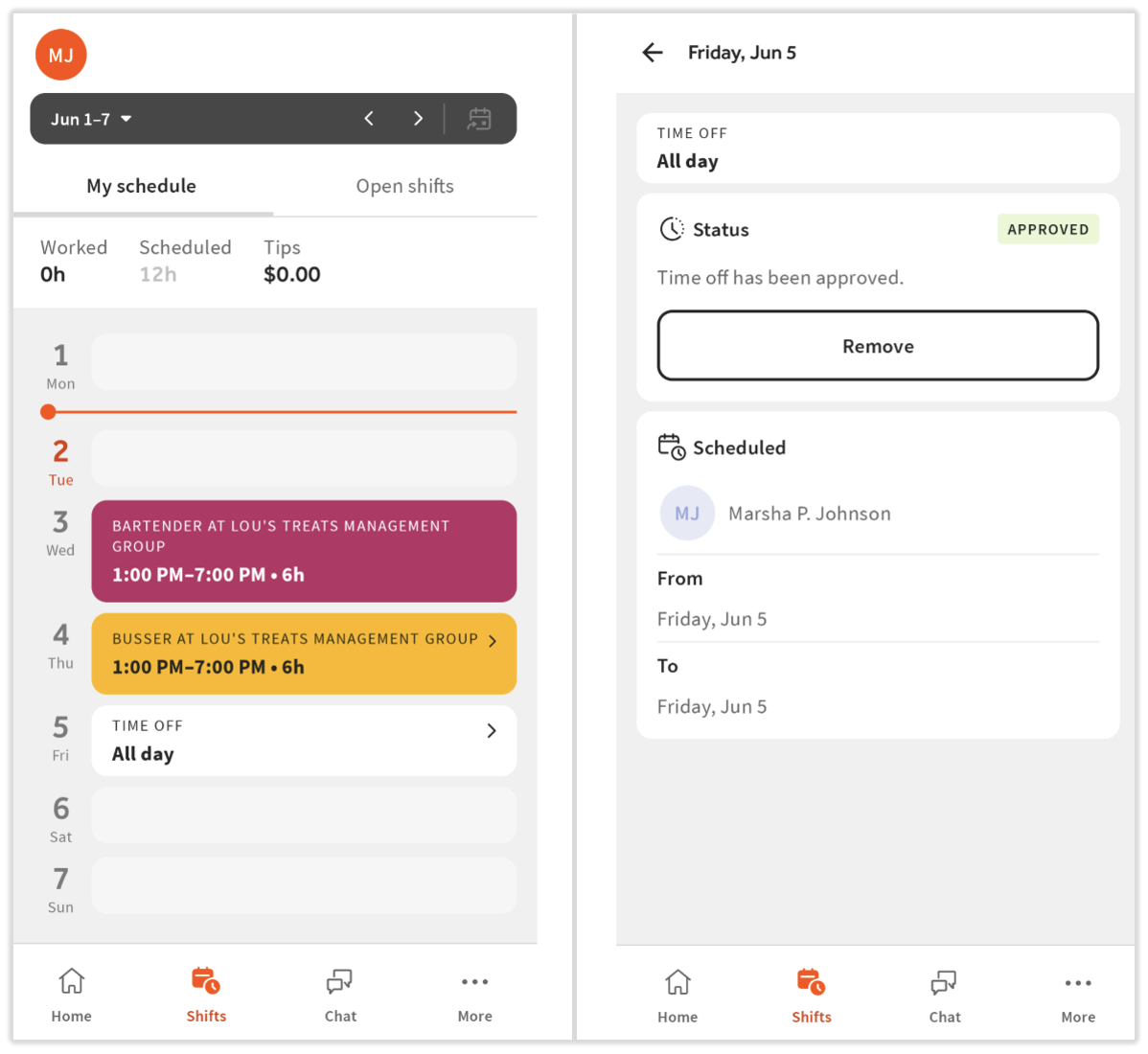
- You can see this request by navigating to the Shifts tab. Any unapproved requests will have a status of Pending.
- Select the request if you want to remove it, edit it, or review the details.
- If the time off request is approved, the request will no longer be editable and will have a status of Approved. Select Remove if you want to delete your time off block.
- If the time off request is denied, the request will be removed from the Shifts tab.
Related Articles