Pool Tips for Delivery Orders
Last updated: Oct 2, 2026, 2:15 PM
Some restaurants prefer to pool tips for delivery orders. If you are using your own drivers and have set up Delivery as a dining option for your guests in Toast, here is how you can pool tips from completed delivery orders.
| If you are using Toast Tips Manager, please follow these steps instead. |
In this Article:
Delivery Tips Explained
When a delivery order is dispatched to a driver, the assigned driver will receive any tips and/or gratuity associated with the check. However, if a delivery order is not properly dispatched to a driver, the server that initially opened the order will be assigned any associated tips and/or gratuity. To learn more about dispatching and completing delivery orders, check out Delivery Mode, Dispatching Drivers, and Completing Deliveries.
Note: The tip pooling described in this article applies only to delivery orders your restaurant fulfills with its own drivers and dispatches from the Pending Orders screen on your Toast device. Orders delivered by a third-party delivery service are never dispatched to a Toast driver, so their tips do not enter the Delivery Tips shift review or the payroll summary redistribution described below, and nothing in this workflow will show you how a third-party driver's tip was split.
Delivery Tip Pooling
If you want to pool tips associated with delivery orders in your restaurant, follow the steps below.
- Ensure that Declare Cash Tips and Negative Declared Tips are enabled in your restaurant. To do so in Toast Web, navigate to Team > Settings > Advanced shift review setup.
- Within the section Shift Review / Closeout, enable Declare Cash Tips and Negative Declared Tips.
- Save and Publish your changes.
- In Toast Web, navigate to Team > Settings > Jobs. If you havent already, create a Driver job that can be assigned to all employees delivering orders. On the Basic info & pay tab, enable the Available for delivery driving and the Tipped employee settings. On the Permissions tab, include the 3.13 Negative Declare Tips permission. See Create and Edit Jobs (Roles) for Toast POS if you need more info.
- Save and Publish your changes.
- Still in Toast Web, navigate to Team > Employees.
- Select + Add New Employee and Create New User to create a shared user for delivery orders with a recognizable name. In this example, we'll use "Delivery Tips."
- Deselect the check box to access Toast Web and select Create. Note that this will create the user and assign a passcode to this user automatically.
- Select the Jobs and Permissions tab at the top of the page.
- Select the checkbox next to Driver, then Save and Publish your changes.

Note: If you have Toast Tips Manager, you will need to set up a tip pool for your drivers using the steps outlined here.
Nice work! Now, before you begin accepting delivery orders, be sure to sign in your Delivery Tips user onto your Toast device. On the Pending Orders screen, be sure to dispatch all incoming delivery orders to the Delivery Tips user.
At the end of the night, you'll need to complete a shift review for the Delivery Tips user. See the example below.
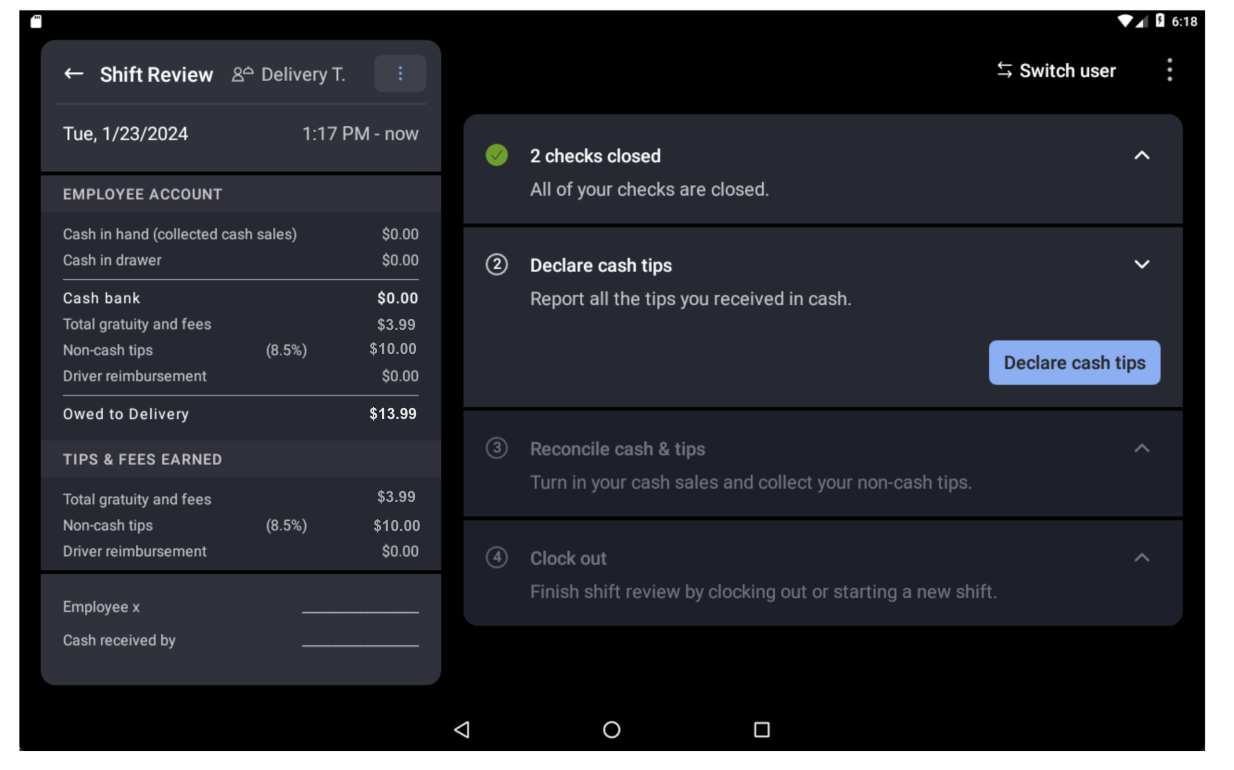
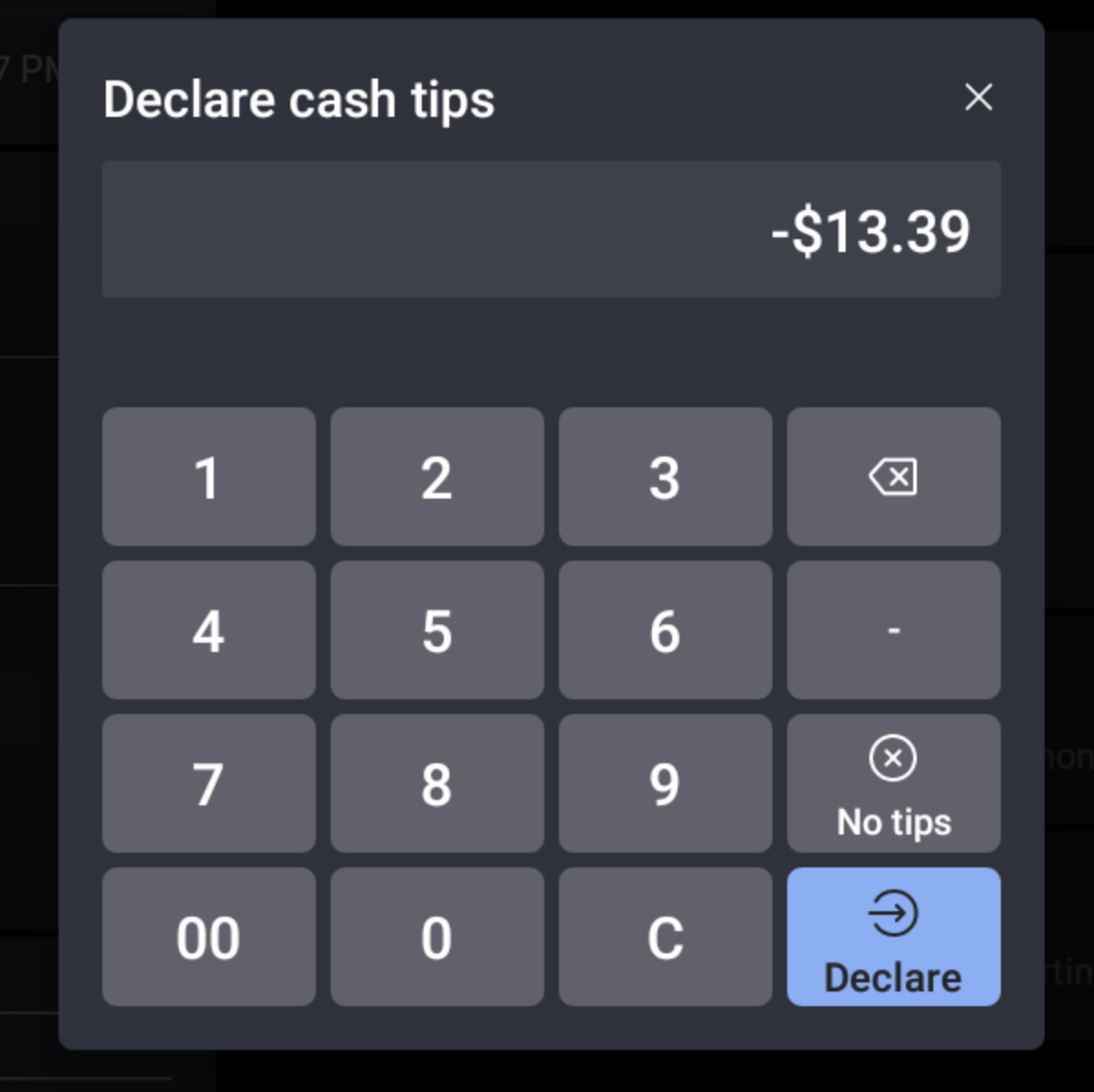
To distribute $13.39 evenly to applicable staff, perform the following:
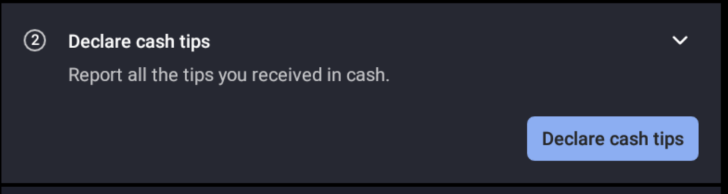
- Select Declare cash tips.
- For labor reporting to identify redistribution has occurred, you must declare the total tips and gratuity as a Negative Cash Tip.
3. Then, tip out normally by selecting whether tips are paid from a cash drawer or the house. Complete the shift review for Delivery Tips.
4. When another clocked-in driver who has received their tip portion completes their shift review, they would declare their allotment as a positive cash tip. For this example, the employee will declare $6.69 as a cash tip when they complete their shift review.
5. Your payroll summary will now display the redistribution of tips. Delivery tips are recorded as returning $13.39 in tips to the house and the employee is receiving half of that in the amount of $6.69.