Reporting for Toast Invoicing
Last updated: Aug 18, 2026, 7:58 AM
| This article is about Toast Invoicing, a feature that helps automate payments for catering orders or private events. It does not cover your monthly Toast invoices, which include a breakdown of costs associated with your Toast software and hardware. If you are looking for information regarding locating and viewing your invoices from Toast, please see Locate and View Your Toast Invoices. If you need to request for an invoice to be re-sent or reprocessed, please contact our Customer Support. |
Toast Invoicing: Reporting Overview
With the Toast Invoicing feature, you can send your guests an invoice for catering orders or private events. Learn more about how to send an invoice in this Support Center article: Send an Invoice to Your Guests.
Orders created using Toast Invoicing appear in Toast reports differently, depending on the fulfillment date and when the invoice was paid.
Payments, net sales, and tips will be reflected in the Sales Summary report differently, depending on when the invoice was paid and fulfilled. The same will be the case for items sold.
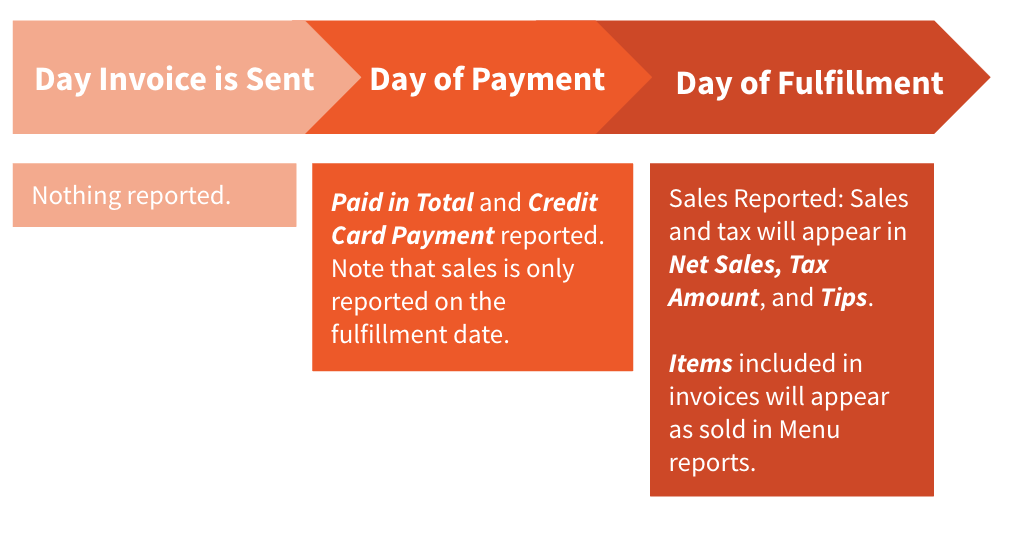
Nothing will be reported on the day that the invoice is sent. Additionally, the payment due date is not considered in reporting. The sections below will describe where to find data based on whether the invoice was paid or fulfilled.
Back to top
Paid Invoices
The day the invoice is paid, payment will appear within the Credit calculation in the Sales Summary report (depending on the type of credit card used). It will also be included in the Paid in Total for that day. The check associated with the invoice will close automatically when the invoice is paid. You do not need to manually close the check.
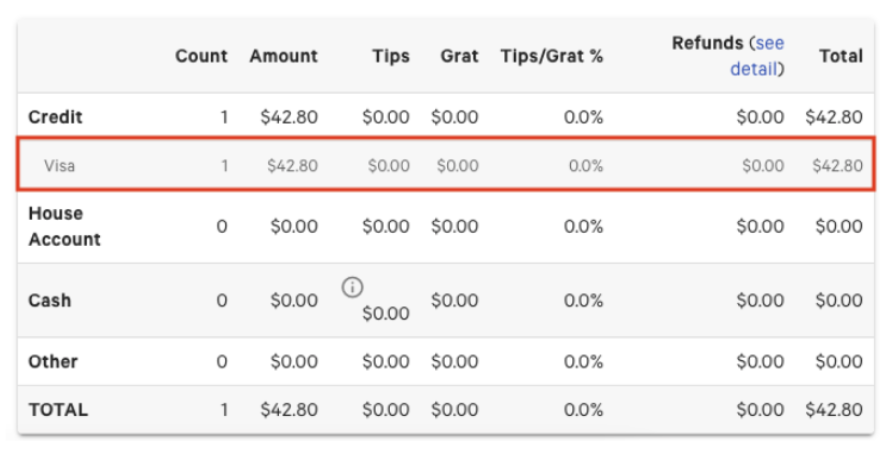
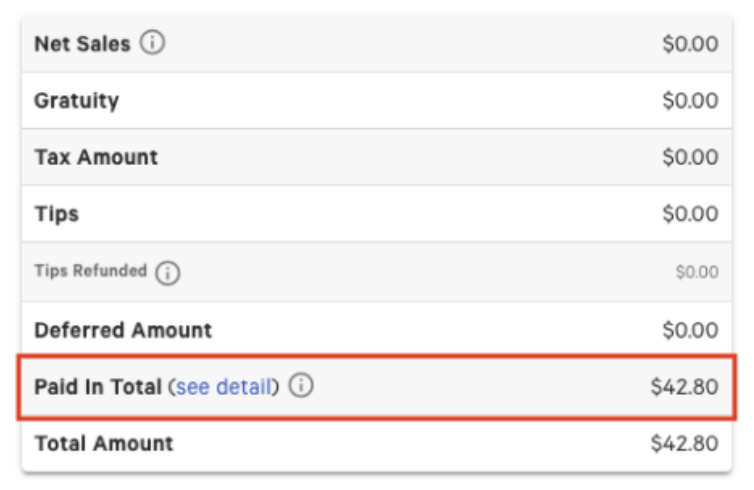
Note: Sales (under Net Sales) will not appear until the fulfillment date.
Fulfilled/Completed Invoices
The day the order or invoice is fulfilled/completed, sales, tax, tips, and gratuity will appear in the Sales Summary report under Net Sales, Tax Amount, Tips, and Gratuity. Tips appear in the Payments Summary section, while Gratuity appears separately in the Revenue Summary section. Payment will not show on the fulfillment day unless the invoice is paid and fulfilled on the same day.
The items included on these invoices will appear in Menu reports on the day the invoice was fulfilled or completed.