Set Up Third-Party Gift Cards for Online Ordering Pro
Last updated: May 21, 2026, 11:04 AM
Follow the steps in this article to set up third-party gift cards for Online Ordering Pro.
Configure Third-Party Gift Cards for Online Ordering Pro
| Third-party gift cards for Online Ordering Pro are only supported for customers who currently use the Valutec, Paytronix, eCard Systems, or Giftrocker integrations. Please check back for updates. |
Connect and enable your third-party gift card integration to allow guests to use it as a payment method at checkout when Toast Online Ordering. Follow the steps below to configure this for your restaurant.
- In Toast Web, navigate to Finance > Payments > Gift cards > Gift card setup.
- Ensure that you have Yes selected for Enable Gift Cards and a third-party gift card provider selected under Provider.
- Scroll down to the Online Ordering section to review the terms and conditions for enabling third-party gift cards. Once reviewed, select Yes, I understand and accept the risk and these terms.
- Save and publish your changes.
Third-Party Gift Cards for Online Ordering Pro - Guest Experience
Guests will be prompted to enter their gift card number in the checkout payment screen. The PIN field will display for all restaurants with third-party gift cards enabled, but it will be optional for guests to enter the information.
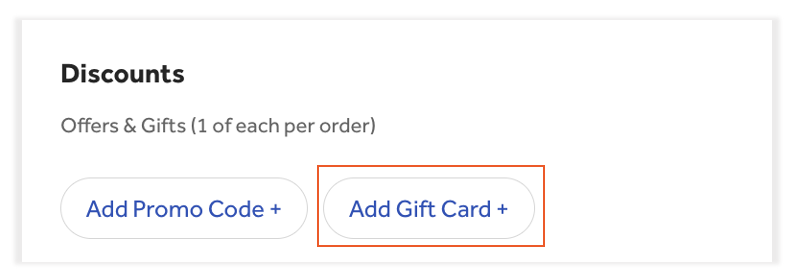
- In the Payment section of the online ordering checkout, guests will select Add Gift Card.
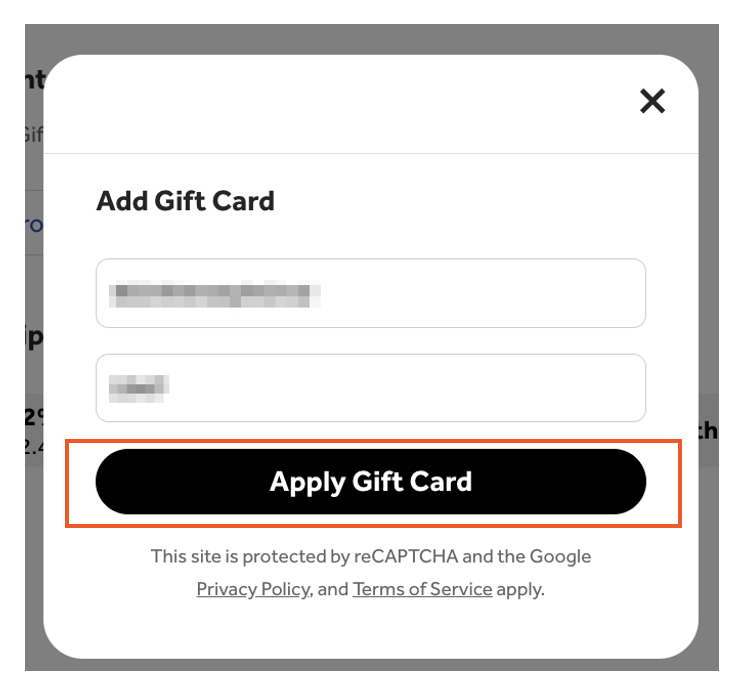
- Guests will enter their gift card information:
- Gift card code/number
- Additional code/number (if applicable)
- Select Apply Gift Card once complete.
- Guests will then proceed to check out to complete their payment. Note: Guests who enter incorrect gift card information, missing/invalid PIN (if required), or insufficient balance will receive an error message.
Additional Resources