Get Help With Email Marketing Action Buttons
Last updated: Sep 17, 2026, 10:24 AM
Question
- All email marketing action buttons are grayed out. How do I fix this?
- I'm unable to send our email marketing campaign because the send button grayed out. How do I fix this?
- I can't send a test email to our subscribers because the "Send Test" button is grayed out. What should I do?
Answer
Are you setting up a new Email Marketing campaign and your Send Test, Schedule, and Send Now buttons are grayed out, blocking you from selecting any of them? Follow the troubleshooting steps below to make them selectable:
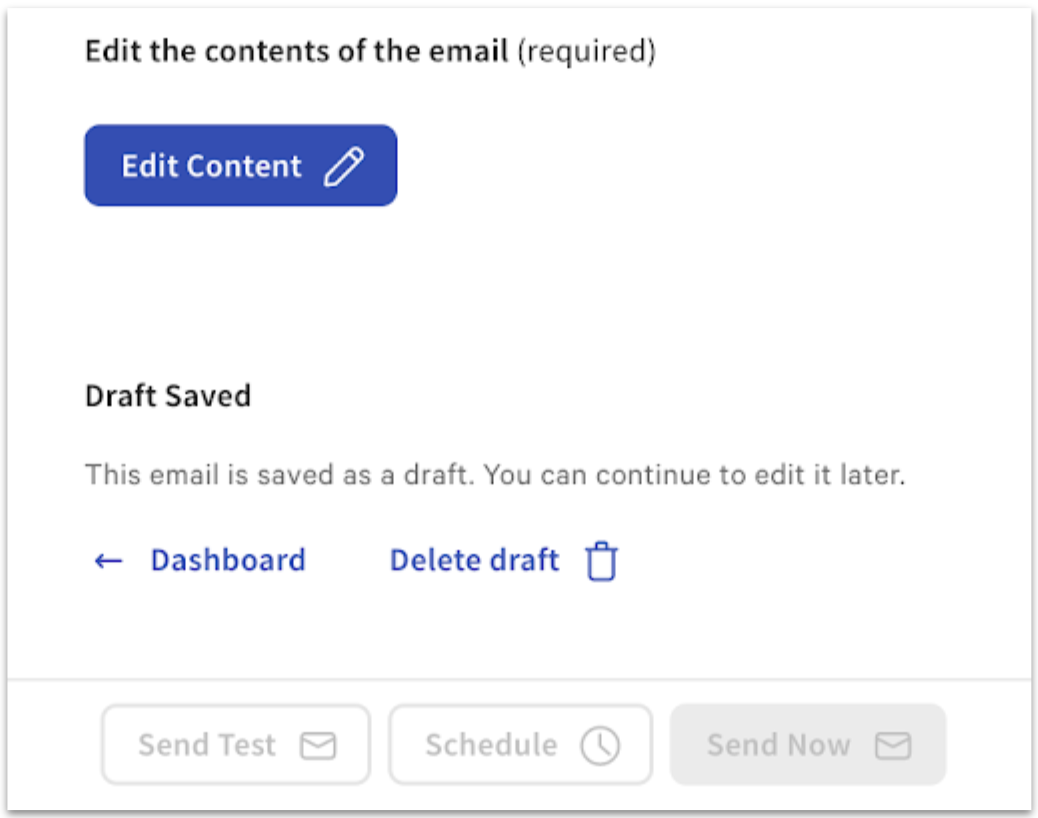
- Select Edit Content.
- Customize your content accordingly.
- Select Save.
- Select Continue.
Your Send Test, Schedule, and Send Now buttons should now be selectable!