Toast Payroll: EEO-1 Reporting Guide
Last updated: Oct 14, 2026, 4:53 PM
Key Points of EEO-1 Reporting
Private employers with at least 100 employees (including part-time workers), and federal contractors with at least 50 employees who may have additional requirements must submit certain workforce demographic information to the Equal Employment Opportunity Commission (EEOC). This data is uploaded to the EEOC’s website by your company either through their secure online form, a data upload or through paper forms when internet access is unavailable (please note: the EEOC must approve the use of paper format prior to submission). Filing generally opens in April with the deadline reported on the EEOC’s home page at www.eeoc.gov. The EEOC mails notification letters to certain businesses which contain relevant login and sign-up information for the data collection.
Components of the Report
- Component 1: Demographic data (employees broken down by gender, race/ethnicity, and job category).
- Component 2: Pay data (employee's W-2 income information broken down by gender, race/ethnicity, and job category).
The EEOC previously required pay data reported as a “Component 2”. Since 2019, they have decided not to continue collecting this data. The information below refers solely to the EEO-1 reporting.
The report is a count of the number of employees in each EEO job classification, their race/ethnicity, and gender as they reported at hire. The EEOC uses the data to identify employment patterns across industries.
The report is run for a certain pay period of your choosing within the date range the EEOC declares. Employees paid on that payroll are reported.
Prepare the Data for the Report
There are two places to focus when preparing the data for the report: Employee Data and EEO Establishment Data:
Employee Data
First, prepare the employee data. The final EEO-1 report generated in Toast Payroll will only export the EEO data that is specified in the employee records in the company. To audit, we recommend running the EEO Audit Report to identify any missing or incorrect information.
The report can be found in Toast Payroll by navigating to Reports > Standard. When you select Reports in Toast Payroll, you should see a URL that begins with payroll.toasttab.com. Visit Navigate Toast Payroll Within Toast Web to learn how the new Toast Payroll navigation works.
Enter EEO in the search bar. Use the blue arrow button to run the EEO Audit Report.
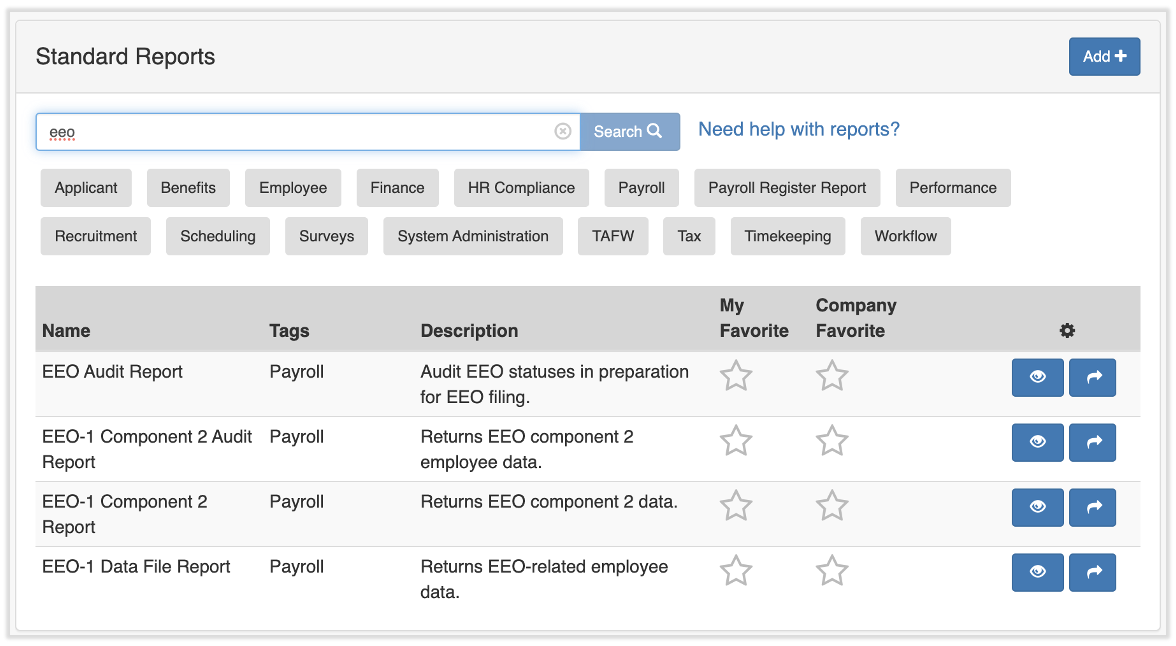
The report is generated by check date. Select the applicable check date within the EEOC’s allowed date range that you intend to use when submitting your survey data. The report will generate data for employees that had an Active status during any part of the pay period associated with the selected check date. The data generated will be the current demographic data listed on the employee’s profiles, regardless of what that data was at the time of the payroll. This gives you a chance to update as needed.
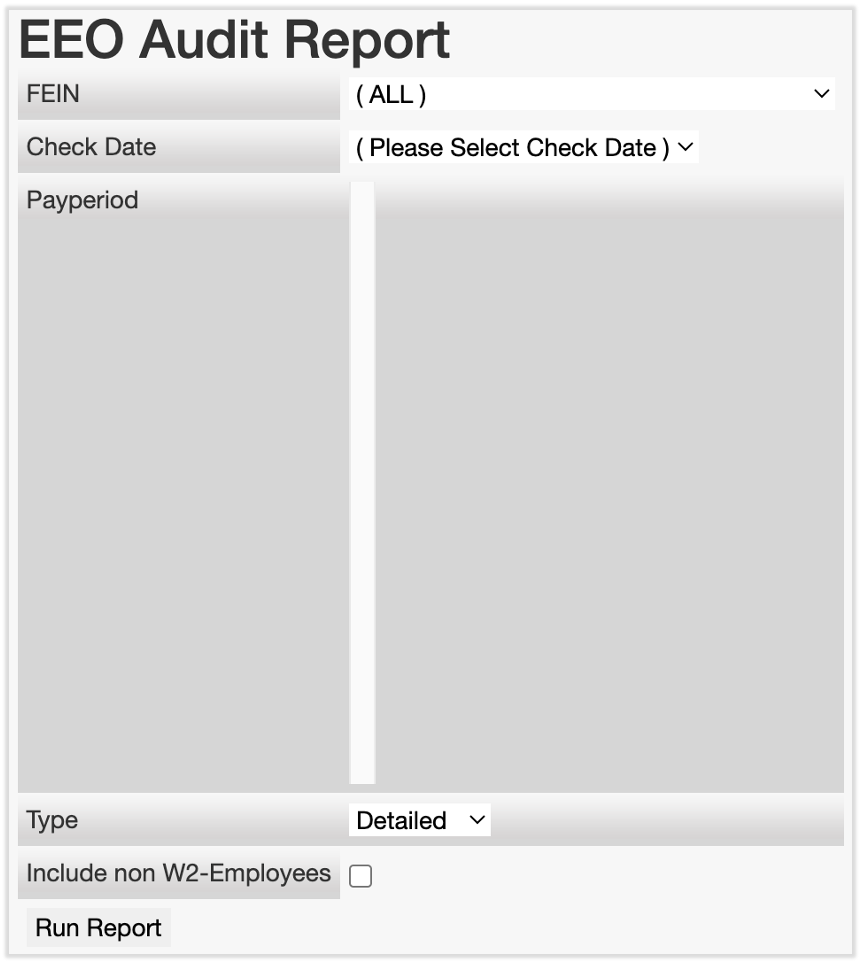
The EEO Audit Report can be run as a Detailed or Summary report:
- The Detailed Report option gives a breakdown by employee, including employee name and other attributes.
- The Summary Report gives employee counts by EEO; Establishment/Gender/Ethnicity/EEO class combination. Running the report this way can also be used to get the necessary data if your company plans to manually complete the Standard Form 100, which is the paper version of the report.
Note: If the Summary report generates blank, we can help correct this. Contact us via the blue chat dot in the lower-right corner of any Toast Payroll page.
Update Employee Data
The EEOC considers missing data as blank attributes and where employees select a "Does Not Wish To Identify" option, or “None” for gender or ethnicity classifications. If any information is missing or incorrect, please navigate to those employees' records to make updates as needed:
- If gender and/or ethnicity information is missing or incorrect, these fields can be edited under the employee's profile.
- If an employee's EEOC classification is missing or incorrect, the field can be found on the employee's Toast Payroll profile.
- Select the > carat icon next to their primary job.
- Select the yellow Edit button.
- Set a Reason at the top of the page and change the EEO Classification before selecting Submit.
- Learn how the new Toast Payroll navigation works by visiting Navigate Toast Payroll Within Toast Web.
EEO Establishment Data
Once employee data has been reviewed for accuracy, the second place to focus is the EEO Establishment setup. Toast Payroll EEO-1 reporting is done by establishment. The final report may assist you as you determine whether your company is categorized as a single or multi-establishment employer for reporting purposes. For the purposes of EEO reporting, the EEOC states that a company that does business at more than one establishment is considered multi-establishment.
By default, each work tax location set up for your company in Toast Payroll is considered an establishment. For multi-establishment employers, EEO-1 report filing is required for the "Principal or Headquarters Office”. There should be only one work tax location/establishment designated as the corporate office, which will display as the site type "Corporate Office".
HR+ users can define establishment information by logging into payroll.toasttab.com and navigating to Settings > Reporting. If you do not see Settings on the left side of the screen, select Payroll from the Toast Web navigation rail on the left to make the Toast Payroll navigation rail appear.
This is where you add the EEO Unit Number supplied by the EEOC, and tie work tax locations to a "Parent Establishment'' if they are not an establishment themselves. Parent establishments are used to tie remote work tax locations to another location where the business is actually located.
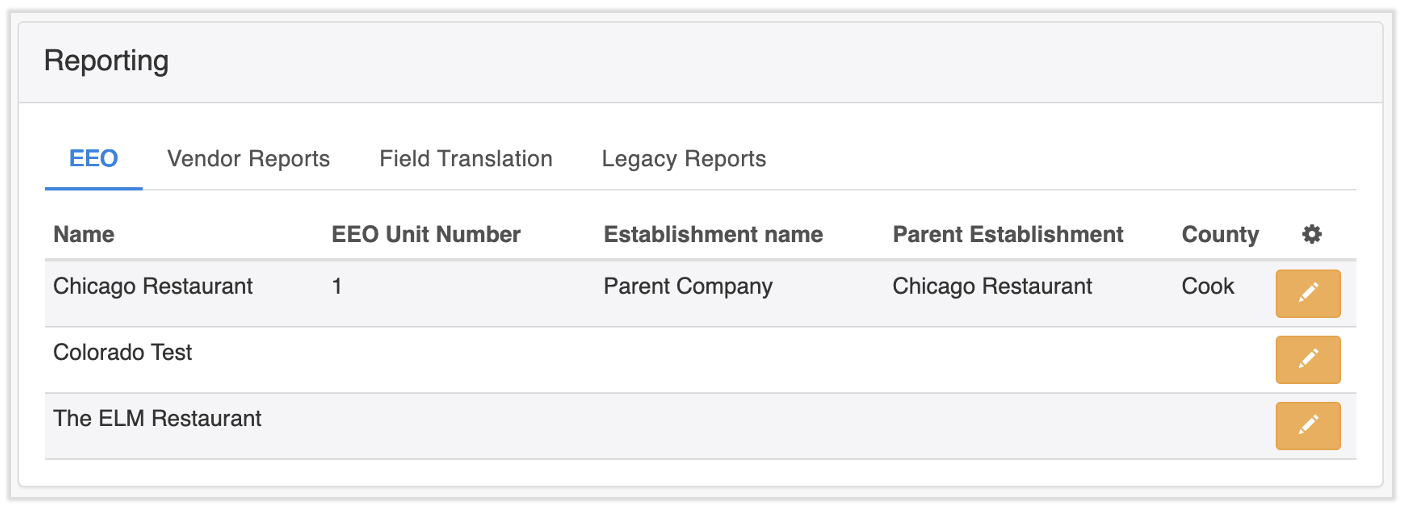
Modify the following information related to EEO reporting by selecting the edit pencil:
- EEO Unit Number: The number provided to you by the EEOC
- Establishment Name: Name created by yourself. This general matches the work tax location name
- County: This is a field for reporting the location of the establishment
- Parent Establishment: If this is a remote work tax location, use this field to tie it to the actual physical business location otherwise leave it at “All”. If this is done, no other fields need to be filled out. Do not tie an establishment to itself. For example, if you are setting up Chicago, do not make the parent establishment “Chicago”.
- Filed Last Year: Report if you filed for this establishment last year
- Question D2: Is the establishment a “federal” contract or is it exempt. This question specifies whether the establishment is not exempt as stipulated by the equal opportunity clause 41 CFR 60-1.5 of the establishment is defined as a prime contractor.
- 1–Yes if you are a federal contractor who meets all criteria indicating a requirement to submit an EEO-1 report.
- 2–No if you do not meet the requirements for are exempt from submitting an EEO-1 report as a federal contractor.
When edited, information tied to the work tax location will display at the top. If any of this information listed needs to be updated, chat with us by selecting the blue chat dot in the lower-right corner of any Toast Payroll page.
Run the EEO-1 Report
A report called EEO-1 Data File Report can be found in Toast Payroll by navigating to Reports > Standard. When you select Reports in Toast Payroll, you should see a URL that begins with payroll.toasttab.com. Visit Navigate Toast Payroll Within Toast Web to learn how the new Toast Payroll navigation works.
Enter EEO in the search bar.
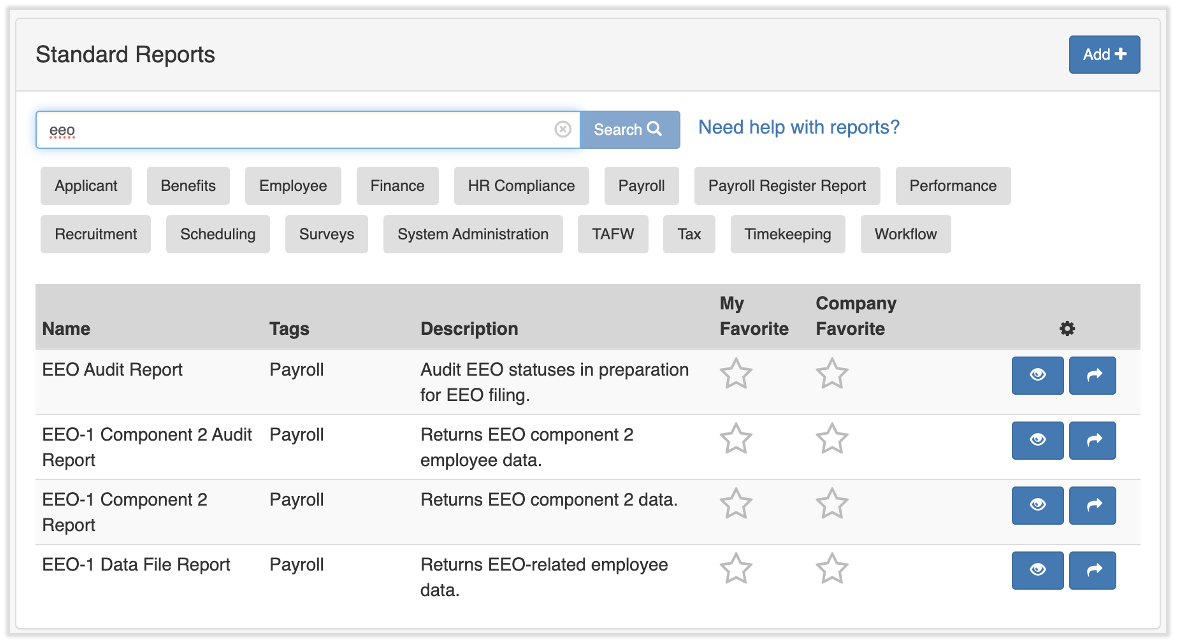
Use the blue arrow button to generate the EEO-1 Data File Report. The report is run by check date and will generate data for employees that had an Active status during any part of the pay period tied to the selected check date, not just for employees paid on the designated payrolls. Use the Review your setup button at the top for assistance with this report.
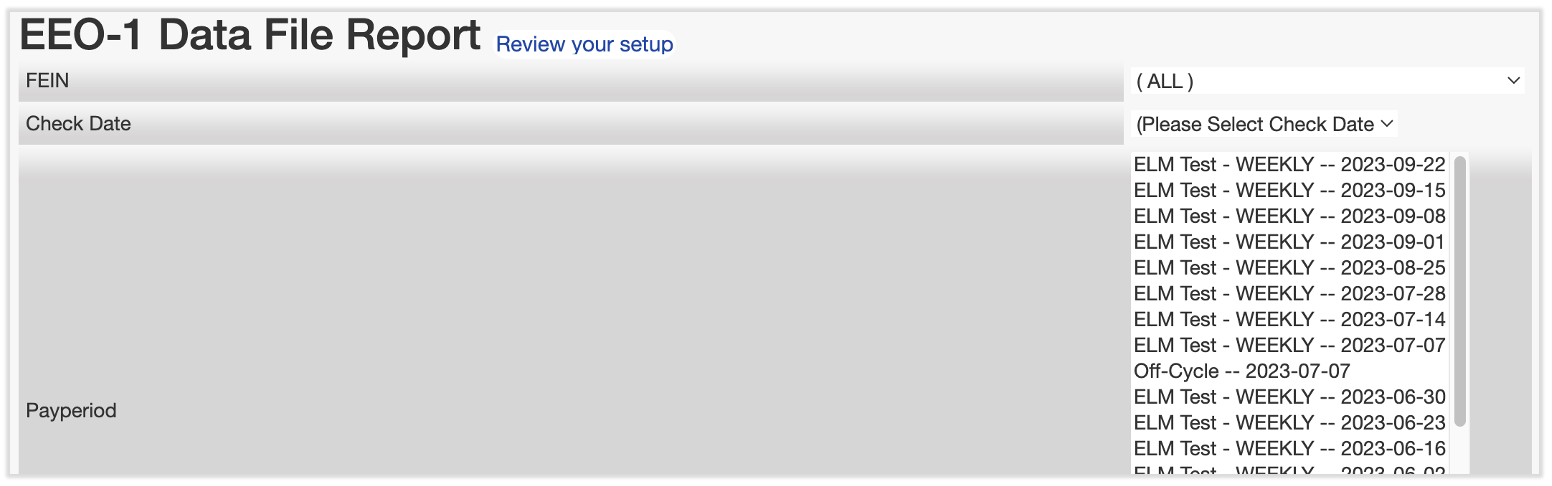
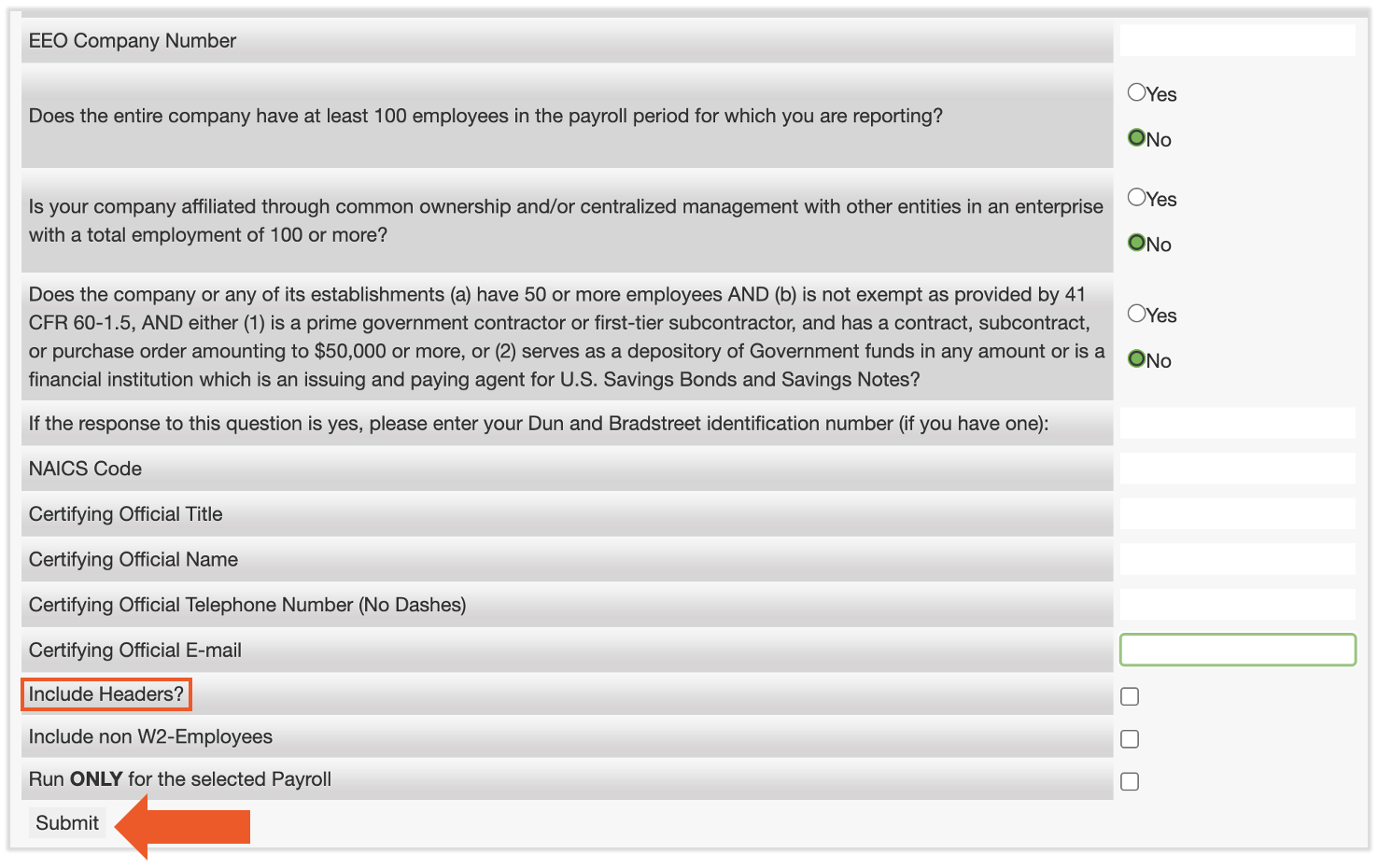
When running the report, you will be able to define additional pieces of information necessary for filing. We will incorporate your answers to these questions into the report.
There is an option to Include Headers?. Check this box if you are still in review mode. Once ready to run the report for submission, do not include Headers, to the extent the EEOC instructs filers to omit headers.
Select Submit to finalize.
Submit the Report
You (or someone at your company) needs to submit the EEO-1 report to the EEOC. The Toast Payroll system may collect some or all of the necessary data for the report, but cannot submit the survey on your behalf. Your company is responsible for ensuring the appropriate collection and submission of the report to the EEOC. This can be done by online form on the EEOC’s website or data file upload. The Toast Payroll system reports may be able to assist you with either option.
This content is for informational purposes and is not intended as legal, tax, HR, or any other professional advice. Please contact an attorney or other professional for advice.