Locate Email Addresses for MyToast App Login
Last updated: Sep 30, 2026, 1:49 PM
Question
What email address should employees use to login and access the MyToast app?
Answer
- Employees should use the email address on file in Toast Web (not Toast Payroll) in order to log in to the MyToast app. However, if the employee has completed the unified login experience, their email address will be the same in both systems.
- A manager can log into Toast Web and navigate to Team > Employees.
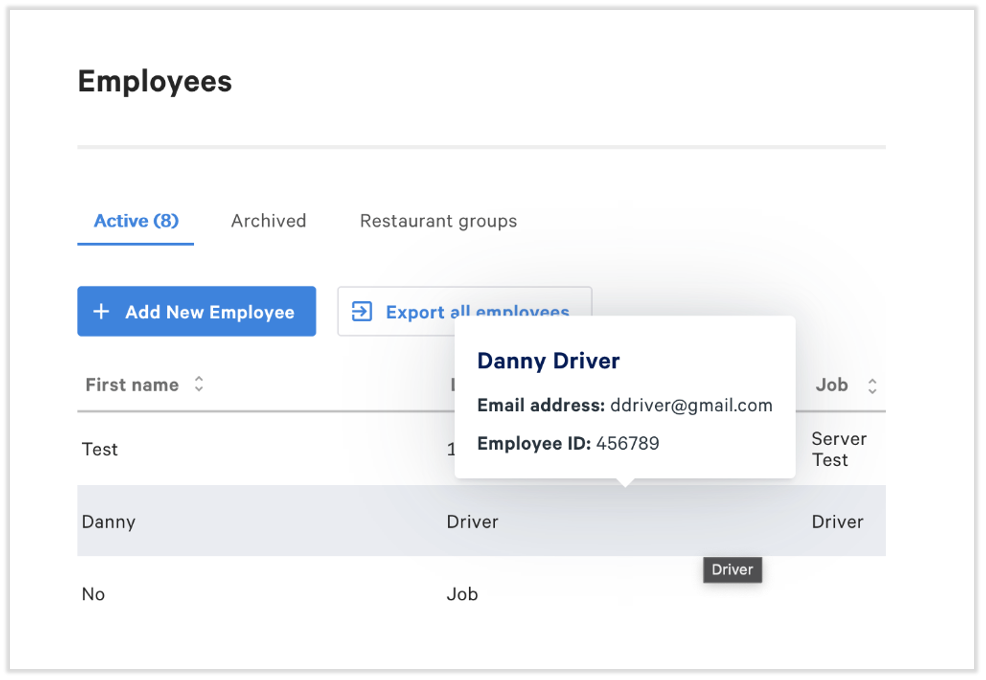
- Towards the top of the page, select the Export all employees button. This will generate a spreadsheet of all employee email addresses, which can be used to log into the MyToast app.
- If you just need one employee's email address, hover over their name on this page.
- If you just need one employee's email address, hover over their name on this page.
- While viewing the spreadsheet, it is a good idea to quickly browse the list of emails and locate any obvious errors, such as gmai.com or hotmail.co. These may be corrected in Toast Web by navigating to Team > Employees. Follow these steps.
Additional Information
- Get Started With the MyToast App (employees should start here to begin with the MyToast app)
- Log in to Toast: Update Your Account (see the Update Multi-Factor Authentication or Phone Number section to update your phone number associated with the MyToast app)