Toast Payroll: Update Name, Address, or Phone Number
Last updated: Oct 9, 2026, 4:52 PM
Question
How can employees update their name, address, or phone number in Toast Payroll?
Answer
| If you're trying to change the phone number associated with your Toast Web account (which also affects the phone number for the MyToast app), see the Update Multi-Factor Authentication or Phone Number section of Log in to Toast: Update Your Account. |
When employees change their name, address, or phone number, this information can be updated in Toast Payroll. These fields will be reflected on employee paychecks and their Form W-2 and it should match the employee's legal name and current home address.
In order to update your name, address, or phone number:
- Log in to payroll.toasttab.com. If you need assistance logging in, check out this page or ask your manager.
- Navigate to My Profile and select the Profile tab at the top.
- If you do not see My Profile on the left side of the screen, select Payroll from the Toast Web navigation rail on the left to make the Toast Payroll navigation rail appear.
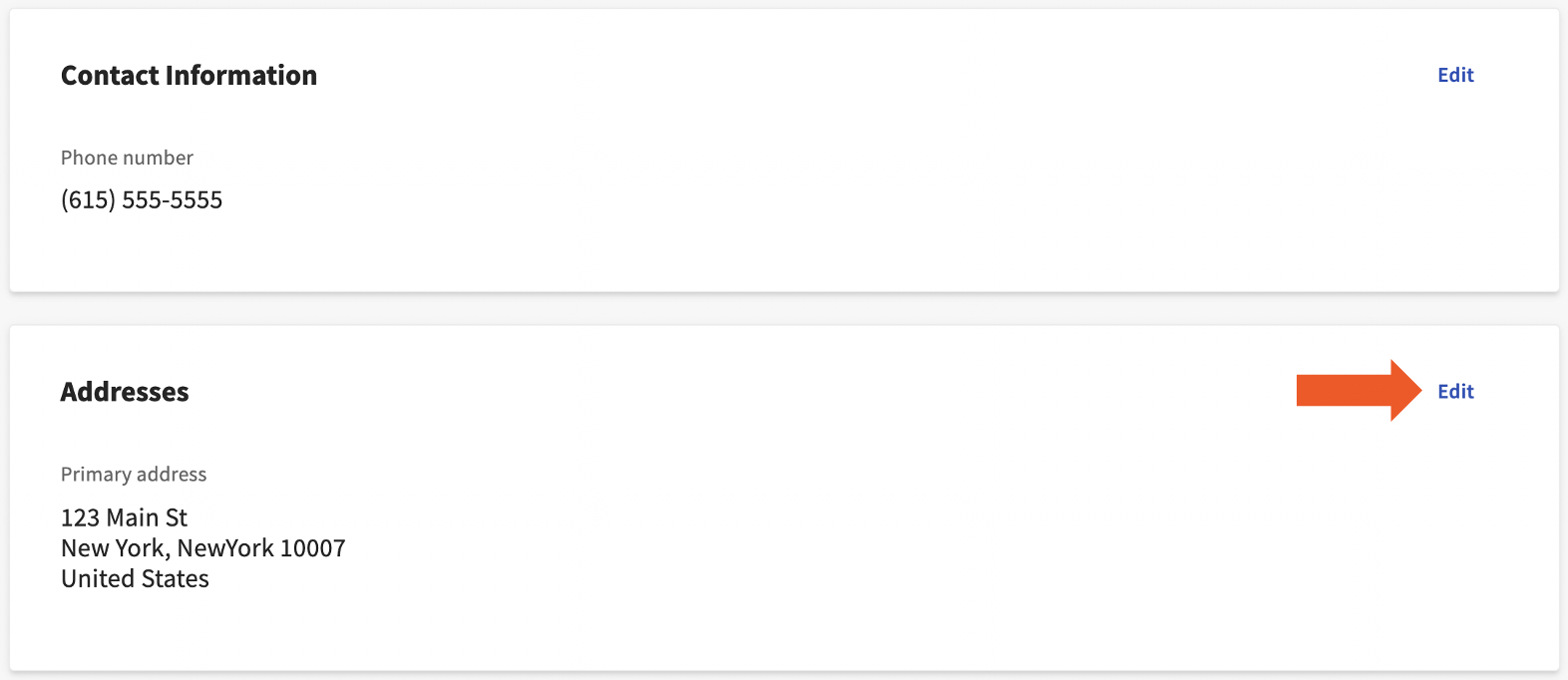
- You'll see four tiles here, each with an Edit button in the top-right corner. Use these Edit buttons to update your information on file.
- The Personal Information tile contains your name, the Contact Information tile consists of your phone number, and the Addresses tile holds your address. Select Save changes when you're finished updating the necessary information.
- While you're here, it may be a smart idea to verify your social security number, also. When it comes to the accuracy of your Form W-2, the SSN is even more important than the name or address.
This content is for informational purposes and is not intended as legal, tax, HR, or any other professional advice. Please contact an attorney or other professional for advice.