Toast Retail Inventory Reports
Last updated: Apr 22, 2026, 6:32 PM
Learn about the inventory reporting available for Toast Retail.
Inventory Snapshot Report for Toast Retail
The Toast Retail Inventory Snapshot report provides you moment-in-time inventory data for any date you select. This gives you the ability to easily view historical inventory counts and value without having to rely on manually exporting data on a specific day.
To access this report, navigate to Retail > Reporting > Inventory Snapshot.
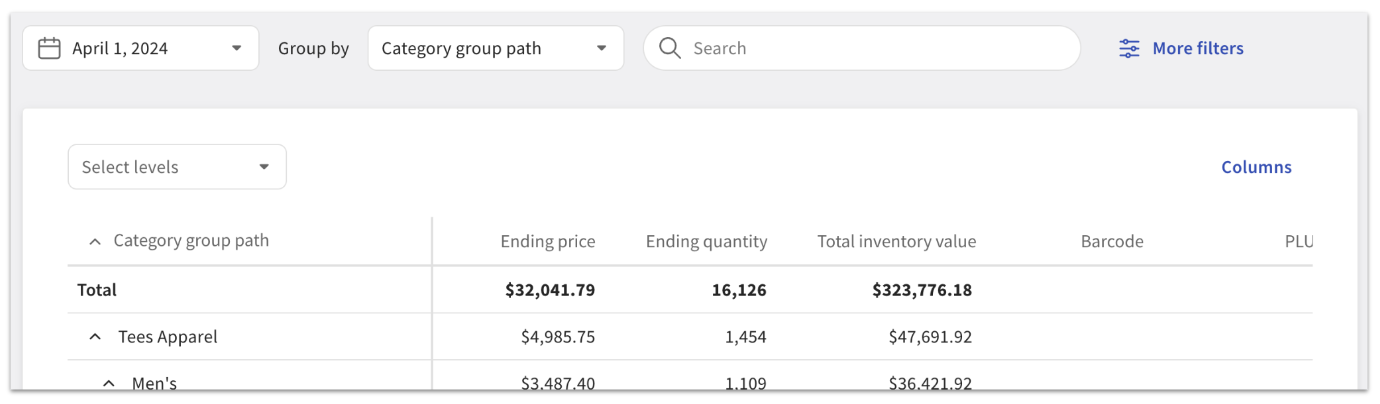
The filter, search, and export options are similar to the Sales & COGS report. For your inventory snapshot, you can add columns for ending price, ending quantity, total inventory value, barcode, and PLU.
Note that the data in this report begins on January 1, 2023, or the date of your first retail sale (whichever is more recent).
Inventory Roll Forward Report for Toast Retail
The Inventory Roll Forward report is designed to provide deep, granular insights into inventory adjustments within the Toast system. It offers a detailed view of inventory movements over a specified timeframe which you can use to analyze unexpected inventory fluctuations (did someone forget to receive inventory for a specific item?) or build custom inventory adjustment reports (how often was alcohol inventory transferred to/from my location?)
To access this report, navigate to Retail > Reporting > Inventory Roll Forward.
At the top of the page you can customize your report by selecting your desired time frame, using the Group by drop-down to organize your inventory list, and using the search bar or More filters button to narrow down the items displayed in the table.
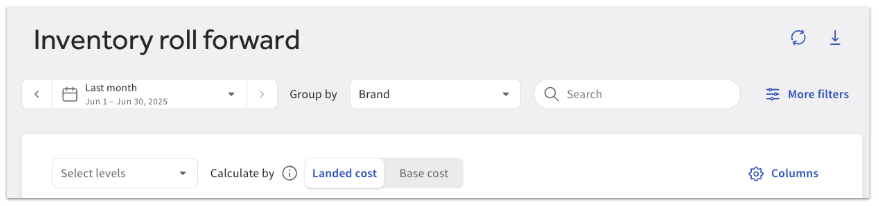
The Calculate by toggle allows you to switch between Landed cost and Base cost calculations. Costs used for calculations would affect total inventory cost, total inventory cost change, COGS, and adjustments’ average cost and total cost. Base cost reflects only the item’s initial cost, while landed cost includes adjustments like taxes, fees, and discounts.
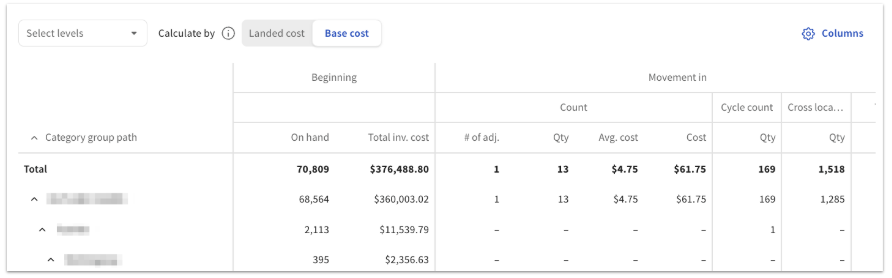
Once you select your desired timeframe at the top of the page, the Inventory Roll Forward report will show you the following information for the chosen period:
- Beginning inventory
- Movement in
- Movement out
- Ending inventory
For each inventory adjustment type (e.g. receive, loss, expired, etc.), the report tracks quantity adjustments and cost metrics, including average cost and total cost of the adjustments.
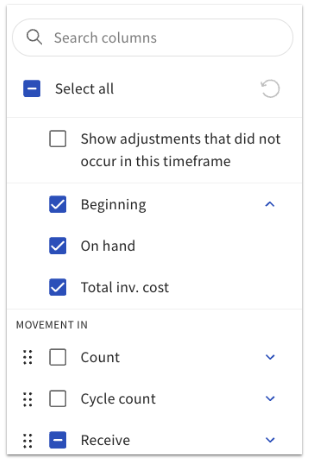
The Columns button allows you to select and reorder the inventory and item data that are included in the report. The Inventory Roll Forward report is automatically set to hide adjustments that didn’t occur in the selected timeframe, but you can choose to include those columns in the report if you prefer.
You can export the Inventory Roll Forward report by selecting the download (down arrow) icon in the top right corner.
Additional Resources for Toast Retail