Toggle Payments On/Off for Toast Mobile Order & Pay®
Last updated: Sep 16, 2026, 12:34 PM
Question
How do I toggle payments on or off for Toast Mobile Order & Pay®?
Answer
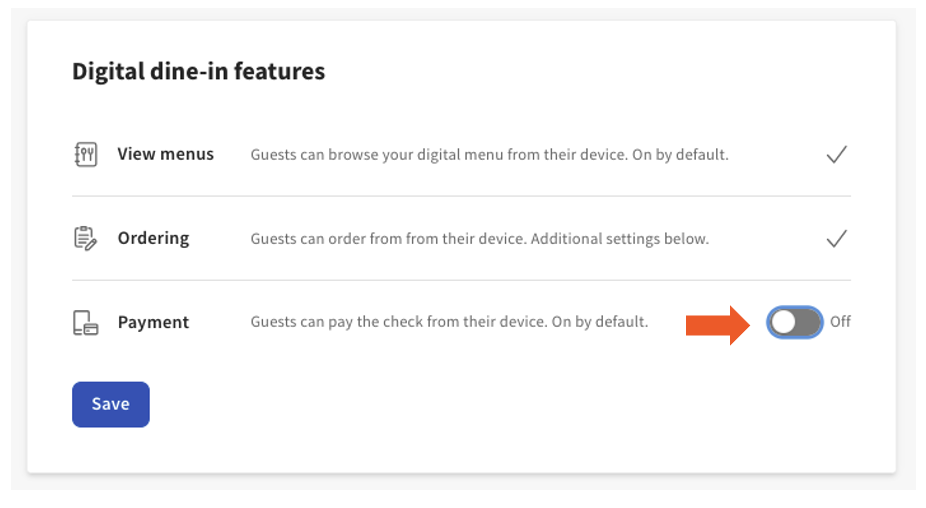
For some restaurants, you may want to collect payment directly from guests rather than enabling digital payments.
- In Toast Web, navigate to Front of house > Mobile dining solutions > Toast Mobile Order & Pay & Digital Menus.
- Navigate to Configurations > Digital dine-in features > Payment, then toggle the Payment option On or Off.
- Save and Publish your changes.