Troubleshoot Your Google Account for the Branded Mobile App
Last updated: May 12, 2026, 2:17 PM
Question
What are the troubleshooting steps for Google with the Branded Mobile App?
Answer
Your Google Play Store listing for the Branded Mobile App will be managed via the Google Play Console. To learn how to check on the current publishing status of your Android app, please visit this link.
Note: You must contact Google support directly if you need assistance setting up your Google developer account. Android Developer Support (external link) for more information.
If you’ve published your Branded Mobile App on the Branded Mobile App dashboard in Toast Web and your Android app is not in review within two business days, try these common troubleshooting steps:
- Confirm that you set your account up as an Organization and not an Individual account.
- To check this, navigate to the Google Play Console and select Developer Account > About You from the left sidebar. Under Account Type, you should see “Organization.” If you accidentally enrolled as an individual, select Change account type on this page to request that your account be updated to an organization account.
- Confirm that you have invited Toast as an admin user on your Google Developer account.
- At the bottom of the Branded Mobile App dashboard in Toast Web, you will see two email addresses that must be added as Admin users on your Google Play account. The first is a standard email address (brandedmobileapp+googleplay@toasttab.com), and the second is a custom email address created just for your brand. It will look something like myrestaurant-635c8@winter-agency-333621.iam.gserviceaccount.com.
- On this page, both emails are listed within the Google setup step of the Branded Mobile App dashboard.
- Learn how to add users to your account here.
- Confirm that you’ve finished setting up your account.
- Please review this video for directions on how to set up your Google Play developer account. These steps prepare your app for distribution and ensure that Google has the information it needs to review and approve your app for listing in the Play Store.
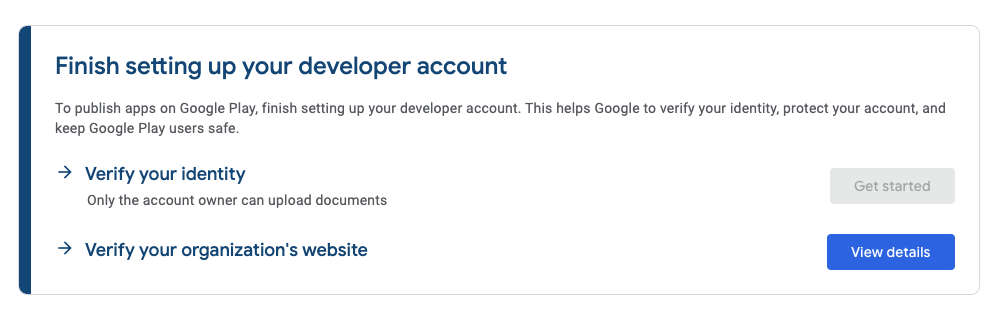
- Confirm that you’ve completed identity and website verification in Google.
- Google requires that you verify your identity to prevent bad actors from distributing malware on their platform. See here for a detailed overview of the identity verification process, and ensure that you have completed all of the steps.
- Organizations registered for developer accounts with Google are also required to verify their websites before they may release apps on the Play Store. See here for a detailed overview of what is required and confirm that you have completed website verification.
- Confirm that you’ve added a valid privacy policy.
- Check that you have added a valid privacy policy on the Branded Mobile App dashboard. The app stores require you to publish a statement describing how your business manages user data. If you do not already have one, you must add this link to your website. This should be unique to your business, and we encourage you to seek legal counsel if you need assistance with drafting.
- Confirm that your app has not been rejected by Google.
- If you check your app status within the Google Play Console and see that it has been rejected, please contact Customer Care.