Use Toast Gift Cards at Multiple Locations
Last updated: Sep 17, 2026, 7:14 PM
- Add Locations to a Toast Gift Card/Loyalty Group
- Track Toast Gift Card Liabilities Track Between Locations
- View Toast Gift Card and Loyalty Information
- Additional Resources
Add Locations to a Toast Gift Card/Loyalty Group
If you have multiple restaurants that you'd like to use gift cards interchangeably between, you may want to consider adding the locations to a shared gift card/loyalty group. These gift card/loyalty groups are created automatically during onboarding. You can view or edit them using the steps below.
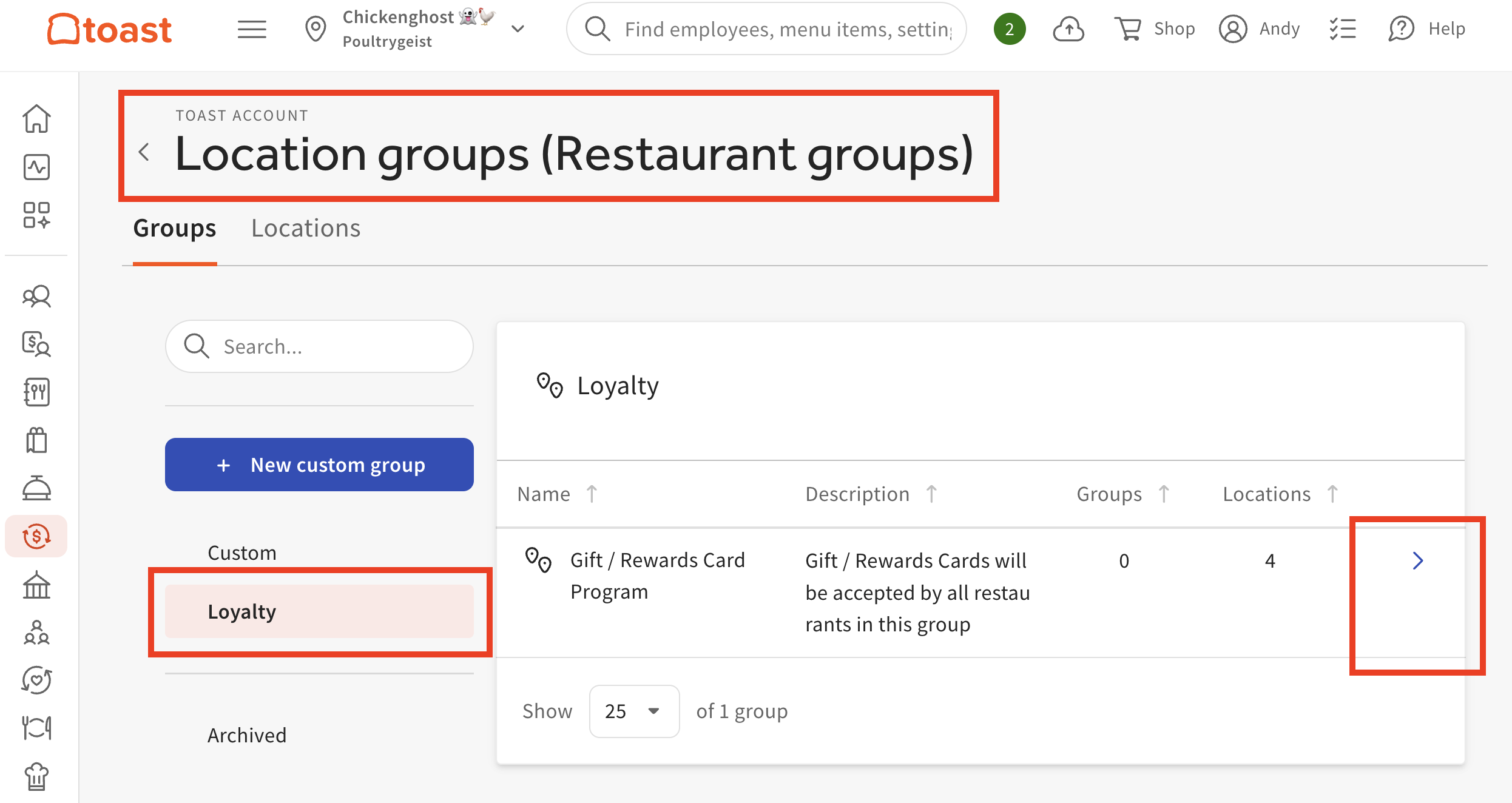
- Navigate to Location groups (Restaurant groups) in Toast Web.
- Select Loyalty.
- Select the right arrow to view locations in your Gift Card/Loyalty Group.
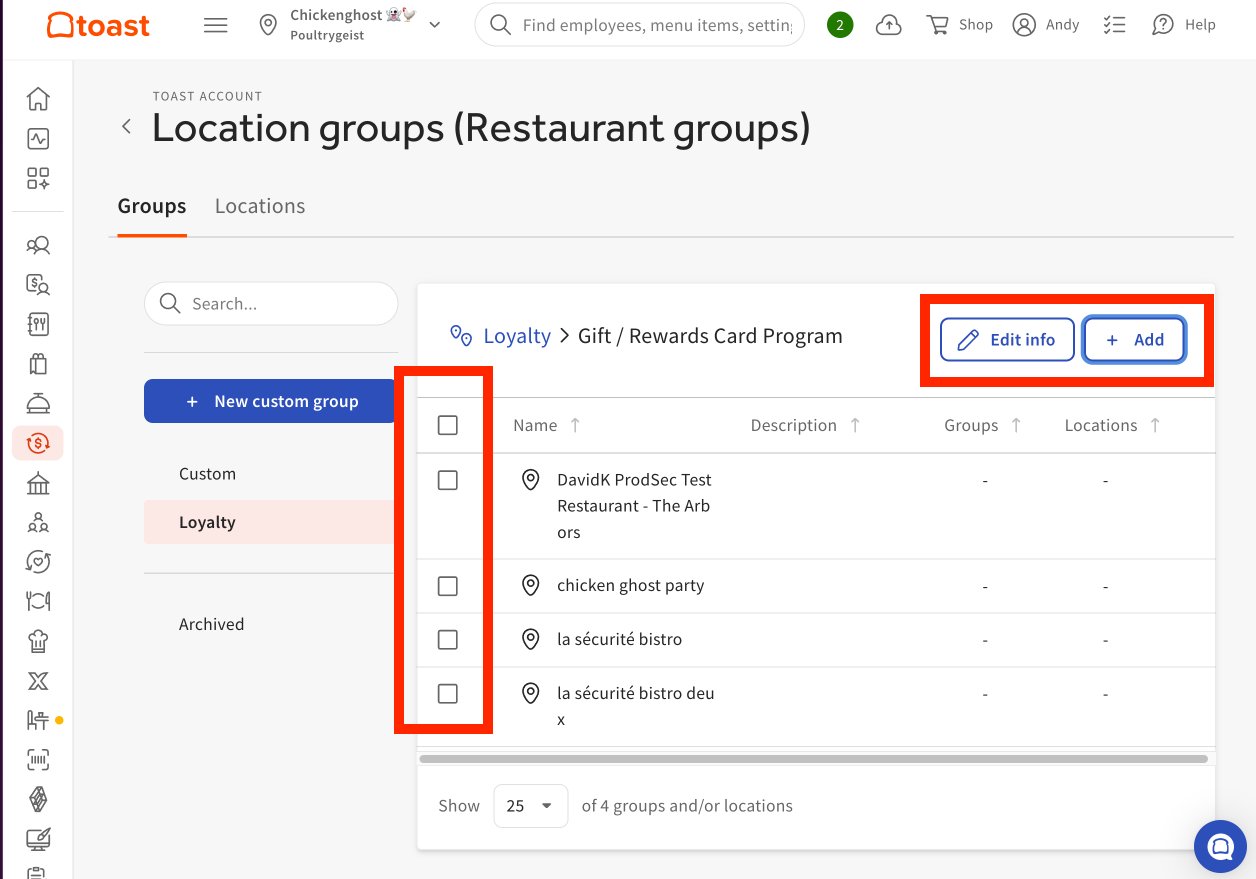
- Select Edit info to change the name of your Gift Card/Loyalty Group. By default it is called "Gift / Rewards Card Program"
- Select Add to add more locations to your Gift Card/Loyalty Group.
- To remove a location from your group, select the check box and select Remove from group.
Editing locations within your Gift Card/Loyalty group does not impact your custom location group settings. However, if your Gift Card/Loyalty Group is configured to reference a custom location group, changes to that custom location group (such as adding or removing locations) can impact which locations are included in your gift card and loyalty group.
Track Toast Gift Card Liabilities Track Between Locations
The Gift Card Liabilities report will display gift card transactions in relation to the store that owns the card's liability vs. the store that redeemed the amount. This report allows you to periodically audit how much each store owes the others based on liability amount vs. redeemed amount. To access the Gift Card Liabilities report in Toast Web, navigate to Reports > Payments > Gift card liabilities.
Note: In this report, the Redemption Store is always owed the amount for accepting the Original Store's gift card and honoring that liability. To learn more about the Gift Card Liabilities report, see Gift Card Reports Overview.
View Toast Gift Card and Loyalty Information
Your gift card and loyalty information can be viewed through the Payments and Marketing reports below. To view these reports, navigate Reports > Payments or Reports > Marketing using the left-hand navigation in Toast Web. All restaurant locations will see the same shared information when pulling the report. For a full overview, see Marketing Reports Overview in Support Center.
Additional Resources:
- Gift Card Reports
- Marketing Reports Overview
- Gift Card Liability and Transferring Gift Cards
- How to Manage Gift Card Liability without the Toast Gift Card Module