xtraCHEF: Track Invoice Status on the xtraCHEF App
Last updated: Apr 28, 2026, 4:20 PM
Download the xtraCHEF App
Ready to have insight into your restaurant's financials, inventory, and more literally at your fingertips? Start by downloading the xtraCHEF app. This app can be downloaded through either the Apple App Store (for Apple Product Users) or through Google Play Store (for Android users).
Once downloaded, you're ready to log in!
Invoices Overview
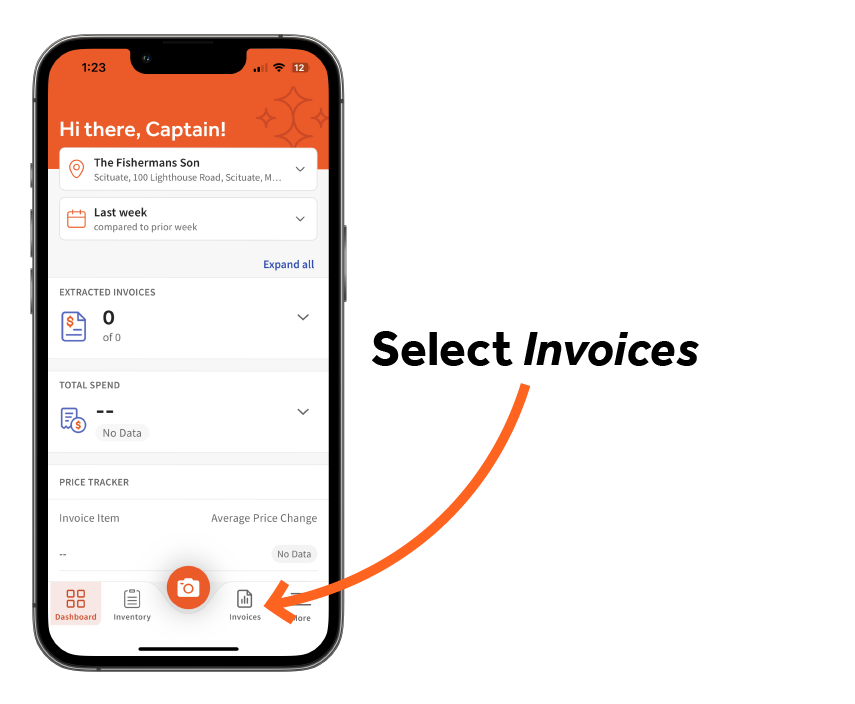
The Invoices tab in the xtraCHEF mobile app allows you to review uploaded invoices by status and processing stage. To begin, select Invoices located next to the camera icon at the bottom center of your device.
View Invoice Status
You will land on the Invoice Reconciliation tab by default. Here, you can see all invoices within a certain date frame and exactly where they are in the invoice reconciliation journey.
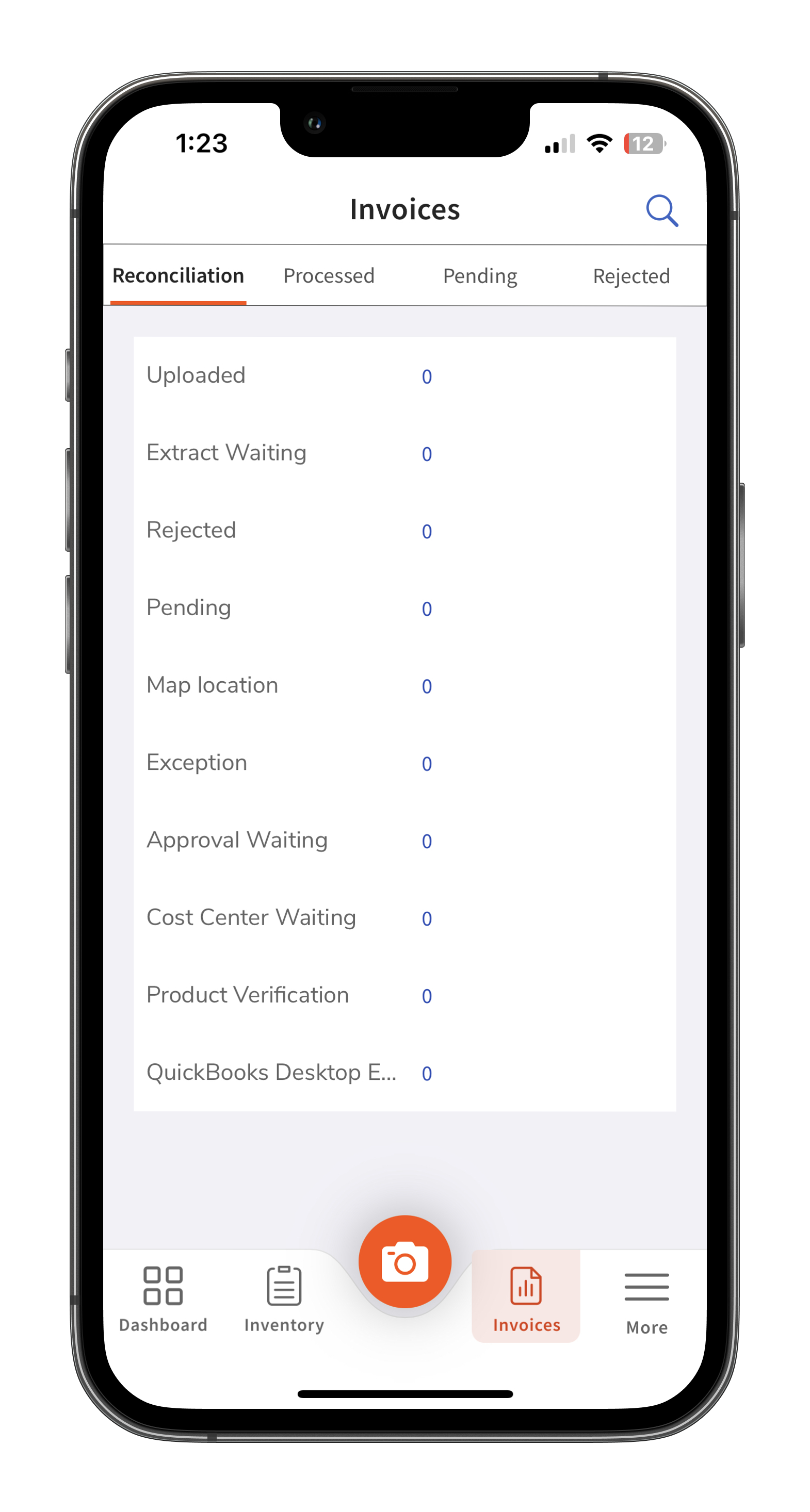
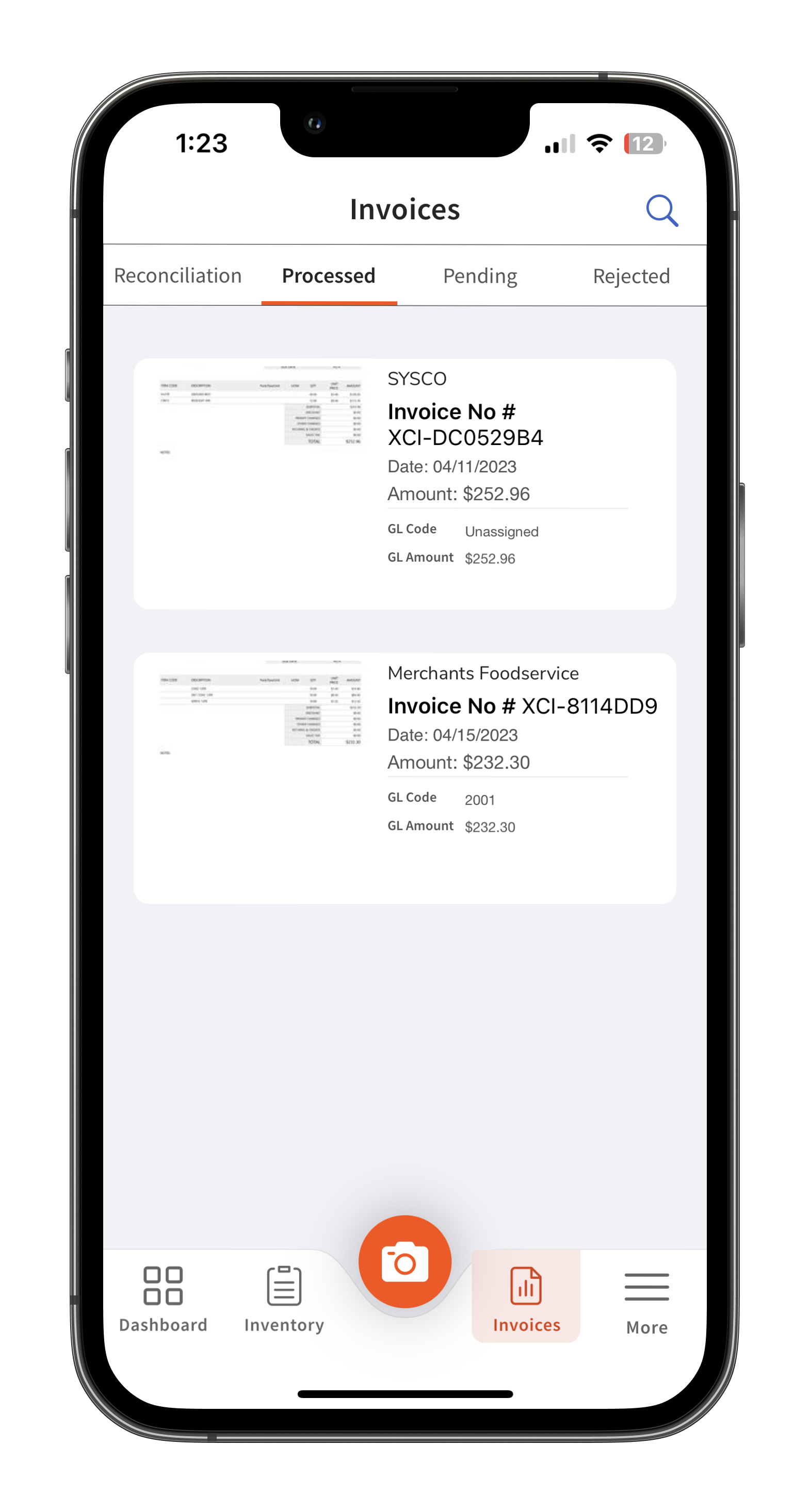
From here, you can select Processed, Pending, and Rejected near the top of your device. These selections will display recent uploads that match your criteria.
- Processed will include documents that are successfully uploaded
- Pending will display invoices that are under review by xtraCHEF and not yet ready for reconciliations
- Rejected will display invoices that the xtraCHEF system has rejected. For more on rejections and rejection reasons, read xtraCHEF: Invoice Rejections.
Next Steps
Did you happen to notice any uploads that require your attention? Use xtraCHEF: Action Needed Invoices to keep your documents reconciling in a timely manner.