xtraCHEF: Outbound Orders
Last updated: Apr 8, 2026, 10:06 AM
Outbound Orders Overview
xtraCHEF's Order function creates a streamlined way to compare your vendor's bid sheets, standardize and simplify your order guides, and create and send orders directly to your vendor representatives or respective sales teams.
Outbound Orders, in particular, will help you track orders that have been placed or are in progress, monitor basic order analytics, and review which team members placed an order.
To utilize this tool, select Order from your navigation menu.
Outbound Orders
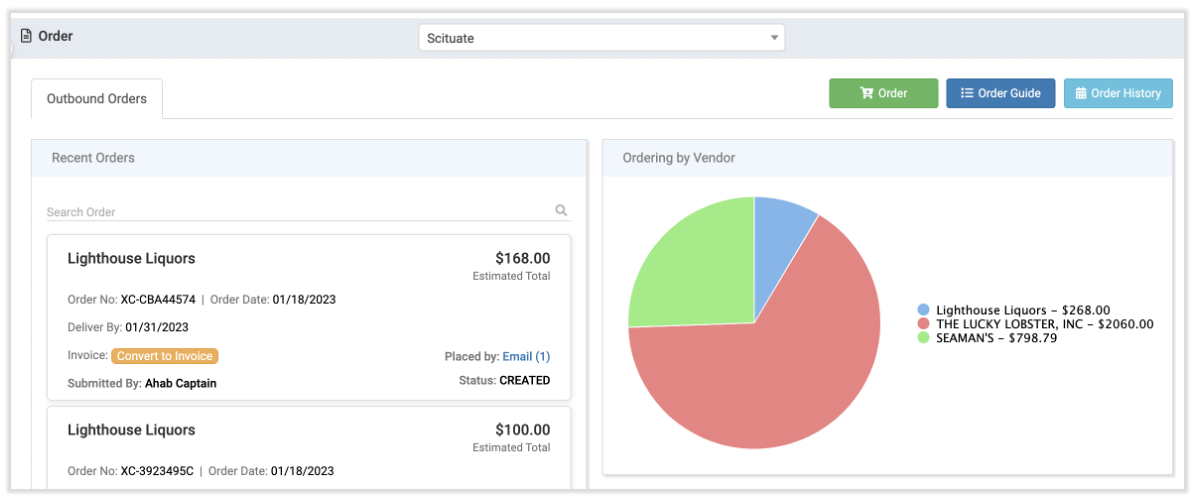
Once on your Order page, you will see a list of any recent orders displayed on the left as well as Ordering by Vendor analytics.
Recent Orders
Your recent orders list is essentially a log of any placed orders (placed both through your Download PDF and via Email options). Recorded information includes the vendor name, order number, order date, deliver by date, the name of the team member who placed the order, and more.
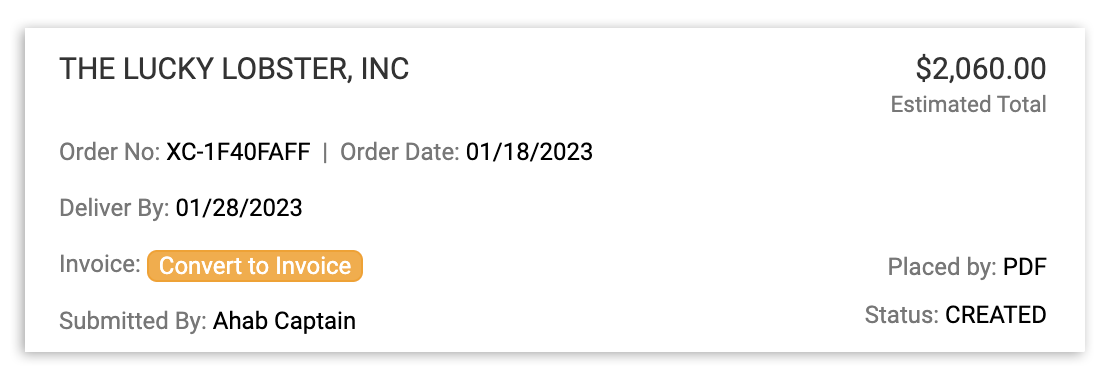
You'll also see status information to let you know if your vendor has confirmed your order yet. This can let you know if you need to reach out to vendors personally before timelines become too tight.
Note: Statuses update automatically once a vendor selects Confirm Order on the automated email received after you submit an order via email.
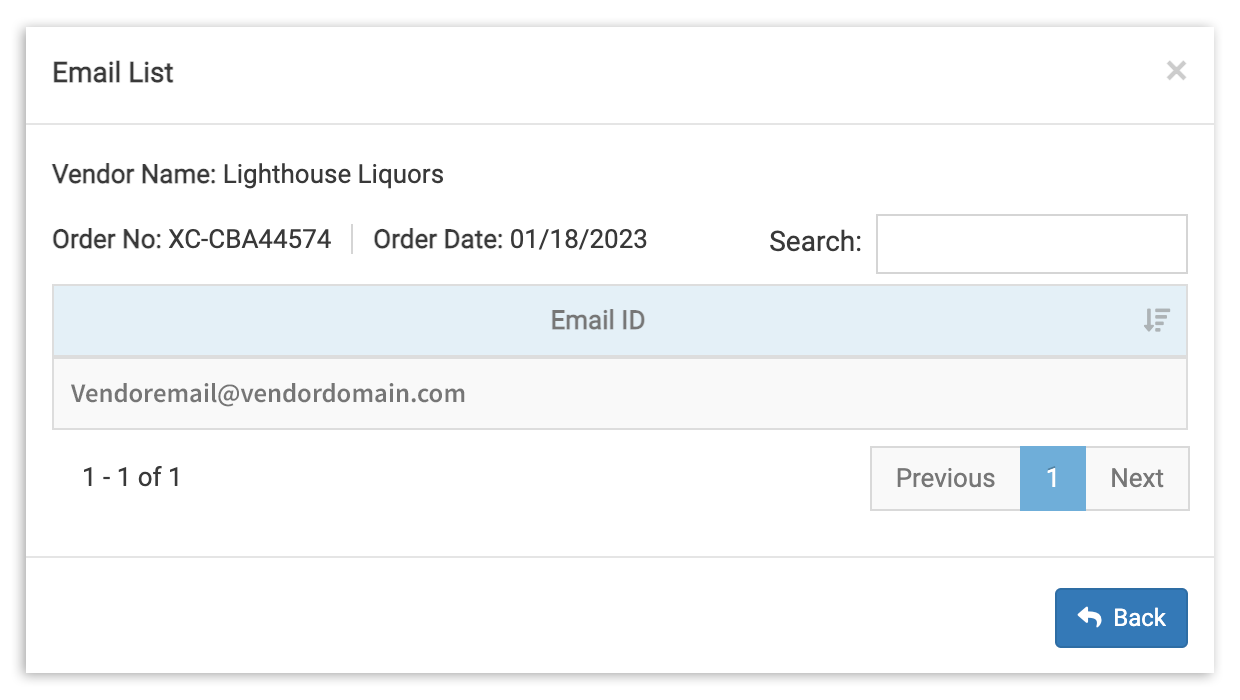
For orders placed via email, click the blue email link at the bottom of the order entry to pull up the email address of the person it was sent to.
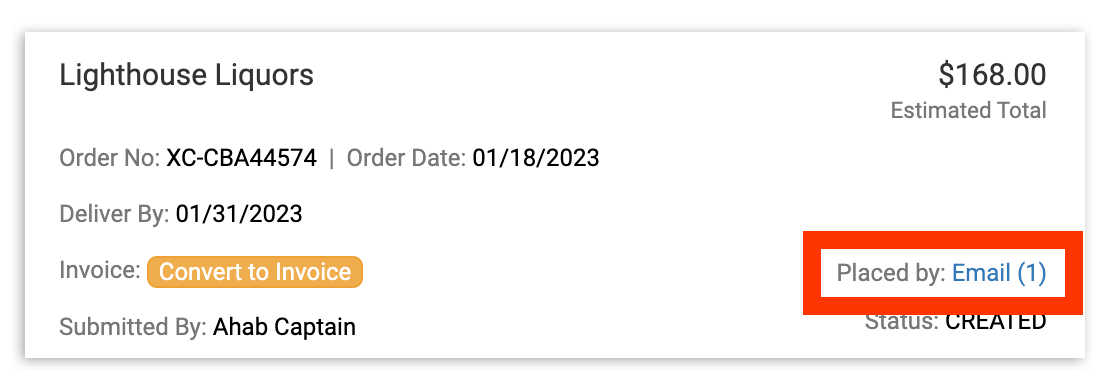
This lets you know who to follow up with specifically, if needed.
With xtraCHEF, you never have to worry that your orders have disappeared into the abyss. With full visibility into who is responsible for ordering on both ends, miscommunication and other preventable disasters are a thing of the past.
Order Analytics
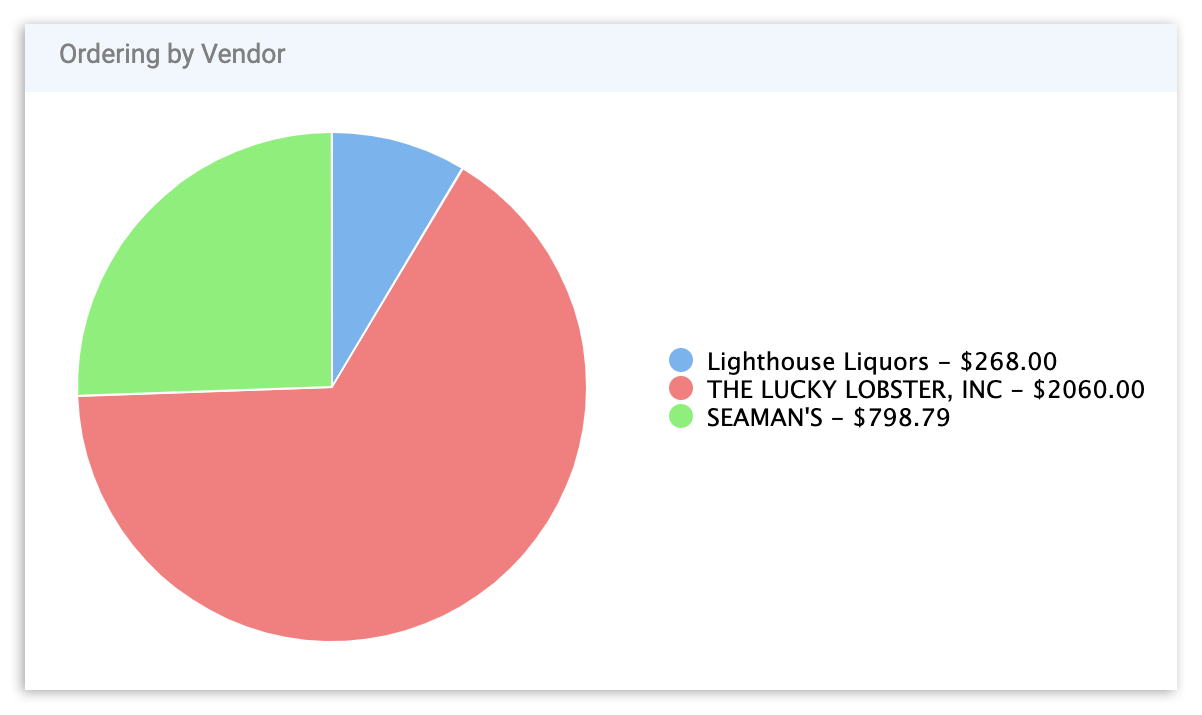
You'll also get quick insights into who your primary suppliers are from the Ordering by Vendor pie chart. This chart provides a breakdown by Vendor of the dollar amount and overall percentage of your recent Outbound Orders.