Las traducciones se proporcionan solo a modo de cortesía. Es posible que los acuerdos legales con Toast, incluidos, entre otros, el Acuerdo de comerciante y el Acuerdo de licencia de usuario final, deban celebrarse en un idioma distinto al que se utiliza en esta página y que los términos de esos acuerdos se apliquen independientemente de que se proporcionen o no traducciones de esta página a otros idiomas.
Nómina Toast: Mapear perfiles para la incorporación del administrador de propinas
Última actualización: 11 may 2026, 11:56 a.m.
Pregunta
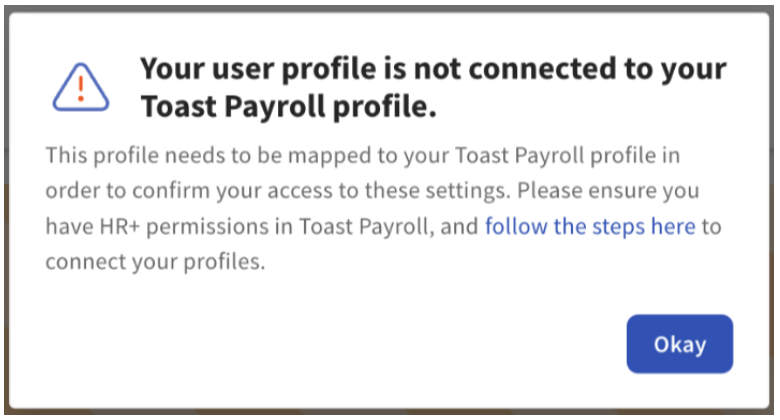
Como usuario de HR+ Toast Payroll, ¿por qué recibo un error que dice que mi perfil de usuario no está conectado a mi perfil de Toast Payroll cuando intento completar la configuración del administrador de propinas de Toast?
Respuesta
- Inicia sesión en Toast Payroll y selecciona Mi Perfil en la barra de navegación de la izquierda.
- Desplázate hacia abajo y selecciona Mapeo de POS.
- Sigue la sección Mapeo de Empleados Individuales en Toast Payroll: Gestiona el Mapeo de Empleados para mapear con éxito tus perfiles y trabajos de Toast Payroll y Toast Web.
- Mientras mapeas tu perfil, si notas que tu Trabajo de Nómina también está sin mapear, selecciona el enlace Soporte por Correo Electrónico para solicitar el mapeo de trabajo de nuestro equipo. No puedes mapearte a ti mismo sin tener un trabajo asignado en esa ubicación.
- Después de mapear tus perfiles, puedes proceder con la incorporación del administrador de propinas.