Toast Payroll: Employee Number and POS Access Code FAQ

上次更新时间:2026年4月14日 17:45

Learn the difference between the Employee Numbers in Toast Payroll and the Employee IDs and POS access codes in Toast POS.
Remember, all employee information (except for hours and tips) is entered and maintained in Toast Payroll. The information then syncs to Toast Web. It is important information is entered and edited in the correct spot. Use Toast Payroll: Sync Information With Toast Web to learn where to enter employee data.


In this Article:


Employee Number and POS Access Code FAQ

What is an employee number in Toast Payroll?

When you hire a new employee, their employee number is auto-generated, but can be changed (see step 4 in Toast Payroll: New Hire Employees (Employer Guide)). This is their unique identifier in Toast Payroll. This unique identifier is also pushed to Toast Web and serves as their Toast Web Employee ID (and POS access code unless its changed).


Back to top


What are the requirements of the employee number?

First, this number cannot be a duplicate of any existing employee number in Toast Payroll. Also, in order for this number to be functional as a passcode for POS, 3-8 digits must be entered during the hiring process. If the employee number is outside of that range, they will be unable to use a Toast POS device. However, you may change the employee number after the hiring process is complete and their passcode will be unaffected.


Back to top


How do I change an employee number in Toast Payroll?

  1. Select the Team tab or use the Search employees bar to access the employee's profile.
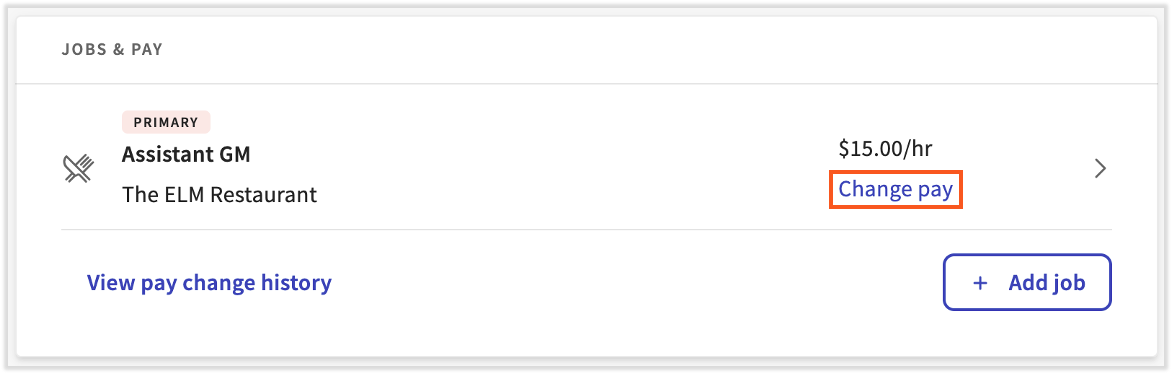
  2. Select the > carat icon next to the primary job.

    Change pay link on an employee's profile 

  3. Choose Edit on the next page.
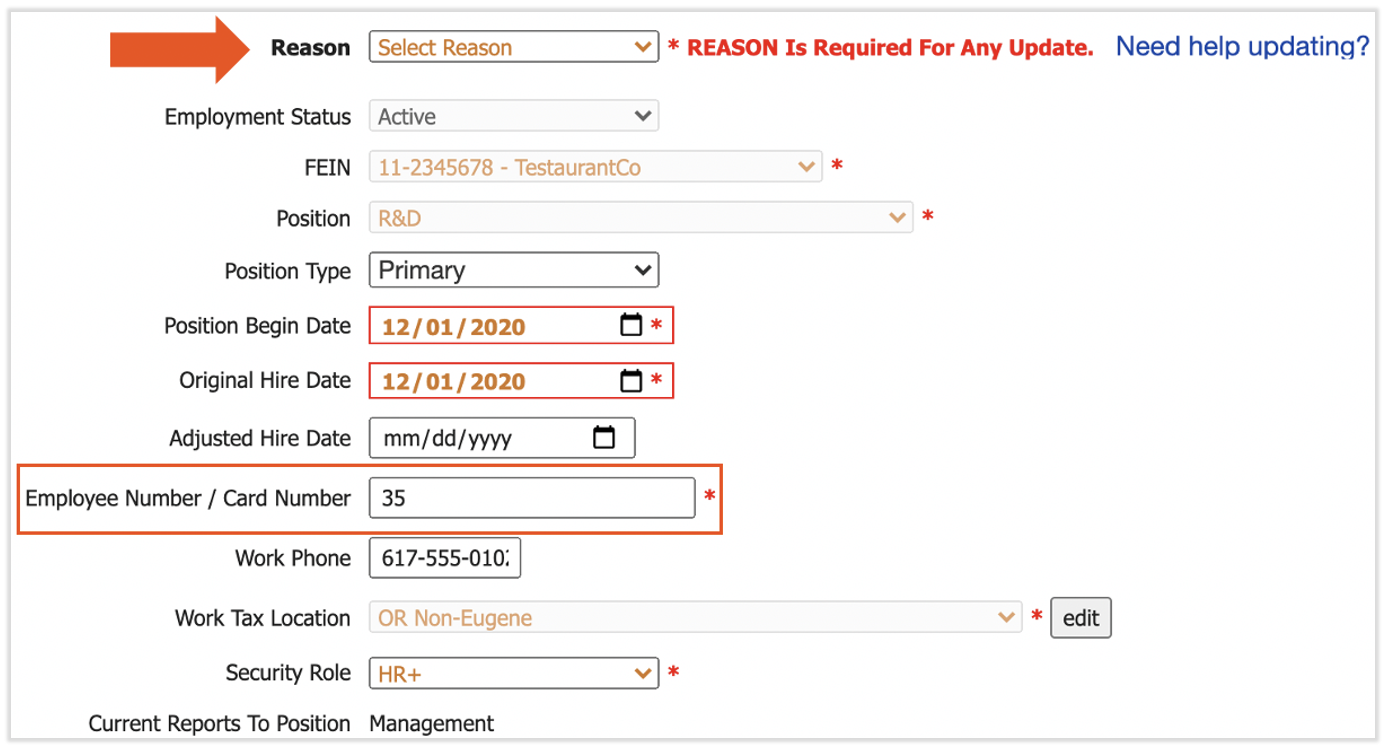
  4. Whenever making an update to Positions, you must enter a Reason. Select Administrative Update from the Reason drop-down. 
  5. Next, edit the Employee Number / Card Number field. You may only choose a number that is not already assigned to an employee in Toast Payroll.

    Employee Number highlighted on the Positions Detail page
     
  6. Select Submit at the bottom of the page to finalize.
  7. The new employee number will sync up with Toast Web as the employee's ID number. Their POS access code will not be updated since this has been done outside of the hiring process.


Back to top


How do I change an employee's POS passcode in Toast Web?

Click here to learn more about updating employee passcodes in Toast Web.


Back to top


This content is for informational purposes and is not intended as legal, tax, HR, or any other professional advice. Please contact an attorney or other professional for advice.