Set Up Toast Tips Manager for Catering and Events
Last updated: Feb 25, 2026, 2:51 PM
This guide will walk you through the process of using our Catering and Events and Tip Management modules to ensure accurate tracking of employee tips.
- Important Notes
- Step 1: Set Up Jobs
- Step 2: Create a Placeholder Profile for Catering & Events
- Step 3: Assign the Profile to Catering & Events Configuration
- Step 4: Assign Unique Employee Jobs to Event Staff
- Step 5: Build a Tip Rule With the Unique Jobs
- Step 6: Clock in the Event Profile With Event Sales
- Step 7: Employees Clock Into Unique Event Job Role
- Additional Resources
| Follow each section of this article to completion. All sections up to and including Step 5: Build Tip Rule With the Unique Jobs should be completed before a catering order or event takes place. Once the day of a catering order or event arrives, follow the steps in the last two sections, starting with Step 6: Clock in the Event Profile With Event Sales. |
Important Notes about Toast Tips Manager for Catering and Events
- The Order tip pooling interval in Toast Tips Manager cannot be used in unison with the Catering & Events module. The Service Period or Full workday tip pooling interval is strongly recommended. See the Set Up a Tip Policy section of Get Started With Toast Tips Manager to learn more about tip pooling intervals.
- Profiles can be adjusted on invoices as long as they are not closed out.
- Invoice tips and gratuity will be recorded on the day the catering order/event is processed in Toast (as long as the invoice is paid and closed).
- If the invoice is paid and closed after the event, the tip reporting will show on the day the invoice was paid.
- This is different than . Deposits made before the catering order/event will always process on the day of the catering order/event.
- Check out to learn more.
Step 1: Set Up Jobs
To begin, you'll need to establish distinct jobs for event-related employees within Toast. This ensures that all activities related to your catering and events are properly categorized and tracked separately from your regular tip operations.
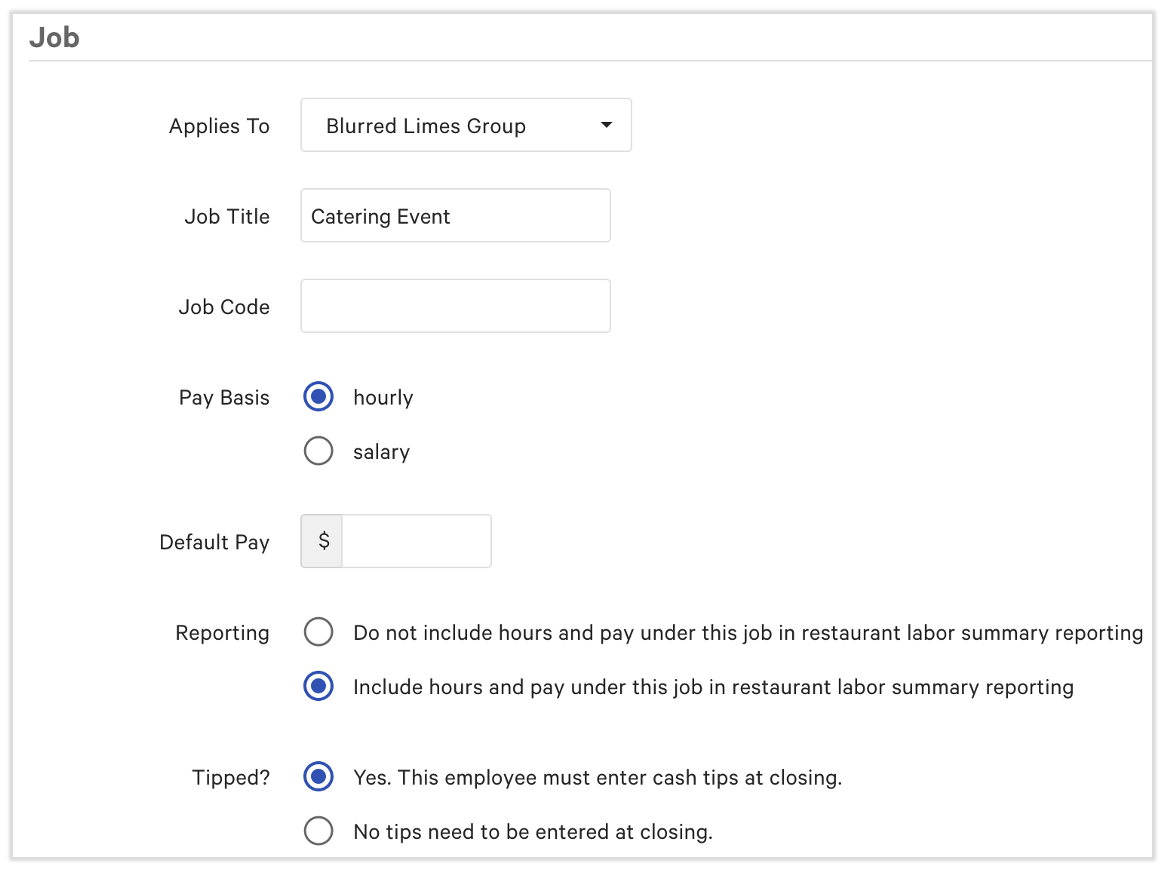
- Create a unique job for catering and events sales: Set up a specific job within Toast Web that's used exclusively for catering and events sales. This job will be linked to the Catering and Events profile.
- In Toast Web, navigate to Employees > Employee management > Jobs.
- Select + Add Job > Create New Job.
- Name the job. You can use Catering Event, Special Event, or something else.
- Make sure to set this job as hourly and set the Tipped? setting to Yes. This employee must enter cash tips at closing. You may set the other settings as you like.
- Before you save, scroll down and set up the job's default permissions to include the appropriate level of POS access for your restaurant (found in section one of the permissions).
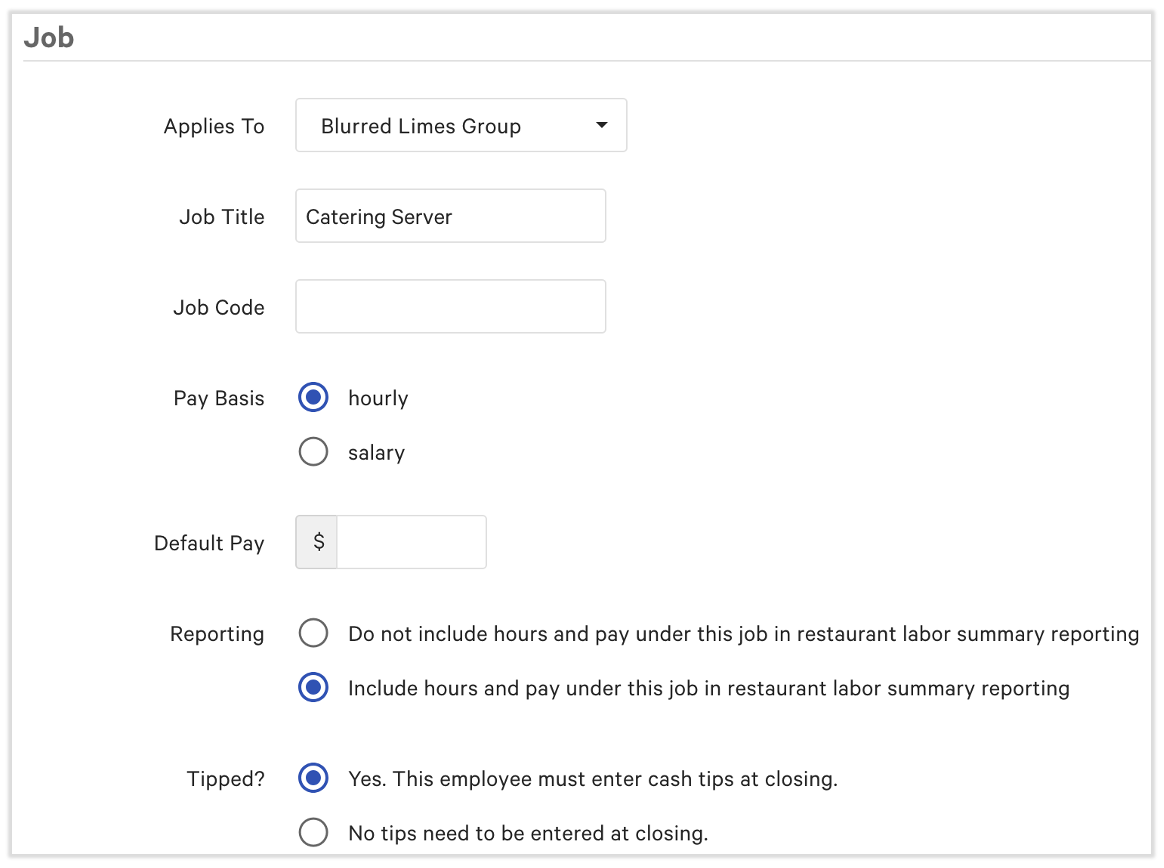
- Create a corresponding job for employee profiles: Establish a unique job for employee profiles who will be working these events. This allows for tip policy rules to properly distribute tips and gratuity.
- In Toast Web, navigate to Employees > Employee management > Jobs.
- Select + Add Job > Create New Job.
- Name the job. You can use Catering Server, Event Staff, or something else.
- Make sure to set this job as hourly and set the Tipped? setting to Yes. This employee must enter cash tips at closing. You may set the other settings as you like.
- Before you save, scroll down and set up the job's default permissions to include the appropriate level of POS access for your restaurant (found in section one of the permissions).
Step 2: Create a Placeholder Profile for Catering & Events
To accurately account for sales generated during events, you'll need to create a dedicated placeholder profile. This profile acts as a placeholder for event-specific revenue and helps streamline the tip management process.
- Create a profile for catering & events: Set up a non-employee profile that will be used solely for recording event sales.
- In Toast Web, navigate to Employees > Employee management > Employees.
- Select + Add New Employee.
- If you use Toast Payroll, you'll receive a pop-up here. In this case, it's safe to select Add on Toast POS.
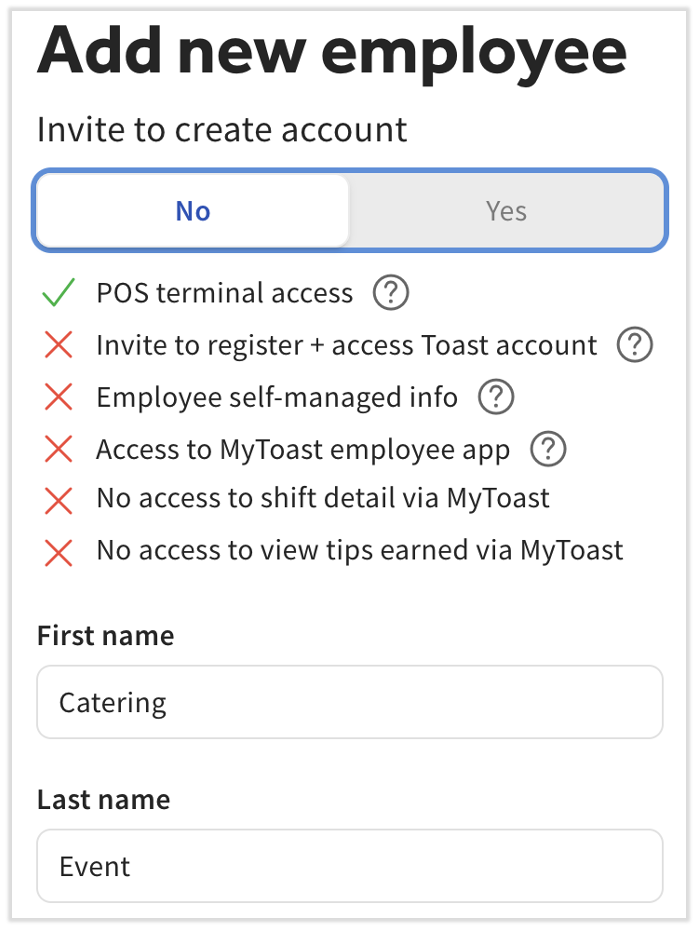
- Toggle Invite to create account to No.
- For easy matching and reporting, Toast recommends using the Job Title you used for the first job created in step 1 as the name of this employee. So if you named the job Catering Event, use Catering as the First name and Event as the Last name.
- Scroll down and add a POS access code.
- Select the Jobs drop-down menu and pick the first job you created in step 1 (the job for catering and event sales). This should be the only profile with this unique job.
- Select Add.
Step 3: Assign the Unique Profile to Catering & Events Configuration
Next, link the unique profile you created in step 2 to your Catering & Events module's configuration settings. This ensures that all sales processed through the catering module are correctly associated with the designated event profile.
- Assign the unique profile
- In Toast Web, navigate to Catering & events > Settings > Invoice settings.
- Locate the Default server drop-down menu here and select the event profile you created in step 2.
Step 4: Assign Unique Employee Jobs to Event Staff
To ensure that employees working your events are accurately compensated and that their tips are properly managed, you'll assign them the catering/event job role for employees (the second job you created in step 1).
- Assign the unique employee job
- Navigate to Employees > Employee management > Employees.
- Do the following for any employee that might receive tips through a catering order or event:
- Select the edit pencil for their profile.
- Select the checkbox for the second job you created in step 1 (for employees).
- Select Save.
Step 5: Build a Tip Rule With the Unique Jobs
This step involves setting up rules within your system to ensure that sales and tips associated with your unique event profile are correctly channeled for tip calculation and reporting.
- Build a tip rule(s) with unique jobs
- In Toast Web, navigate to Employees > Payroll management > Tip pooling policy.
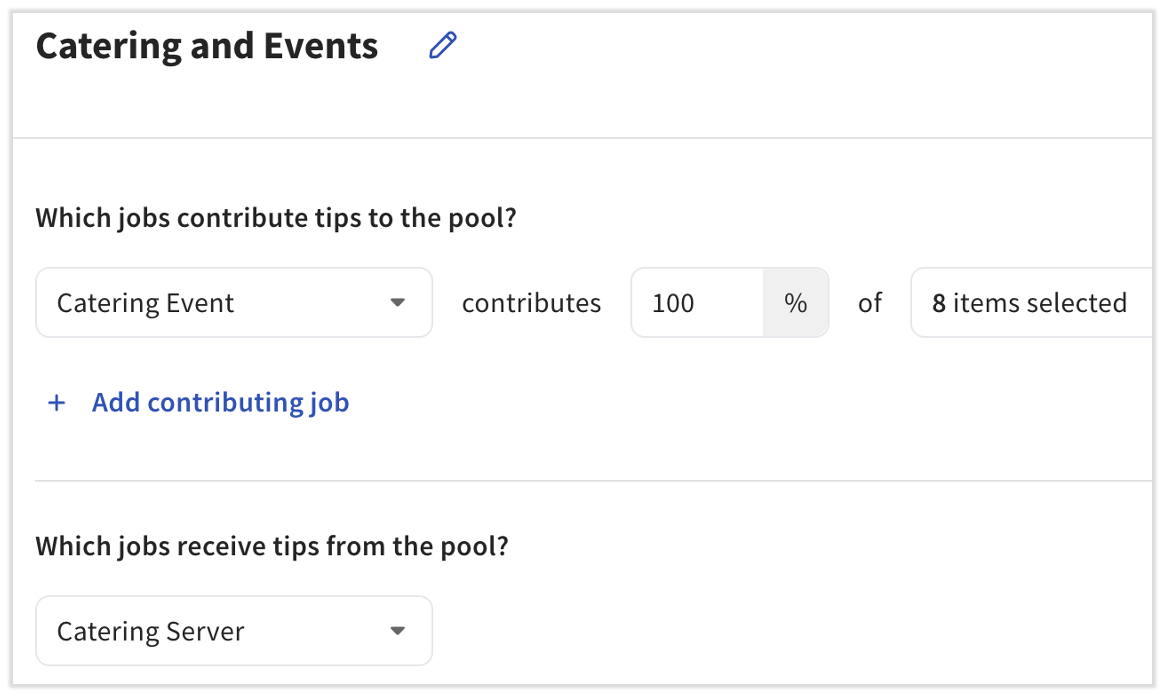
- Create a rule that dictates how sales associated with the Catering Event profile
- Name it something like Catering and Events.
- For the contributor job, use the first job you created in step 1. It might be named Catering Event.
- Add 100% to the next field to ensure no tips are left behind, then choose the sources. Toast recommends either using all sales categories or all tip and gratuity sources, but not both.
- For the recipient job, select the second job you created in step 1. It might be named Catering Server.
- Using these contributor and recipient jobs tells Toast to take all tips/gratuities from the event profile and distribute them to your actual employees who work the catering/event order.
- Remember, the tips for these catering orders or events will post on the day of the catering order or event, so Tips Manager will calculate these tips on that day as well.
- If you need more assistance with building a tip policy rule, check out or join us in a .
Step 6: Clock in the Event Profile for Event Sales
On the day of the event, this step is crucial for accurately recording all sales generated.
- Clock in the event profile
- At the start of the event or before ringing in the catering order, clock in the placeholder profile you created in step 2. It might be named Catering Event.
- You can do this on the POS or in Toast Web by creating a manual time entry (Reports > Labor > Time entry management > + Add entry).
- Enter all catering/event sales under this profile and not under the profiles of the employees working the event.
- This aggregates all revenue under a single, identifiable entry for tip calculation.
- At the start of the event or before ringing in the catering order, clock in the placeholder profile you created in step 2. It might be named Catering Event.
Step 7: Employees Clock Into Unique Event Role
Finally, employees working the event will clock into their designated event job role.
- Employees clock into the unique event role
- As your employees begin their shifts for the event, they should be clocking in under the second job you created in step 1. This is the same job you assigned to them in step 4.
- Once they clock in, they will use the event profile in step 6 to enter all sales. They should not enter sales using their own numbers (POS access codes).
- They should clock out once their work is complete.
- This ensures their hours are tracked for the specific catering order/event and allows for accurate allocation of tips based on the rules established in your tip pooling policy in step 5.
Additional Resources