Toast Catering and Events Reporting Overview
Last updated: Mar 25, 2026, 1:48 PM
With Toast, you can access robust, real-time reporting on your business. Continue reading to learn about the different types of reports and how to navigate them.
| Toast Catering & Events is not currently available in Australia. Please check back soon for updates. |
Catering & Events Reports
There are two kinds of reports for Catering and Events, standard sales/payment reports and fulfillment reports.
Catering & Events Fulfillment Reports
Fulfillment reporting is available on the Prep tools, Catering orders, Invoices, or Calendar pages.
- Using the left-hand navigation in Toast Web, select Catering & events.
- Then, from the Prep tools subsection, You can select from either Custom or Standard printing.
The following reports can be generated:
- Prep list
- Invoice
- BEOs (Banquet Event Orders)
- Pickup Summary
- Delivery Summary
- Pack sheet
- Order summary
Note:
- Production items do not show in the pack sheet.
- You can also select specific orders from the catering orders list to compile into a single download for BEOs, invoices, prep lists, and pack sheets.
- Example: Want all the BEOs for single customer for last week? Filter by customer name and the order date range, select those orders, and download.
Prep list: The prep list report option will show you the items and modifiers with quantities you’ll need to prepare for a specific time frame. When you select this report, you’ll also have the option to Consolidate all items & modifier quantities or Combine all dates into one report to build a prep list that works for you.
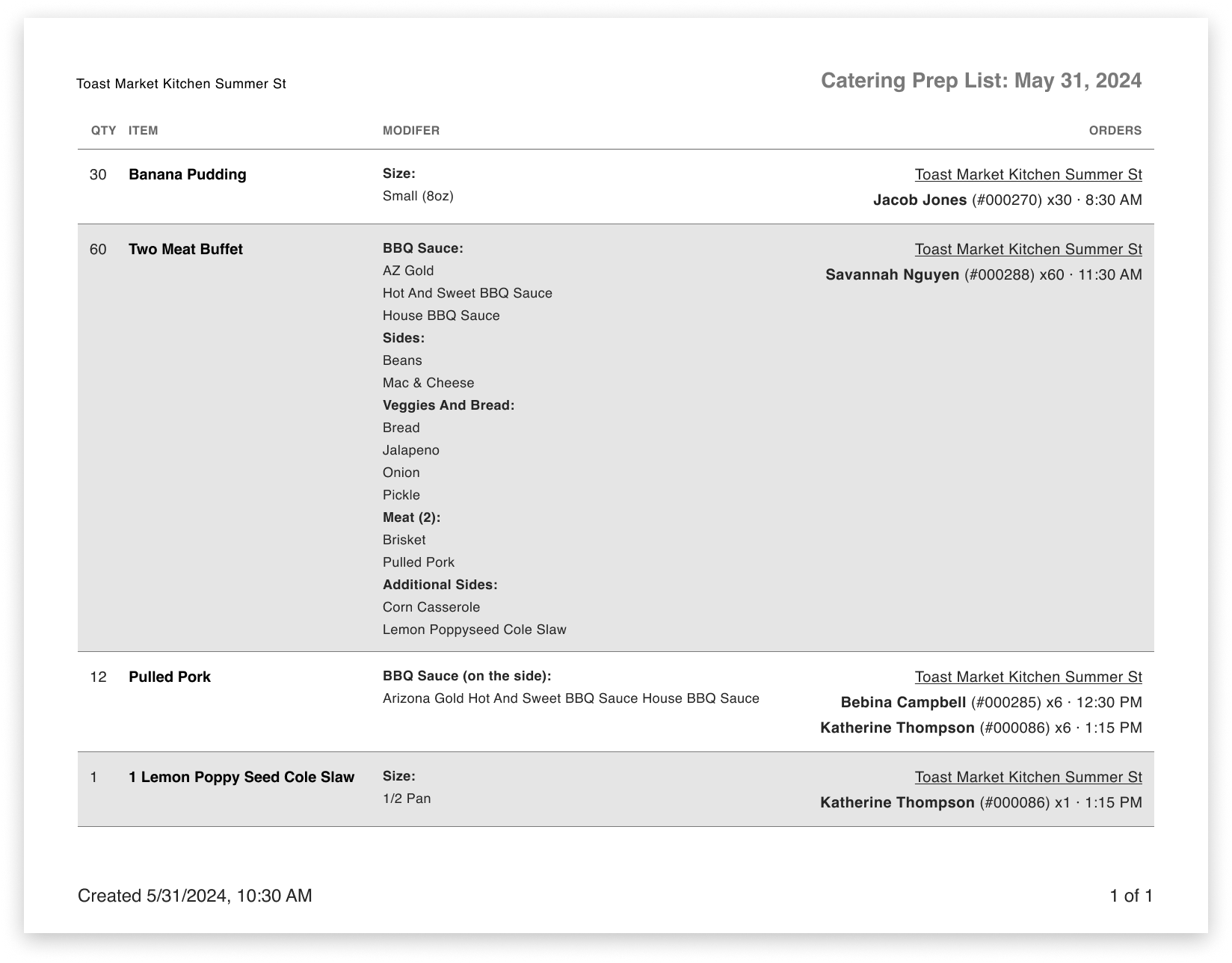
Note: The prep list will also include production items at the bottom of the report. You can use production items in several ways, including:
- As a pull list (e.g. sternos or chafers)
- For ingredients (e.g. 4 oz gravy, 2 lb beef)
To learn how to create production items in Toast Web, check out this Support Center article: Add Production Item Count to Your KDS.
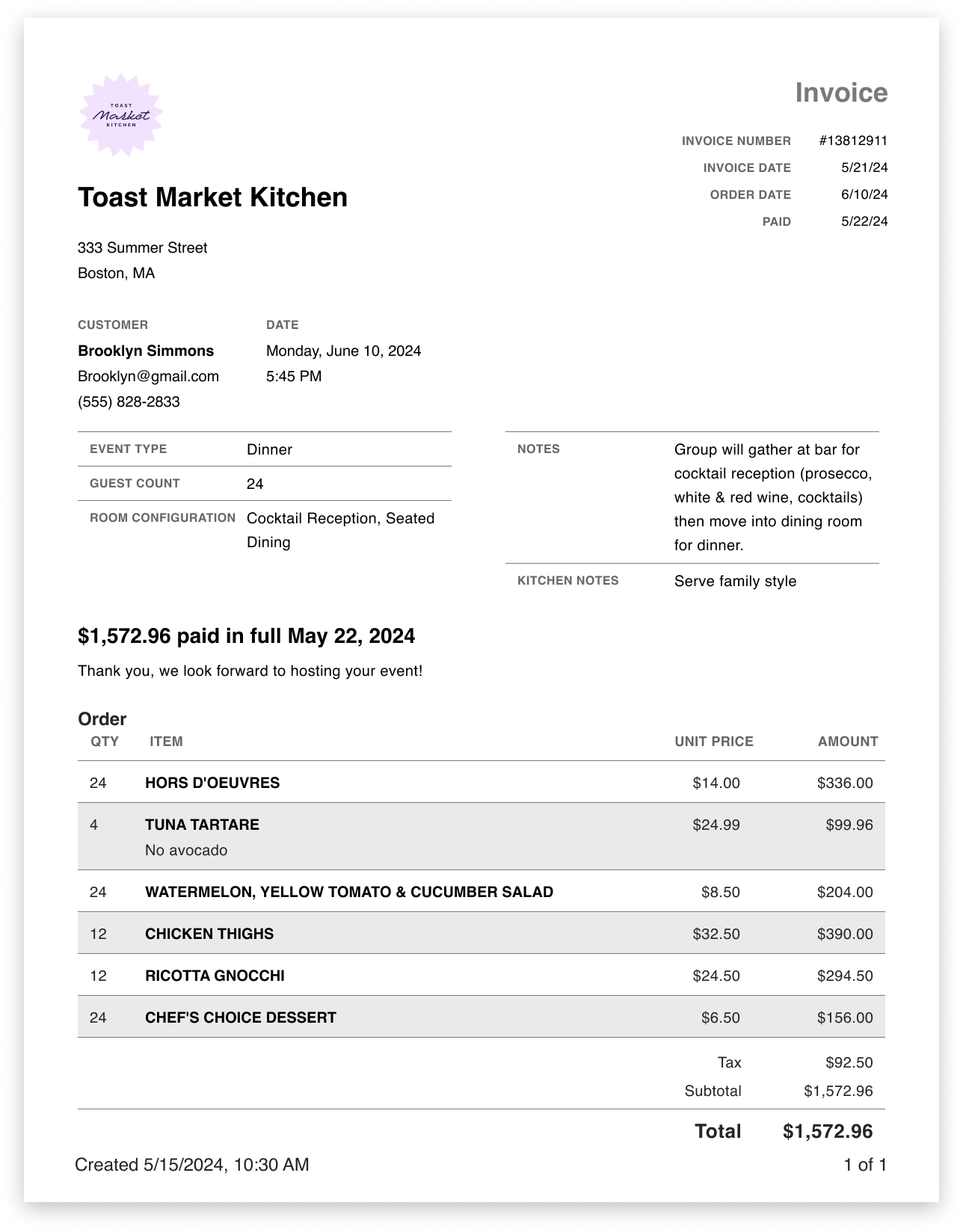
Invoice: The invoices report option will simply print a full list of all invoices within your selected timeframe. The same filters apply to this option.
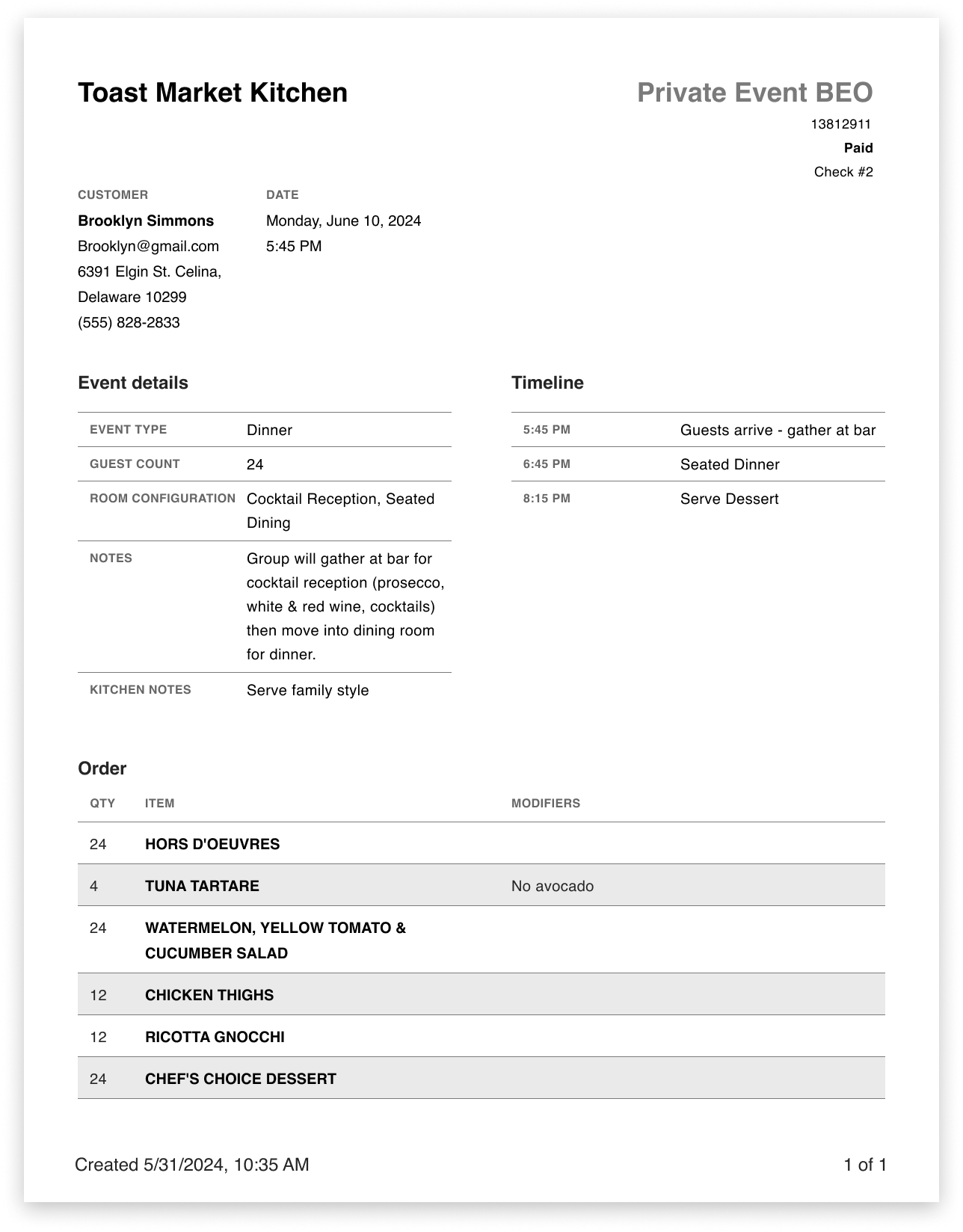
BEOs: The BEOs report option will print a full list of all BEOs (banquet event orders) for your selected time frame. This report is a useful internal document for your team to see all fields, internal notes, menu items, and modifiers that are included in each event.
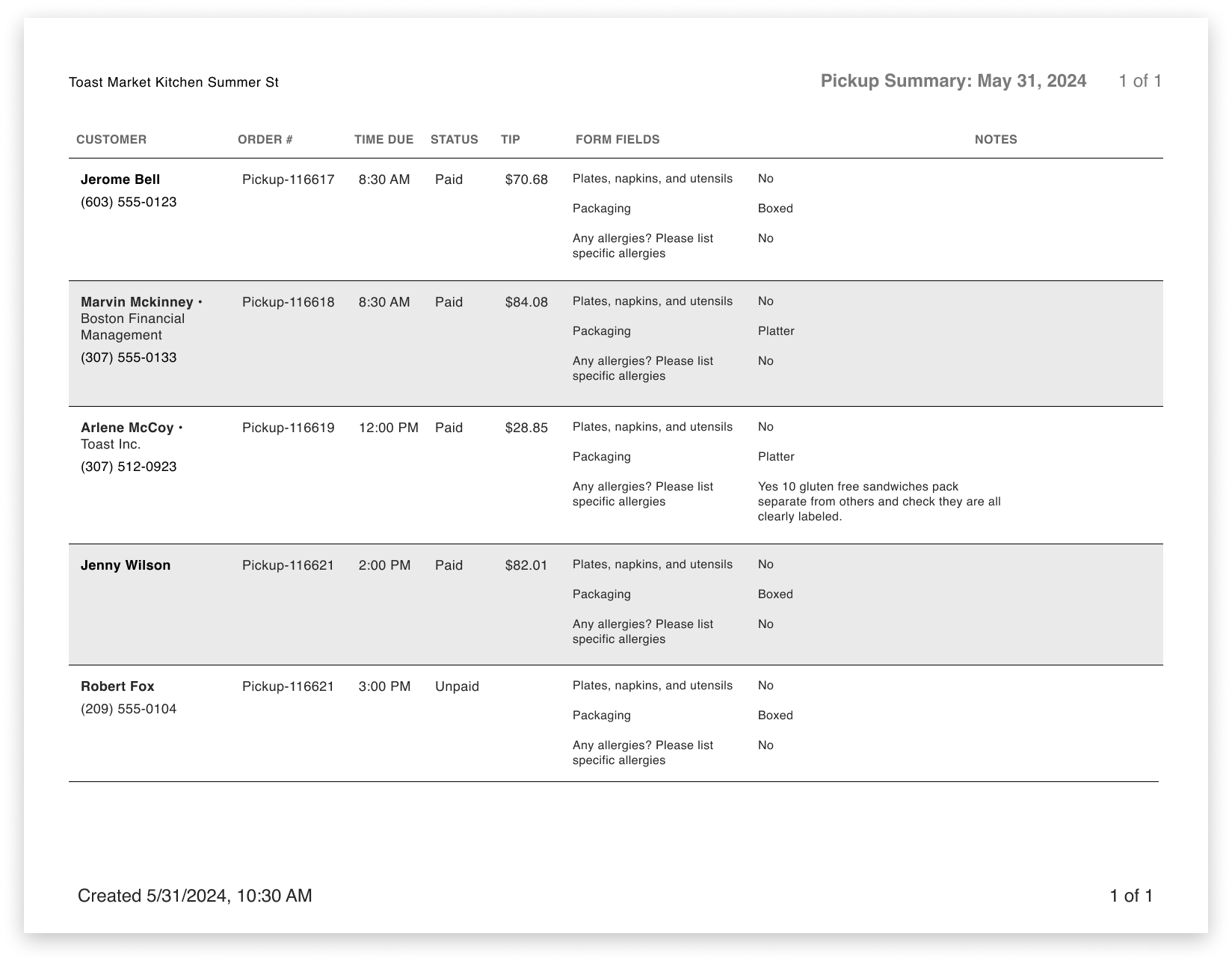
Pickup summary: The pickup summary is an orders report that will show pickup orders by time, along with their status, tip amount, form fields, and a notes section.
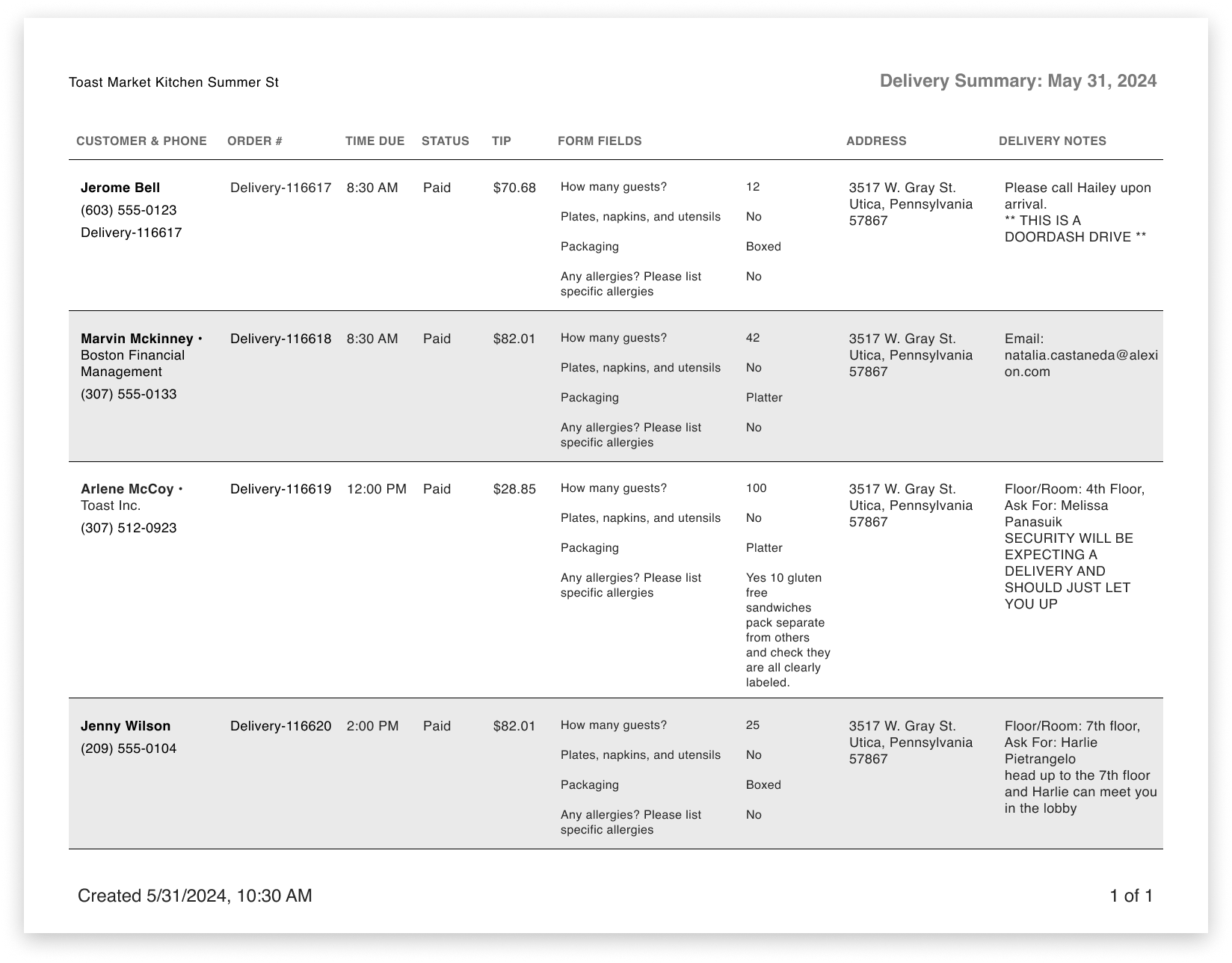
Delivery summary: The delivery summary is an orders report that will show deliveries by time, along with their status, tip amount, form fields, driver, address, and a notes section.
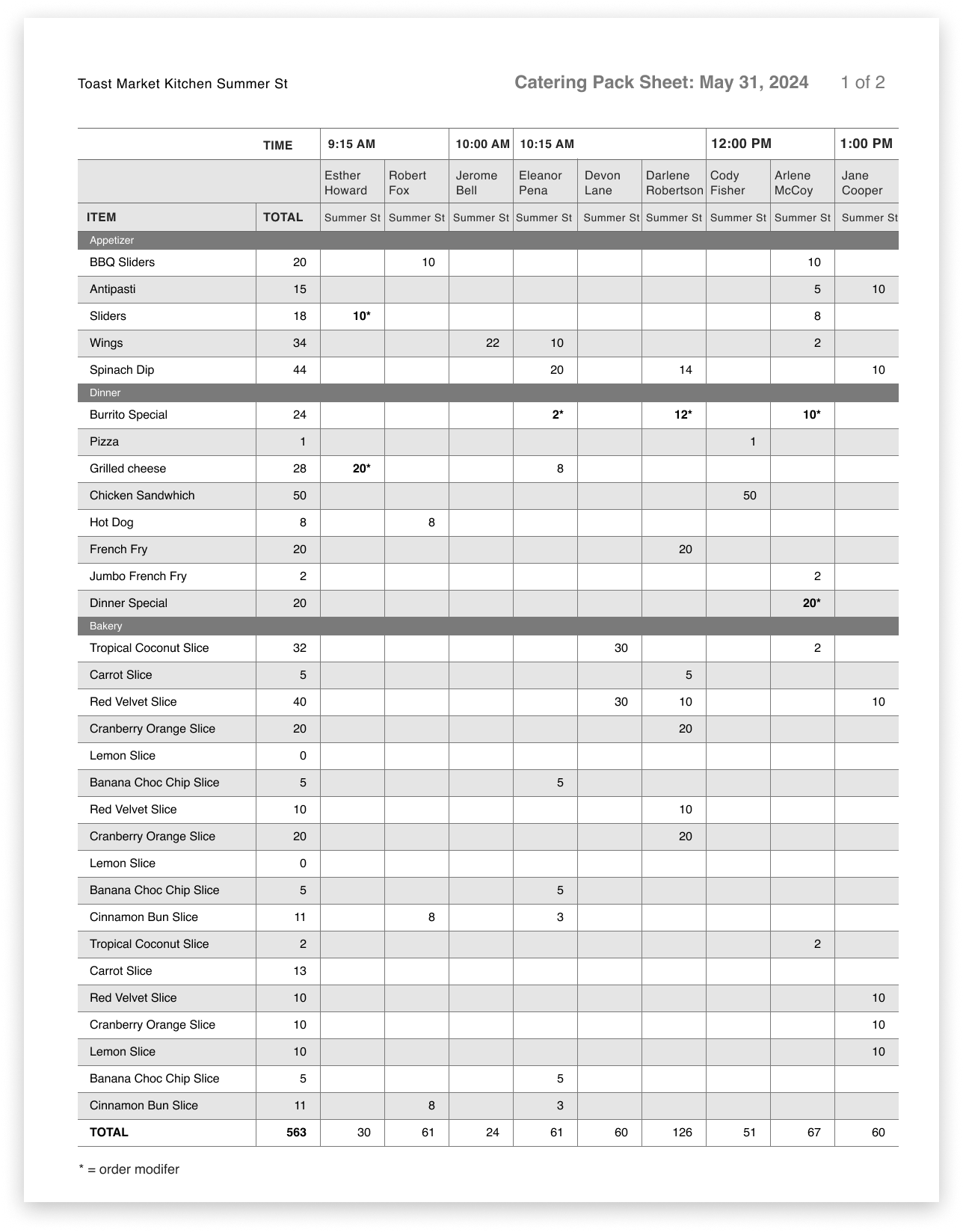
Pack sheet: A pack sheet report is similar to the prep list but more individualized per order. This report will show which items and modifiers are needed from each prep station.
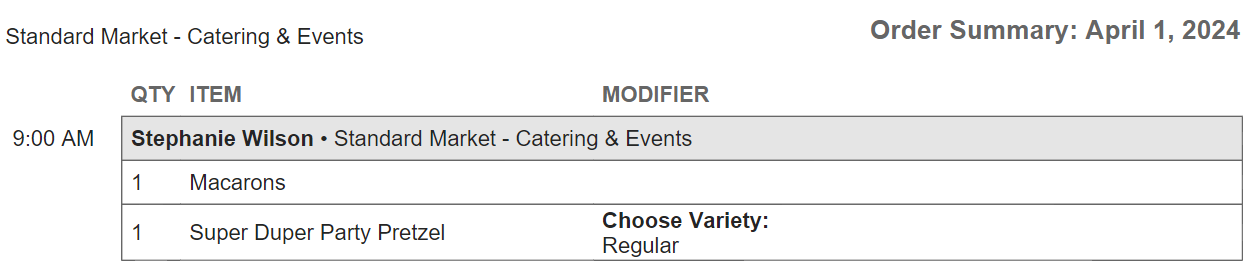
Order summary: Orders by date and time with customer info,items, quantities, and modifiers.
Save a Prep list
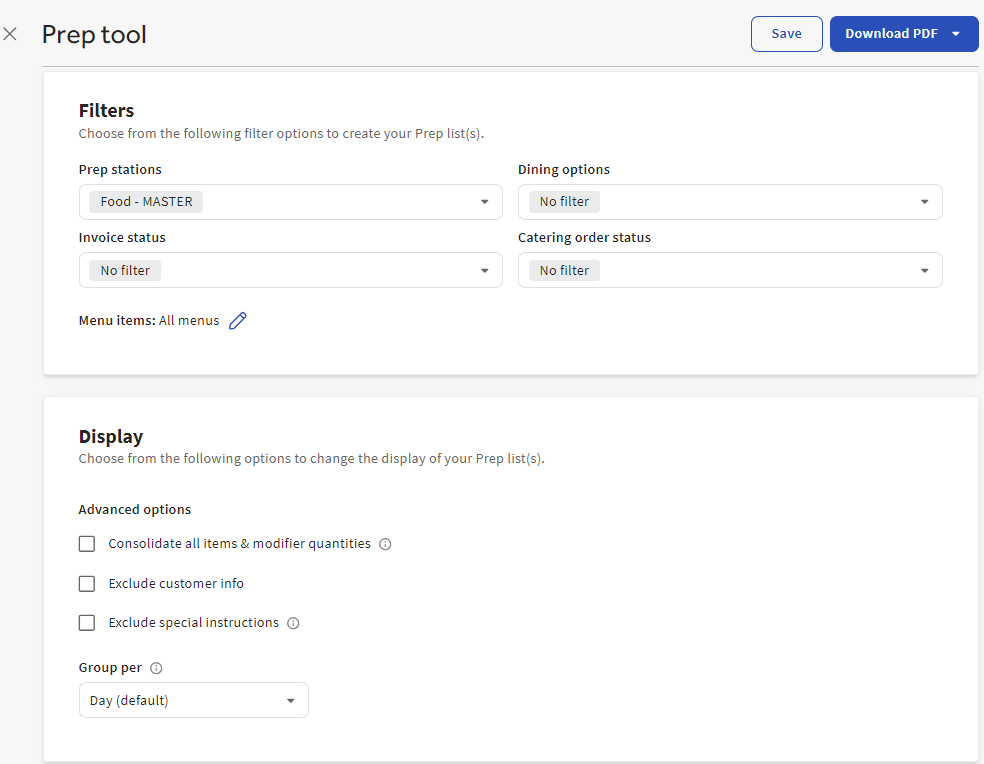
When printing reports, you can set a specific time frame using custom dates and filter by prep station, dining option, order status, and invoice status.
- You can setup Filters to create your Prep lists.
- Prep stations
- Dining options
- Invoice status
- Catering order status
- Menu items
- You can change the Display of your Prep list.
- Select Download PDF and choose the timeframe for the download or Save to save the prep list.
- Name your prep list and it will be saved within the prep tools dropdown. Prep tools are only saved to the current location.
Sales/Payments Reports
The reports in this section aggregate data across all Toast products, including Catering and Events.
- In Toast Web, navigate to Reports > Sales > Sales summary using the left-hand navigation menu.
- The most common way to isolate your catering reports in this section is to select More filters, open the Source drop-down, and then select the Source associated with your order types. You'll want to select Invoice, Catering, and Catering Online Ordering.
- Select Apply filters.
For more information, see this Support Center article: Sales Summary Report Overview.
Additional Reporting
The reports below can be used for catering. Below is a review of each report.
- Access Reports
- Filter Reports
- Export Reports
Access Reports
| Category | Catering and Events Key Points |
| Sales Summary Report | "Paid in total" may represent a deposit paid recently (marked as deferred sales but not deferred payment), and then that deposit payment is applied to the actual order (which is why you may have thought these look duplicated). 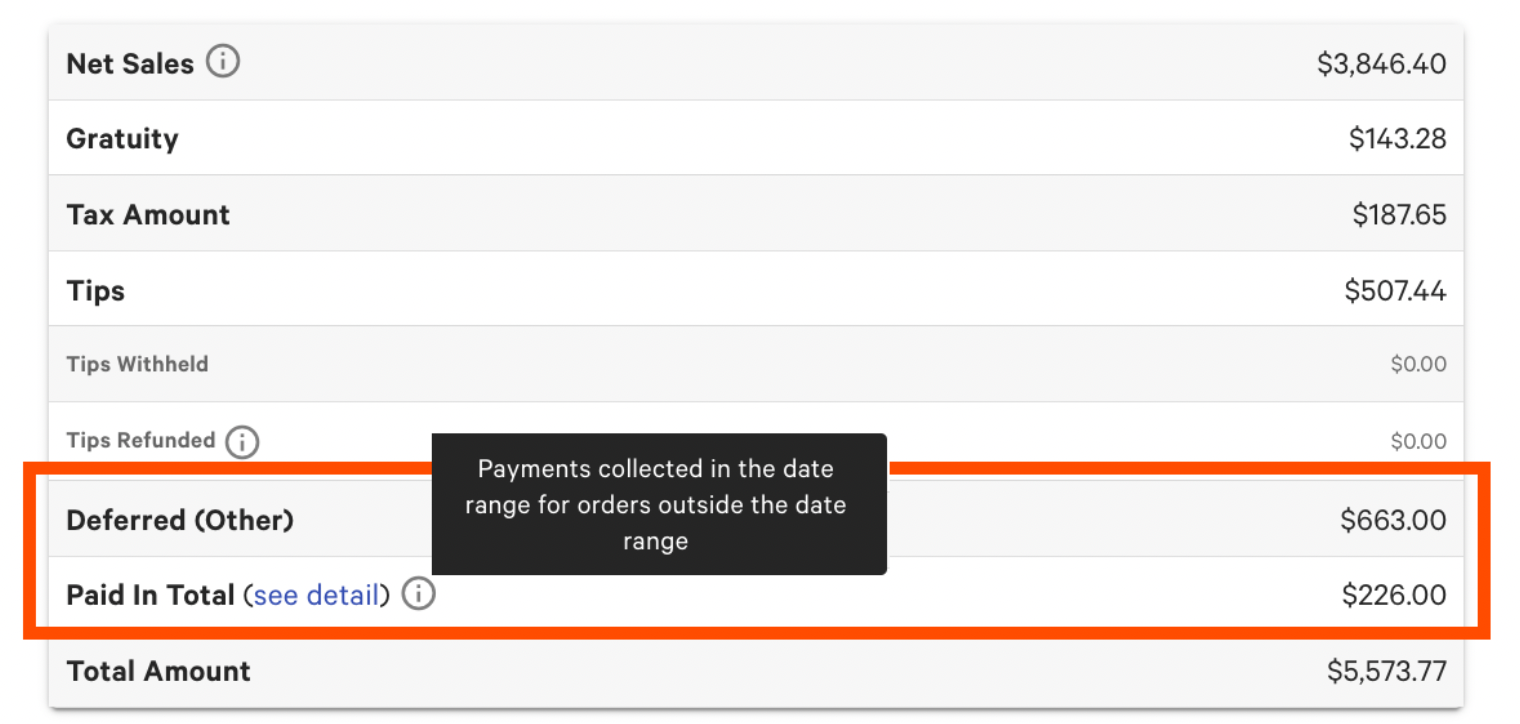 |
| Sales Reports | These reports provide key sales metrics, a breakdown of sales by day, day of the week and time of day, payment types, and sales categories. Note: All revenue from invoices, including any deposit and gratuity, are deferred to the event date. |
| Menu Reports | These reports provide a quick view of your top-performing menu groups, items, and modifiers and a new product mix breakdown. You can select different menu types (menu items, open items, and modifiers). |
| Labor Reports | These reports provide vital information on all labor-related items, including hours worked, pay, tips, and time entries. Labor reports can be customized based on dates and shift hours and to view all employees or individuals. Note: Tips from invoices, including any service charges as gratuity, are deferred to the event date. |
| Accounts Reports | These reports will show you your finances for the day, week, year, or across multiple locations at a glance. You can also view your GL codes and house accounts. Note: You cannot filter to isolate catering only in this section. |
| Cash & Loss Management Reports | The Tax-Exempt report will be a resource in this section. Note that deposits are calculated as tax-exempt because they’re deferred payments to be applied to a future order. If you’re looking to remove these from your calculations, an Order details report with a Tax Exempt filter might work better. |
| Marketing Reports | Please use the Customers page within the Catering and Events module for guest data, as catering customers are not included in Marketing reports. |
| Kitchen Operations Reports | If you use the Kitchen Display System, use these reports to see how long it takes to fulfill orders, which prep stations take the most time or get the most traffic, and detailed information about all kitchen tickets. |
| Payments Reports | The Payments reports help you take a look directly at the activity going into and out of your bank account linked to Toast. |
Note: Remember to use filters to show the Invoice, Catering, and Catering Online Ordering as the order sources (where applicable).
Filter Reports
Depending on the type of report you're viewing, different types of filters currently exist in Toast Reporting. Filters will allow you to narrow your report data based on:
- Time frame - by day, week, month, or a custom date range
- Hours - by pre-set time frames or a customer hour range
- Employees/Sales Manager - Run reports by all employees or select a specific individual
- Location - If you have more than one location, you can select one or multiple locations to run a report
- and more.
For more information on filtering reports, check out this Support Center article: Get Started with Analytics and Reports.
Frequently Asked Questions
When does revenue post?
Where can I find reporting on discounts?
How are tips accounted for with Catering and Events?
Tips are applied to the server selected on the order. They will post on the day of the event.
Additional Resources
- Get Started with Toast Catering and Events
- Optimize Toast Catering and Events
- Get Help with Toast Catering and Events
- Get Started with Analytics and Reports