Split Payments With Toast Mobile Order & Pay®
Last updated: Apr 22, 2026, 6:34 PM
Enable the Split Payments Feature
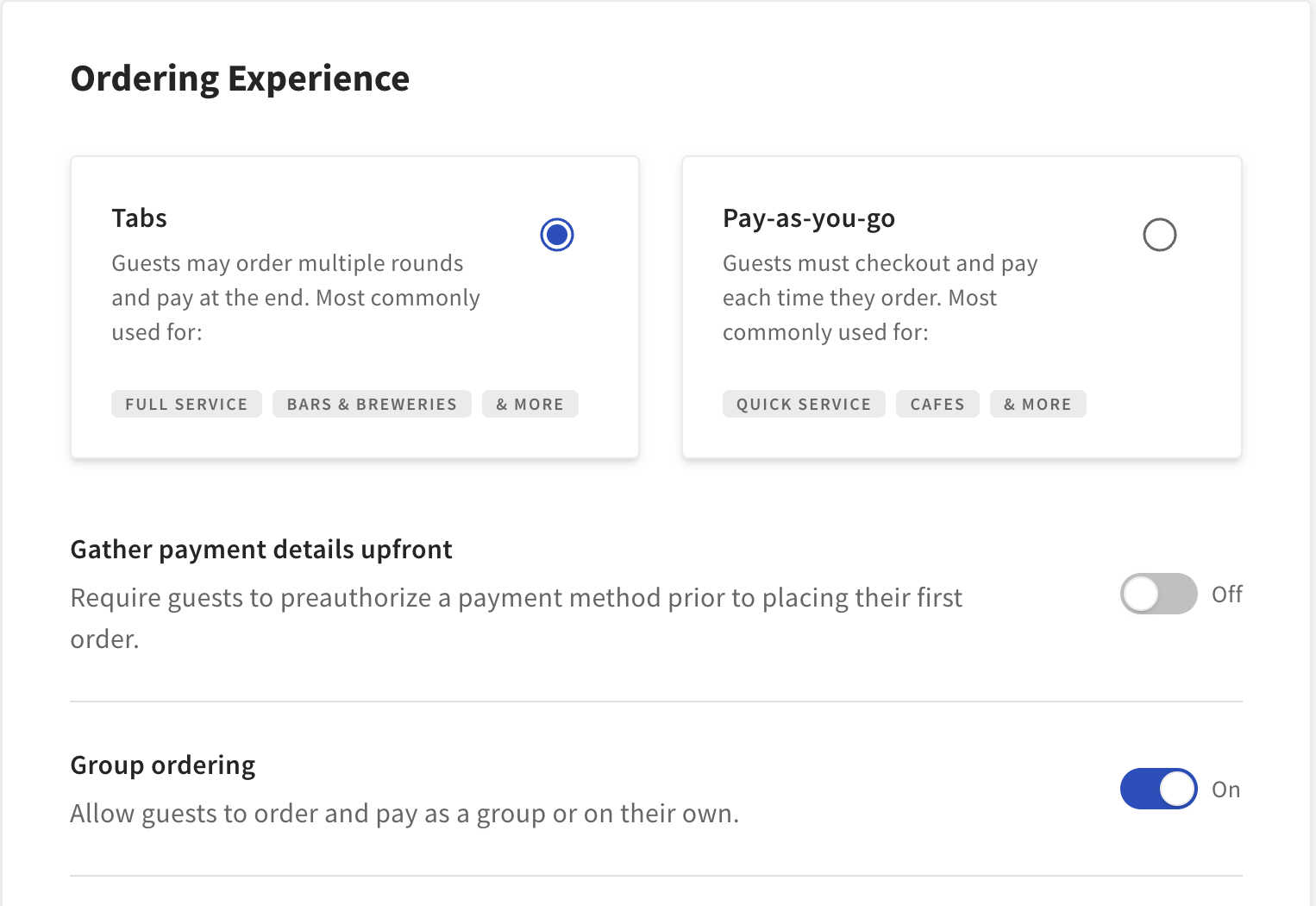
Restaurants must have both Tabs and Group Ordering for Toast Mobile Order and Pay® enabled in Toast Web in order to enable the split payments feature.
- Log in to Toast Web , use the navigation on the left side of your screen and select Front of house > Mobile dining solutions > Toast Mobile Order & Pay ®
- Ensure the Tabs and Group ordering toggles are toggled on (or blue).
- Make sure to save your changes! Split payments will automatically be on when Group Ordering is turned on. Additionally, this feature also works if you have enabled preauth. Learn more about how these features work together below.
| Toast Mobile Order & Pay® Pre-Authorization is not currently available in Canada, Ireland and the UK. |
Split Payments Guest Experience
As guests order their items directly from their own phones, Toast Mobile Order & Pay® will keep track of what they ordered. When the guest is ready to pay, the checkout screen will default to showing the total amount for the items they ordered. The guest can choose to either pay for those items only or the check balance after other guests have paid for their items/order. Note that the remaining balance on the check will update automatically once another guest checks out and pays, subtracting the amount paid from the balance.
The image below will show the options available to guests when they check out.
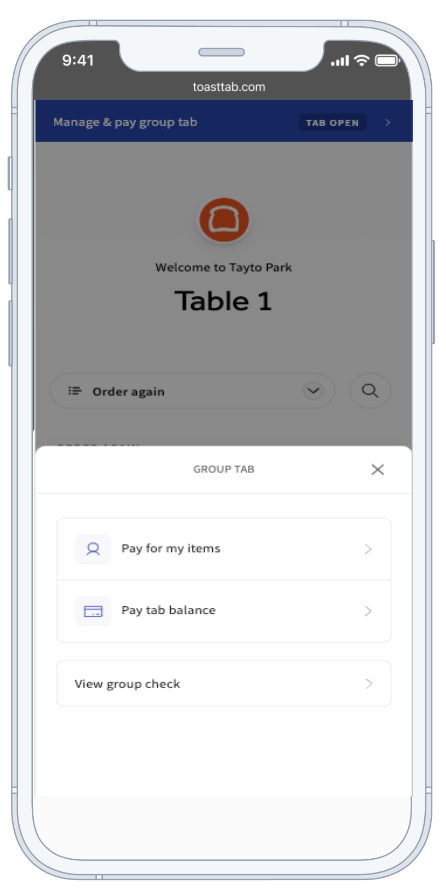
Note: If your restaurant also has pre-authorization enabled for Toast Mobile Order & Pay®, only one guest can set up their card for the check as the pre-auth card. That means that the guest will need to wait for all other guests in the party to pay for their items or tabs and then pay for the remaining balance on the check.
| Toast Mobile Order & Pay® Pre-Authorization is not currently available in Canada, Ireland and the UK. |
Once a guest has paid, they are no longer part of the group on the check and will need to start a new order if they wish to order more items. Others can continue to order under the same check until they have paid for their portion or until the entire bill has been paid.
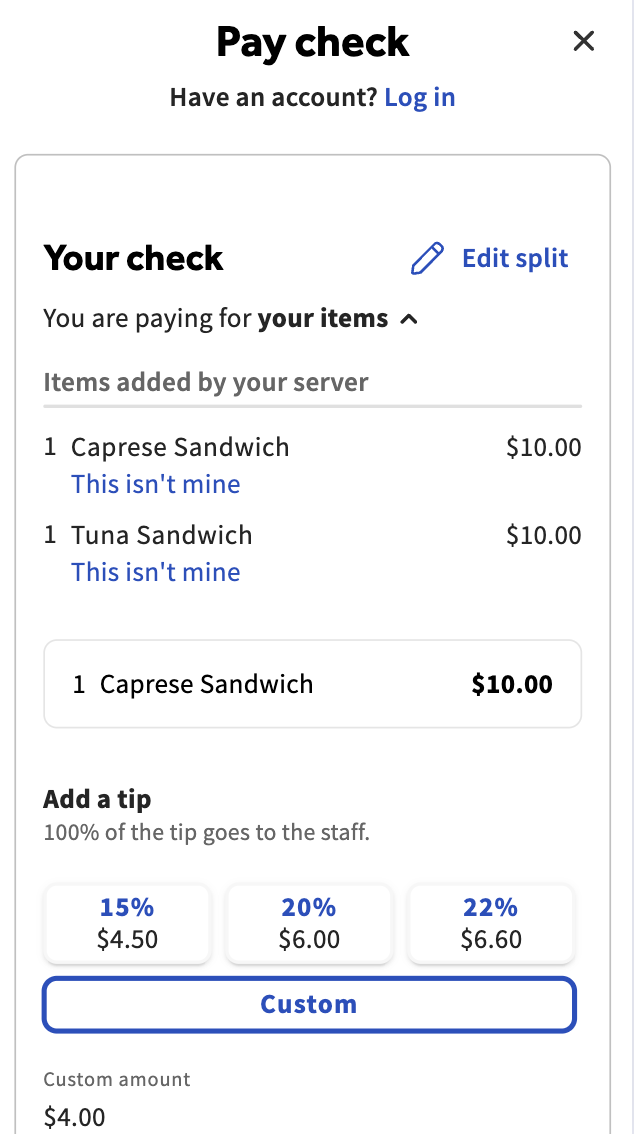
Additionally, guests can also claim or reject items from their own phones at the time of payment using the This isn't mine option on the check. This is useful in case an item is added on the POS by a server to the check and should be designated to a particular guest for payment.
Split Payments FAQ
Are discounts supported with the split payments feature? If so, how are they distributed among the checks?
Yes, all discounts are currently supported with split payments. Discounts can be added to a check via the POS or as a promo code on a guest's device. Item level discounts and voided items added through the POS will automatically be reflected on a guest's check on their personal device. Discounts are distributed proportionally based on how much each guest pays during checkout. For example, if a guest is only paying for their items, they will use a portion of the discount that is available when checking out.
Can servers and staff members add items to a Toast Mobile Order & Pay® check?
Yes, servers can add or void items from a split payment check directly from their Toast Go® or the POS. Any guest can pay for an added item, and they can claim or reject it when it shows up on their check.
Can a guest pay via the POS or Toast Go®?
Toast recommends that guests only pay through Toast Mobile Order & Pay®. If one guest pays via the POS or Toast Go®, it is recommended that ALL guests also pay that way or that the guest's items are split off onto another check.
What happens when checks are split and paid for on the POS?
When checks are split, they will appear as separate checks on the POS.
What happens with the check-level discount when a check is split?
If the discount is a percentage discount on a check that will be split, the discount will remain on the first check, and a new one will be created on the second check. If the discount is a check-level flat discount (ex: $20 off), the discount is split by half every time a new check is created.
Can guests split checks evenly?
No, Guests cannot split checks evenly across other guests within mobile payments and digital menus. However, the check can be split on the POS device, and each guest should receive their own itemized check. Each check will have a unique QR code allowing them to view and pay for their items. Need a refresher on how to split a check on the POS? Check out the Split Checks by Item article.
Can guests use Google Pay™ (GPay™) as a form of payment?
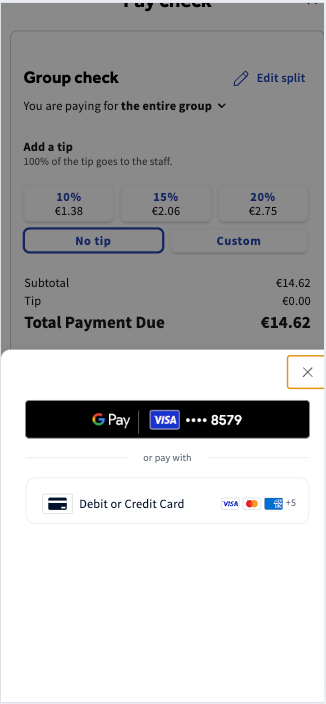
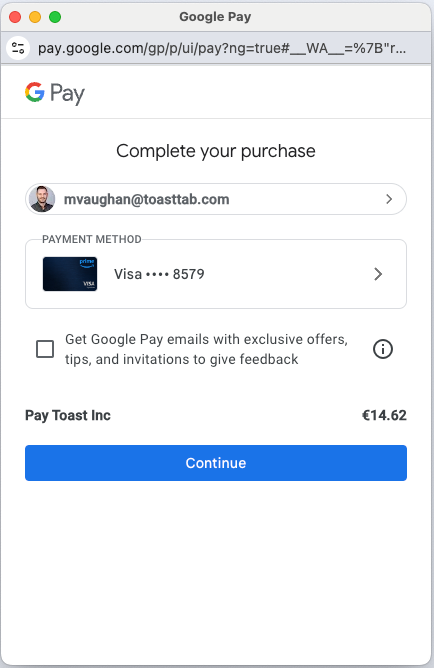
Yes, GPay™ can be used as a form of payment for split payments. Once the QR code is scanned on the receipt, guests can select Google Pay™ as their payment type and proceed with checkout. The below images show the experience for US based guests.
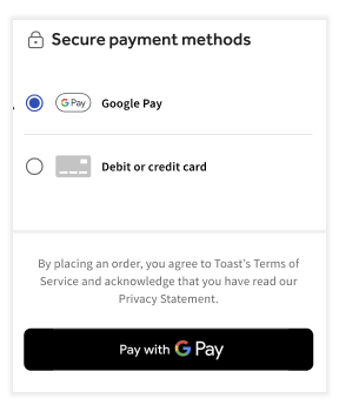
Guests who are based in Canada, Ireland or the UK will see the following checkout screens when using GPay™ for split payments.
Back to top
Want to learn more? Check out these articles on Toast Mobile Order & Pay®:
- Set Up Toast Mobile Order & Pay®
- Printer Routing by Service Area for Toast Mobile Order & Pay®
- Use Toast Mobile Order & Pay® at QSR's and More
- Set Up Tabs & Pre-Authorization for Toast Mobile Order & Pay® (US locations only)
- Toast Mobile Order & Pay® Text Fulfillment