Start a Tab
Last updated: Sep 17, 2026, 1:21 PM
Learn how to start a tab, remove a tab from a guest's check, and require a tab name for orders.
| Toast has implemented a change for all customers, where guests’ cards with smart chips (i.e. Europay/Mastercard/Visa [EMV]) will need to be dipped or tapped for running bar tabs instead of swiping magnetic strips.
To save time, we recommend dipping instead of tapping when initiating a bar tab. Dipping will automatically populate the cardholder’s name as the tab name. However, tapping will not, due to limitations set by the card networks. If you choose to tap, the tab name will need to be manually updated to avoid confusion or potential disputes.
Turn EMV on for all terminals to ensure that this dip/tap functionality will be automatically accepted on all running bar tabs once the functionality is available. Setup takes 30 seconds with these step-by-step instructions: EMV Payments FAQ. Your staff will be informed on their displays, but be sure to let them know of this change in advance.
Dip/tap tabs are not yet available for dual reader setups (including some guest-facing displays). Until that functionality is added, you will still need to pre- authorize on your Magnetic Stripe Readers (MSR) as a swipe when using a dual reader setup. |
- Start a Tab
- Remove a Tab Name from a Guest's Check
- Require a Tab Name for Orders
- Additional Resources
Note: This method does not save payment. Learn how to create a Tab with a saved payment by checking out Card Pre-Authorization Configuration & Device Setup.
Start a Tab
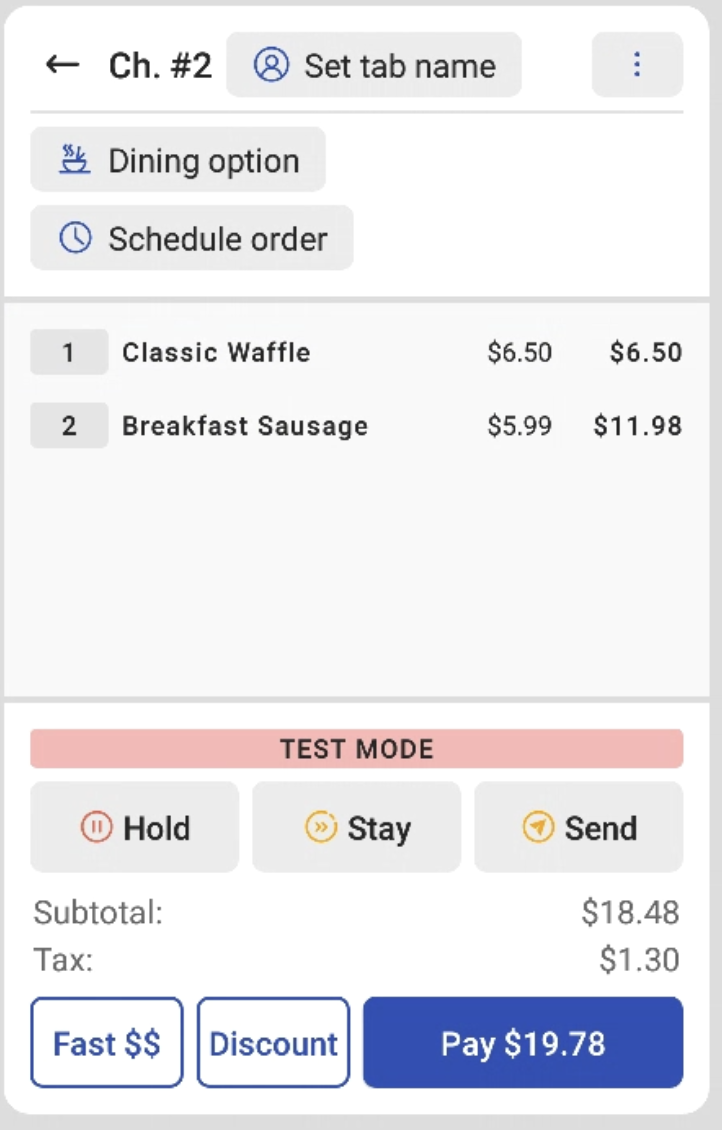
- From the Order screen on your POS, select Set tab name.
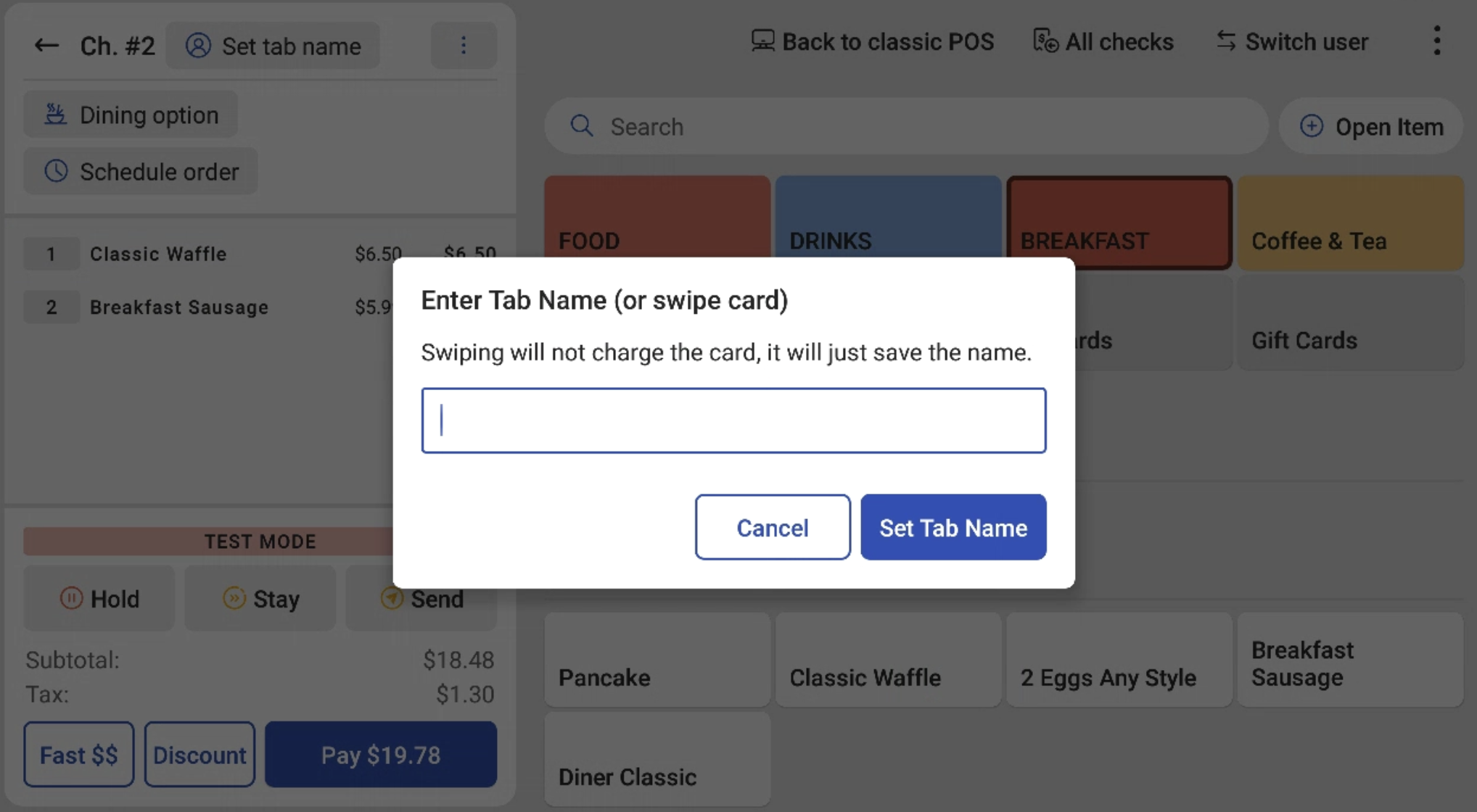
- A prompt will appear on the screen to either enter the name for the tab manually or swipe a credit card:
- Type in the name manually and select OK.
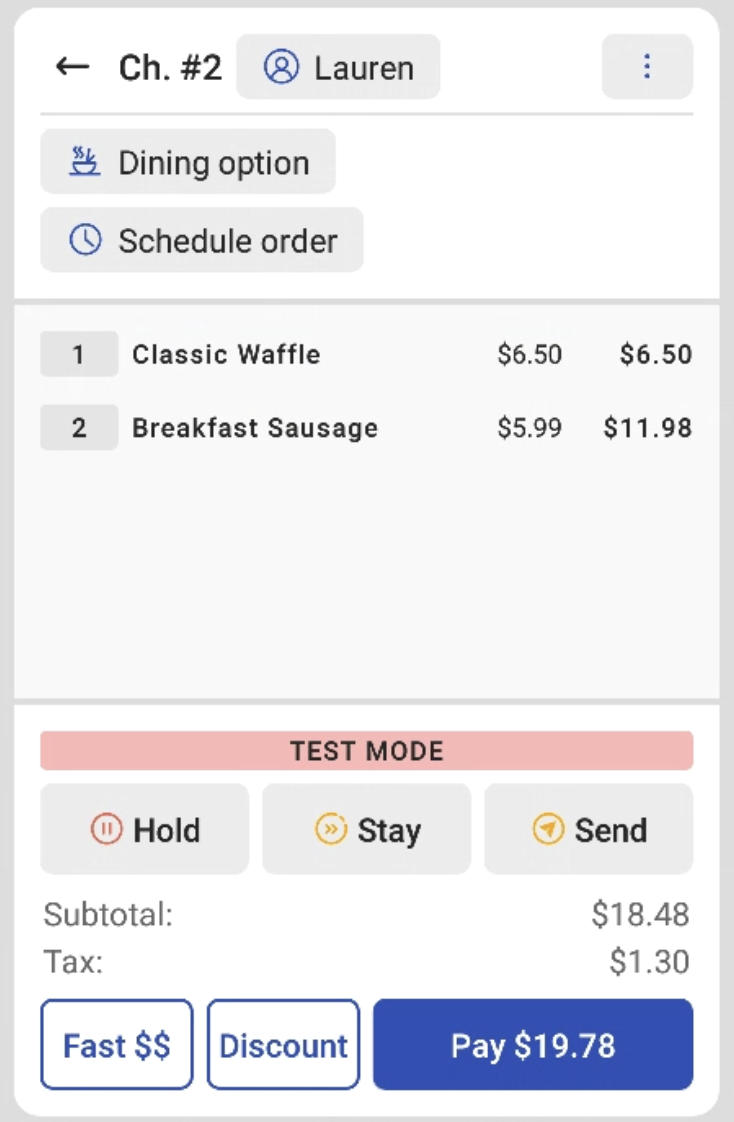
- The screen will revert to the Order screen and the name you entered is now attached to the order, as shown as Lauren in the example below.
- You can also swipe a customer's credit card to use their name as it appears on the card to open the tab. Swipe the card at this prompt and the name will be entered automatically from the magnetic stripe of the card. Notice the message that this will NOT charge the customer's card, it will only save the name.
Using this method, when the customer would like to close the tab, the card will have to be taken and swiped again in Payment mode or another form of payment must be accepted to close the check.
Using the swiping method to open the tab makes finding the tab later on much easier. From the Previous Checks screen, you can utilize the Lookup button in the top-right and swipe the card used to open the tab to pull it up automatically!
Note: Users must have 1.1 Table Service Mode or 1.2 Quick Order Mode permission in order to start a tab, or view an open tab.
Remove a Tab Name from a Guest's Check
Removing tab names from customer-facing receipts can be incredibly useful if staff use descriptions or misspellings of customer names when creating tabs.
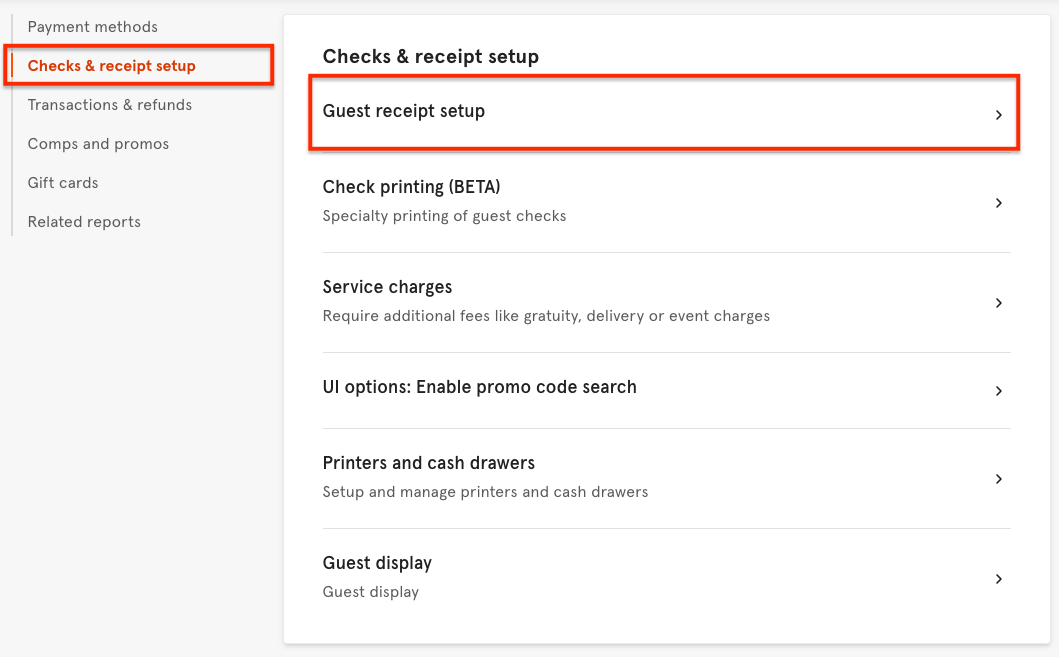
- Using the navigation layout on the left side of your screen in Toast Web, navigate to the Payments section.
- Under Checks & Receipt Setup, select Guest Receipt Setup.
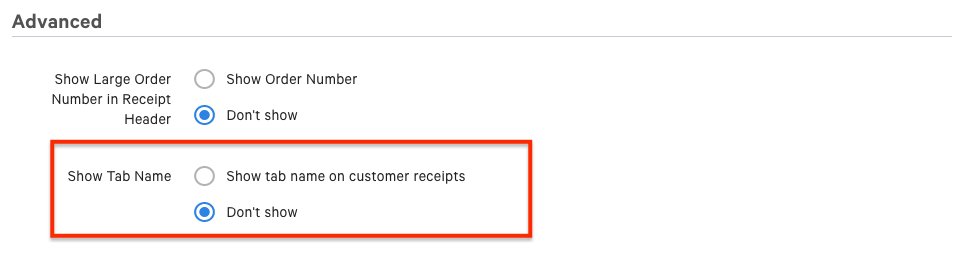
- Navigate to the Show Tab Name setting, found in the Advanced section.
- By default, the tab name will be configured to show on the customer-facing receipt. To remove, select Don't Show.
- Save and Publish your changes.
Require a Tab Name for Orders
If you would like to require a name for every order in Quick Order mode, you can configure Toast to require your servers to name the tab so that each order on the Payment Terminal screen displays a name. This does not require a tab or preauthorization.
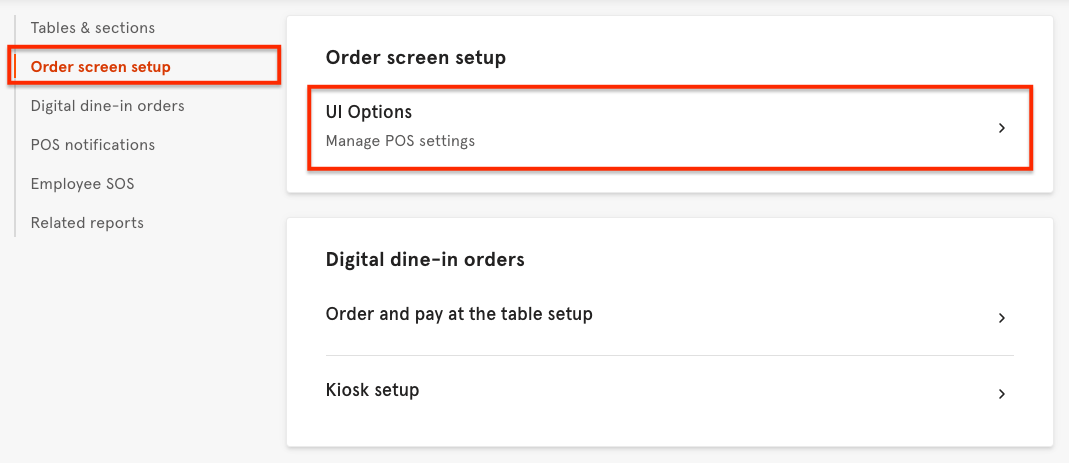
- Using the navigation layout on the left side of your screen, navigate to the Front of House Setup section.
- Under the Order Screen Setup section, select UI Options.
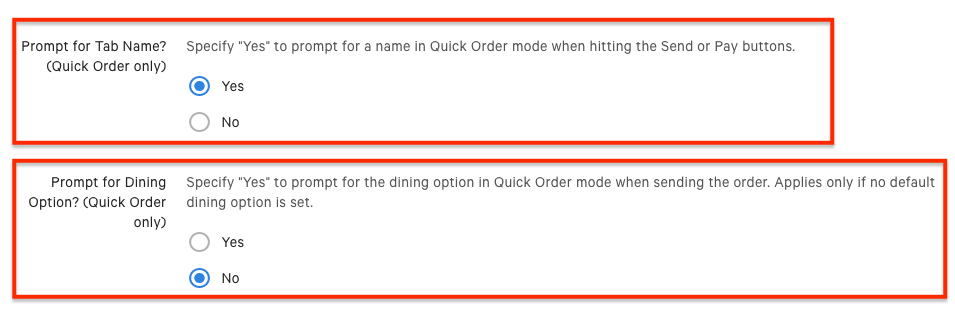
- Scroll to Prompt for Tab Name (Quick Order only) and select Yes. Then, for Prompt for Dining Option? select No.
- Save and Publish your changes.
Additional Resources