Toast Flex 3 Terminal FAQ
Last updated: Aug 7, 2026, 11:25 AM
Frequently asked questions about the Toast Flex 3 Terminal.
- Flex 3 Terminal General FAQ
- Physical Install for the Flex 3 Terminal
- Flex 3 Terminal Power
- Flex 3 Terminal Connections FAQ
- Flex 3 Terminal Product Details
- Additional Resources
Flex 3 Terminal General FAQ
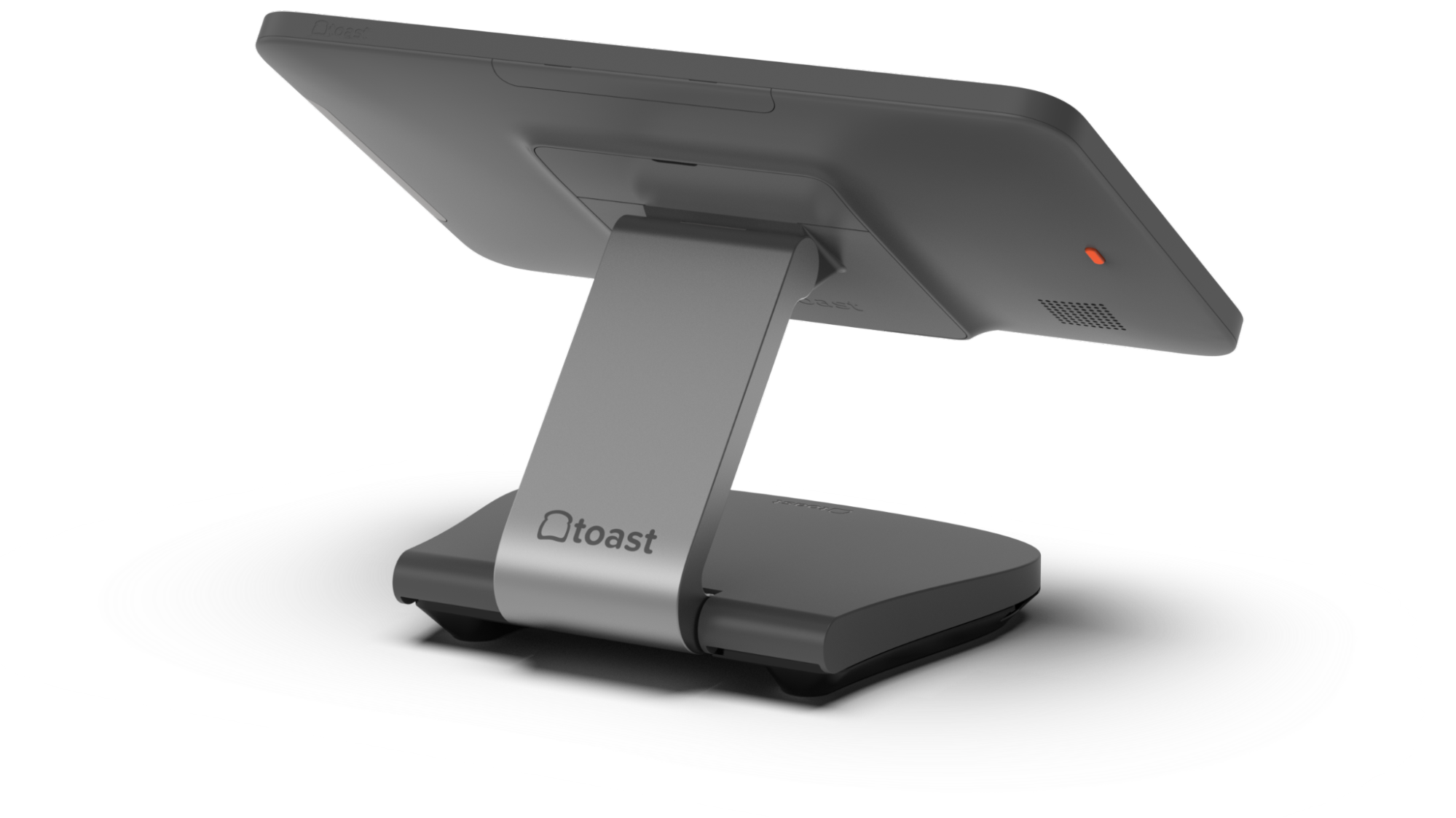
The Toast Flex 3 Terminal consists of a screen attached to a neck with two hinges and a base with built-in cable connections and management (see image below). It is intended for use by customers in front-of-house settings that are visible to guests and where space constraints require adjustability of the terminal viewing angle.
Can the Flex 3 Terminal be used as a POS, Kitchen Display System (KDS), or Kiosk?
The terminal can be used in POS, KDS, Kiosk mode, and Retail.
Physical Install for the Flex 3 Terminal FAQ
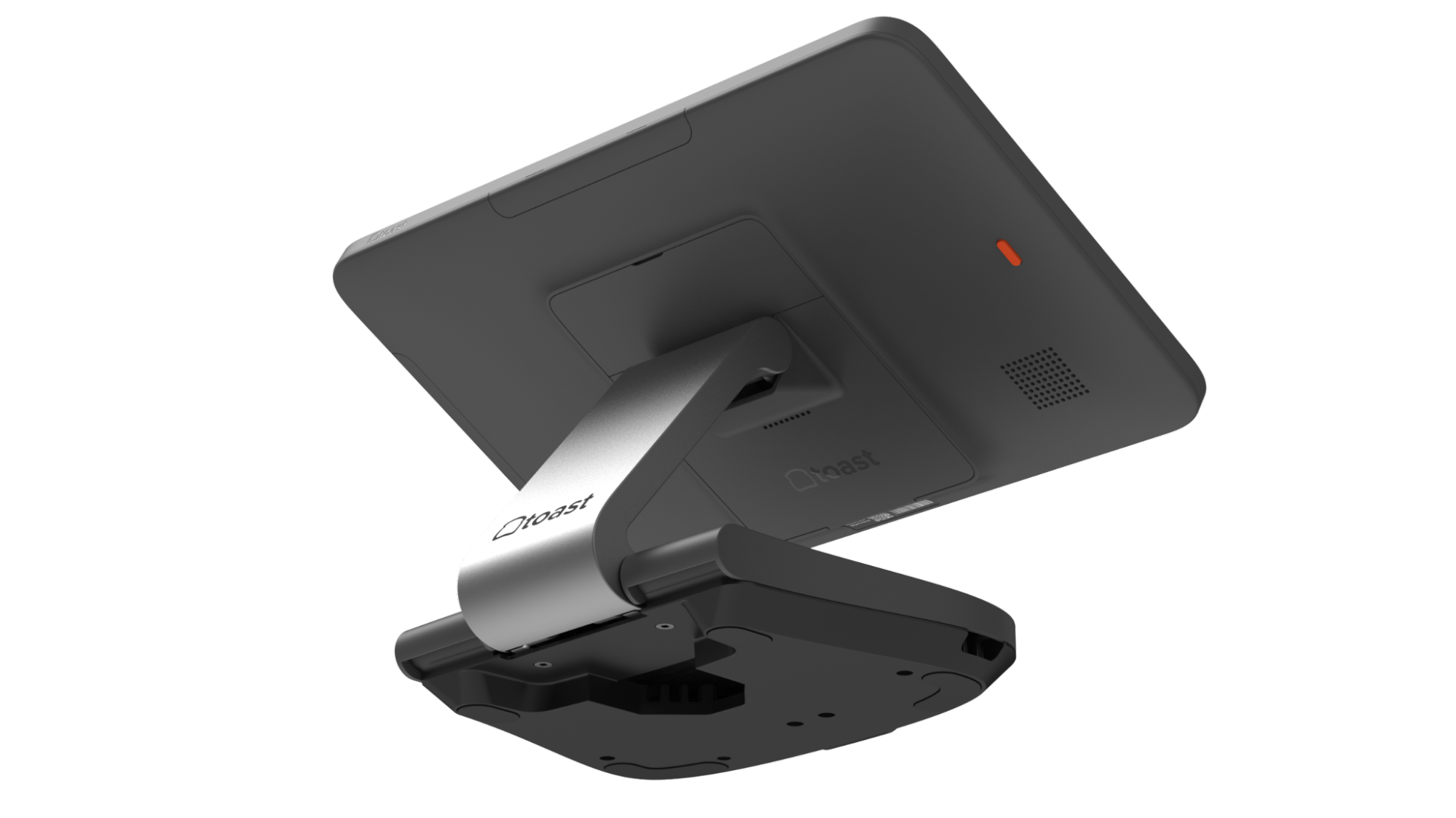
Can I mount the Flex 3 Terminal stand to a surface?
Yes, there are two screw holes located in the drawing below that enable the terminal to be securely mounted to surfaces.
Flex 3 Terminal Power FAQ
How do I Turn the Flex 3 Terminal On/Off/Sleep/Wake?
-
- To turn the Flex 3 Terminal ON, press the orange button on the back of the Terminal for 2 seconds.
- To put the Terminal Screen to Sleep, press the orange button on the back of the Terminal once.
- To wake the Terminal Screen up, press the orange button on the back of the Terminal once or simply tap the screen.
- To turn the terminal OFF, press the orange button on the back of the Terminal for 3 seconds and select Power OFF.
- To reboot the device if unresponsive, press and hold the power button for >7 seconds.
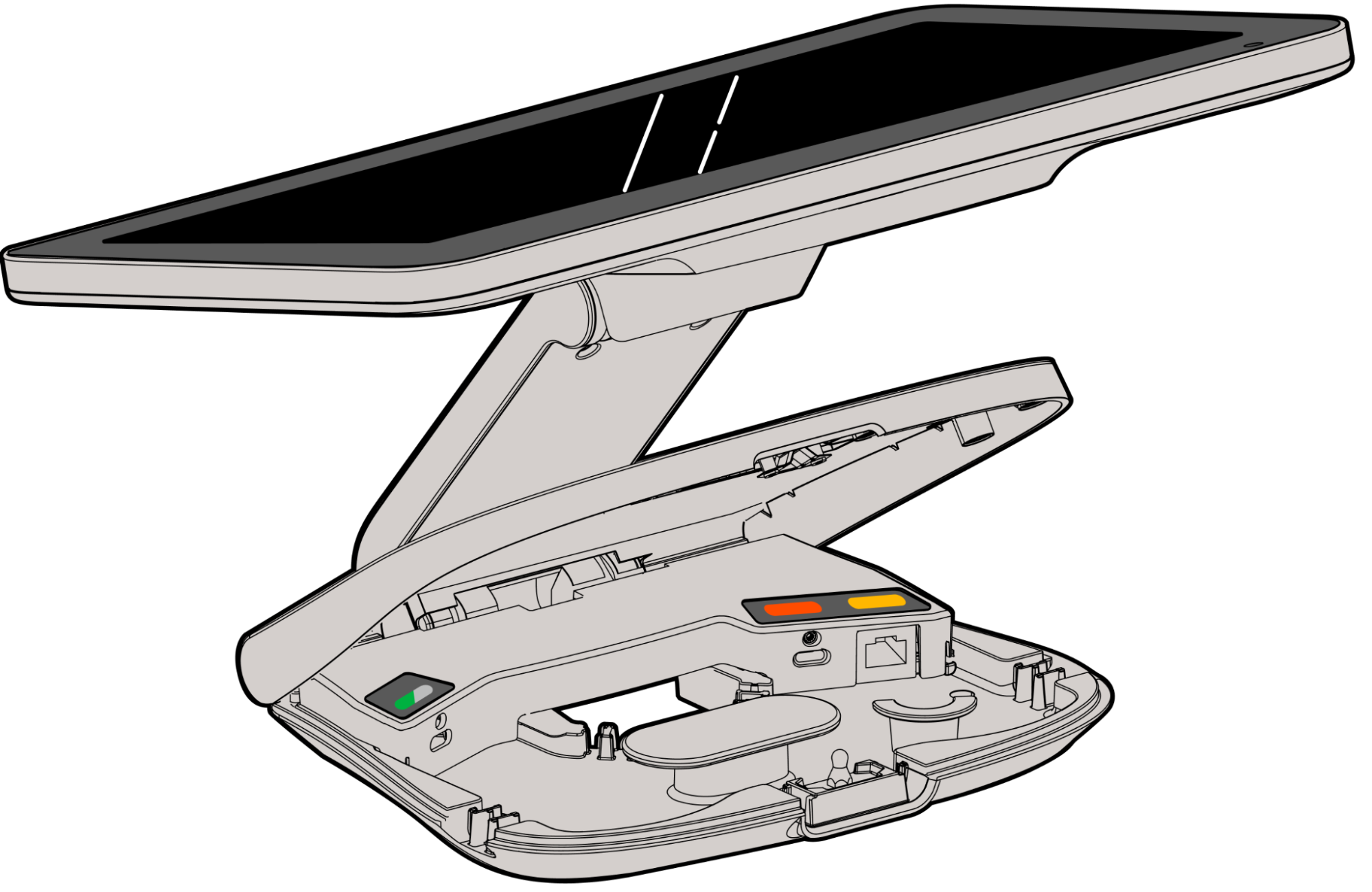
Where are the Power and Ethernet ports on the Flex 3?
Lift up the front edge of the base cover and open it. You will see all three ports inside: Guest Display/Accessories, Power, and Ethernet (from left to right). Note: Make sure to fully screw in the thumb screws to secure the connection.
What should I do if my Terminal won't power on?
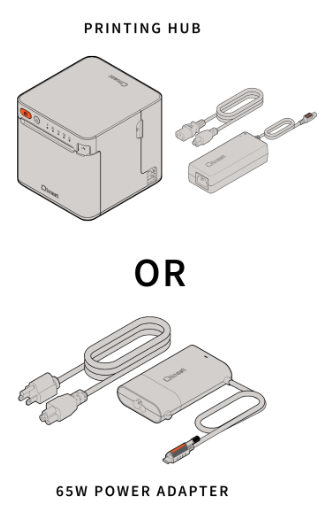
There are two ways to power the terminal:
-
- The 65W power adapter is connected to the terminal Power port
- Check that the power supply indicator light is on (Green light is on the power supply brick)
- Make sure the power cable is securely connected to the terminal power port.
- The USB-C power cable is connected to the TP300 Printer
- Check that the Printer Power Light is lit and the terminal connection indicator is lit (amber or green)
- Make sure the USB-C power cable is securely connected to the terminal power port and the printer power port
- The 65W power adapter is connected to the terminal Power port
For more troubleshooting information, see Get Help With the Flex 3 Terminal.
Flex 3 Terminal Connections FAQ
How can card readers be connected to the Flex 3 Terminal?
Card readers can be connected to the terminal in the following ways:
-
- On Counter Readers
- Readers with a USB-A cable can be plugged into the USB-A port in the Printing Hub (TP300) OR underneath the Guest Display (TGD300).
- Readers with a USB-C cable can be plugged into the USB-C port in the Printing Hub (TP300) OR in the USB-C port in the Terminal base or Display (TGD300).
- Direct Attach Readers can be attached directly to the back of the terminal (2 connector locations) or the TGD300 (1 location) with supplied M4 screws.
- On Counter Readers
More details on identifying and setting up your card readers can be found in Identify Your Card Reader Type.
Can I connect a different accessory (such as scales or scanners) to the Flex 3 Guest Display port on the Terminal?
Yes, any USB-C accessory, including Toast on-counter card readers, scales, and/or scanners, can be connected to the green Guest Display port inside the base of the terminal.
Flex 3 Terminal Product Details FAQ
Where is the Serial Number for the Flex 3 terminal?
The device serial number can be used for troubleshooting with Toast Care. It is located at the bottom of the Terminal's back side. This can also be found in the Device Hub on the Toast Now app using the steps below:
-
- Open the Toast app: Log in to the Toast POS app on the device you are using.
- Access the Menu: Tap the overflow icon, represented by a carrot (▼) or three vertical dots (⋮), in the top-right corner of the screen.
- Select Device Status: From the drop-down menu, select the Device Status option.
- Navigate to the Device tab: In the Device Status dialog box that appears, look for a Device tab or a left-hand rail menu and select it.
- Locate the Serial Number: The device's serial number will be listed under the Device Details section.
What is the QR code on the back of the Flex 3 Terminal?
The QR code can be scanned to access more information about the terminal and help with troubleshooting.
How can I scan a guest QR code for loyalty or payment on the Flex 3 Terminal?
The terminal features a front-facing camera located in the bottom right corner of the screen, which staff can use for scanning QR codes. There is an LED that will light when the camera is active. The Guest Display also features a front-facing camera for scanning guest loyalty and gift cards. You can also use a dedicated scanner connected to the terminal, Guest Display, or the TP300 printer hub. More information about using scanners can be found in Set up and Use a Scanner.
How can I adjust the speaker volume on the Flext 3 Terminal?
The terminal speaker volume can be adjusted in Android Sound Settings.
Additional Resources for Toast Flex 3 Terminal