Toast Inventory: Tracking and Managing Waste (Australia, Canada, Ireland and UK)
Last updated: Mar 2, 2026, 9:34 AM
Tracking and managing waste helps you manage excess food, reduce costs, and identify new savings opportunities. With Toast Inventory’s Waste Tracking functionality you can turn real-time data into cost-saving strategies.
- Food Waste Reduction Overview
- Logging Waste in Toast Web
- Understanding the Waste Log
- Additional Resources
Food Waste Reduction Overview
Your food waste cost doesn't have to be a mystery. Toast’s Inventory Waste Tracking allows you to track food waste to optimise operations and increase visibility into your total cost of goods sold. When a prep item or ingredient is added to waste tracking, they are automatically deducted from your restaurant's inventory count.
Logging Waste in Toast Web
While Menu Item waste can be logged on the POS, you can also log wastage of Ingredients or Prep items directly in Toast Inventory. To do this:
- Log in to Toast Web.
- On the left-hand navigation menu, select Inventory.
- In the sub-navigation that appears, scroll down and select Waste.
- The landing page will appear empty upon your first visit. Select Log Waste in the top right corner.
- Add the item, quantity, and reason to keep inventory accurate.
- Note: If the waste reason does not appear in the drop down list, you can choose "Other," to add a specific note.
- Click Submit waste.
Understanding the Waste Log
The waste log provides comprehensive visibility by including entries made via both Toast Web and the POS. You can filter this view by any desired date range to identify top wasted items and trends.
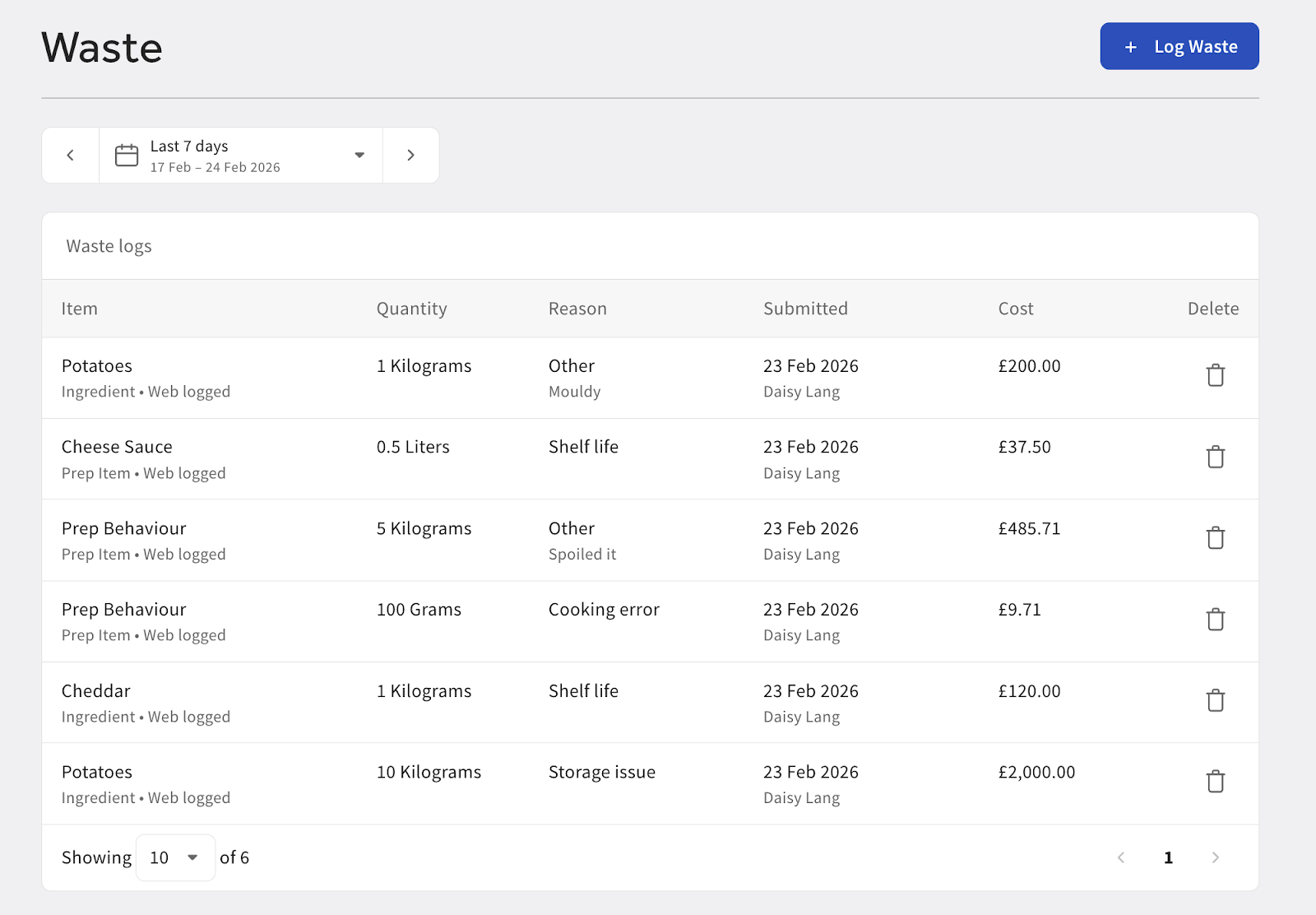
The table displays the following details for every entry:
- Source: Whether the waste was logged via Toast Web or the POS.
- Item Type: Identifies if the item was a raw ingredient, a prep item or a menu item.
- Quantity & Reason: The amount wasted and the categorised reason. Entries from the POS will display the specific reasons configured for your devices.
Note: For data integrity, entries that originate from the POS cannot be deleted within the Toast Web waste log.
Additional Resources
- Get Started with Toast Inventory (Australia, Canada, Ireland and UK)
- Get Started With Recipes (Australia, Canada, Ireland and UK)
- Toast Inventory: Stock Depletion (Australia, Canada, Ireland and UK)
- Toast Inventory: Generate Purchase Orders & Receive Inventory (Australia, Canada, Ireland and UK)