xtraCHEF: Operating Summary
Last updated: Apr 28, 2026, 4:19 PM
What Is the Operating Summary?
Your Operating Summary provides a bird's-eye view of your profits, losses, and cost of doing business for the chosen month, and how that compares to your budgeting. Once configured, you're able to use this report to deep-dive into your finances, monitor high-level trends, and stay informed of your restaurant's overall fiscal health.
To get started, first, select Operating Summary on your navigation bar. xtraCHEF's Operating Summary will default to the current month or week of your accounting period and your most recently accessed location.
Note: If you do not yet have an accounting period established, xtraCHEF will prompt you to add one.
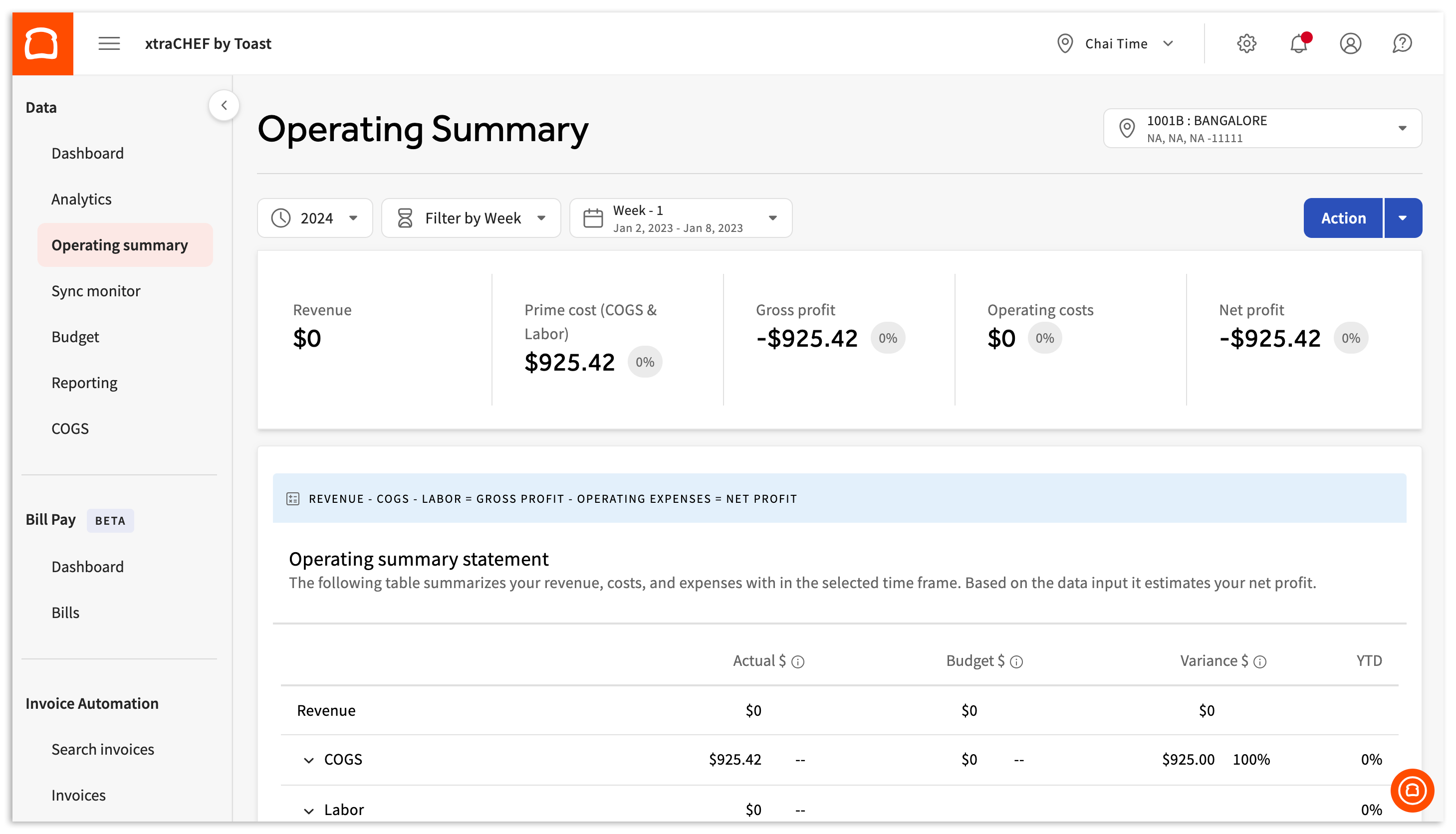
You can drill down into different criteria by selecting a new month or week (according to your accounting period), Year, and Location. This can be done by selecting the fields pictured below. The page will automatically refresh to reflect your new information.

Configure Your Operating Summary
Your Operating Summary builds off of your uploaded expenses, sales from Toast, and payroll information. To maximize its reporting capabilities and view certain categories, complete the following steps:
- Establish an accounting period
- Complete cost of goods sold (COGS) mapping
- Payroll setup/configuration: If you utilize and integrate with Toast Payroll, the Payroll column of your Operating Summary will populate with payroll data
- Established a budget: This will allow your budget column to populate in the Operating Summary
View Your Operating Summary
With your Operating Summary, you can start start digging into your finances by taking a look at your high-level trends and overall fiscal health. This is presented to you in digestible data categories broken out by Revenue, COGS, Gross Profit, Payroll, Operating Expenses, and Net Profit. Let's take a closer look at each of these categories and what they mean:
- Revenue: The total cash your location brought in for the month (or month to date if you're viewing the current month). This is your pure income stream before any expenses or costs have been deducted.
- Prime Cost (COGS and Labor): This is your cost of doing business for the period in review and is the sum of your COGS and payroll totals.
- COGS: Cost of goods sold (COGS) shows the dollar amount you spent on each of your COGS groups (typically food and beverage supplies), as well as the percentage of your total revenue that went to purchase those items.
- Payroll: Like your COGS, your payroll costs will display both as a dollar amount and as a percentage of your revenue for the month.
- Gross Profit: Calculated by subtracting your total monthly COGS from your total monthly revenue. This is the amount your restaurant has left to pay bills, utilities, payroll, etc. for the month.
- Operating Costs: These include your usual costs of doing business, such as rent and maintenance, as well as unexpected expenses like repairs or equipment replacement.
- Net Profit: Your payroll and operating expenses will be deducted from your gross profit to reveal your net profit. This is the tangible amount of money your restaurant has left over at the end of the month. If your location made more than it spent for the selected month, your net profit will be in green. If you end the month owing more money than you made, your net profit text will be red.
An important part of budget health is understanding exactly where you can afford to spend money and where you should try to cut costs. To get detailed information on how spending in each category affects your monthly profit, select any row to reveal details on how each component adds up to your total monthly costs and compares to your budget (if established).
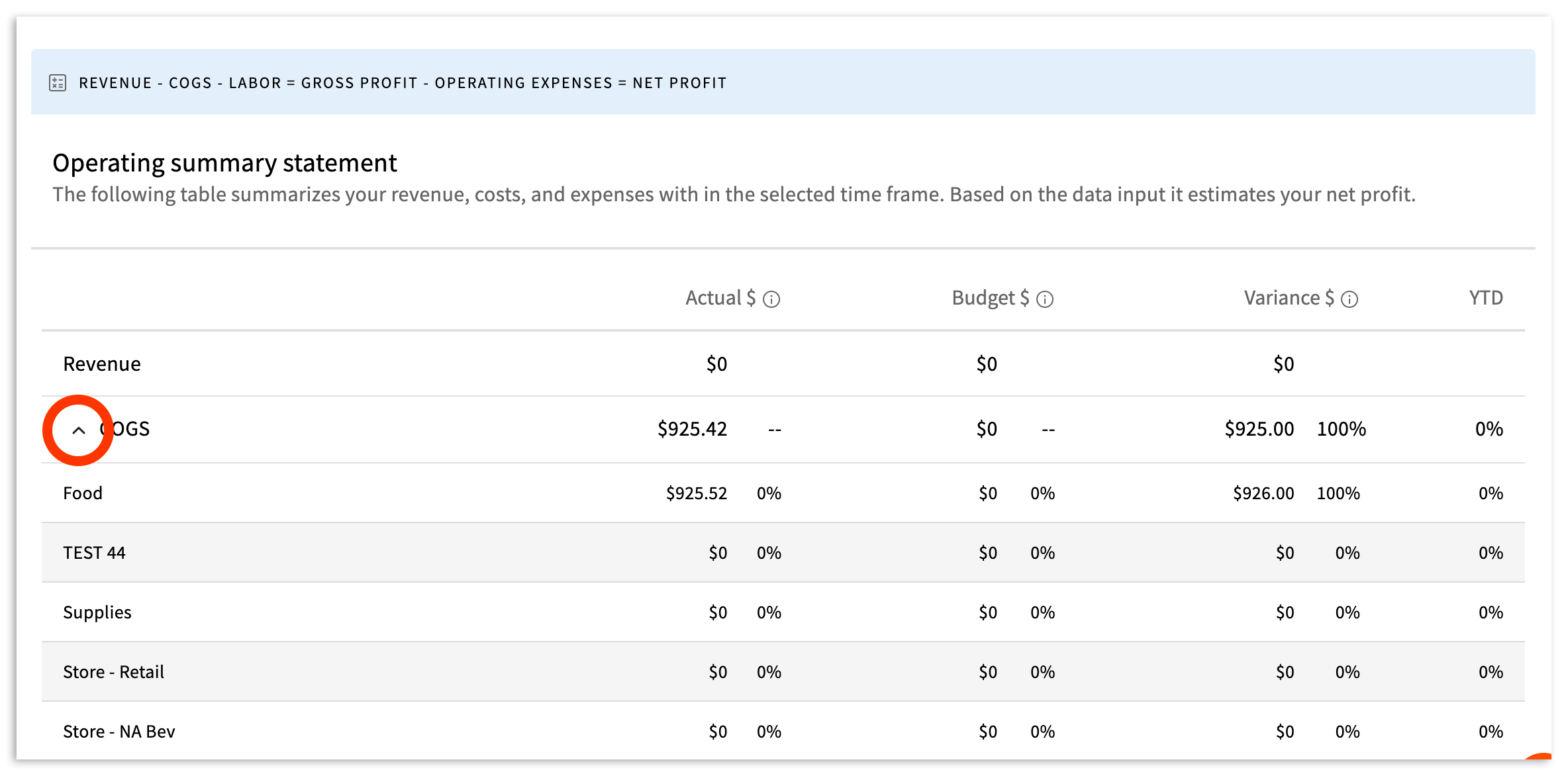
This helps you assess exactly where your biggest ticket items come from and allows you to adjust your future budget plans accordingly.
Your Operating Summary is a simple but mighty tool that allows you complete insight and control over your restaurant costs. You're more empowered than ever to make data-driven decisions but don't hesitate to get in touch with us at support@xtrachef.com with any questions or technical issues.