Las traducciones se proporcionan solo a modo de cortesía. Es posible que los acuerdos legales con Toast, incluidos, entre otros, el Acuerdo de comerciante y el Acuerdo de licencia de usuario final, deban celebrarse en un idioma distinto al que se utiliza en esta página y que los términos de esos acuerdos se apliquen independientemente de que se proporcionen o no traducciones de esta página a otros idiomas.
Campaña de marketing por correo electrónico: Actualiza el nombre de tu restaurante
Última actualización: 17 sept 2026, 10:25 a.m.
Pregunta
- ¿Cómo actualizo el nombre de mi restaurante en mi campaña de marketing por correo electrónico?
- ¿Cómo actualizo el nombre del remitente indicado en mi campaña de marketing por correo electrónico?
- ¿Puedo actualizar el nombre del remitente especificado en mi campaña de marketing por correo electrónico?
Respuesta
¿Estás seleccionando una lista de suscriptores para una nueva campaña de marketing por correo electrónico y el nombre de tu restaurante es incorrecto?
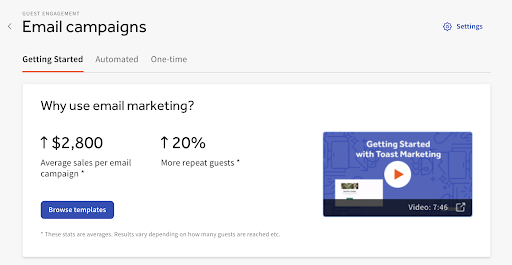
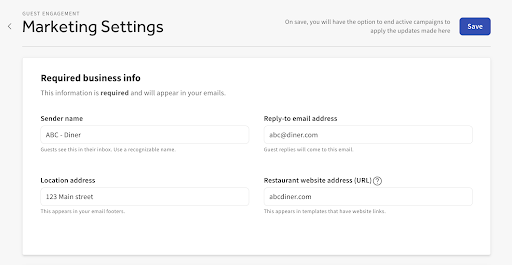
El módulo de marketing por correo electrónico no extrae el nombre del restaurante de la página de información del restaurante. Cualquier cambio en el nombre del restaurante no se reflejará automáticamente en el marketing por correo electrónico y deberá actualizarse manualmente. Puedes actualizar el nombre del restaurante en tu módulo de marketing por correo electrónico siguiendo estos pasos:
- Selecciona Configuración.
- Edita el campo Nombre del remitente.
- Guarda tus cambios.
Esto actualizará el nombre de la lista de suscriptores, así como el nombre del remitente para cualquier campaña futura.