Las traducciones se proporcionan solo a modo de cortesía. Es posible que los acuerdos legales con Toast, incluidos, entre otros, el Acuerdo de comerciante y el Acuerdo de licencia de usuario final, deban celebrarse en un idioma distinto al que se utiliza en esta página y que los términos de esos acuerdos se apliquen independientemente de que se proporcionen o no traducciones de esta página a otros idiomas.
Nómina Toast: Actualizar nombre, dirección o número de teléfono
Última actualización: 9 oct 2026, 4:52 p.m.
Pregunta
¿Cómo pueden los empleados actualizar su nombre, dirección o número de teléfono en Nómina Toast?
Respuesta
| Si estás intentando cambiar el número de teléfono asociado con tu cuenta de Toast Web (que también afecta el número de teléfono de la aplicación MyToast), consulta la sección Actualizar autenticación multifactor o número de teléfono para iniciar sesión en Toast: Actualiza tu cuenta. |
Cuando los empleados cambian su nombre, dirección o número de teléfono, esta información se puede actualizar en Nómina Toast. Estos campos se reflejarán en los cheques de pago de los empleados y su formulario W-2, y deben coincidir con el nombre legal y la dirección actual del empleado.
Para actualizar tu nombre, dirección o número de teléfono:
- Inicia sesión en payroll.toasttab.com. Si necesitas ayuda para iniciar sesión, consulta esta página o pregúntale a tu gerente.
- Ve a Mi perfil y selecciona la pestaña Perfil en la parte superior.
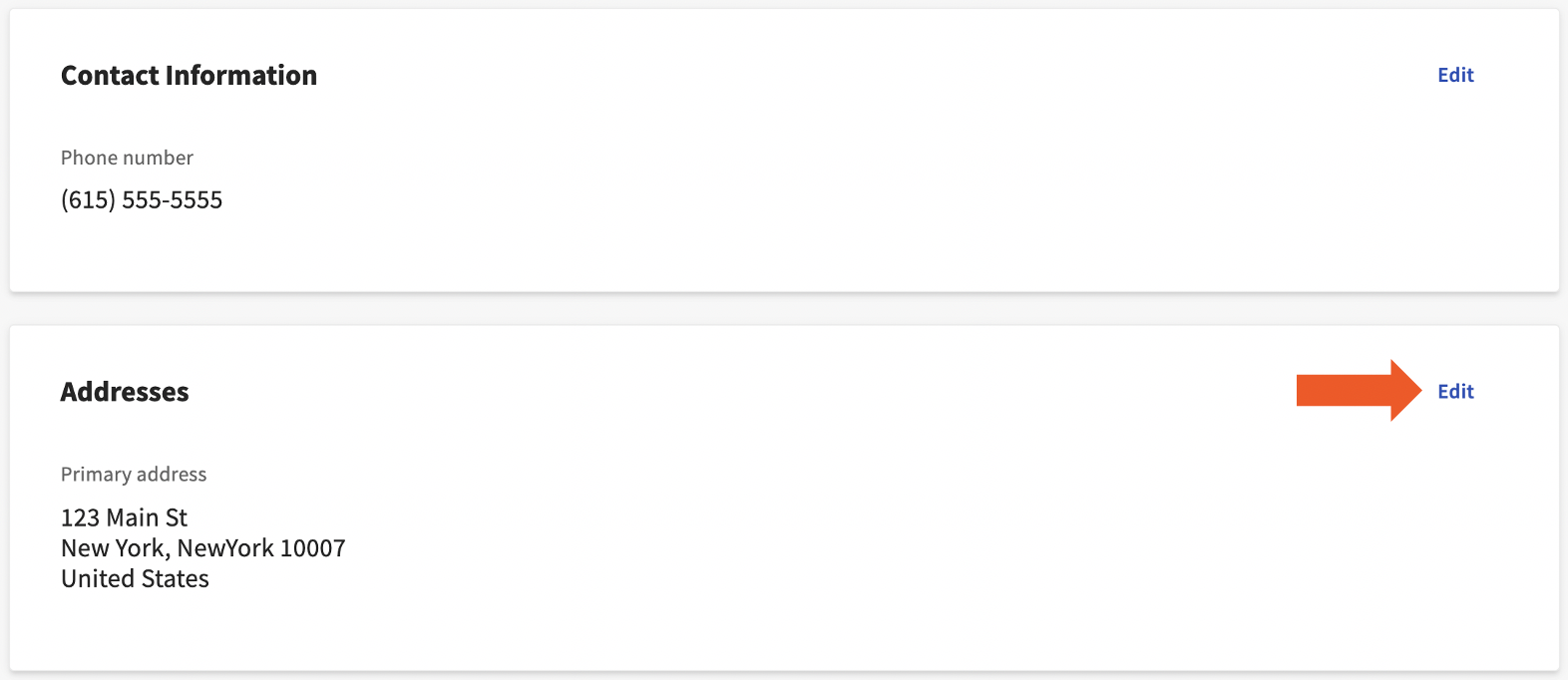
- Verás cuatro mosaicos aquí, cada uno con un botón de edición en la esquina superior derecha. Usa estos botones de edición para actualizar la información guardada.
- El mosaico de información personal contiene tu nombre, el mosaico de información de contacto consiste en tu número de teléfono y el mosaico de direcciones contiene tu dirección. Selecciona Guardar cambios cuando hayas terminado de actualizar la información necesaria.
- Mientras estés aquí, también puede ser una buena idea verificar tu número de seguro social. Cuando se trata de la exactitud de tu formulario W-2, el SSN es aún más importante que el nombre o la dirección.
Este contenido se publica con fines informativos y no tiene como propósito brindar asesoramiento legal, fiscal, de recursos humanos ni ningún otro tipo de recomendación profesional. Ponte en contacto con un abogado u otro profesional para recibir asesoramiento.