翻译仅供参考。您与 Toast 签署的任何法律协议(包括但不限于《商户协议》和《终端用户许可协议》),其订立语言可能不同于以上页面所使用的语言,无论是否提供本页面其他语言的译文,均应以您所签署的协议条款为准
xtraCHEF:创建产品
上次更新时间:2026年4月28日 16:21
您可以手动逐个创建产品,或者可以批量上传/导入到您的项目库中。
什么是产品?
在xtraCHEF中,产品指的是您的原料和库存项目。在您开始时,您的产品列表将为您的餐厅使用食谱和库存功能奠定基础。 创建产品后,您可以立即开始构建您的食谱和库存数量。
| 在继续本页面及以下说明之前,我们强烈建议您查看xtraCHEF:开始使用产品以获取示例和最佳实践,使过程更简单。 |
创建产品
通过导入批量创建
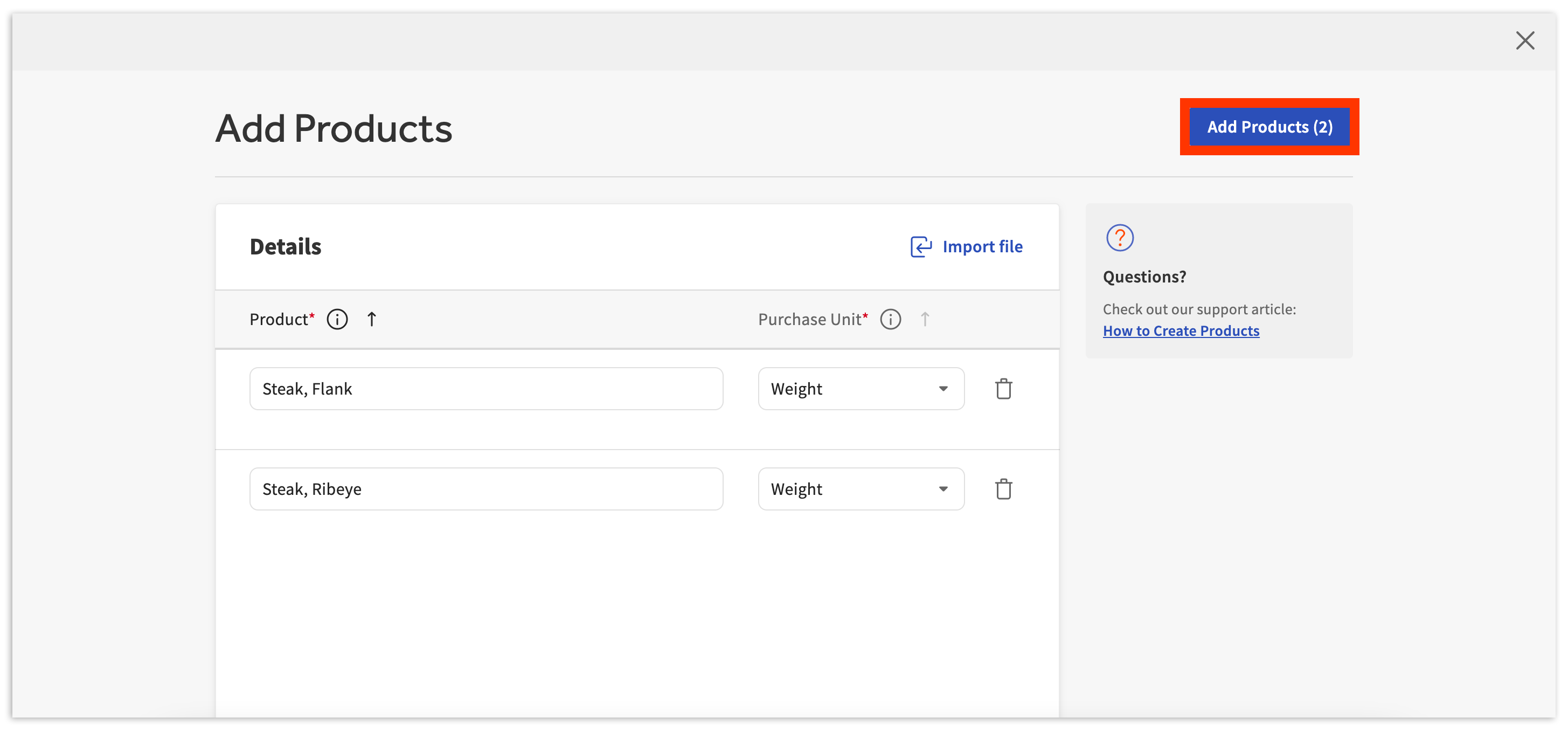
通过在添加产品页面上选择导入文件,xtraCHEF将提示您下载我们的批量上传模板或创建您自己的.xlsx或.csv文档,只要它的格式一致并且与下面显示的列相符。
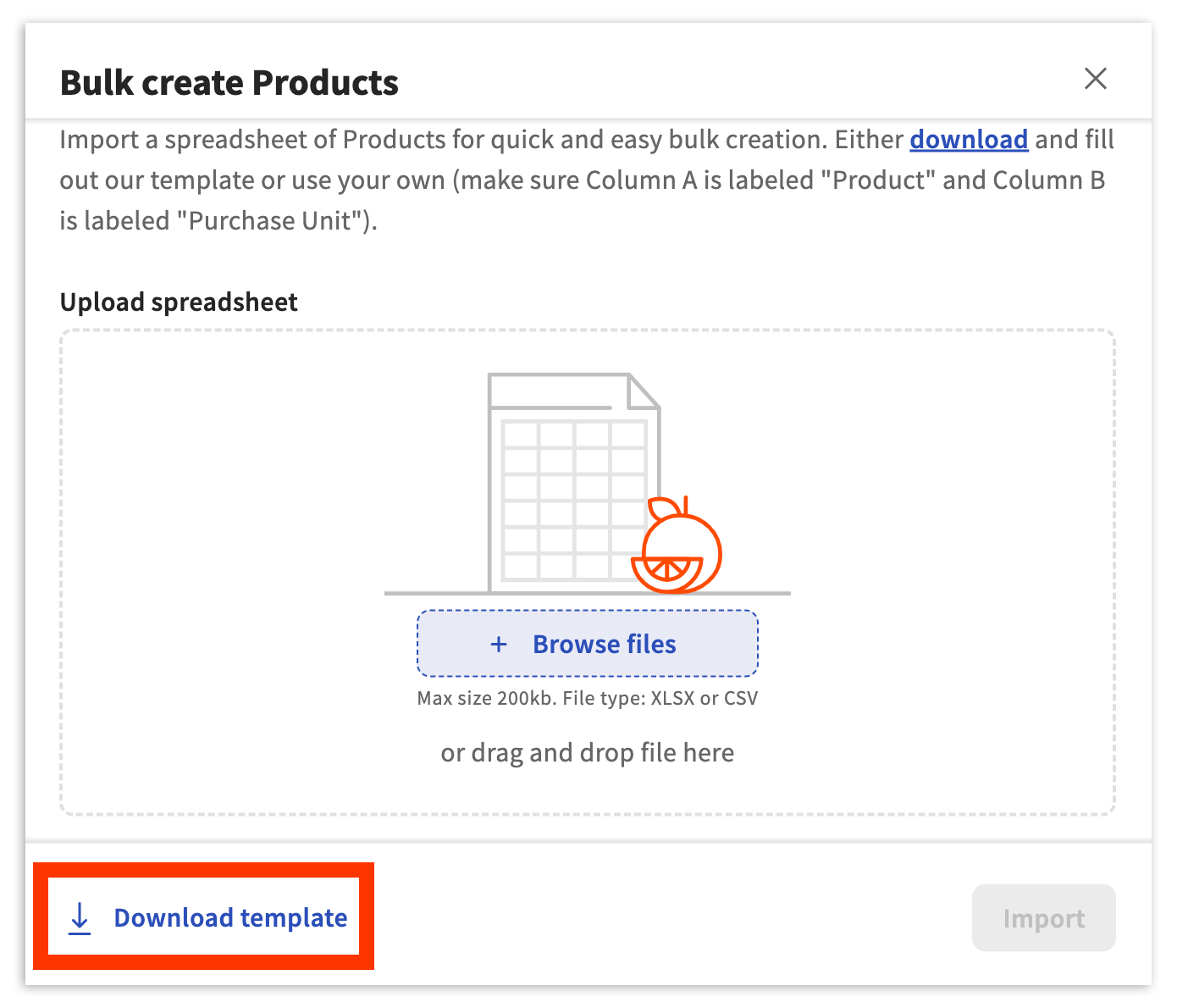
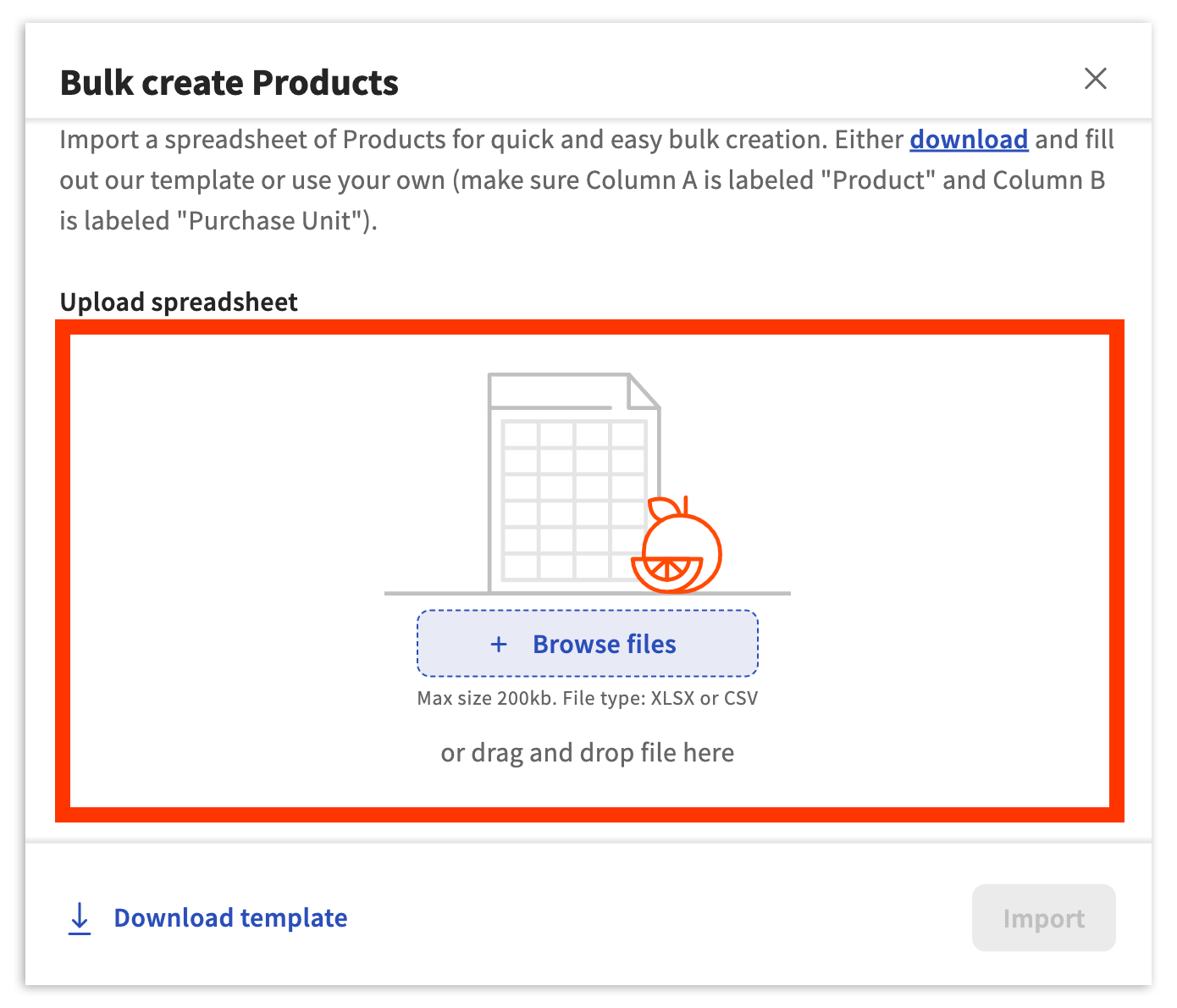
- 要使用我们的产品批量上传模板,请导航到项目库 > 查看产品 > + 添加产品 > 导入文件并在弹出窗口的左下角选择下载模板。
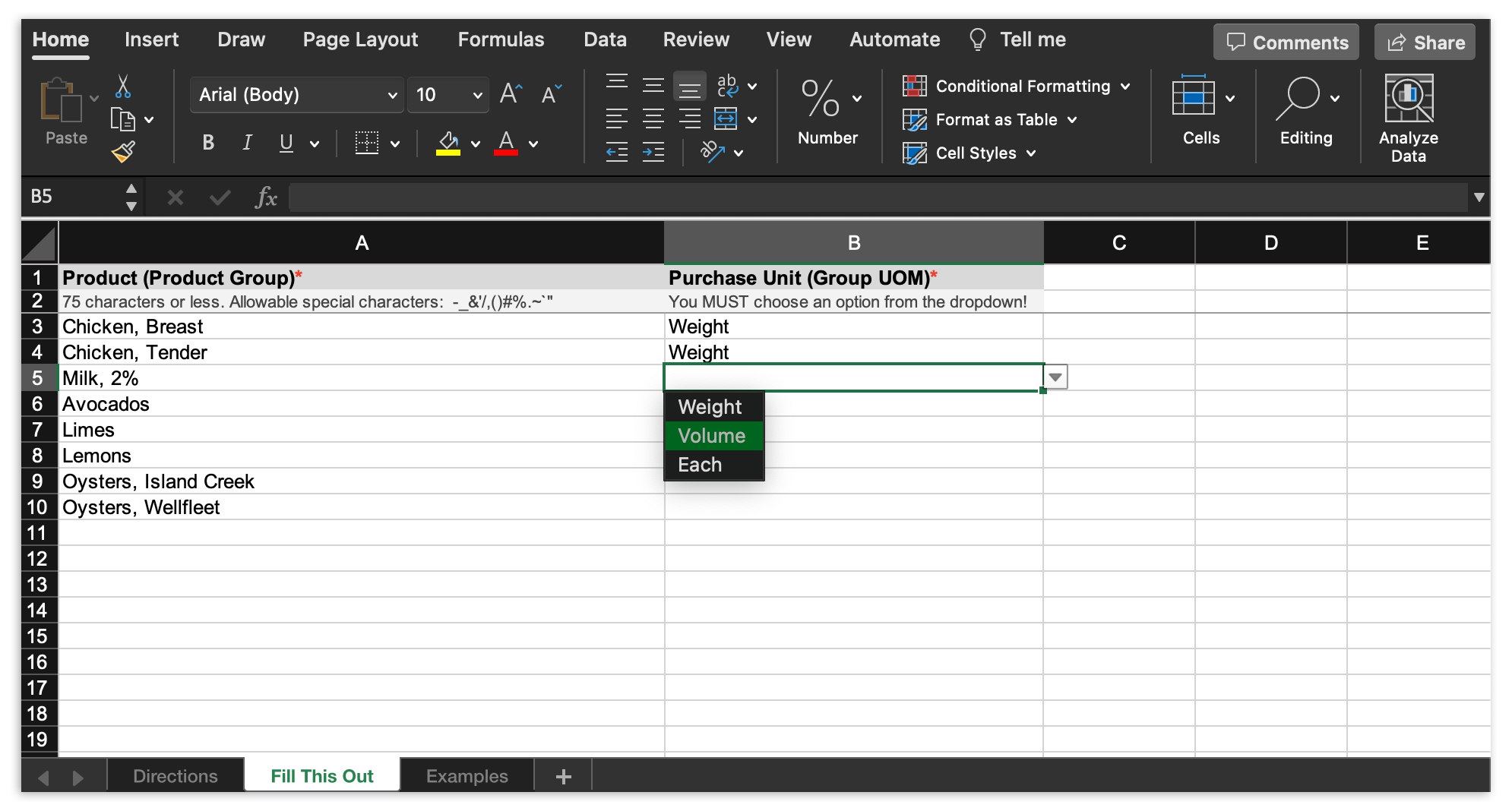
- 接下来,打开下载的模板。要开始创建您的产品列表,请选择电子表格底部标题为填写此项的选项卡。 然后在产品列中开始添加您的产品名称。您的产品列表应反映您在餐厅中使用的成分和库存项目。为您添加的每个产品选择相应的采购单位(重量、体积或每个)。
- 完成后,将文件保存到您的计算机,格式为 .xlsx 或 .csv。在 xtraCHEF 中,通过选择+ 浏览文件或将文件拖放到模板提交区域来选择计算机上的文件。
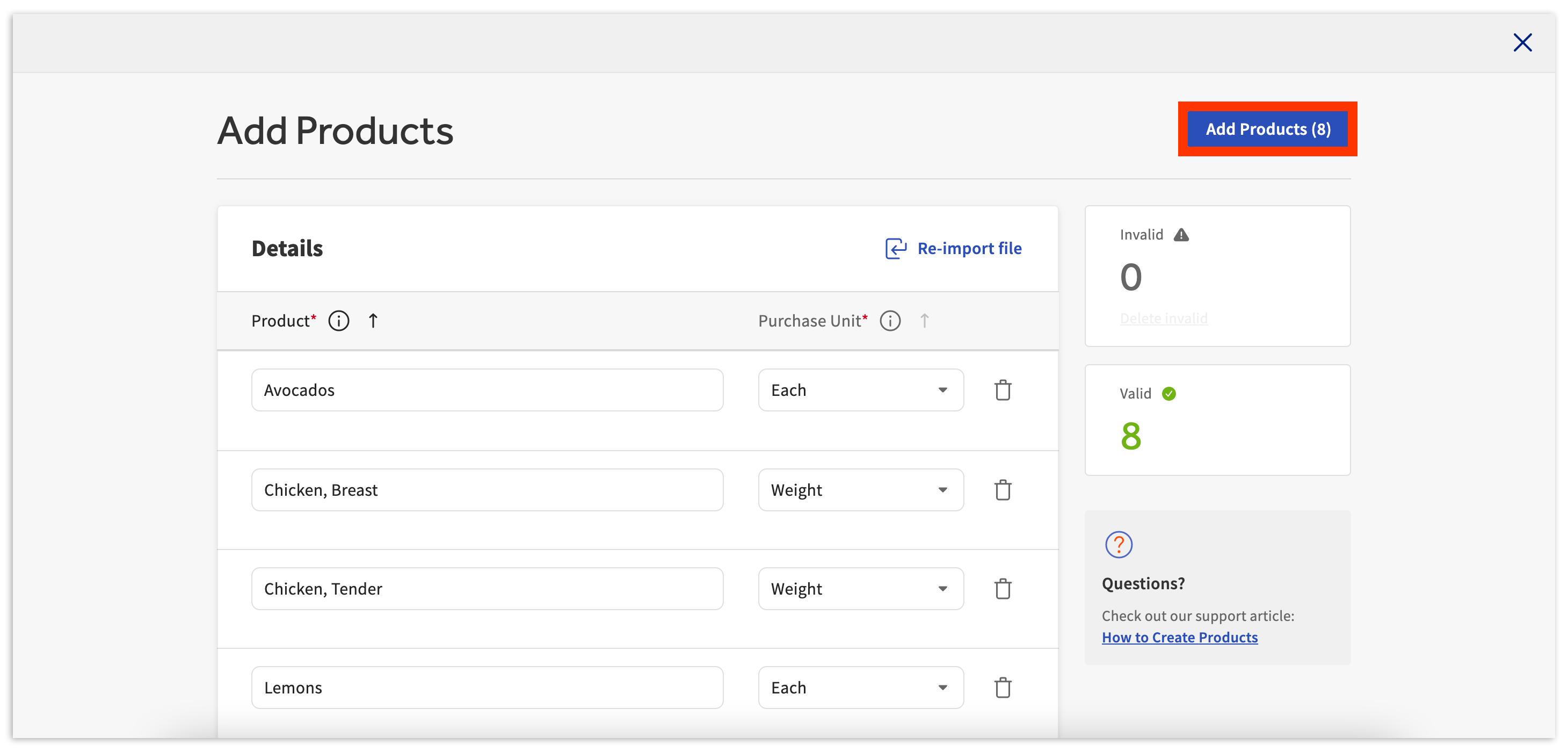
- 现在选择导入。此上传可能需要一些时间才能完成。完成后,您的产品将出现在这里。要保存这些并完成批量上传,请选择添加产品。
- 如果您在导入时收到错误,请向下滚动到第 6 步。
- 如果您在导入时收到错误,请向下滚动到第 6 步。
- 最后,通过选择是,保存确认此选择。然后,您将看到一条确认消息,说明添加到您帐户中的产品数量。在页面底部的确认消息中选择撤销将删除您的新产品并撤销您的批量上传。
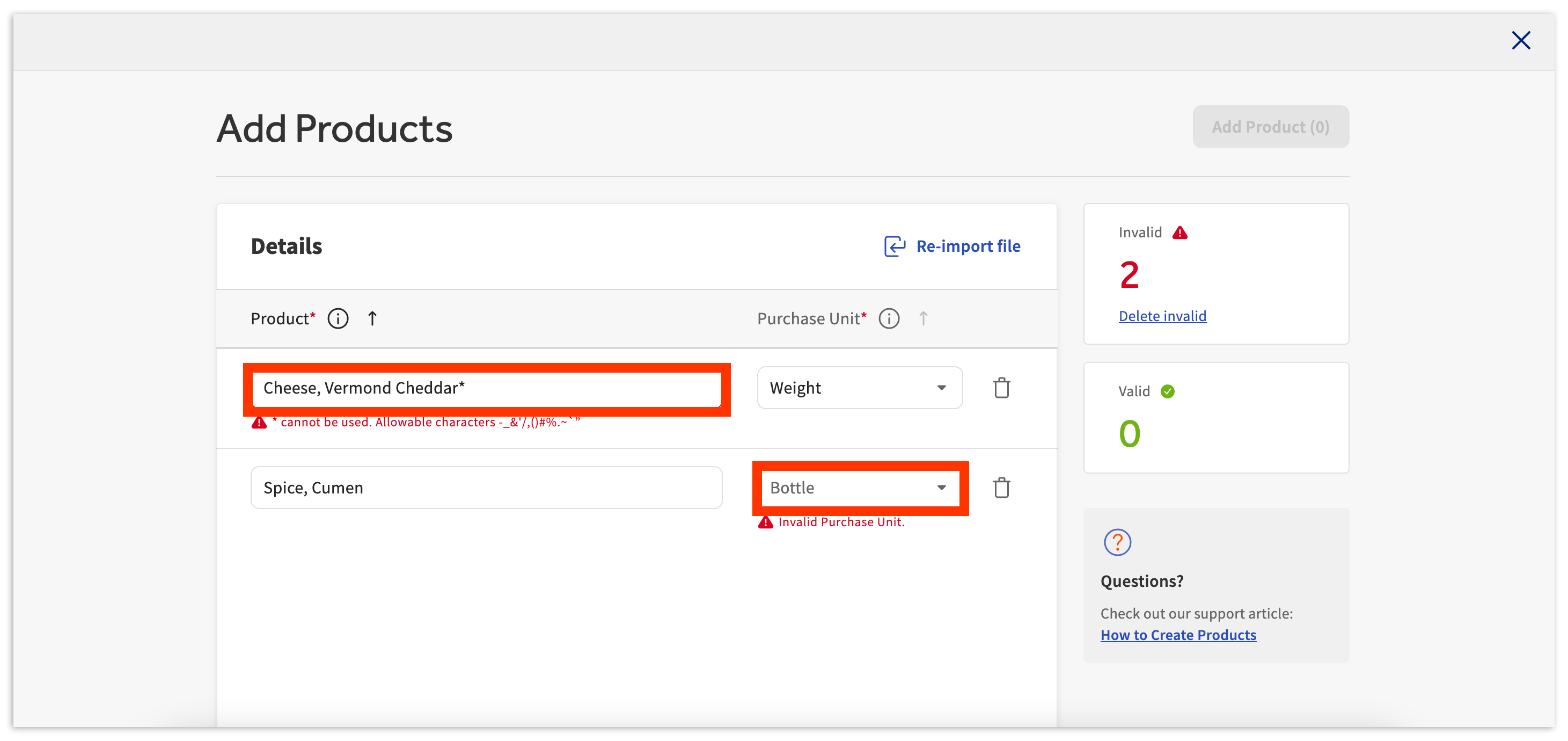
- 如果您在批量上传过程中收到任何导入错误,您将通过右上角的无效部分收到任何不被接受的产品名称或采购单位的通知。当上传的模板在产品列中包含无效的特殊字符,或者您使用的采购单位不在重量、体积或每个单位内时,可能会发生这种情况。
- 要继续并成功导入这些产品,您需要纠正错误。这可以通过直接在此页面上编辑产品名称或采购单位来完成。您还可以通过使用重新导入文件按钮来纠正电子表格中的问题并重新上传。
手动添加
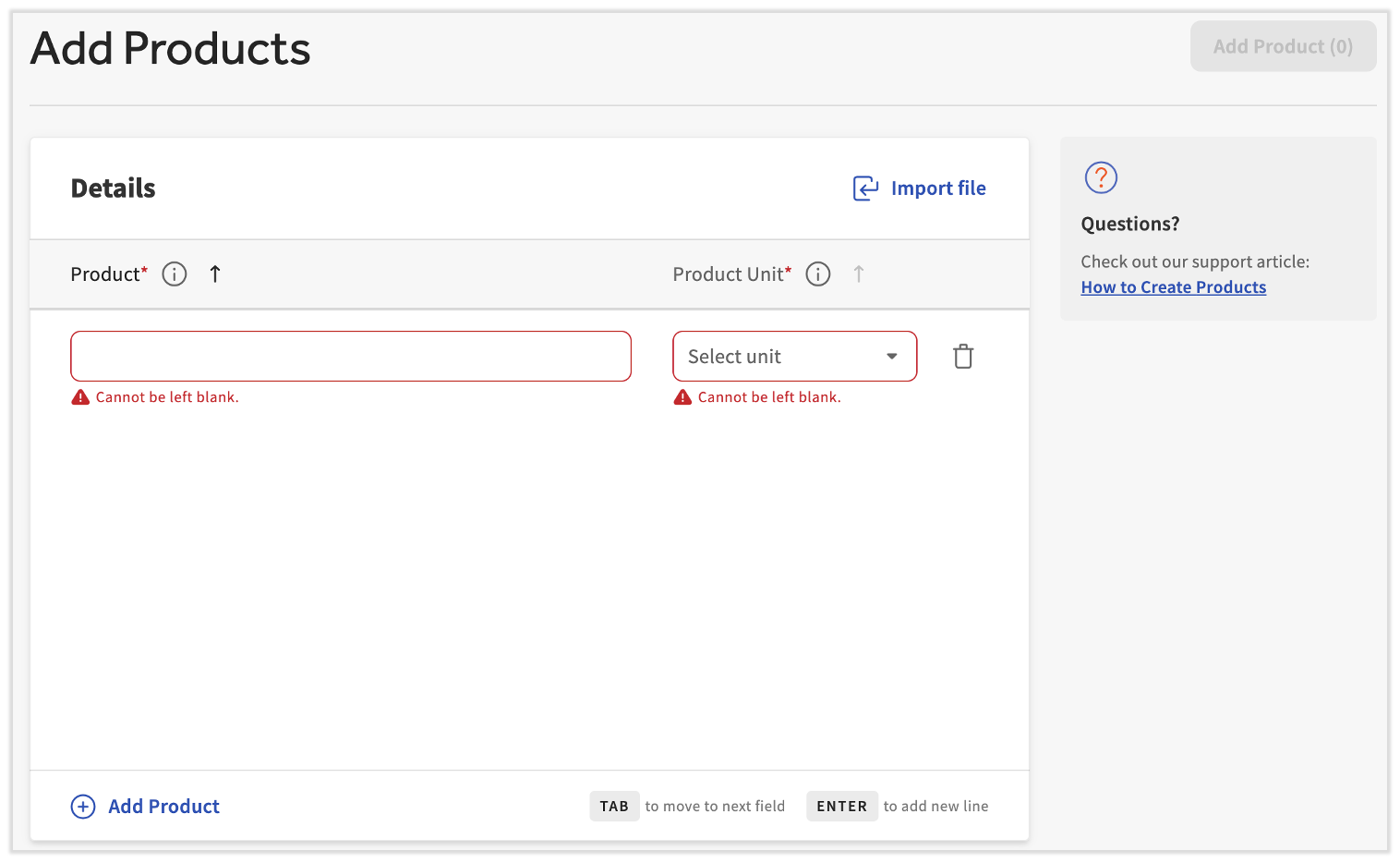
您在原始批量导入中是否遗漏了一两个产品,或者您只是有几个要添加的产品?导航到项目库 > 查看产品 > + 添加产品。
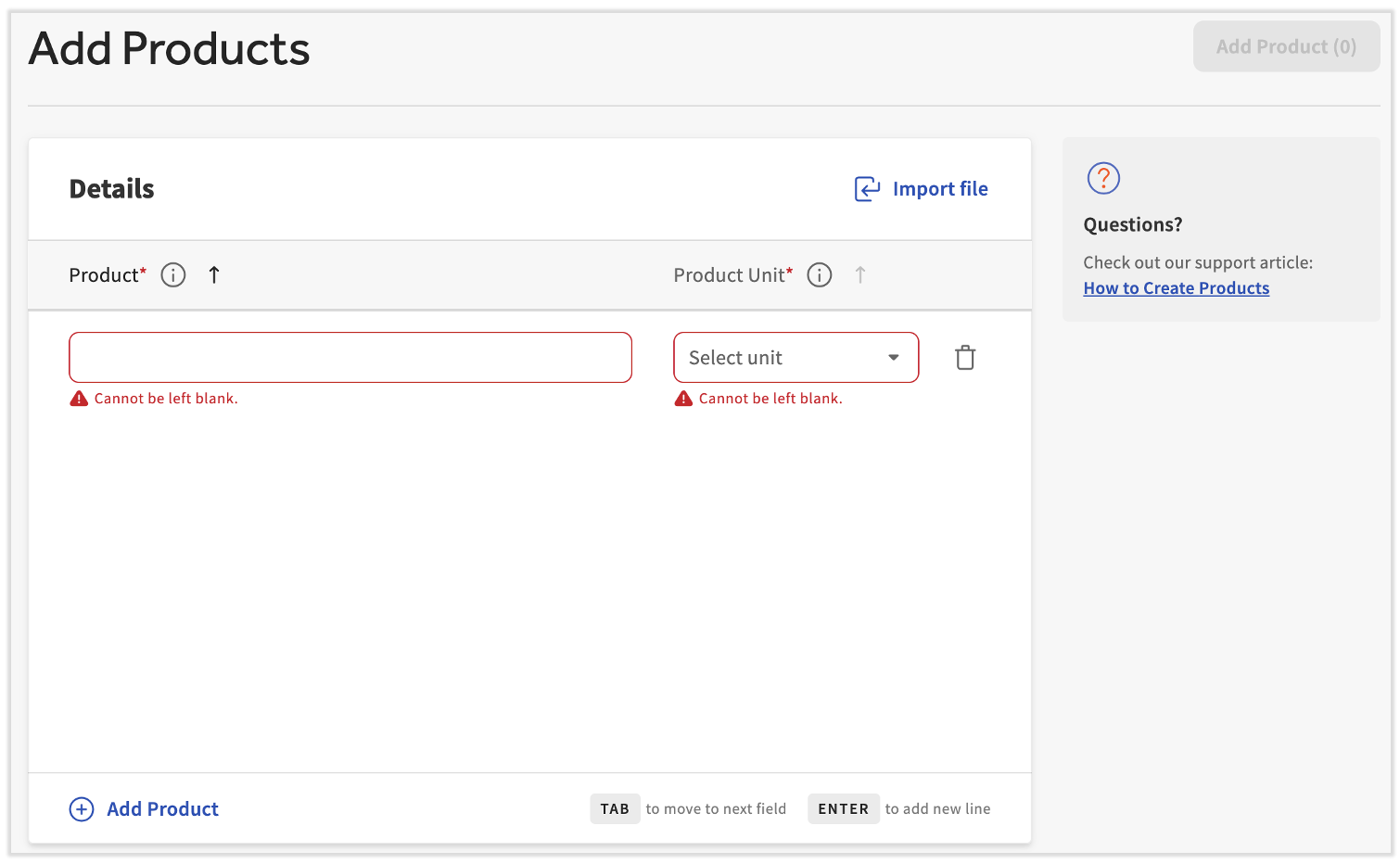
接下来,命名产品并选择其采购单位。您的产品列表应反映您在餐厅中使用的成分和库存项目。您可以根据需要重复此过程,通过选择 + 添加产品在页面底部。
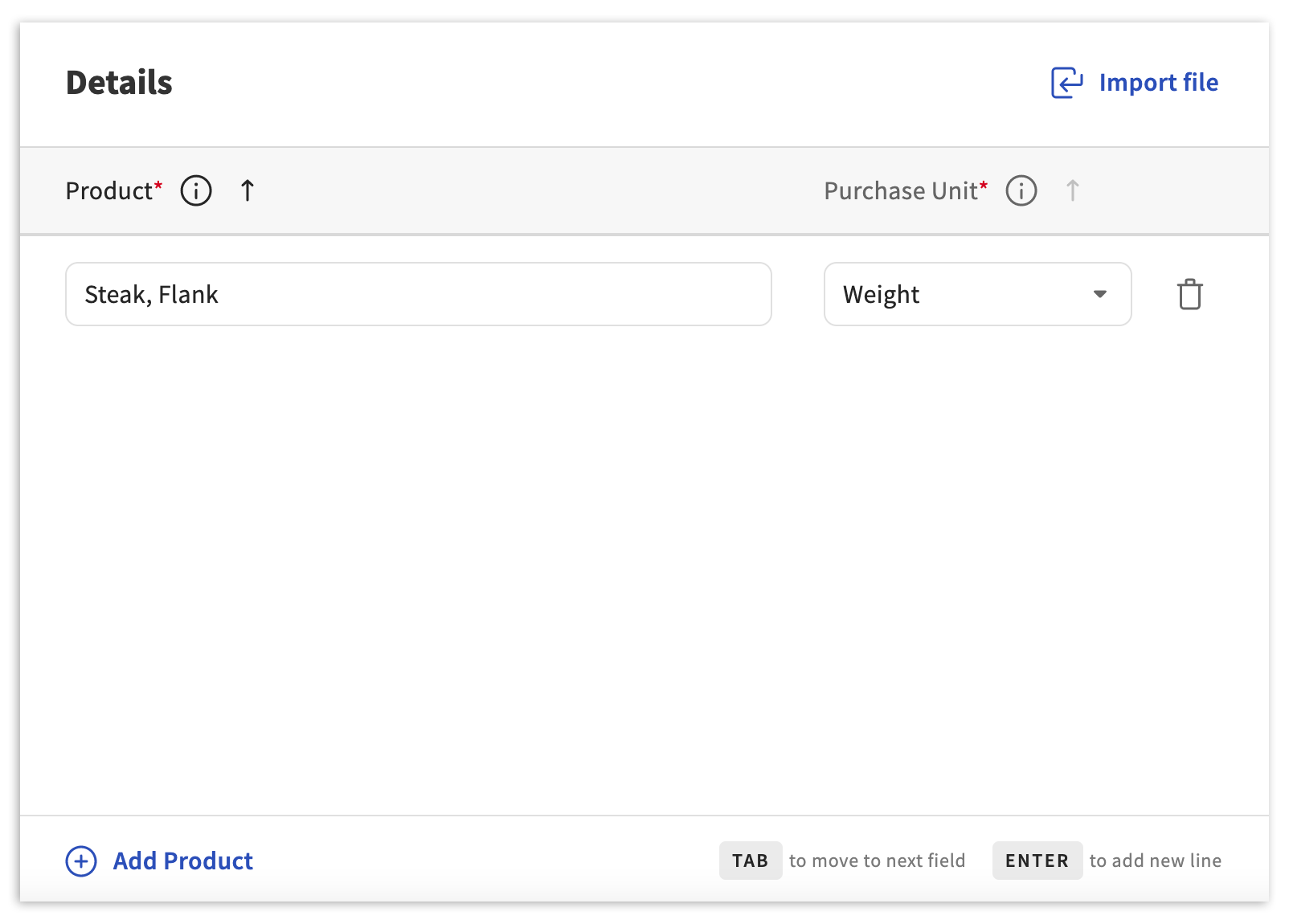
一旦您准备好,选择添加产品在右上角将这些产品添加到xtraCHEF系统中。