I’m having trouble completing the Setup Checklist for DoorDash, Grubhub, or Uber Eats
Last updated: Sep 29, 2026, 3:16 PM
Question
- I'm having issues completing setup for DoorDash, Grubhub, and/or Uber Eats. What am I doing wrong?
- I need to finish my integration with my existing DoorDash, Grubhub, or Uber Eats account.
- I'm stuck on step [#].
- What's left to integrate DoorDash/Grubhub/Uber Eats? The integration says everything is done on their end and to contact Toast.
Answer
To complete your DoorDash, Grubhub, or Uber Eats integration setup, make sure you're following each step closely in the Setup Checklist located in Toast Web, such as the example shown below. If you can't locate the Setup Checklist, select the Setup button at the top right of Toast Web. This checklist must be completed in full before you can start taking orders. If you don't complete this checklist, it may appear as though you "have" the integration, but it will not function as expected until the steps are completed. Note: The Uber Eats checklist does not get marked as “4/4 Integration Successful” until the first order is sent through the integration successfully. Customers will complete all of the steps but remain at 3/4 until the first order is received. As long as the customer received the “Congratulations” message through the Confirm your Uber Eats account section, the integration has been successfully configured.
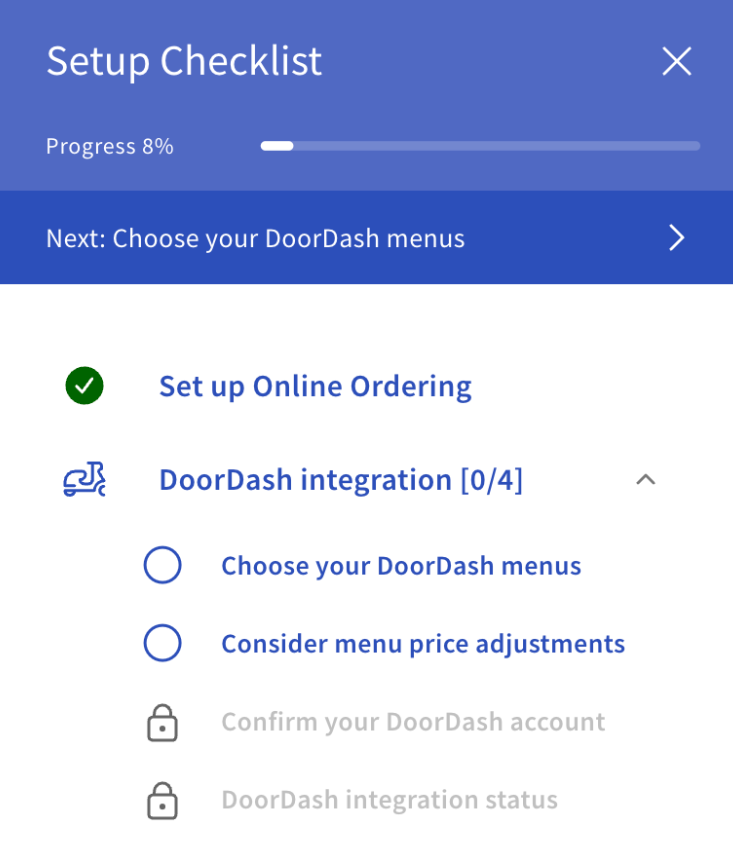
You'll see a similar checklist for other third-party ordering (3PO) integrations like Grubhub and Uber Eats.
For help on completing each list item:
- Choose your [3PO] menus
- You’ll be given a drop-down where you can select which menus you’d like to populate in the integration.
- If you don’t have any menu incompatibilities, you may continue the onboarding. Toast will automate the process of adding your selected menus to the third-party ordering platform.
- Consider menu price adjustments
- You can set up a fixed percentage or monetary price increase across the board. Check out Set Different Menu Prices for Third-Party Ordering Integrations for more information.
DoorDash and Uber Eats setup will automatically move to the Take Action to Go Live Step unless your location is MLM. If your location is using MLM or you are onboarding for Grubhub, the checklist will move into “Toast Setup in Progress”. A third-party setup agent will manually handle the setup, and you will receive an email notification once this has been completed within three to five business days.
Between these items, you'll see a Toast setup in progress message. For DoorDash and Grubhub during this time, your Onboarding Consultant will manually set up your account, and you'll receive an email when this setup is complete. For Uber Eats, your setup will be instant once you log in to your Uber Eats account or create a new one.
- Confirm your [3PO] account
- The aforementioned email for DoorDash and Grubhub setup will show you further steps, timelines, and where you are in the process; this takes three to four days.
- Grubhub: Your checklist will state Partner setup in progress.
- DoorDash and Uber Eats: Your checklist will state take action to go live.
- You will then receive a final email from the integration when you're all set with it and can start taking orders.
- The aforementioned email for DoorDash and Grubhub setup will show you further steps, timelines, and where you are in the process; this takes three to four days.
- [3PO] integration status
- If you have green checkmarks on the rest of your checklist steps, you’ve completed configuration on your end and are now awaiting activation. You can click into this task to see your integration status. (You can also click into the other tasks to see their status, whether or not they have a green checkmark.)