Get Help With Breaks in Toast Web
Last updated: Apr 22, 2026, 6:32 PM
View some additional configurations and features for breaks in Toast Web.
- Breaks FAQ
- What's new in 2026?
- What’s the main difference between a Basic break rule and an Advanced break rule?
- I’m setting up an Advanced rule. Why can’t I edit the Tracked from fields?
- In the Time entry management report, what does the time in the Break waiver column indicate?
- My employee waived their break, so why is it reporting as missed?
- Does an employee need to clock back in after their break?
- What happens if an employee takes a paid break for longer than the specified duration?
- Can an employee update their initial response to the break waiver? For example, can they change their answer from “no” to “yes” or vice-versa?
- Additional Resources
Breaks FAQ
What’s new in 2026?
There are now two types of breaks you can use. For Basic breaks, we’ve added in a break threshold. For Advanced breaks, users now have the ability to set up breaks of different intervals. Build Employee Breaks in Toast can help you identify which is right for your business.
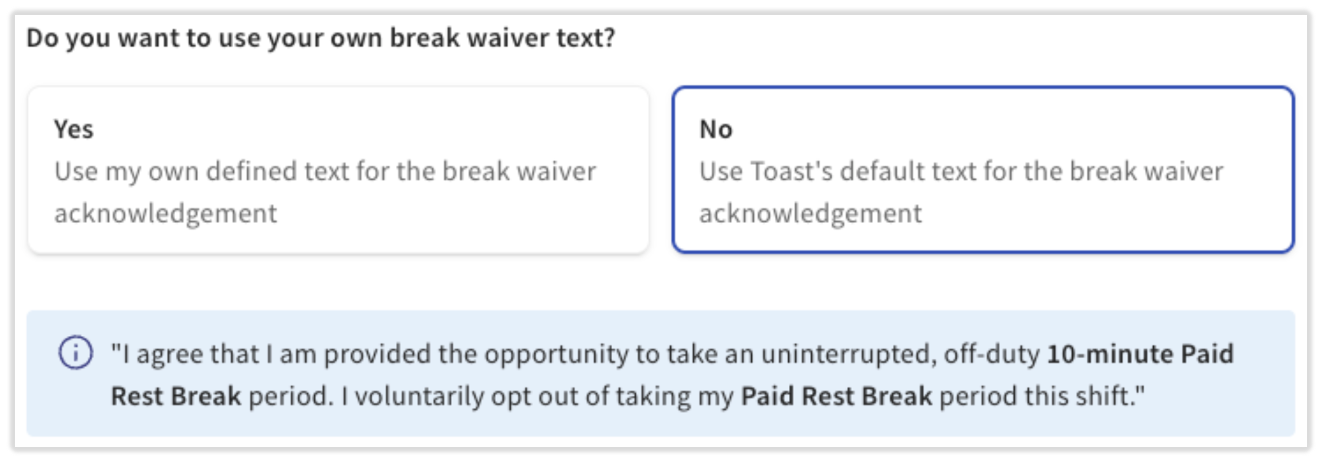
Additionally, for customers that want to use Advanced break tracking, there is an optional break waiver feature with a setting for custom break waiver text configuration on the POS. Break waivers allow your employees to waive breaks, classifying them as “waived” rather than "missed" within your time entry management reporting.
What’s the main difference between a Basic break rule and an Advanced break rule?
Each individual break interval can be configured independently with Advanced rules.
I’m setting up an Advanced rule. Why can’t I edit the Tracked from fields?
This value automatically carries over from the prior break's Tracked until field since an employee cannot be clocked into two, overlapping breaks at the same time.
In the Time entry management report, what does the time in the Break waiver column indicate?
If your employee answered the break waiver text prompt on the POS, this column will indicate their answer to the question. Please note that Break tracking and Enable waivers both must be toggled on in order for break waivers to appear on the POS. You can find and edit the question's text by navigating to Employees > Timesheet management > Break types. Select a break and review the Break Tracking section for the text in the blue box.
My employee waived their break, so why is it reporting as missed?
There are several reasons why an employee’s break can be marked as missed, despite the employee waiving their break:
-
- The break must be eligible to be waived. In some configurations, the first break can be waived, but if the employee works a significantly long time, they cannot waive their second break. Therefore, if they didn’t take the second break, it would be marked as "missed."
- The employee needs to take the break within the break window. If the employee takes their break, but clocks into their break later than the configured Tracked until time, it is considered "missed."
- If your restaurant hasn’t toggled on the Enable waivers setting or you manage waivers outside of Toast, the break will be marked as "missed" on the Time entry management report.
Does an employee need to clock back in after their break?
Breaks do not end automatically when the duration has been reached. Employees must manually end their break via a POS device.
What happens if an employee takes a paid break for longer than the specified duration?
If a paid break exceeds the configured duration, the system will continue to track the employee as "on break" and pay wages until it has ended.
Can an employee update their initial response to the break waiver? For example, can they change their answer from “no” to “yes” or vice-versa?
No, the employee can only answer their waiver once and there is no way for the administrator to update their answer.
Additional Resources
- Build Employee Breaks in Toast
- Clock In and Out for Shifts and Breaks
- Edit Employee Time Clock Entries
- Manage Break Adherence on Mobile
This content is for informational purposes and is not intended as legal, tax, HR, or any other professional advice. Please contact an attorney or other professional for advice.