Reuse Approved Hardware Devices at a New Location
Last updated: Sep 30, 2026, 2:07 PM
Reuse Approved Hardware Overview
Are you trying to set up Toast terminals that were previously used with another restaurant account? Oftentimes, in order to reuse approved hardware devices, a factory reset of the device is required. If you've attempted to install the hardware without factory resetting the device, please complete a factory reset before continuing any troubleshooting steps.
Before proceeding, ensure all devices are connected to your Toast Network. If your restaurant is not yet live on Toast and you need assistance setting up your Toast Network, please contact your Onboarding Consultant. For more information, see this Support Center article: Set Up Your Toast Network.
Note: Restaurants are required to purchase new networking equipment when establishing a new Toast account. This could be a new restaurant opening, an existing restaurant that is new to Toast, or an existing Toast restaurant that is adding a new location.
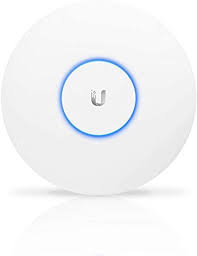
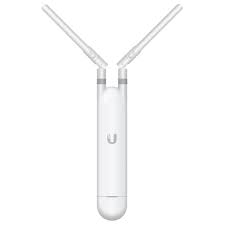
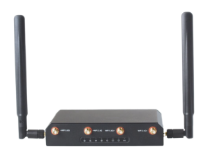
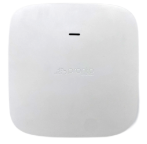
| Toast Networking Equipment You can reuse the following approved networking equipment from a previous location, provided it was originally purchased from Toast: | |
| Ubiquiti Indoor Wireless Access Point | |
| Ubiquiti Outdoor Wireless Access Point | |
| Toast Pronto Router | |
| Toast Pronto Indoor Access Point | |
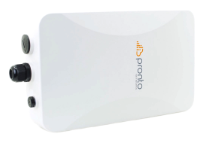
| Toast Pronto Outdoor Access Point | |
| Toast Pronto Managed Switch |  |
Note: Toast Meraki routers cannot be moved between accounts. If you need a router for a new location, your Onboarding Consultant (if your restaurant isn't live on Toast yet) or Toast Customer Care (if you are out of test mode and using Toast to process credit card payments) can help with your options.
Additionally, there are a few hardware devices that are no longer supported by Toast. A comprehensive list of these devices can be found in this Support Center article, Non-Supported Hardware Devices.
Back to top
Factory Reset Instructions by Device
Select a device below for factory reset instructions.
- Factory Reset Your Toast Flex Terminal
- Factory Reset a Toast Printer
- Factory Reset an Elo V2/V3 Terminal
- Factory Reset an Epson Printer (M30, U220)
Note: If you have a device that isn't on this list and you've exhausted all troubleshooting steps to install the device, please contact either your Onboarding Consultant (if your restaurant isn’t live on Toast yet) or our Toast Customer Care team (if you are out of test mode and using Toast to process credit card payments) for next steps.
After Factory Resetting
Depending on where you are in your onboarding journey, there could still be basic back-end configuration steps that need to be completed in order to prepare your restaurant for its go-live with Toast (using Toast to process credit card payments).
If you're working with an Onboarding Consultant, please check in with them for next steps or follow the instructions in this article: Self-Service Onboarding Guide.
If your restaurant is already live on Toast the following information applies to any device that has been successfully factory reset.
- On all tablets, check to make sure your Toast App is up to date (see Update Your Toast App for instructions). Once updated, log in to the device using your most updated Toast credentials. This includes terminals, Toast Go® handhelds, tablets, Kitchen Display System screens, and Kiosks.
- Each new tablet will also need to go through the Quick Setup Guide once logged in.
- During the Quick Setup Guide, all printers will need to be added through the Printer Setup as well. See Printer Setup Overview for instructions.