Set Up Your Datalogic Magellan Scanner/Scale With Toast
Last updated: Aug 21, 2026, 12:01 PM
Learn how to set up a Datalogic Magellan scanner/scale with Toast.
- Datalogic Magellan Scanner/Scale Setup Requirements
- Toast Setup Steps
- Device Setup Steps
- Magellan 8xxx Configuration Barcodes
- Magellan 9xxx Configuration Barcodes
- Troubleshoot the Magellan Scanner/Scale
- Additional Resources
Datalogic Magellan Scanner/Scale Setup Requirements
You can connect your Datalogic Magellan scanner/scale to your POS terminal. Magellan 8000 and 9000 series devices are all compatible with Toast POS.
To set up your Magellan scanner/scale, you'll need:
- Power cord: Datalogic 6003-0941
- Power brick: Datalogic 90ACC0194
- Host cable: RS-232, ICL, PC, 9D (Datalogic 90A052121)
- For the Magellan 9xxx series: 90A052121 (male to female)
- USB-to-RS-232 serial adapter for the Toast terminal (USB-A or USB-C as available)
- Supported USB-to-serial chipsets:
- Prolific PL2023GC (vendor 0x067B, product 0x23A3)
- FTDI FT232R (vendor 0x0403, product 0x6001)
- Example cables:
- Preferred
- Prolific USB-A adapter
- FTDI USB-C adapter
- Other
- FTDI USB-A adapter
- Preferred
- Supported USB-to-serial chipsets:
- Not supported: Datalogic USB host cable and the green Datalogic scale cable
Note: 2D barcode-based loyalty or ID solutions are not supported with a Magellan scanner/scale. For ID scanning, use a supported mag-stripe swipe or a compatible handheld scanner.
Toast Setup for Datalogic Magellan Scanner/Scale
To set up a Datalogic Magellan scanner/scale, you'll need to ensure that your weighed items are configured appropriately for SKUs/barcodes and to prompt for quantity, and you'll also need to enable SKUs on your POS device. See these Support Center articles for instructions:
- Use Barcodes With Toast
- Toast Retail: Set Up Weighed Items or Configure Items Priced by Weight (non-Retail)
Device Setup for Datalogic Magellan Scanner/Scale
Follow these steps up connect your Datalogic Magellan scanner/scale:
- Wire your hardware.
- Connect the host RS-232 cable to the scanner/scale.
- Connect the other end to the USB-to-RS-232 adapter.
- Plug the adapter into a USB port on the Toast terminal, printer hub, or guest-facing display.
- Connect power to the scanner/scale to turn it on.
- Program your scanner/scale.
- Disconnect the host cable to program your scanner/scale.
- Scan the configuration barcode sequence for your model: Magellan 8xxx or Magellan 9xxx.
- Reconnect the host cable when you're finished.
- Verify scanner/scale operation.
- Launch Toast POS, log in with a POS access code, and navigate to Quick Order mode.
- Scan a UPC-A or EAN item. The full SKU digits should appear in the item line.
- Place a weighed item on the scale. The weight should populate in Toast within about one second.
- Try a few items to confirm consistent reads and stable weights.
- If reads are inconsistent, ensure that the USB cable is not connected to a printer hub. Connect the USB cable to the terminal or guest-facing display, and try again.
- If the scanner/scale is not operating as expected, proceed to troubleshooting steps below.
Magellan 8xxx Configuration Barcodes
For older 8xxx scanners that don't support 2D barcodes.
Note: Print this page (or this PDF: Magellan 8xxx Model Barcode Sheet) before scanning. Do not attempt to scan from a phone or laptop screen.
Then follow the instructions below, or in the above PDF:
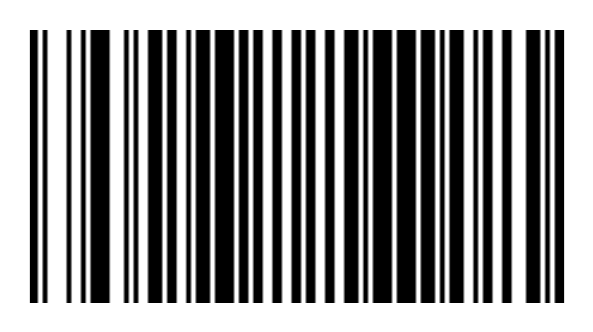
Scan the barcodes below in order. The scanner will reboot after the last barcode.
- Enter Programming Mode
- RS-232 Single Cable Mode
- Check Characters
- Exit Programming Mode

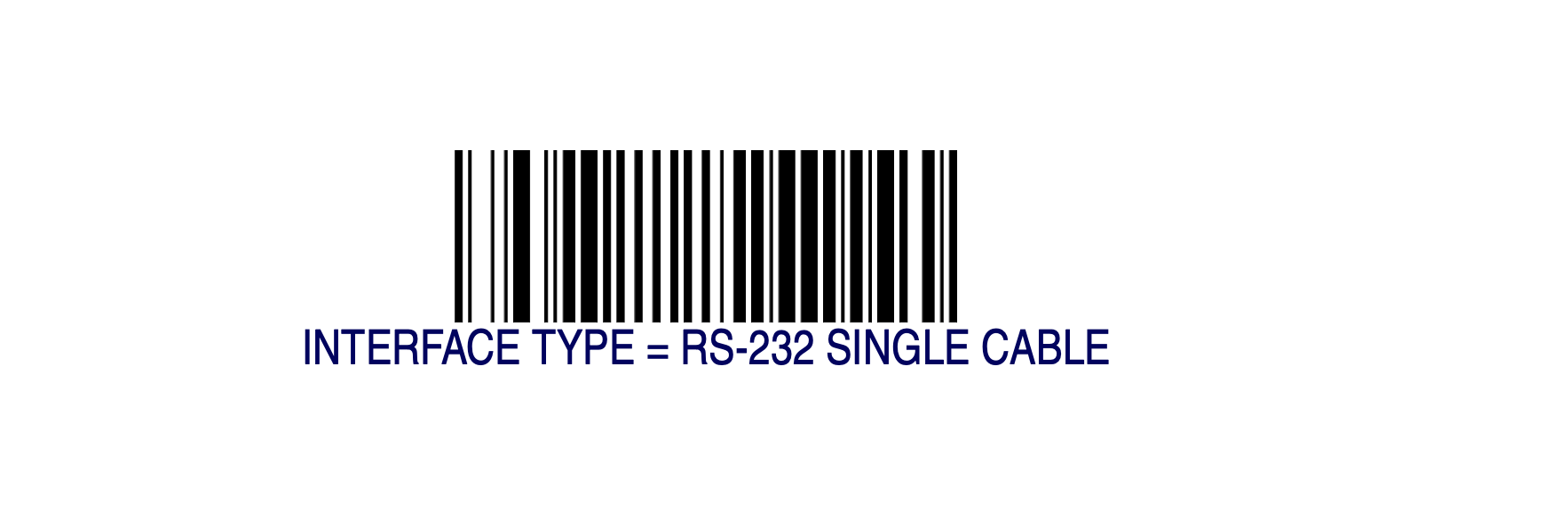
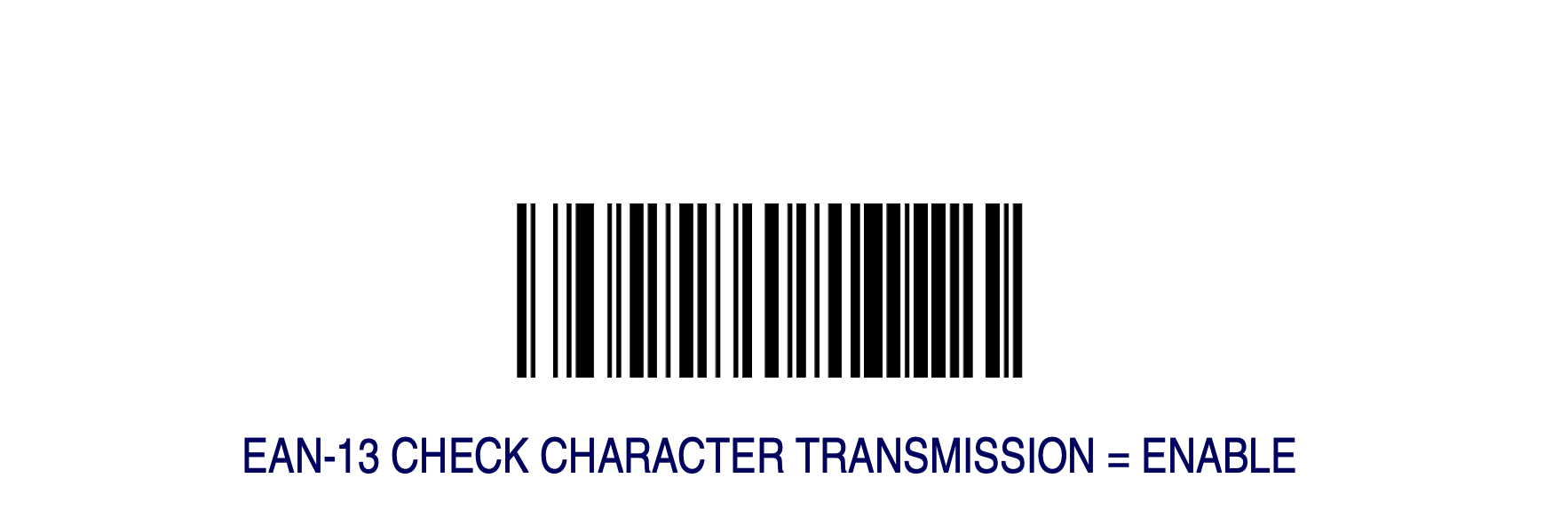
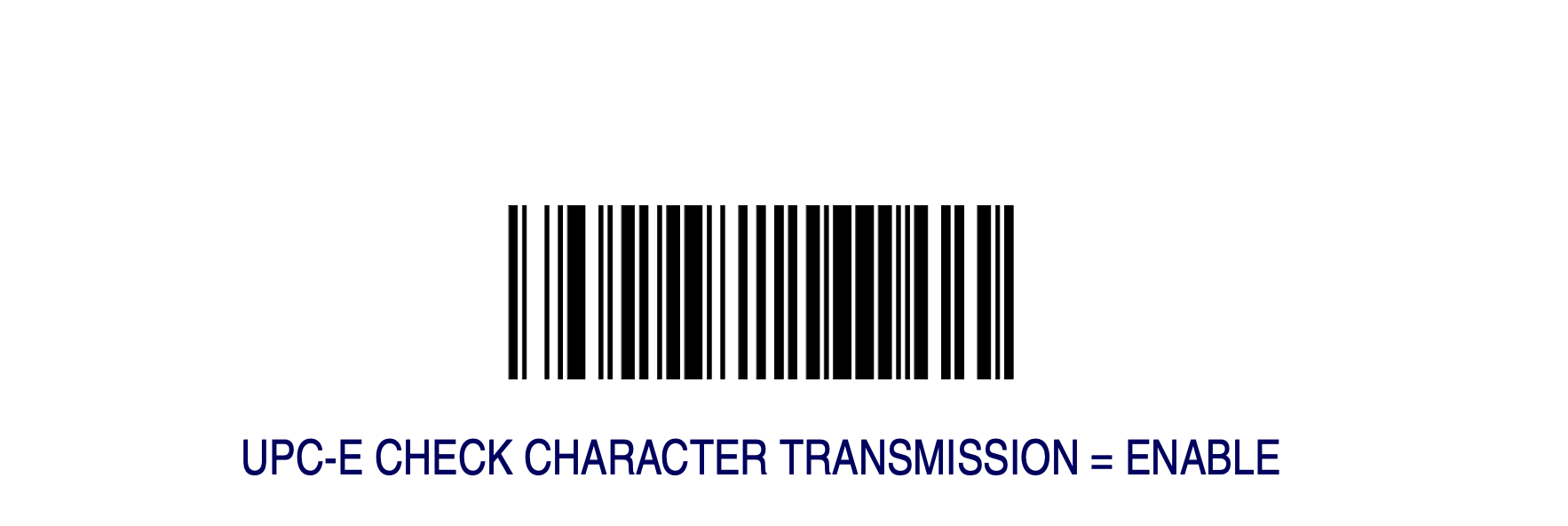
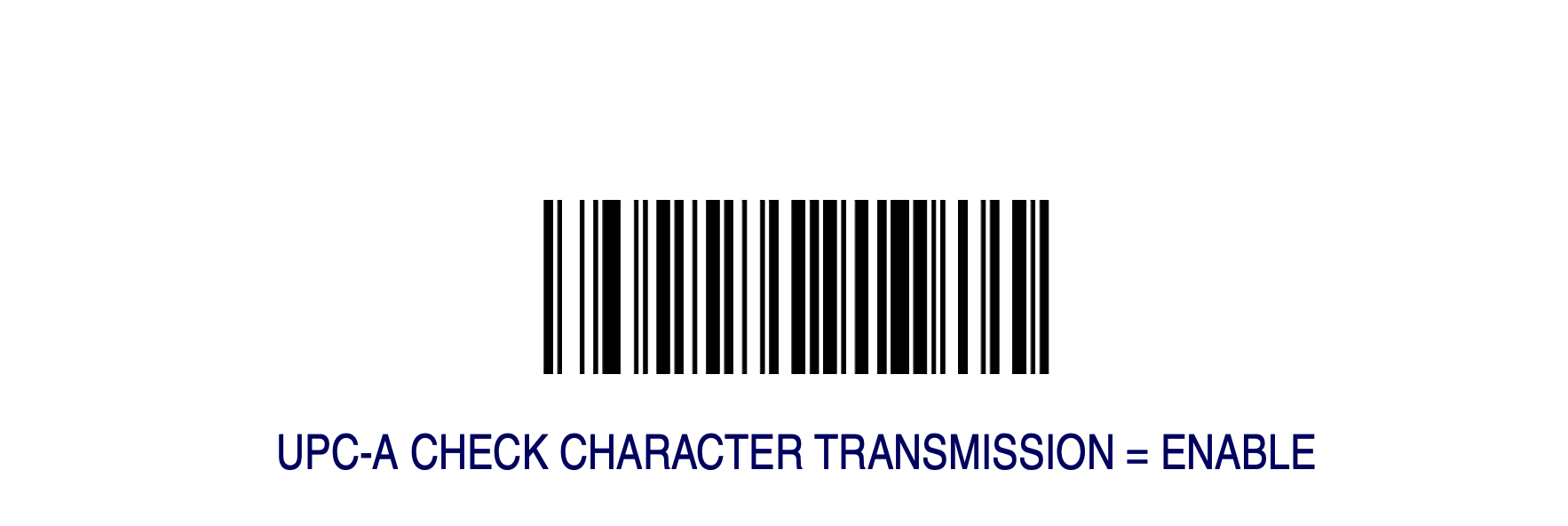

Magellan 9xxx Configuration Barcodes
Compatible with all 9xxx models that support 2D barcodes.
Note: Print this page (or this PDF: Magellan 9xxx Model Barcode Sheet) before scanning. Do not attempt to scan from a phone or laptop screen.
Then follow the instructions below, or in the above PDF.
If this scanner was previously configured for another POS system, perform a full factory reset first, then scan the configuration sequence below in order. The scanner will reboot after each major step.
Full factory reset (if needed):
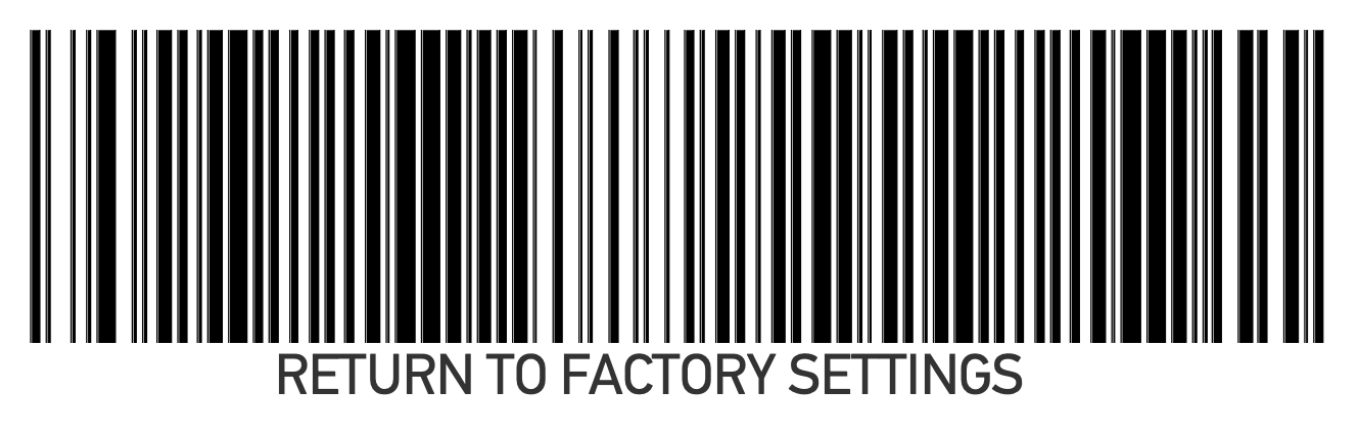
Configuration sequence:
- Enter Configuration
- POS Scanner Interface Type: RS232-SC
- UPC-A / EAN-13 / EAN-8 Check Character Transmission: Enable; Enforced Zero Return: Non-zero for 4 min
- Exit Configuration
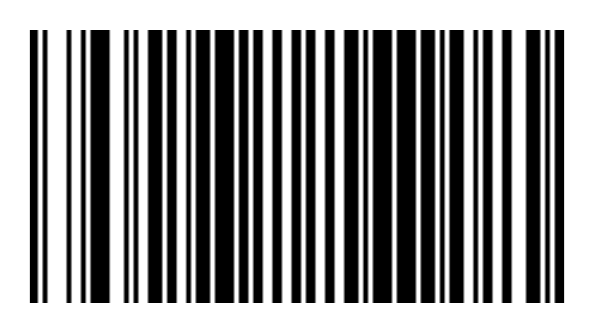
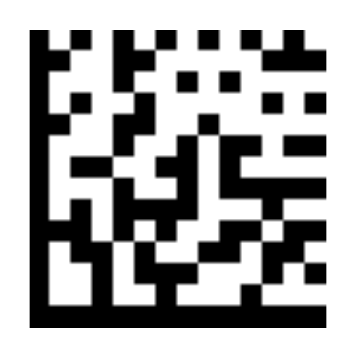
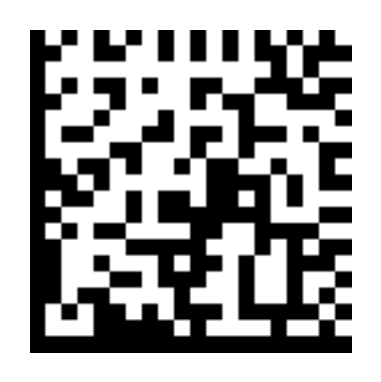
Troubleshoot Datalogic Magellan Scanner/Scale Installation
Follow the troubleshooting steps below if your Datalogic Magellan scanner/scale is not operating as expected:
- Nothing scans with the Magellan scanner/scale
- Rescan the configuration barcode sheet to confirm the following settings:
- Scanner was programmed to RS232-SC
- Check character transmission is enabled for UPC-A, EAN-13, and EAN-8
- Verify the USB-to-serial adapter uses a supported chipset (see above)
- Power cycle the scanner (turn it off and back on again) after programming it
- Rescan the configuration barcode sheet to confirm the following settings:
- Magellan scanner/scale disconnects or shows errors intermittently
- Plug the adapter directly into the terminal rather than the printer hub.
- FTDI adapters may exhibit more errors behind USB hubs; consider using a Prolific adapter or relocating the connection.
- Scale weight doesn't appear when using Magellan scanner/scale
- For a Magellan 9xxx model: Rescan the Enforced Zero Return: Non-zero for 4 minutes barcode, then reboot the scanner.
- Clear the scale and check for debris under the platter.
- For weighted items, confirm that weights are configured on the menu.
- Configuration barcodes do not scan:
- Print the barcode sheets. Do not attempt to scan from a phone or laptop.
- If the 2D config barcodes do not scan, try the 1D Magellan 8500 barcode set. Some models may not support 2D barcodes.
- If the lights on the device are cycling/flashing after a factory reset, check the error code and the troubleshooting guide in the Datalogic manual.
- In some cases, the error code can be cleared by scanning additional configuration barcodes to disable broken features that are unused (EAS, remote display)
- Item barcodes do not scan, or scan with no response from the Toast terminal:
- Confirm the scanner was programmed to RS232-SC.
- If only the first scan registers after each power cycle of the scale, the device is in RS232-SC mode, but the Toast terminal is not receiving data. (In RS232-SC mode, the scanner will queue up the scan data until it is read.)
- Verify the USB-to-serial adapter uses a supported chipset.
- Unplug the USB cable from the Toast terminal and plug it back in (triggers the terminal to reinitialize the scanner/scale) after programming.
- Power-cycle the scanner/scale after programming.
- Confirm the scanner was programmed to RS232-SC.
- Item barcodes scan, but show the SKU not found error message:
- Confirm that all configuration barcodes were scanned.
- One failure mode is that one of the check character transmission barcodes for UPC-A, EAN-13, and EAN-8 was missed, resulting in barcode reads that are missing the last (check) digit.
- Confirm menu items are configured correctly with SKUs in Toast Web.
- Confirm that all configuration barcodes were scanned.
- Item barcodes scan, but show the promo code not found error message:
- Ensure SKUs are enabled in Device Setup on the terminal.
If you've followed these steps and your Magellan scanner/scale is still not recognized in Toast, contact Customer Care.
Additional Resources for Scales