Sling by Toast: Integration Overview
Last updated: Oct 2, 2026, 2:00 PM
Learn about the Sling and Toast integration.
- Create and Sync an Account
- Resolve Timesheet Sync Issues
- Use Projected Sales Forecasting
- Import Schedules
- Track Late Employees
- Related Articles
Create and Sync an Account
You can use Sling Lite or Sling Pro through your Toast account.
What data syncs:
- Employee data: Names, positions, locations, and wages sync from Toast to Sling.
- Timesheets: Timecards sync in real time and support bidirectional updates.
- Sales: Sales data syncs to help compare projected vs. actual performance.
- Deactivation sync: When you archive an employee's Toast Web profile, their Sling profile is deactivated automatically. If the employee is assigned to more than one connected location, their Sling profile stays active until their Toast Web profile is archived at every connected location. When you deactivate an employee in Sling only, they stay deactivated in Sling even if their Toast Web profile is still active.
Note: Sling communicates with Toast Web, not Toast Payroll.
Connect a new account:
- Log in to Toast Web.
- Navigate to Team > Scheduling.
- In the upper-right corner, select the three dots > Connect locations to Sling.
- Select the three dots for a location and select Connect.
- Confirm the connection.
Connect an existing account:
- Select Connect to existing Sling account.
- Log in and confirm integration.
- Map locations and employees.
After syncing, your accounts are connected and ready to use. For more details, check out Create & Sync Your Sling By Toast Account.
Resolve Timesheet Sync Issues
Timesheets with errors display a red exclamation point in the source column on Sling. Hover over the icon to view the issue.
Common causes include:
- The employee does not exist in Toast.
- The location does not exist in Toast.
- The employee is not assigned to the location.
- The position does not exist in Toast.
- The position exists in Toast, but isn’t assigned to that employee at that location.
To resolve issues, update the relevant data in Toast or adjust the shift details in Sling.
Use Projected Sales Forecasting
Sling Pro users can import projected sales using historical data and trends.
To sync projected sales:
- Navigate to the Schedule page in Week view.
- Filter the schedule to show one location, or group the schedule by location.
- Select the sync icon.

Forecasts improve as more historical data becomes available and as the scheduled date approaches. Importing sales projections will override any values that were input manually prior. You can sync up to 4 weeks in the future. Calculations will be more accurate the closer to the date you get. Sales forecasting does not take weather predictions, holidays, or other events into account.
Import Schedules
The schedule import feature makes it easier for Toast customers to switch to Sling from another scheduling platform. If the schedules synced to Toast Web from your previous scheduling platform, you can import them from Toast if no shifts exist in the current week view.
To import:
- Navigate to the Schedule page
- Select Import shifts

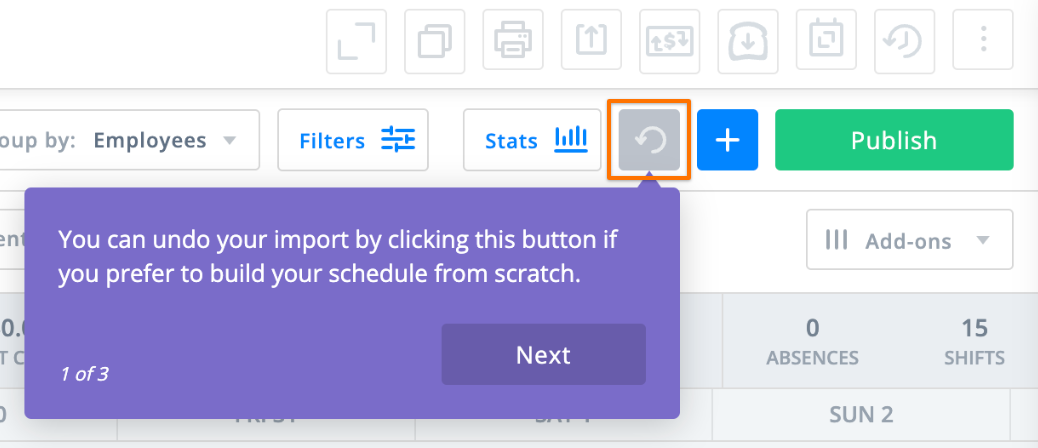
The import includes up to 7 days of data and can be undone immediately if needed using the undo button.
Track Late Employees
To track late employees in Sling when using the Toast time clock:
- Go to Settings > Time Clock.
- Enable Kiosk.
- Enable Late arrival.
- Set the number of minutes considered late.
- Select Save.
Late arrivals are tracked in Reports > Attendance.
Note: Employees do not need to clock in through Sling for this feature to work.