翻译仅供参考。您与 Toast 签署的任何法律协议(包括但不限于《商户协议》和《终端用户许可协议》),其订立语言可能不同于以上页面所使用的语言,无论是否提供本页面其他语言的译文,均应以您所签署的协议条款为准
Toast Payroll:为员工分配 TAFW 层级
上次更新时间:2026年10月14日 16:48
如果您将“休假”(TAFW) 模块与 Toast Payroll 结合使用,请了解如何分配或更改员工关联的 TAFW 层级。
TAFW 层级
离岗休假 (TAFW) 是公司为员工提供的带薪休假,用于度假、个人事务、病假、节假日或丧假。TAFW 根据公司政策设置,并将自动获得批准,除非设置了用于审核请求的 工作流。在 Toast Payroll 中,它还按层级和 存储桶 进行设置,这些存储桶是员工可以使用的特定工时分组。
TAFW 层级代表了员工可用的 TAFW 的不同大纲。例如,您可能为员工设置了一个仅包含病假存储桶的 TAFW 层级,但为管理层设置了另一个包含病假存储桶和带薪休假/度假存储桶的层级。一旦设置了层级,它们就可以 默认为特定职位 或轻松分配给个人员工;这样,您就可以避免为每位员工逐一设置 TAFW。
TAFW 层级会影响存在的存储桶、TAFW 的应计率,以及每个存储桶的已用、可用和当前余额。要设置新的 TAFW 层级,请通过任何 Toast Payroll 页面右下角的 蓝色聊天圆点 与我们联系。
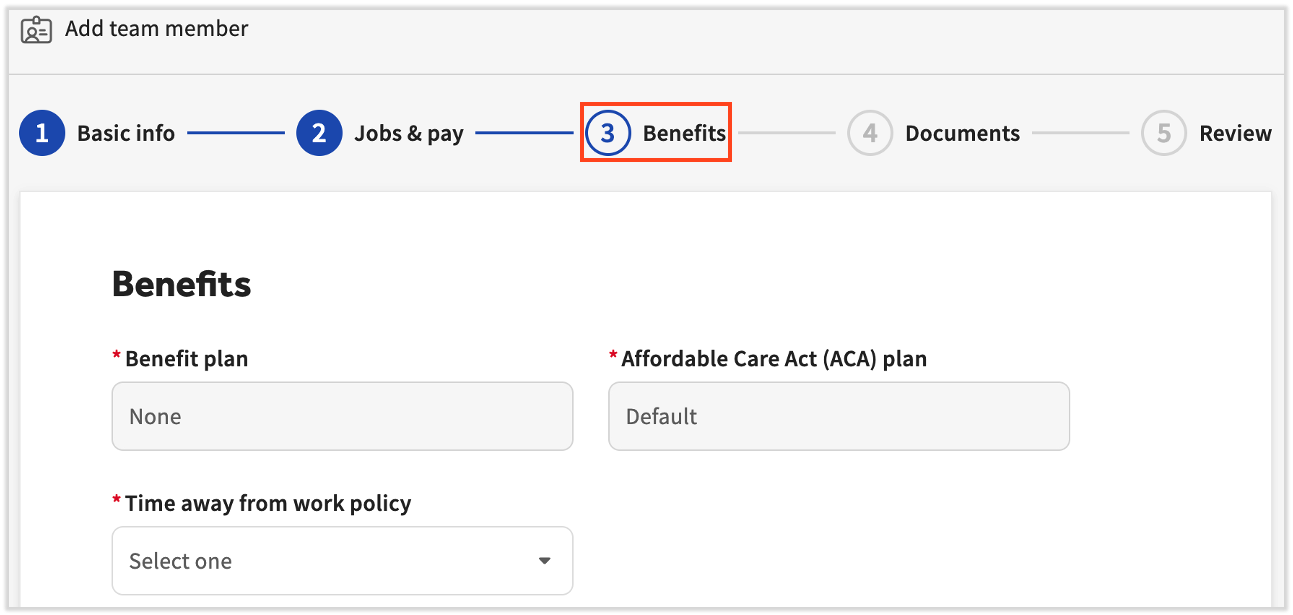
在入职新员工期间添加 TAFW 层级
TAFW 步骤是雇主新员工入职职责的第三步(仅在您购买了 Toast Payroll Pro 时才会出现)。此步骤称为 福利,其中包含选择 TAFW 层级 或选择 不适用 的选项。
更新现有员工的 TAFW 层级
要更新现有员工的 TAFW 层级,请按照以下步骤操作:
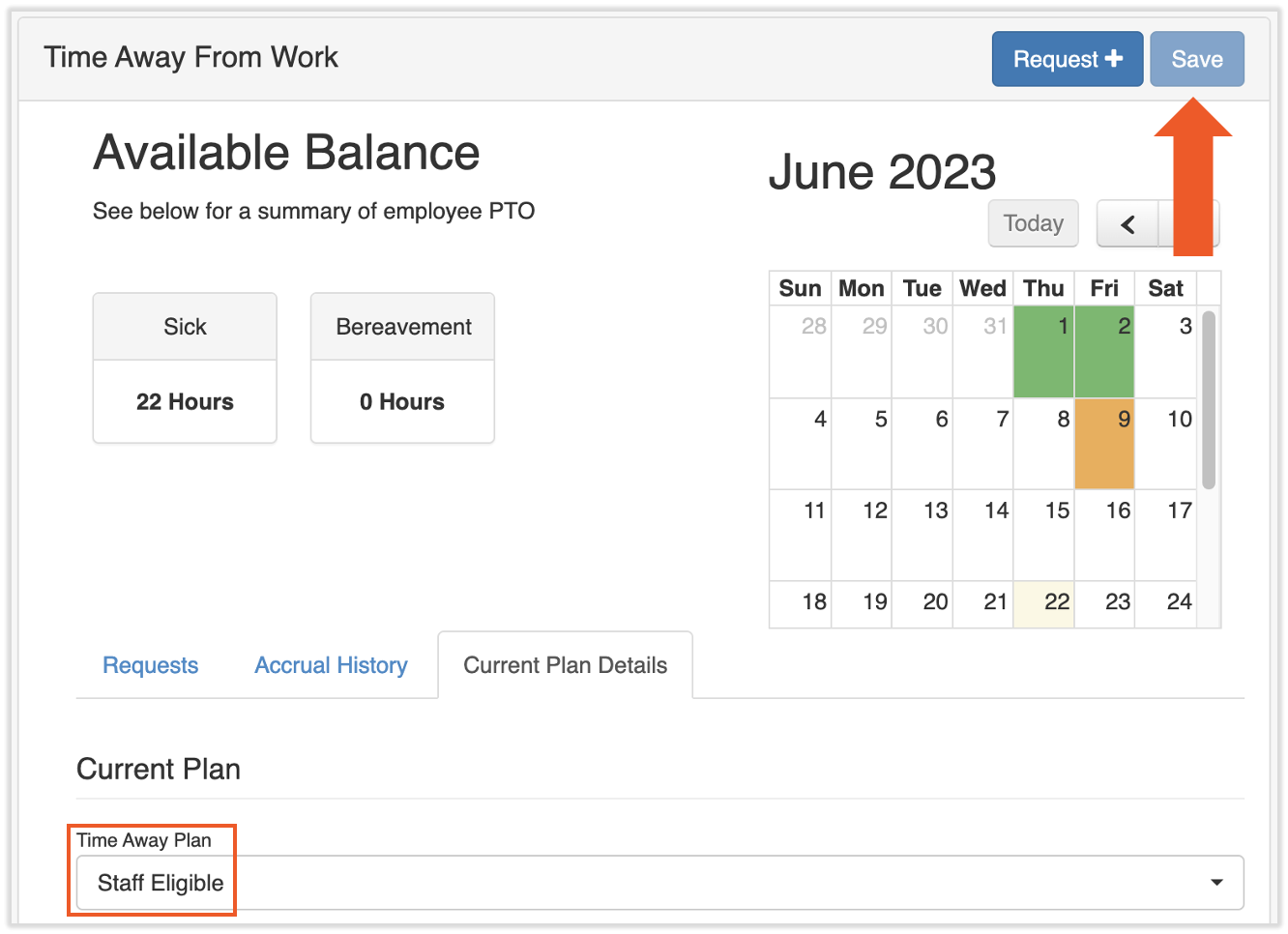
- 首先导航至员工的 Toast Payroll 个人资料,然后选择 休假。
- 通过访问 在 Toast Web 中导航 Toast Payroll,了解新的 Toast Payroll 导航功能。
- 您可以在此页面顶部查看员工当前的 TAFW 存储桶和余额。
- 在 当前计划详情 选项卡下方,找到名为 休假计划 的下拉菜单。将“休假计划”更改为新选项,或将其更改为 无 以从此个人身上移除 TAFW。
- 选择页面顶部的 保存。如果此处未进行任何更改,该按钮将呈灰色。
- 此更新将立即生效。所有先前余额将被移除,并将创建一个新选项卡,以保留员工之前所属任何 TAFW 层级的历史余额。
其他资源
- Toast Payroll:工作休假用户指南
- Toast Payroll: 了解您的工作休假余额
- Toast Payroll:手动调整工作休假
- Toast Payroll:为职位分配默认 TAFW 层级
此内容仅供参考,不作为法律、税务、人力资源或任何其他专业建议。请咨询律师或其他专业人士以获取建议。