Toast Payroll: Create Termination Templates and Reasons
本文章目前没有您语言对应的版本。正在显示默认语言。
Toast Payroll: Create Termination Templates and Reasons
上次更新时间:2025年11月24日 09:56
Termination templates determine which steps will be included in the termination process. Termination reasons can be customized to classify terminations.
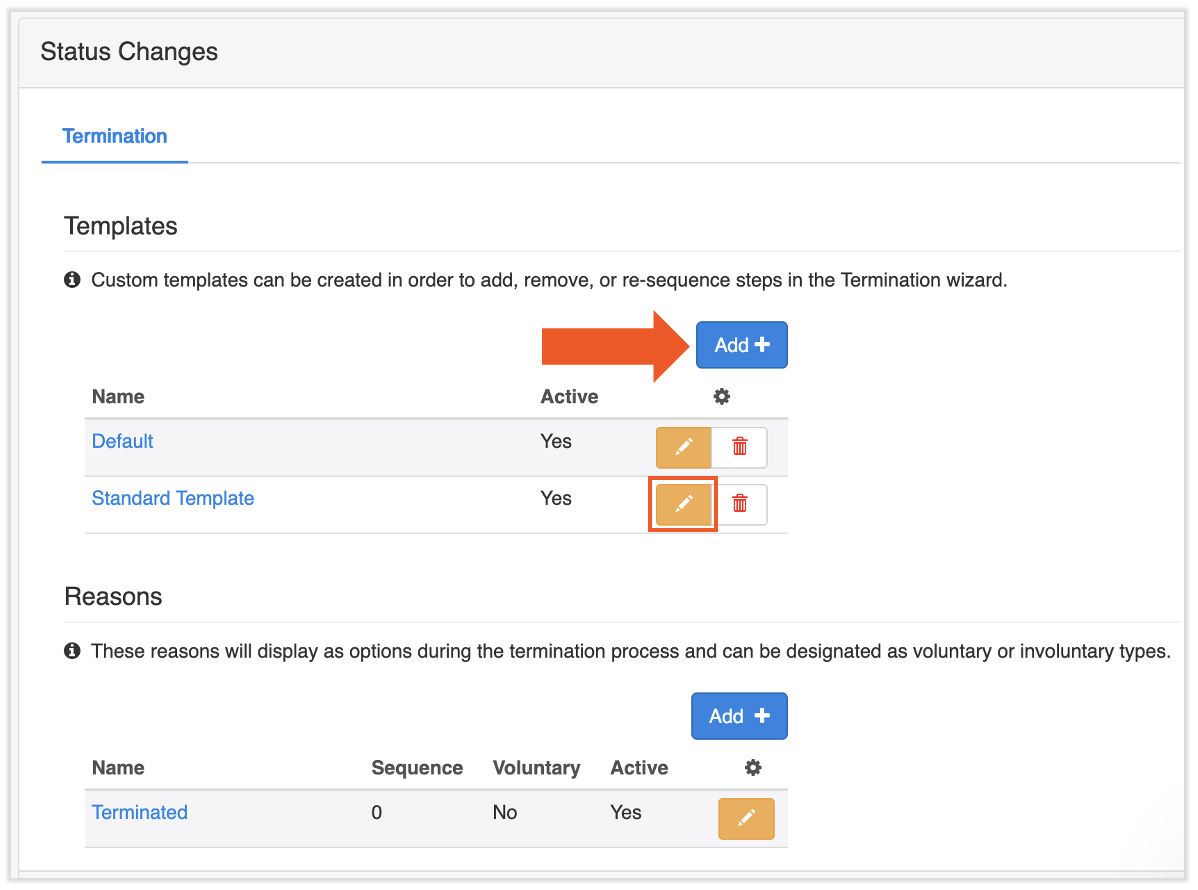
To access the termination template setup page, navigate to Settings > Status Changes.
Custom templates can be created in order to either re-sequence or add/remove steps to the termination process. Select the edit pencil to modify or make changes to a termination template or select Add + to create a new termination template.
The Default template cannot be edited.
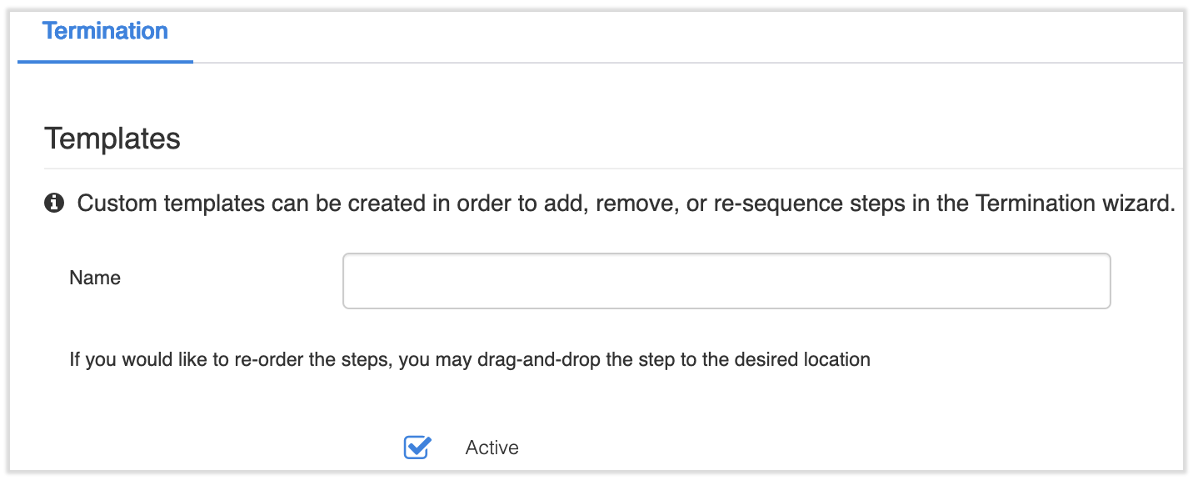
If you're creating a new template, begin by naming it. A new template is automatically defaulted to active, but you may unselect the Active box if you wish.
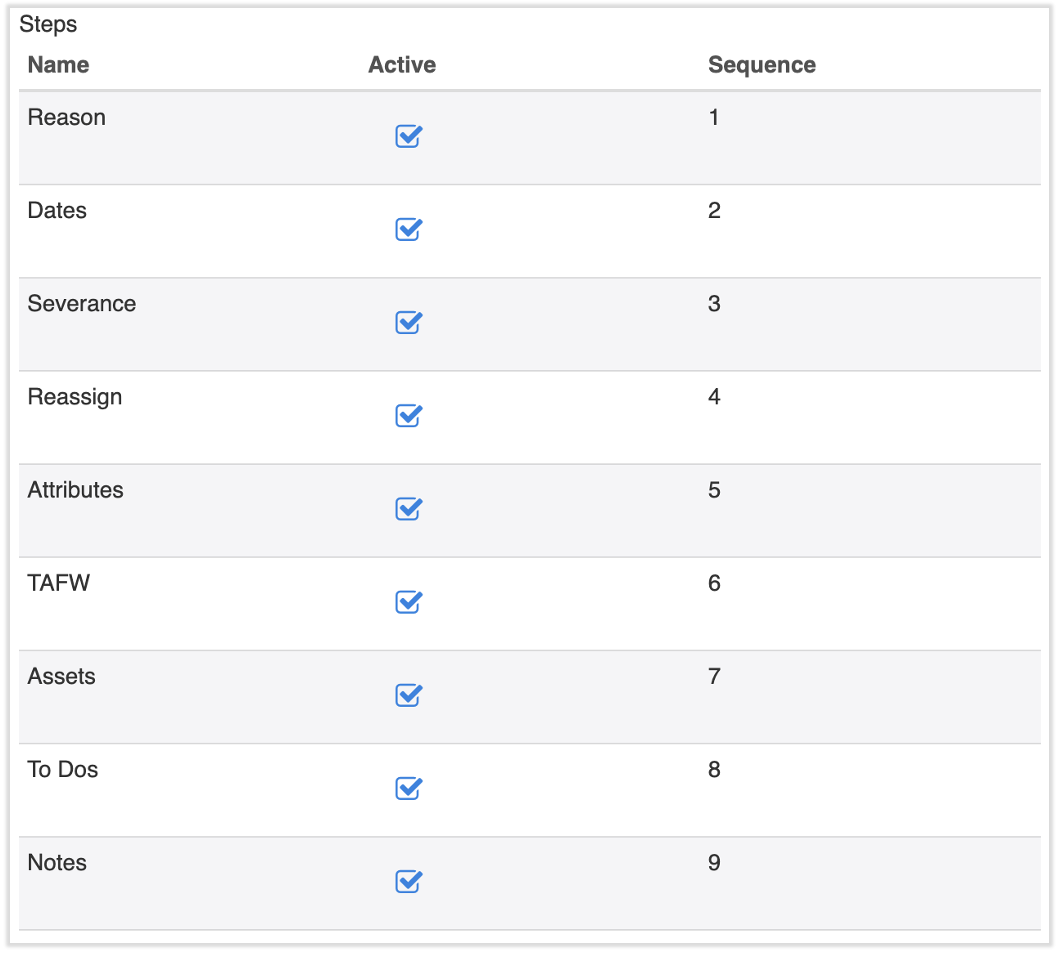
Scroll down and select which steps you would like to include in the termination process by selecting or deselecting Active next to the step. While editing, you can drag-and-drop steps to re-sequence the order in which you would like the steps to fall in the termination process. Note:Reason, Dates, and Reassign are all required steps.
Reason: Select a reason for termination.
To add new termination reasons, .
Dates: Select the payroll date, termination date, and benefits termination date
Severance: Allows you to pay the employee a severance pay amount, which is added as a
Reassign: Reassign who the employee reports to in the database
Attributes: Add various attributes about the terminated employee
TAFW: Pay out (time away from work) for the employee (if you use this feature)
Assets: Collect assets from the employee upon termination (if you use this feature)
Select Save to finalize.
Termination Reasons
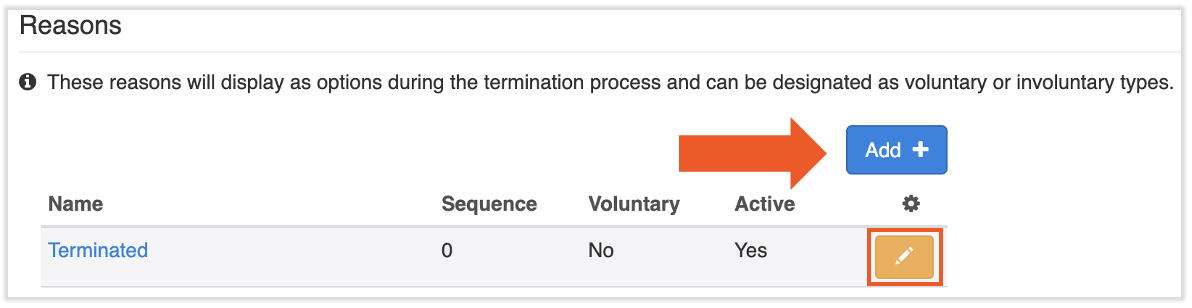
To access the termination reason setup page, navigate to Settings > Status Changes.
Termination reasons are used to classify an employee's termination. Select the edit pencil to modify an existing reason or select Add + to create new termination reasons.
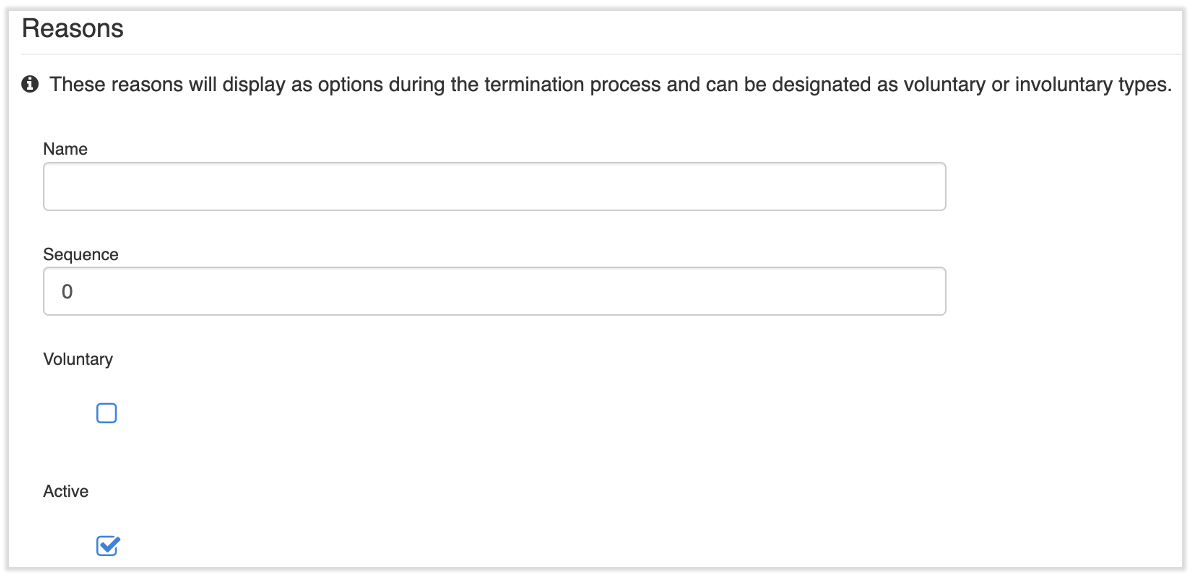
If you're creating a new termination reason, begin by naming it. Example termination reasons could be Resigned, Released, or Back to School.
Sequence: the order of these reasons in the Reason step
Voluntary: assists with classifying the termination and records a voluntary resignation date that you enter
Active: if the reason is enabled or not
Select Save to finalize.
Additional Resources
This content is for informational purposes and is not intended as legal, tax, HR, or any other professional advice. Please contact an attorney or other professional for advice.